
АТРИА Ви-Фи 5 Mesh Систем 2100 UK (паковање од 2 комада)
Сва питања
АТРИА Ви-Фи 5 Mesh Систем 2100 UK (паковање од 2 комада)
Како би требало да организујем своје Mesh Мрежа за оптимизацију моје Wi-Fi мреже?
Да бисте оптимизовали покривеност, требало би да инсталирате mesh на локацији где имате проблема са покривеношћу како бисте покрили што шире подручје у вашем дому.
Молимо вас да се уверите да mesh Јединице се не налазе у просторији у којој постоји носећи зид, јер је зид дебљи, па може доћи до проблема са проласком Wi-Fi сигнала кроз њега.
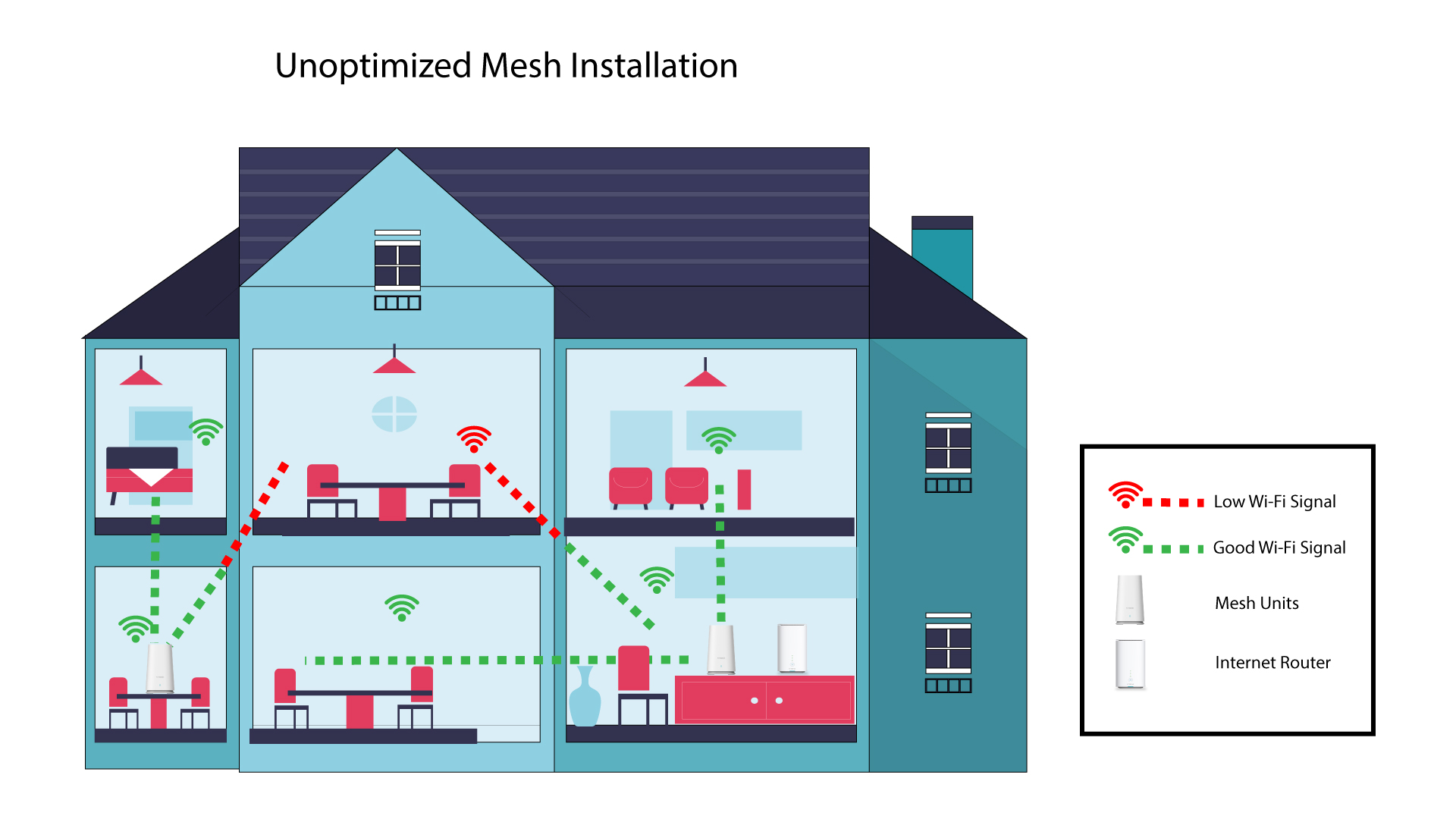
1 Неоптимизовано Mesh Инсталација
Следећа шема приказује Wi-Fi покривеност унутар куће где mesh Чворови се не налазе у правом делу куће да би имали одговарајућу покривеност.
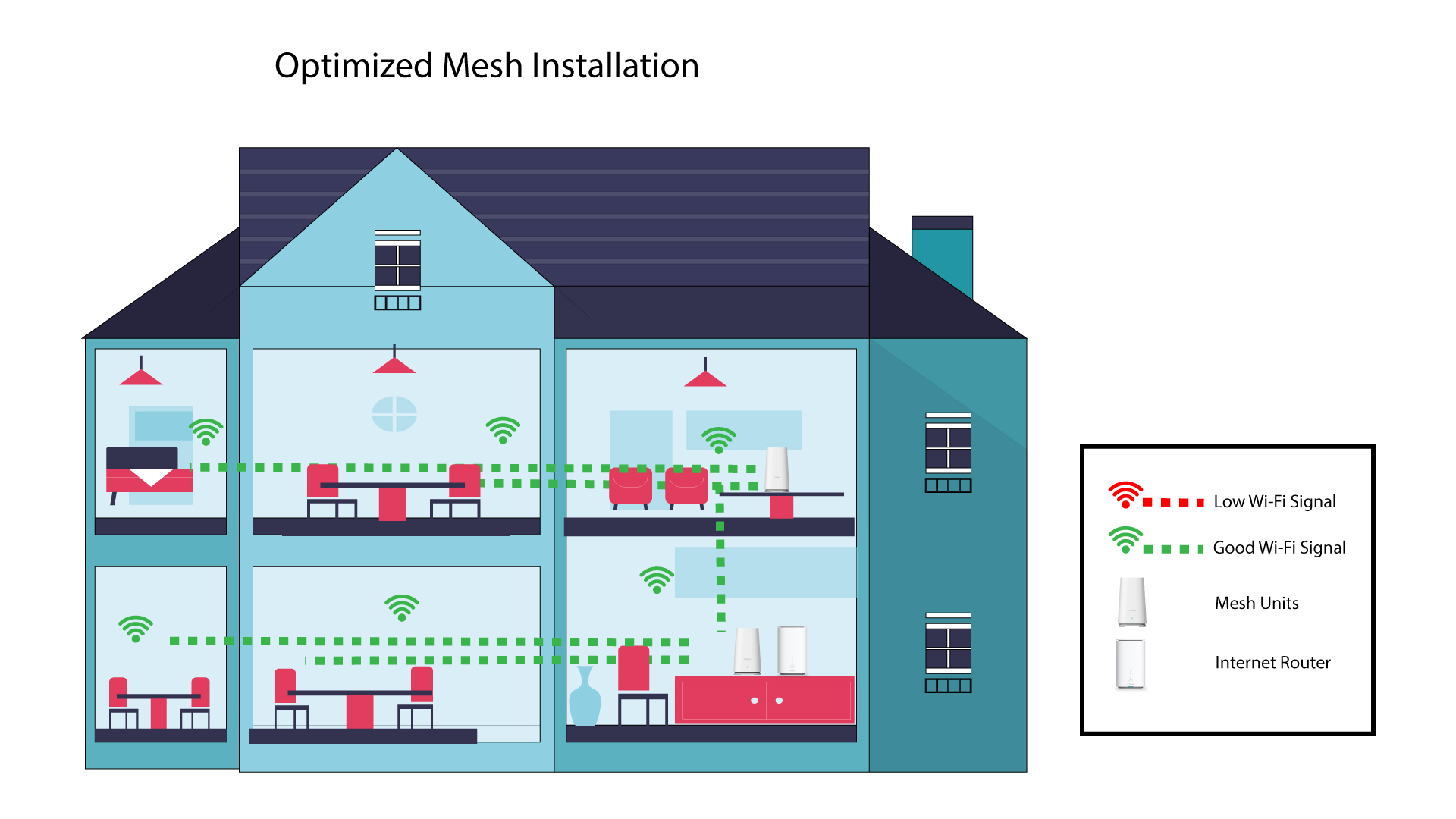
2 Оптимизовано Mesh Инсталација
Следећа шема приказује Wi-Fi покривеност унутар куће где mesh Чворови се налазе у правом делу куће како би се обезбедила одговарајућа покривеност.
1 Атрија Mesh Апликација
Download the application for smartphone "ATRIA MESH" on the App Store or the Google Play Store.

2 Повезивање са Wi-Fi мрежом
Повежите се са Wi-Fi мрежом вашег mesh јединица.
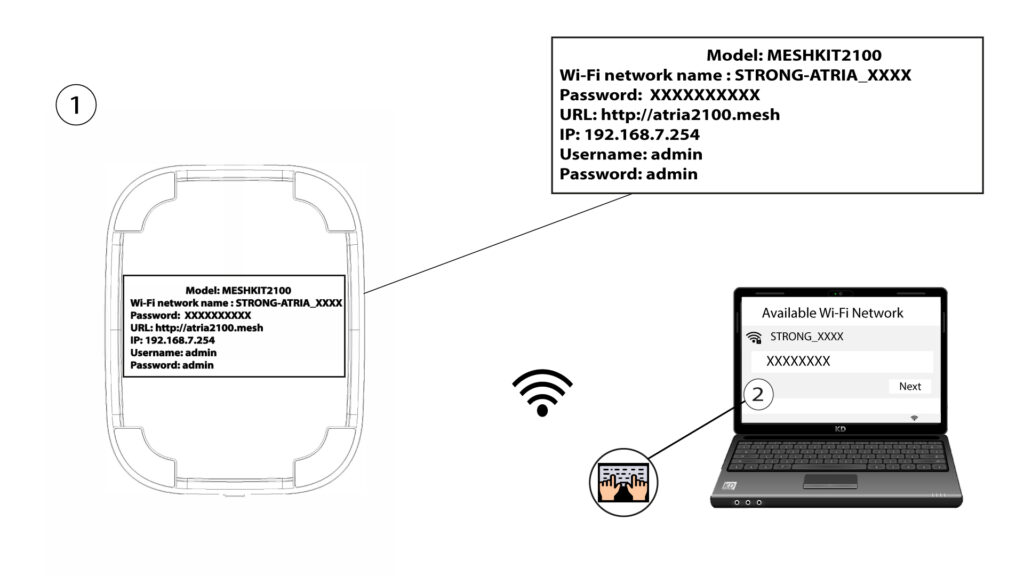
3 акредитива
Затим морате бити повезани на Wi-Fi мрежу Mesh помоћу паметног телефона, а затим се пријавите у апликацију са својим акредитивима који би требало да буду „ admin “ и „ admin “ ако их нисте променили.

4 Моја мрежа
Кликните на Моја мрежа .

5. Име Mesh
Видећете име mesh јединице које сте конфигурисали на мрежи.
Кликните на име mesh јединици да приступи својим информацијама.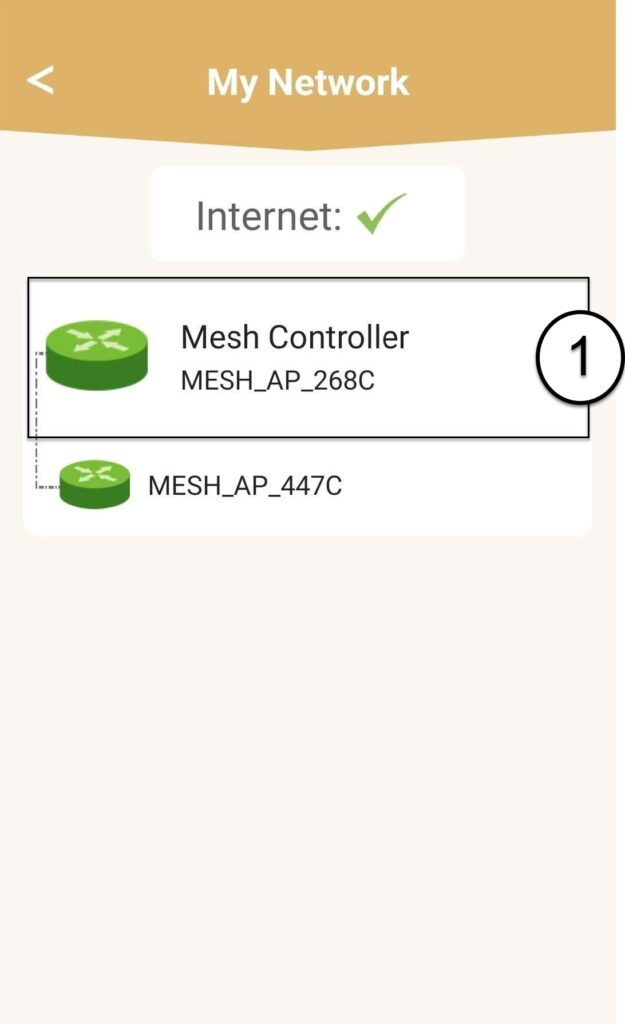
6 Име
Кликните на поље за име.
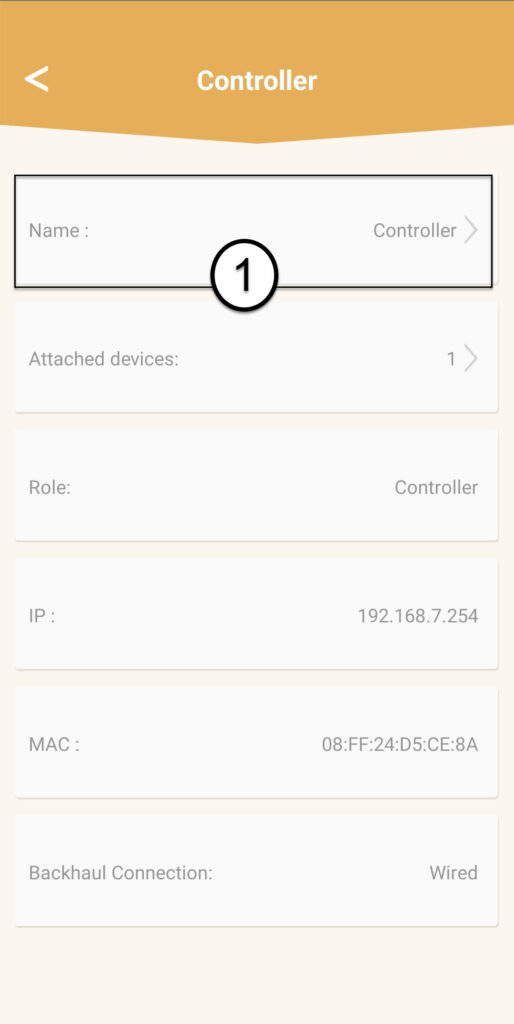
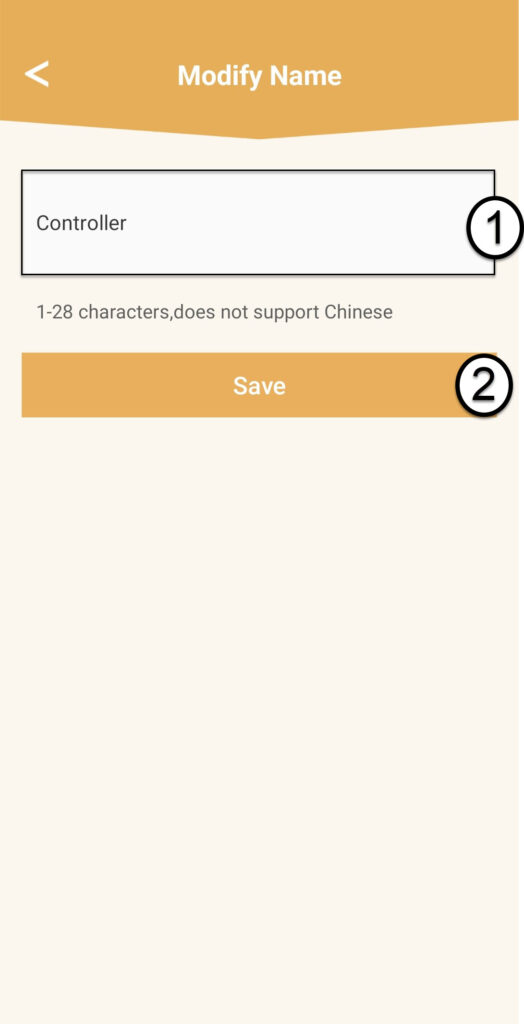
7 Промените име контролера
Унесите ново име и кликните на Сачувај :
- The mesh Контролер треба да се назове овако: MeshAX3000-Main- Nameoftheroom
- The mesh Агенти би требало да буду именовани овако: MeshAX3000-Nameoftheroom

Упозорење : Ако mesh Ако се јединица појављује сиво, то значи да не пружа довољну покривеност и да би требало да прилагодите њену локацију како бисте оптимизовали mesh мрежа.