
CPL Wi-Fi 500 Duo | POWERLWF500DUOFR
Нема пронађених ставки.
Нема пронађених ставки.
Сва питања
CPL Wi-Fi 500 Duo | POWERLWF500DUOFR
Нема пронађених ставки.
Нема пронађених ставки.
Како подесити високи ниво безбедности 2 на вашим Powerline производима?
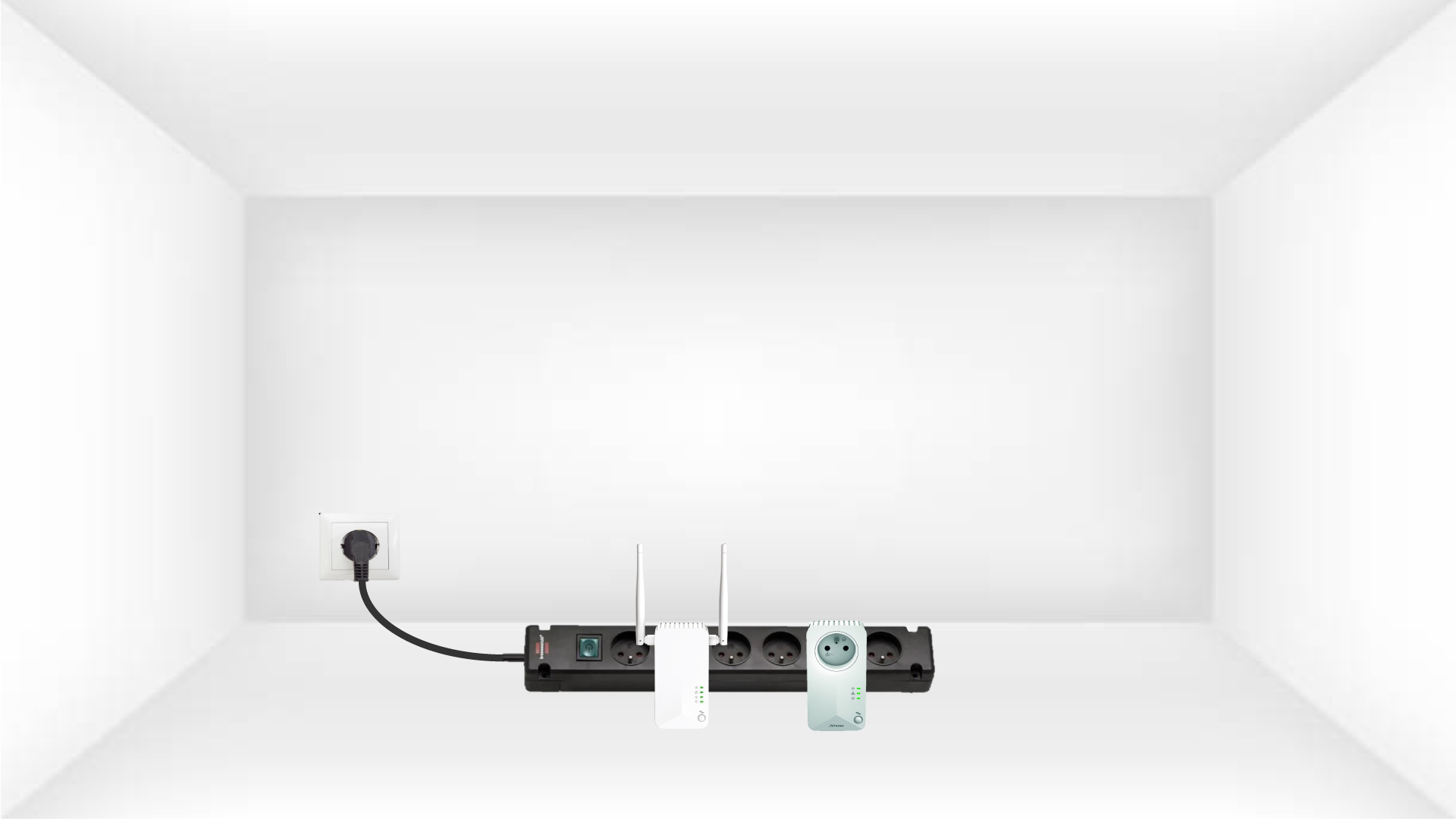
1 Укључите адаптере на продужну утичницу
Узмите продужни кабл и прикључите све адаптере за напајање на њега.
2 Повежите адаптер на интернет
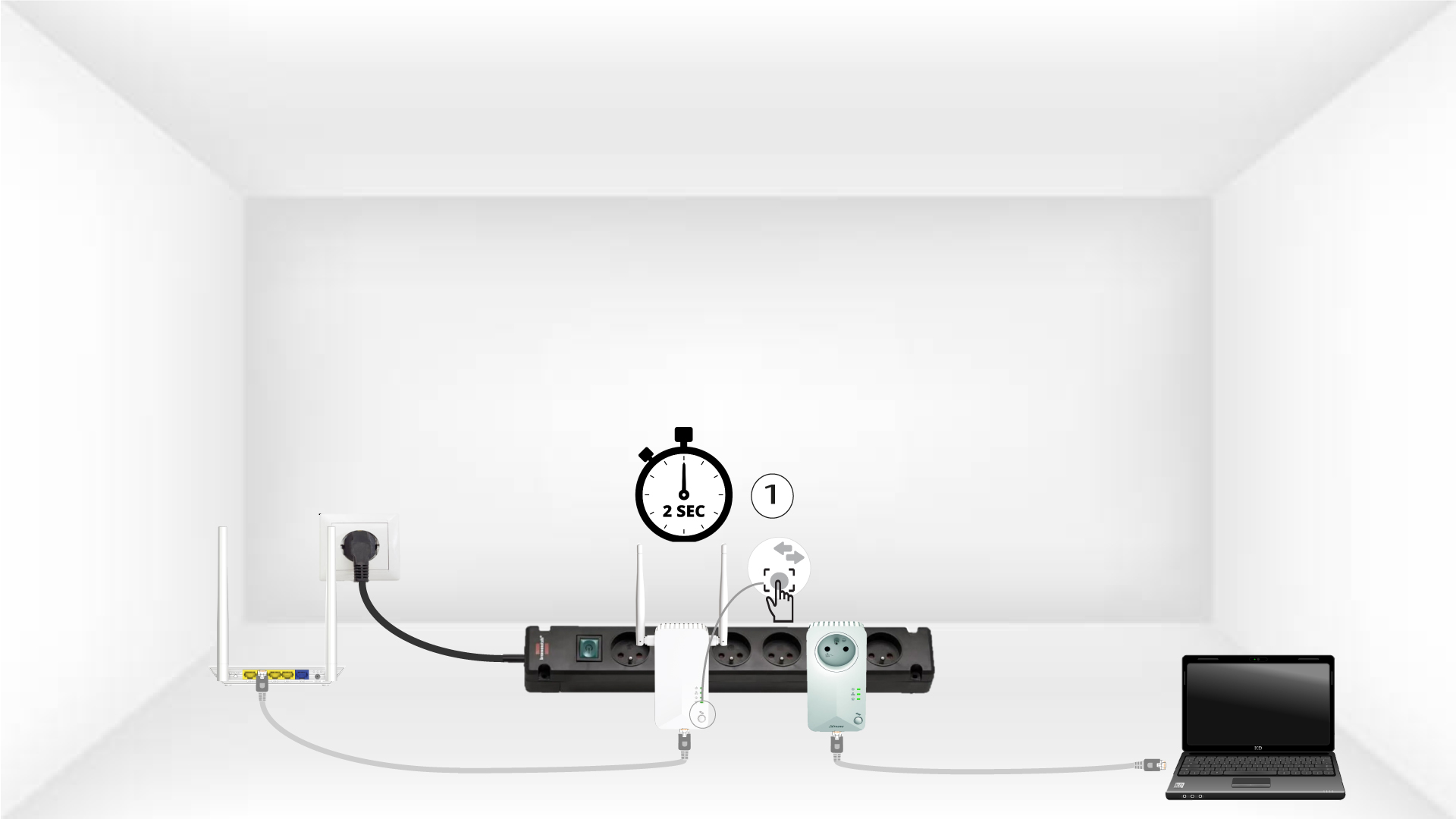
Повежите један од адаптера са интернет мрежним пролазом/рутером помоћу RJ45 кабла.

3 Притисните дугме Повежи се и обезбеди (први уређај)
Затим, притисните дугме „Повежи се и обезбеди“ 2 секунде на првом уређају.
4 Притисните дугме Повежи се и обезбеди (други уређај)
Притисните дугме „ПОВЕЖИ И ОБЕЗБЕДИ“ на другом уређају 2 секунде. Имате до два минута да то урадите.
5 трептања кућне ЛЕД диоде
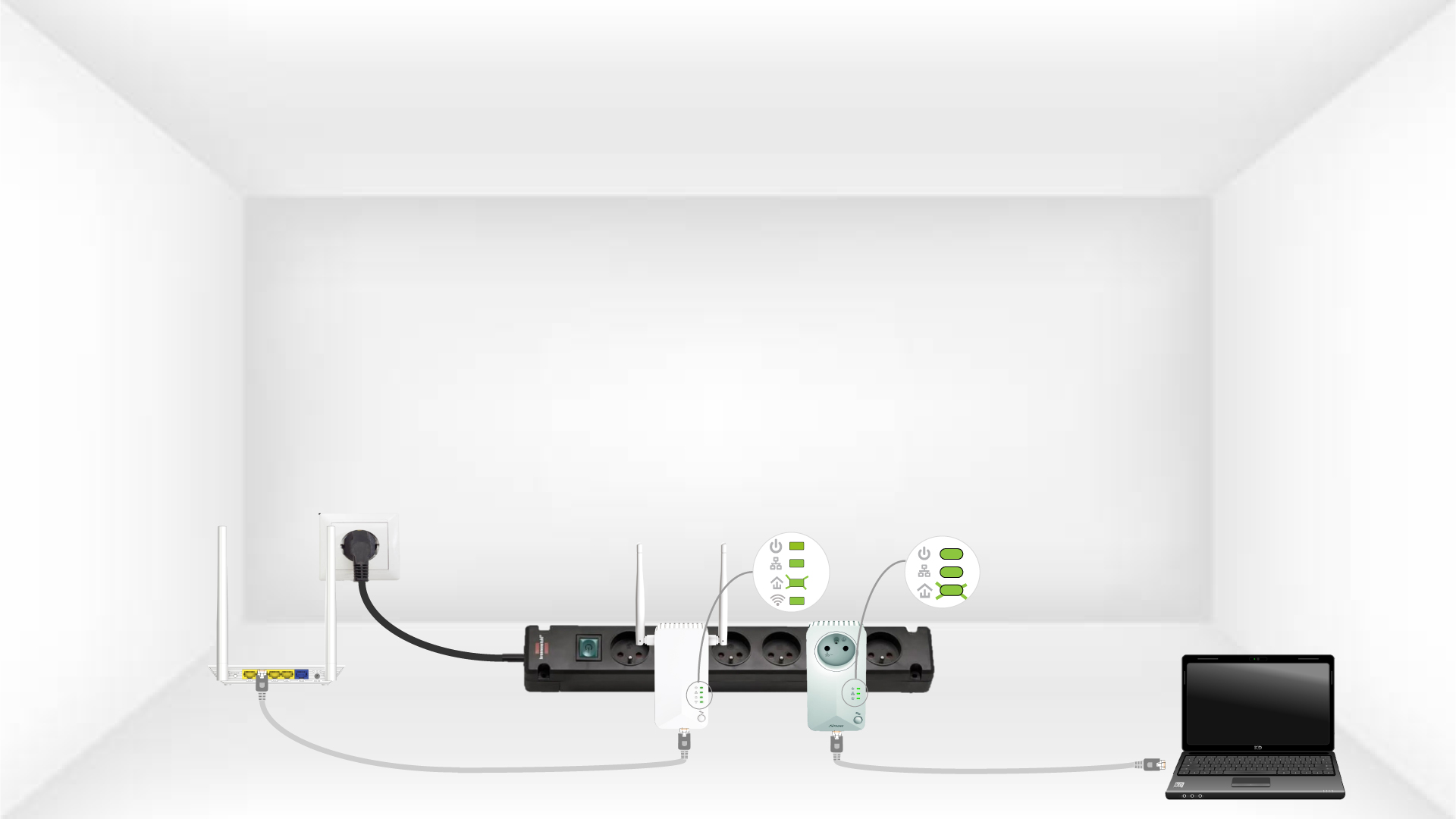
Лед лампица за кућни уређај треба да трепери на оба уређаја.
6 Јединствени кључ за шифровање је подешен
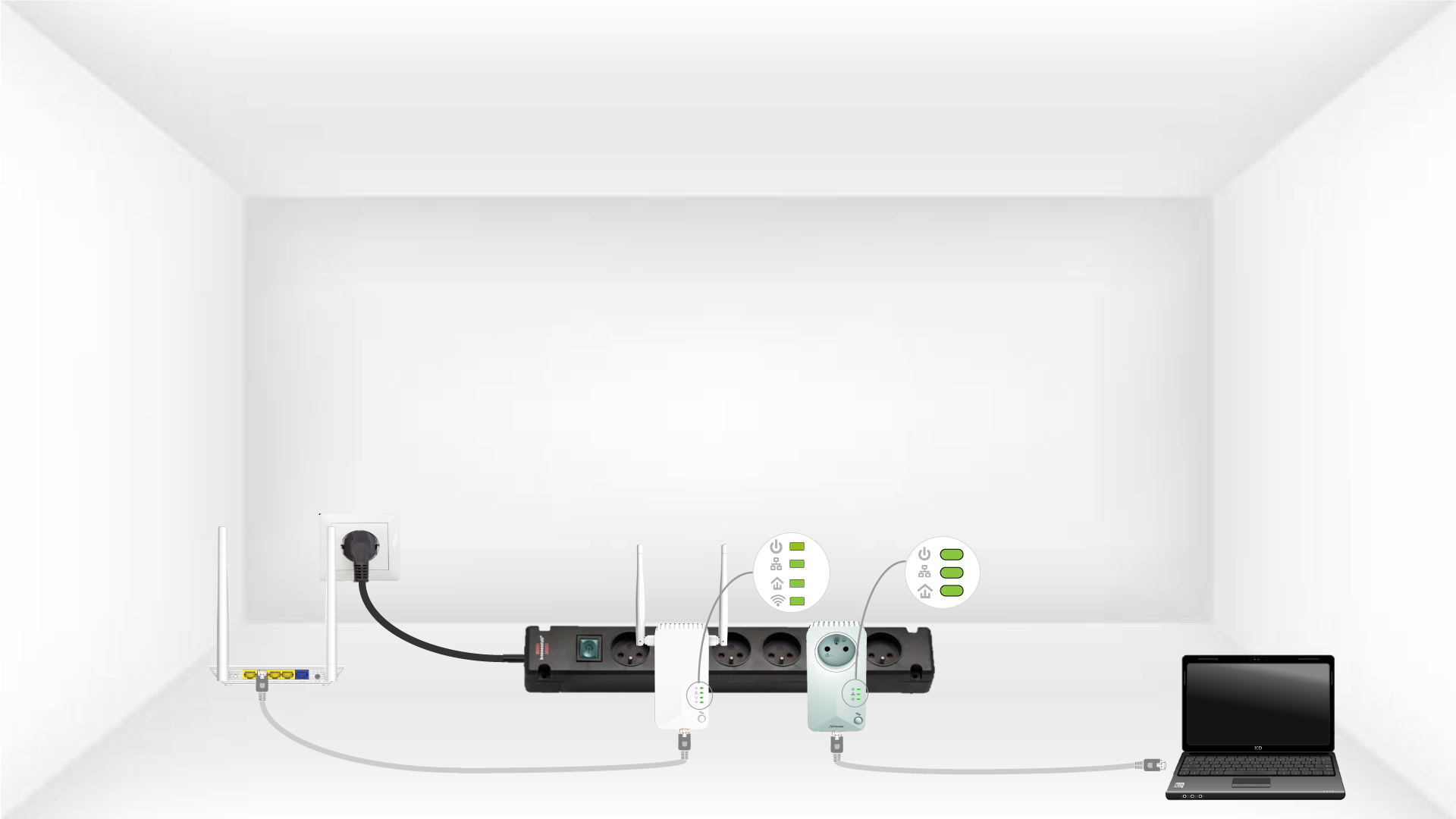
Ваш јединствени кључ за шифровање је сада подешен и све ЛЕД диоде уређаја треба да буду зелене.
Сада морате инсталирати адаптере у просторијама где су вам потребни. Топло препоручујемо да не стављате адаптере на вишеструки утикач.