
Powerline 500 Wi-Fi троструки пакет
Сва питања
Powerline 500 Wi-Fi троструки пакет
Немам приступ интернету и/или ЛЕД лампица иконе „почетна“ не светли.
Морате ресетовати адаптере на фабричка подешавања. Да бисте ресетовали адаптере, пратите кораке у наставку:
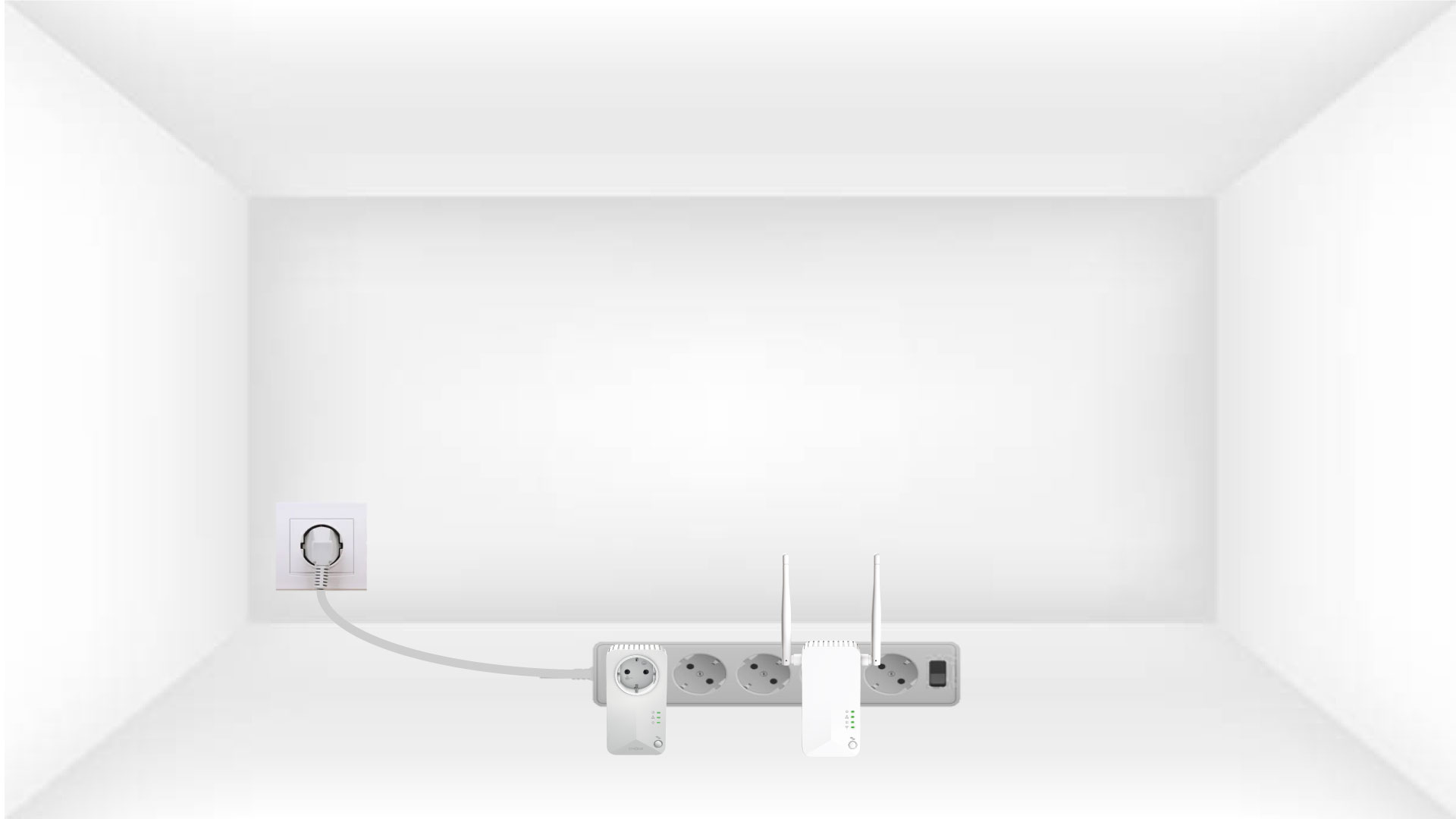
1 Повежите адаптере са продужним каблом
Повежите адаптере један за другим на продужну кабл.
2 Повежите адаптере на интернет
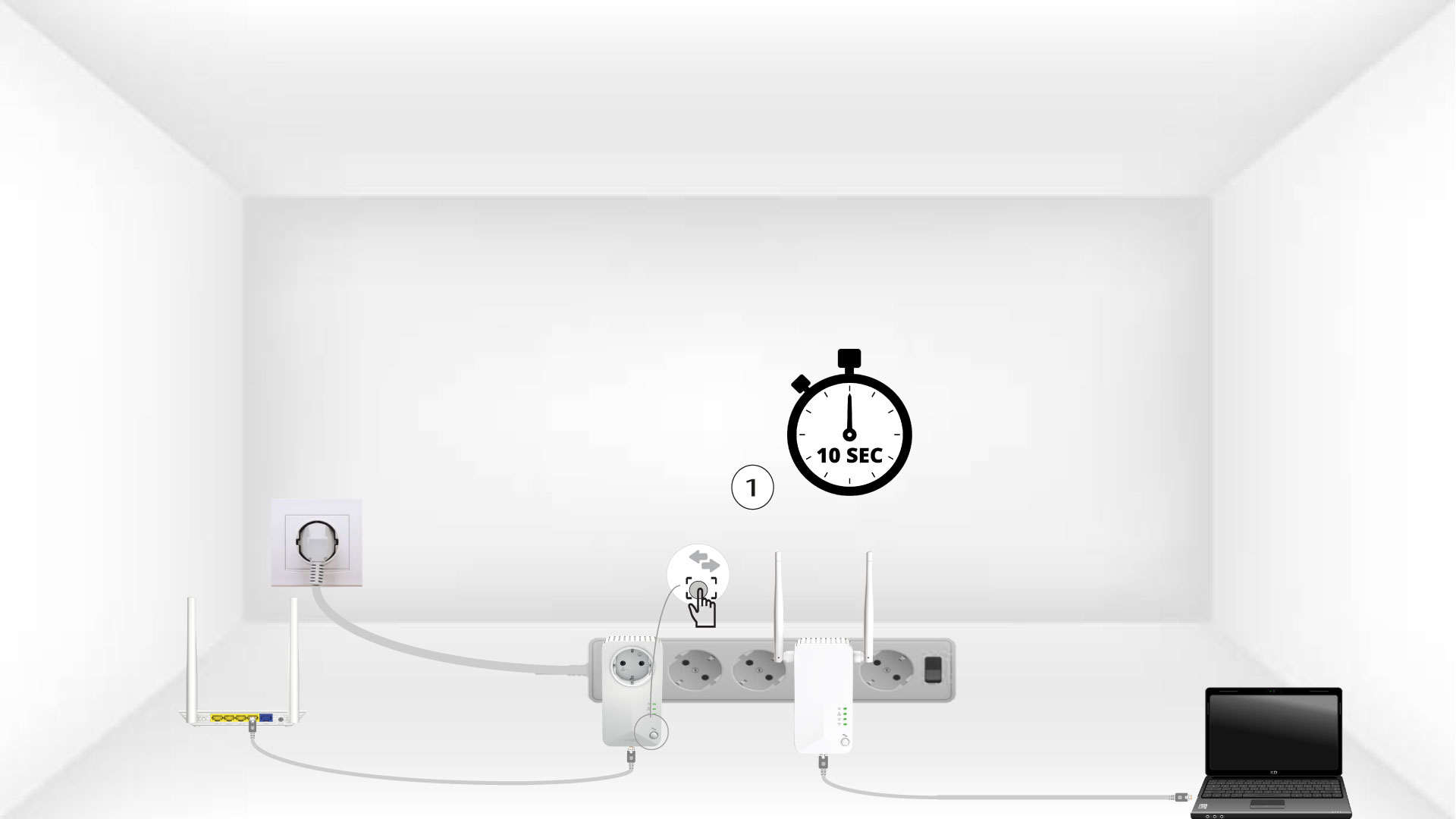
Повежите сваки адаптер са исправним уређајем (интернет рутер/гејтвеј, Андроид бокс, паметни ТВ, рачунар итд.) помоћу етернет кабла. Мора постојати комуникација између уређаја, у супротном ће адаптер аутоматски прећи у режим приправности.

3 Притисните дугме Повежи се и обезбеди (први уређај)
Када је адаптер прикључен и повезан на Етернет, једноставно притисните дугме „Повежи се и обезбеди“ на предњој плочи 10 секунди.
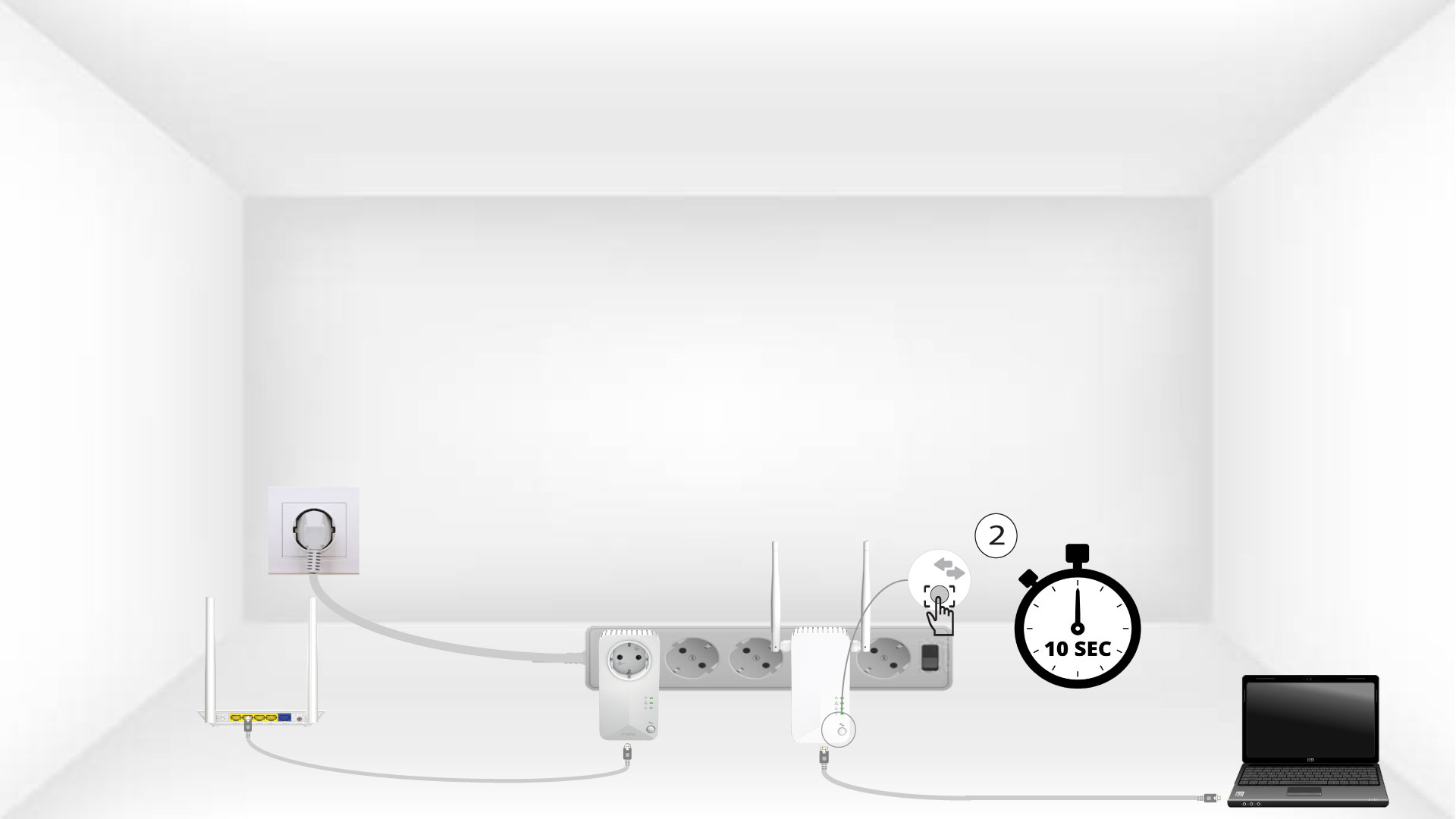
4 Притисните дугме Повежи се и обезбеди (други уређај)
Притисните дугме „Повежи се и обезбеди“ на предњој плочи другог уређаја 10 секунди.
5 Икона Почетне странице трепери на уређајима
Кућне ЛЕД диоде би требало да почну да трепћу.

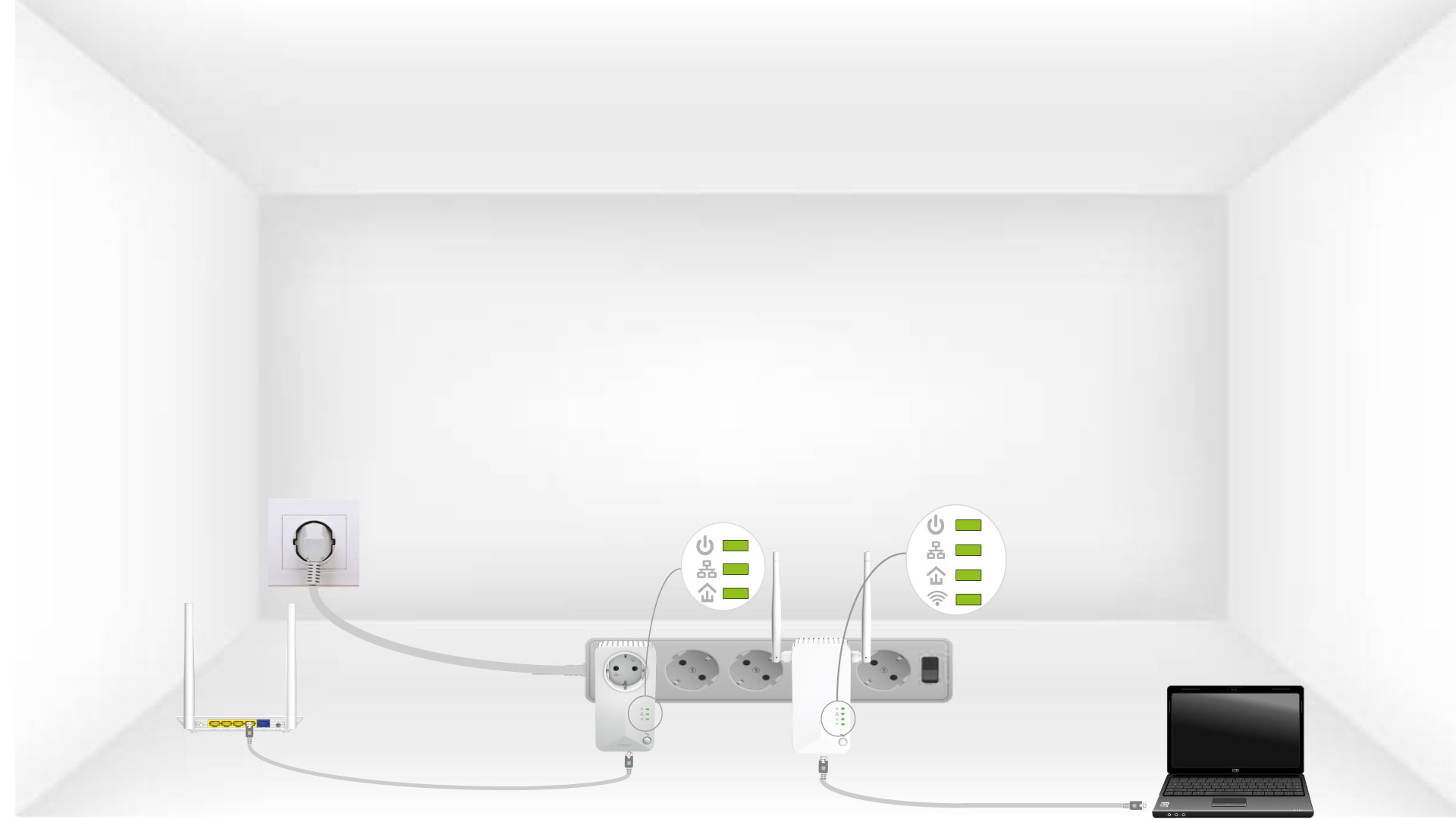
6 уређаја је ресетовано
Све ЛЕД диоде морају бити зелене на крају операција.
Поновите исту операцију за трећи далековод. Можете имати до осам Powerline 500 на истој електричној инсталацији.
Након ресетовања свих уређаја, можете их поставити у просторију где су вам потребни.