
4Г преносива приступна тачка 150
Сва питања
4Г преносива приступна тачка 150
Шта значи различити статуси SIM картица у веб интерфејсу?

Упозорење: Пре повезивања са веб интерфејсом, уверите се да је ваша СИМ картица правилно уметнута и да је ПИН онемогућен или
ушао.
1 Статус СИМ картице
Статус ваше СИМ картице можете видети на екрану 4G PORTABLE HOTSPOT 150:
Када се налазите у веб интерфејсу, можете приметити да се поред статусне линије СИМ картице може написати неколико статуса:
Нема СИМ картице или СИМ картица није важећа: СИМ картица је уметнута и детектована, али не ради због ПИН кода.  СИМ картица није правилно уметнута ууређај или ниједна СИМ картица није уметнута у отвор.
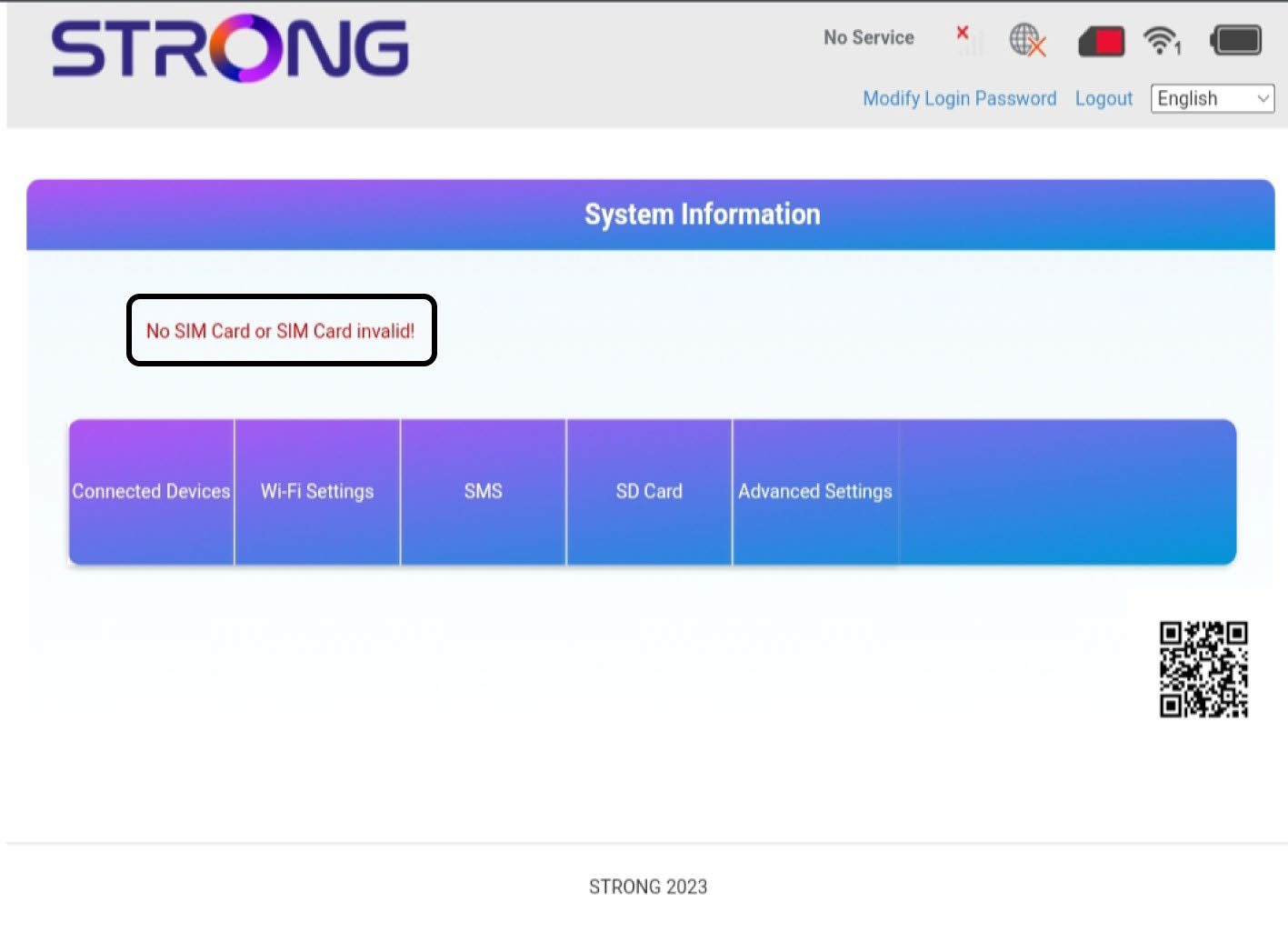
2 Статус: Нормалан
Нормално : СИМ картица је правилно уметнута у уређај и откључана. Можете видети главну страницу веб интерфејса.

Упозорење:
• Ако је SIM картица закључана PIN кодом, морате се повезати са веб интерфејсом да бисте га унели и откључали SIM картицу.
• Ако SIM картица није детектована, проверите да ли је златна страна видљива када се SIM картица убаци у отвор.
• Ако СИМ картица није правилно постављена, вратите је у отвор и проверите да ли је СИМ картица још увек у адаптеру.