ATRIA Wi-Fi 6 Mesh 3000 UK 2-pack)
Alla frågor
ATRIA Wi-Fi 6 Mesh 3000 UK 2-pack)
Hur kan jag ställa in en statisk IP-adress eller tilldela en dedikerad IP-adress till min Atria- Mesh -enhet AX3000?
Det kan vara intressant att ställa in en statisk IP-adress för din mesh -styrenhet för att enklare kunna komma åt webbgränssnittet i ditt nätverk via Atria-appen Mesh .
Du kan också tilldela dedikerade IP-adresser till de enheter som är anslutna till ditt mesh -nätverk via webbgränssnittet.
1Fall1: Konfigurera en statisk IP-adress för mesh -styrenheten i Atria-appen Mesh
Du måste ansluta din enhet till Wi-Fi-nätverket ” mesh ” och öppna Atria-appen.

2Angedina inloggningsuppgifter
Ange användarnamn och lösenord (admin/admin) innan du klickar på ”Logga in”.

3.Internetinställningar – Statiska
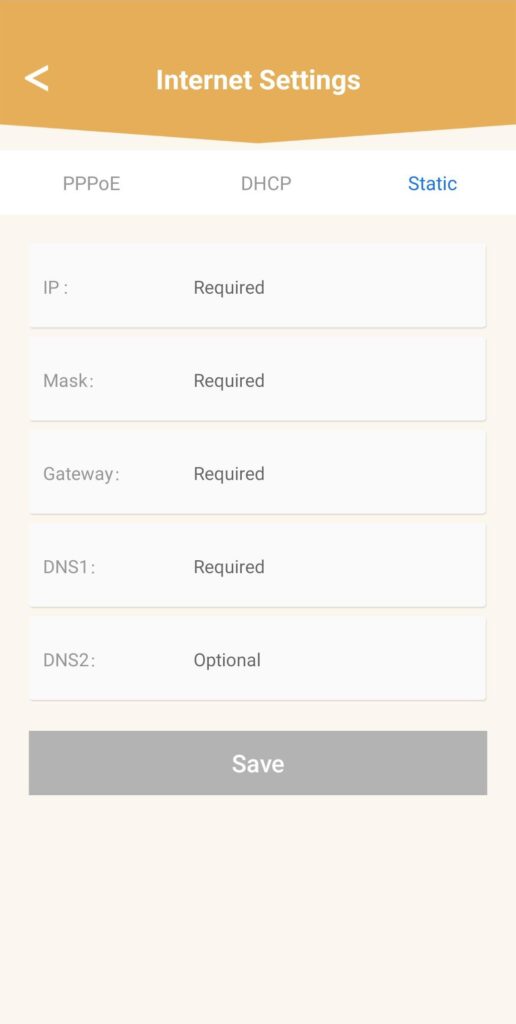
Klicka på ”Internetinställningar” och sedan på ”Statisk”. Du måste ange följande uppgifter innan du klickar på ”Spara ”:
• IP: ange den IP-adress som du vill tilldela mesh.
• Mask: fältet fylls i automatiskt utifrån den IP-adress som angivits tidigare.
• Gateway: fältet fylls i automatiskt utifrån den IP-adress som angivits tidigare.
• DNS1: Ange den primära DNS-adressen för din internetboxleverantör.
• DNS2: Ange den sekundära DNS-adressen för din internetboxleverantör.
1Fall2: Tilldela en dedikerad IP-adress till dina mesh -agenter/enheter i webbgränssnittet
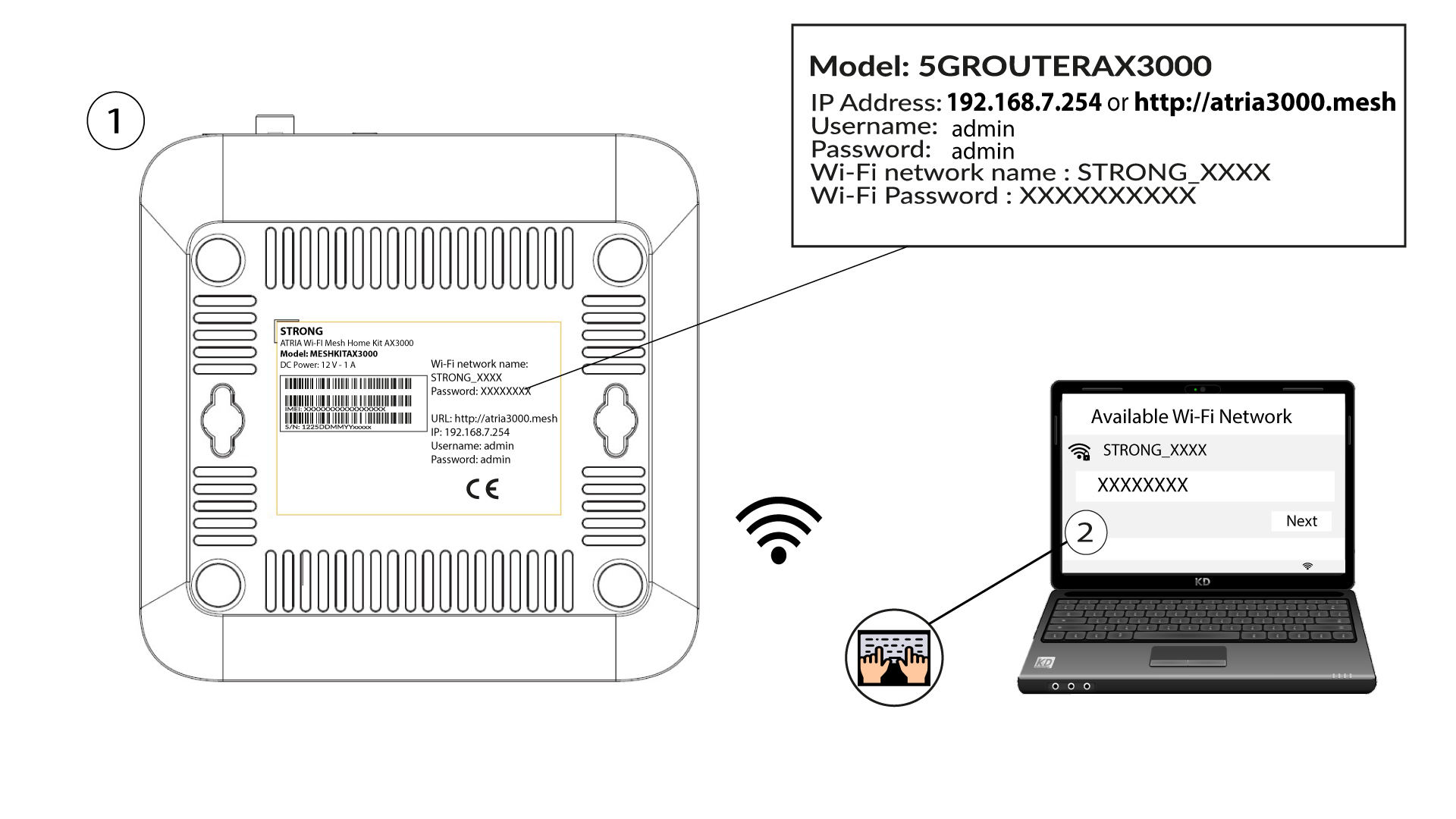
För att göra detta anger du routerns SSID (Wi-Fi-nätverksnamn) och Wi-Fi-lösenord på din enhet:
2. Gåtill webbgränssnittets IP-adress
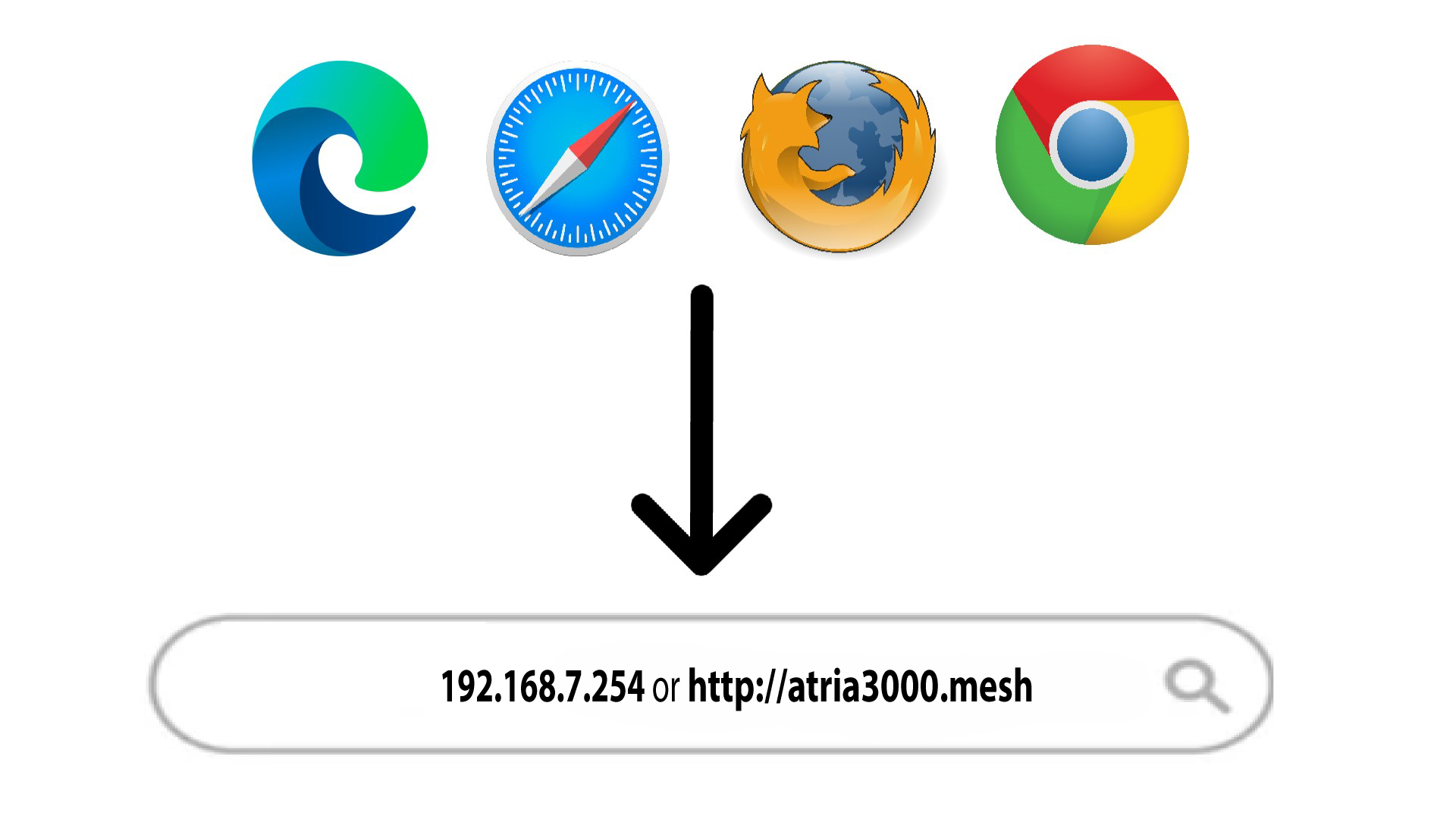
Ange sedan följande IP-adress i din webbläsare: 192.168.7.254 eller skriv in följande adress: http://atria3000.mesh
3Angedina inloggningsuppgifter
Du måste ange användarnamn (admin) och lösenord (admin) (observera att du efter den första inloggningen kommer att skapa ditt eget administratörslösenord, vilket innebär att det lösenord som står på produktetiketten inte längre fungerar). Klicka sedan på Logga in.

4.IPv4-konfiguration
Klicka på ”Nätverk”, ”LAN-konfiguration ” och ”IPv4-konfiguration”.

5. Lägg tillen IPv4-adress
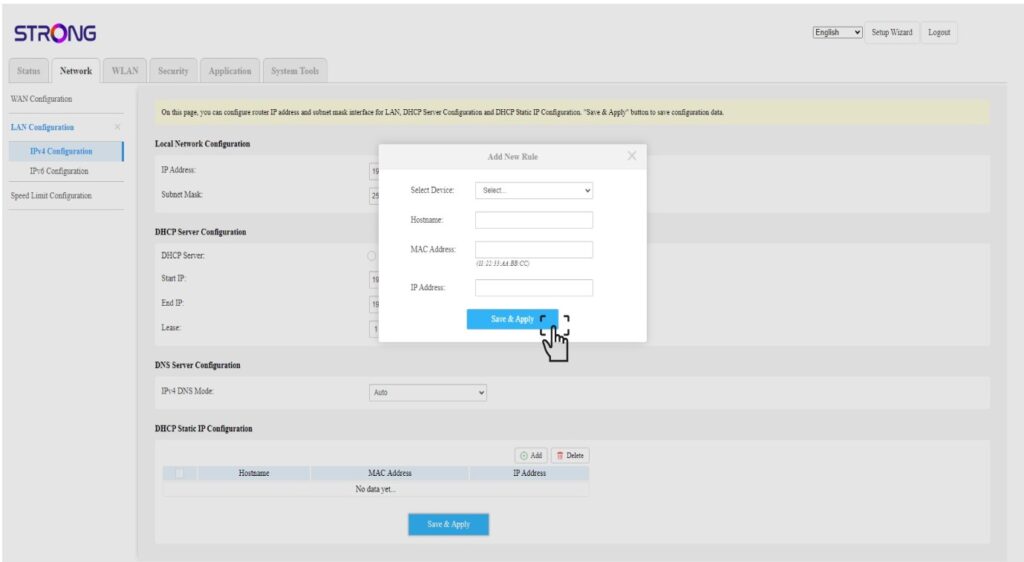
Klicka på ”Lägg till” i inställningarna för statisk IP-adress via DHCP. Ange sedan följande uppgifter innan du klickar på ”Spara och tillämpa”.
• Välj enhet: välj enhetens namn i listan.
• Värdnamn: fältet fylls automatiskt i med enhetens namn.
• MAC-adress: fältet fylls automatiskt i med enhetens MAC-adress.
• IP-adress: fältet fylls automatiskt i med den statiska IP-adress som tilldelats enheten