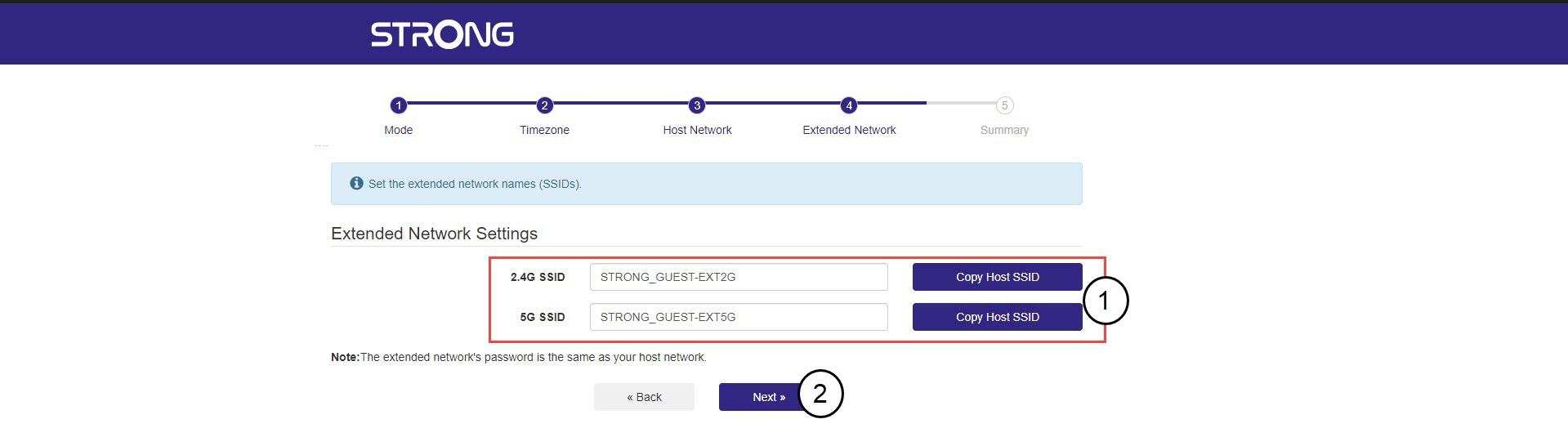
Repeater AX1800
Alla frågor
Repeater AX1800
Hur ställer jag in min repeater?
Innan du konfigurerar din repeater bör du läsa igenom följande anvisningar för att avgöra var repeatern ska placeras: Var är den bästa placeringen för min repeater?
1Ansluttill webbgränssnittet
Följ ett av stegen nedan för att ansluta till webbgränssnittet:
- Hur ansluter jag till repeaterns webbgränssnitt? (RJ45-kabel)
- Hur ansluter jag till repeaterns webbgränssnitt? (Wi-Fi)
2Väljläge för din repeater
Guiden för installation av repeatern öppnas. Välj ”Trådlös förstärkare ” och klicka på ”Nästa”.

3Väljtidszon
Välj tidszon från listan om den som upptäcks automatiskt är felaktig och klicka på Nästa.

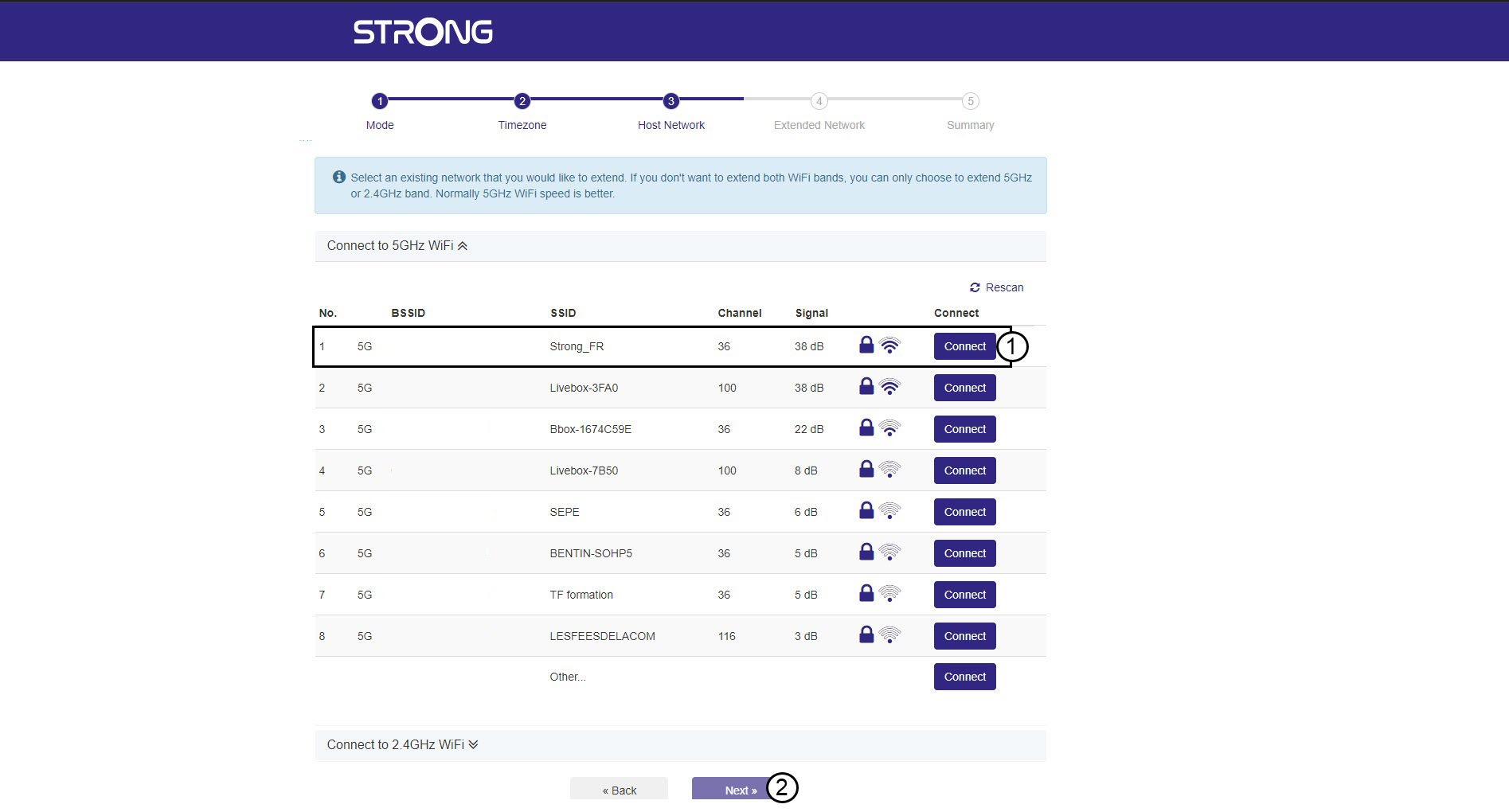
4. Söka eftertillgängliga nätverk
Din repeater kommer att söka igenom alla tillgängliga Wi-Fi-nätverk på 2,4 GHz och 5 GHz för att identifiera huvudnätverket. Välj namnet på din routers Wi-Fi-nätverk. Klicka sedan på ”Anslut” och ”Nästa”.
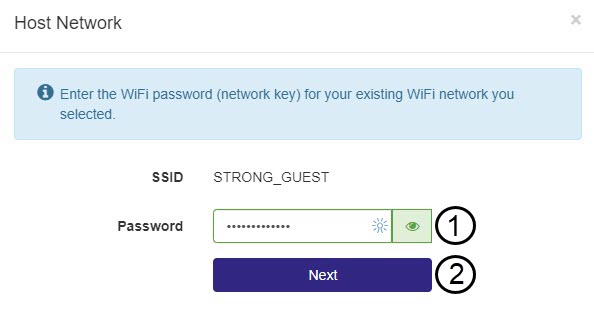
5Angelösenordet för Wi-Fi-värdnätverket
Ange Wi-Fi-lösenordet för din router och klicka på Nästa.
Du kan klicka på ögonikonen för att visa det lösenord du skriver in.
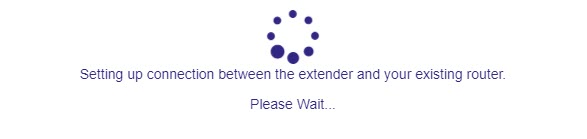
6. Väntamedan konfigurationen pågår
Vänta medan repeatern konfigureras.
7. Bekräftakonfigurationen
Klicka på Nästa för att bekräfta inställningarna.
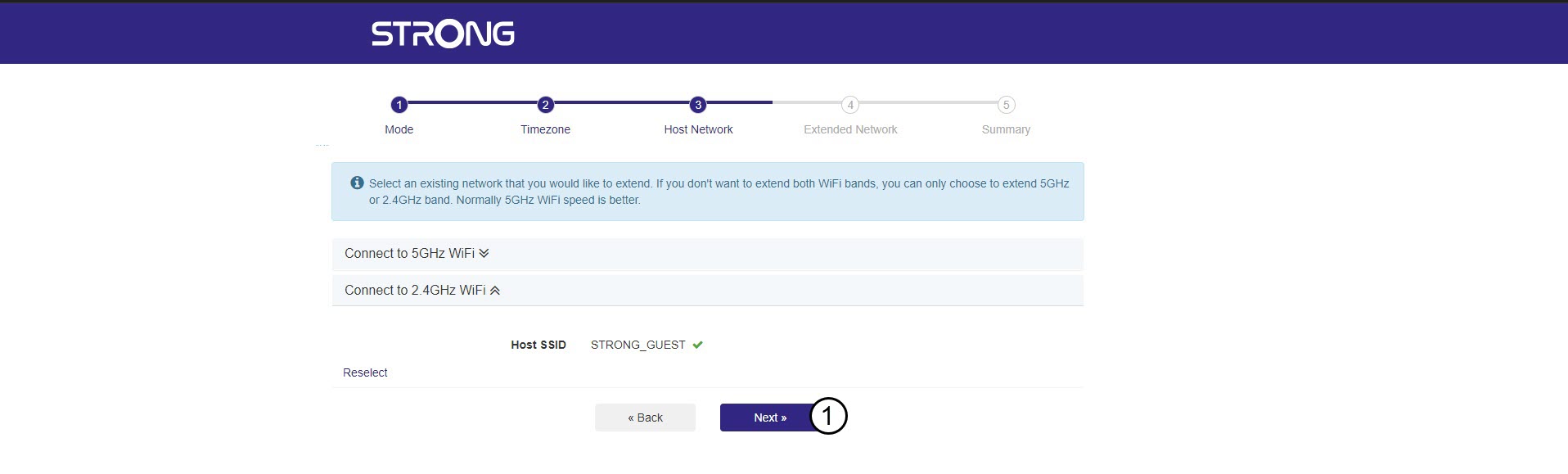
8. Skrivner nätverksinformationen
Skriv ner uppgifterna om de nya Wi-Fi-nätverken och klicka på Nästa.