Dubbelbandsrepeater 750 UK
Alla frågor
Dubbelbandsrepeater 750 UK
Hur ställer jag in min repeater?
Innan du konfigurerar din repeater bör du läsa igenom följande anvisningar för att avgöra var du ska placera den: Var är den bästa placeringen för min repeater?
1Ansluttill webbgränssnittet
Följ ett av stegen nedan för att ansluta till webbgränssnittet:
- Hur ansluter jag till repeaterns webbgränssnitt? (RJ45-kabel)
- Hur ansluter jag till repeaterns webbgränssnitt? (Wi-Fi)
2Väljrepeaterläge
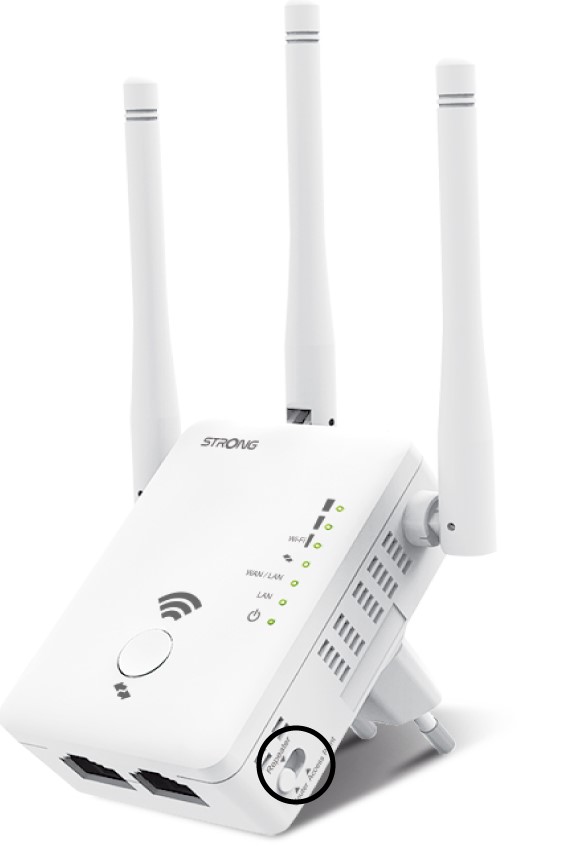
Välj repeaterns läge på läges switch en som sitter på höger sida av repeatern.
3Repater-guiden
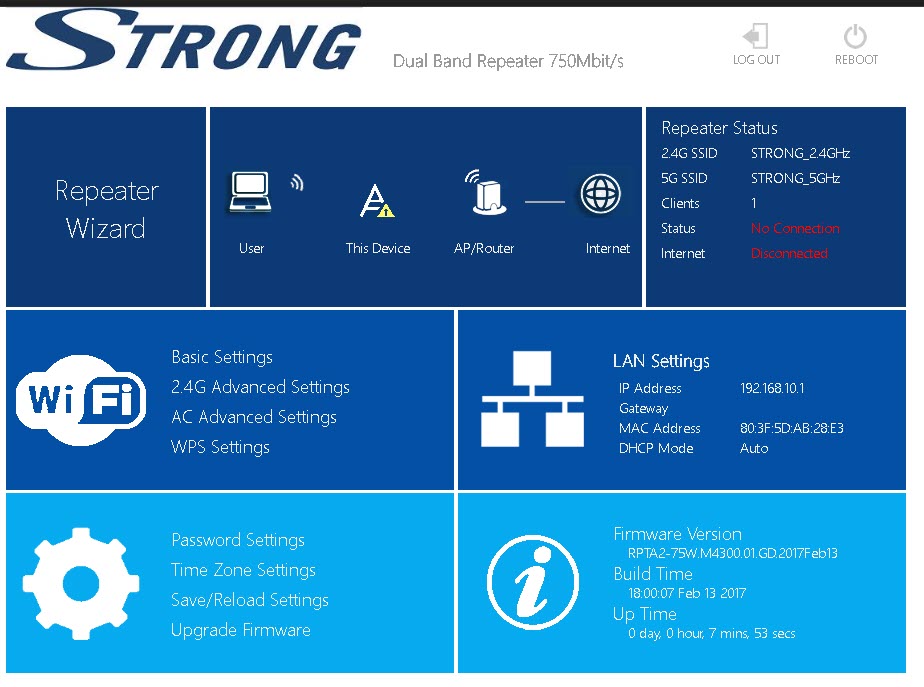
Klicka på ”Repeater Wizard”.
4Nätverksskanning
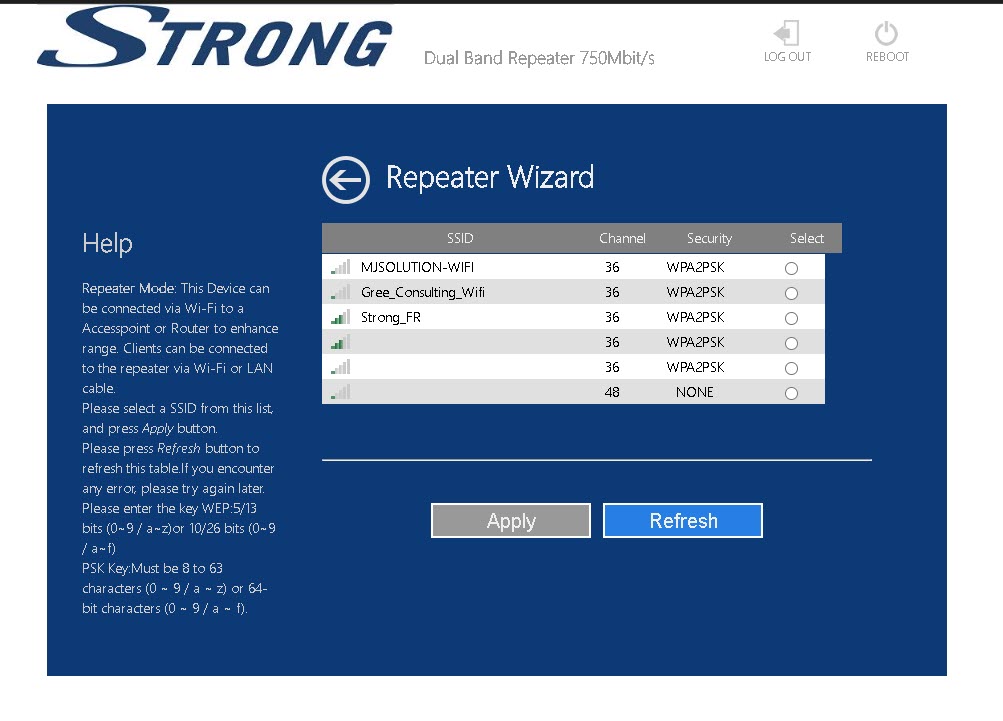
Din repeater kommer att söka igenom alla tillgängliga 2,4 GHz- och 5 GHz-Wi-Fi-nätverk för att identifiera värdnätverket. Välj Wi-Fi-nätverksnamnet för din router. Klicka sedan på ”Apply ”.
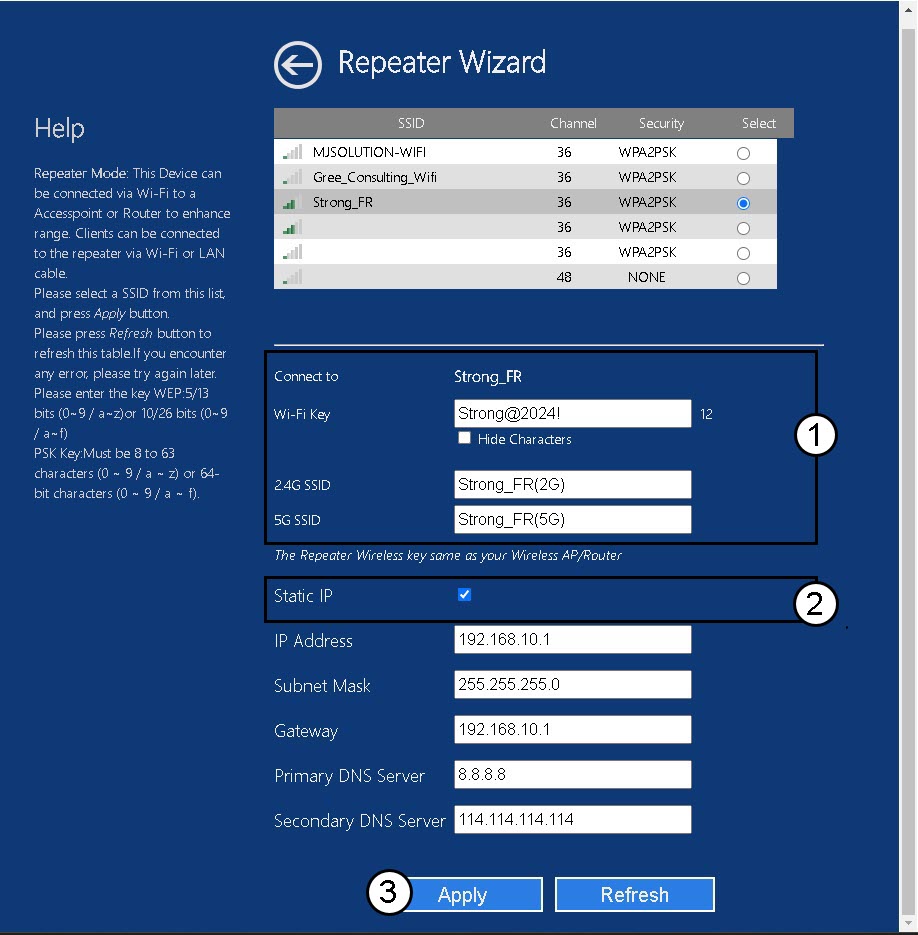
5Angeuppgifterna för värd- och repeaternätverken
Ange Wi-Fi-lösenordet för din router och ange namn på Wi-Fi-nätverken för din repeater och klicka på ”Apply”.
TIPS: Du kan markera rutan ”Statisk IP” för att ställa in en statisk IP-adress för din repeater.
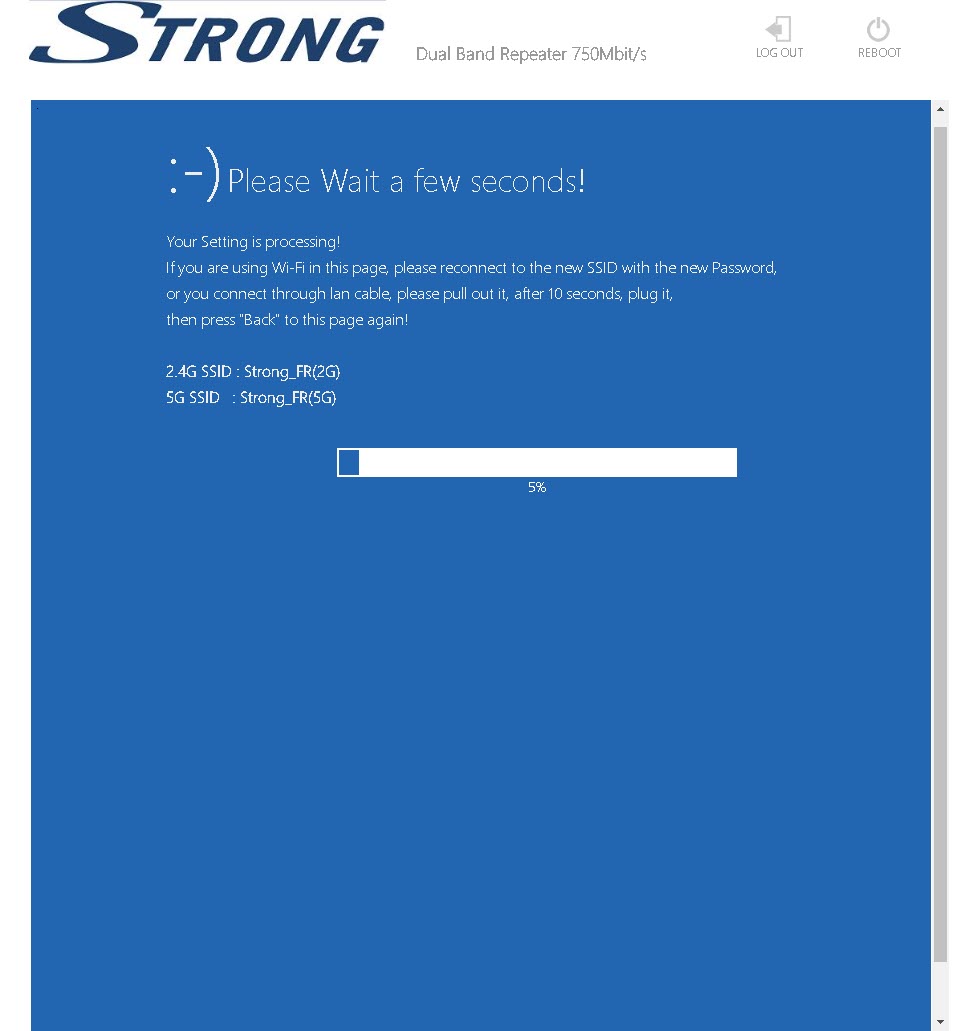
6. Väntamedan konfigurationen pågår
Vänta medan repeatern konfigureras.