
Powerline 500 trippelpaket | PL500TRI
Inga föremål hittades.
Inga föremål hittades.
Alla frågor
Powerline 500 trippelpaket | PL500TRI
Inga föremål hittades.
Inga föremål hittades.
Hur ställer man in säkerhetsnivå 2 på sina Powerline-produkter?
1Sättadaptrarna på en grenuttag
Ta en grenuttag och anslut alla Powerline-adaptrar till den.

2. Anslutadaptern till routern
Anslut en av Powerline-adaptrarna till internetgatewayen/routern med en RJ45-kontakt.

3Anslutden första adaptern
Tryck sedan på knappen ”CONNECT & SECURE” i 2 sekunder på den första enheten.

4. Koppla inden andra adaptern
Håll knappen ”CONNECT & SECURE” på den andra enheten intryckt i 2 sekunder. Du har upp till två minuter på dig att göra detta.

5LED-lampan”Home” blinkar
LED-lampan för ”hem” ska blinka på de två enheterna.
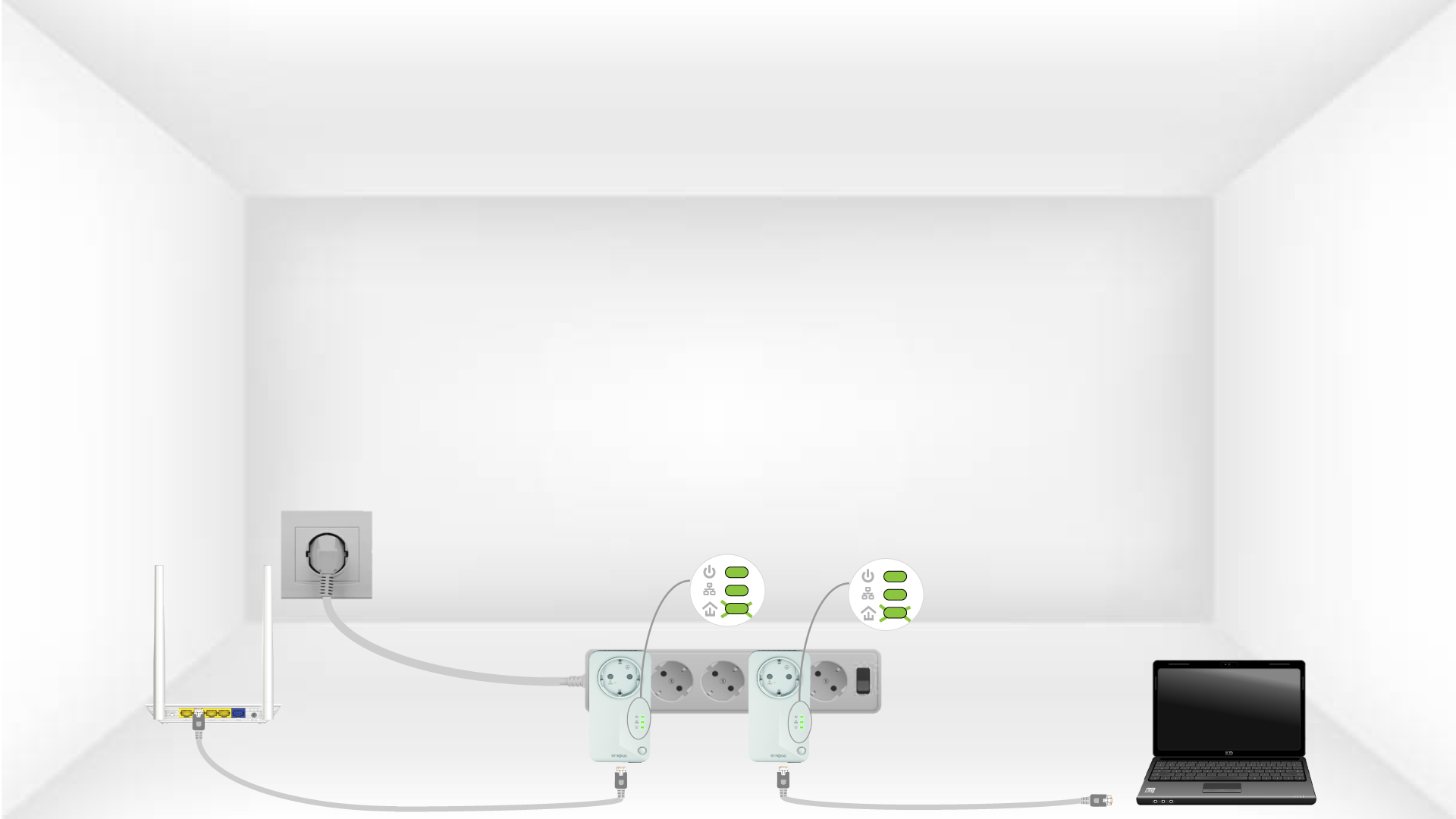
6En unikkrypteringsnyckel har ställts in
Din unika krypteringsnyckel är nu inställd, och alla enheternas lysdioder ska lysa grönt.

För mer information om konfigurationen för hög säkerhet:
- Hur konfigurerar man nya Powerline-produkter med säkerhetsnivå 2 i ditt befintliga Powerline-nätverk?
- Hur väljer man rätt konfiguration med hög säkerhetsnivå för sitt Powerline-nätverk?