
Inga föremål hittades.
Inga föremål hittades.
5MP SUPER MÖRK POE-KAMERA
Alla frågor
Inga föremål hittades.
Inga föremål hittades.
5MP SUPER MÖRK POE-KAMERA
Hur ställer jag in min NVR?
1. Väntatills systemet har startat upp
Vänligen vänta under uppstartsfasen.

2Väljönskat språk
Välj språk och klicka på Nästa.

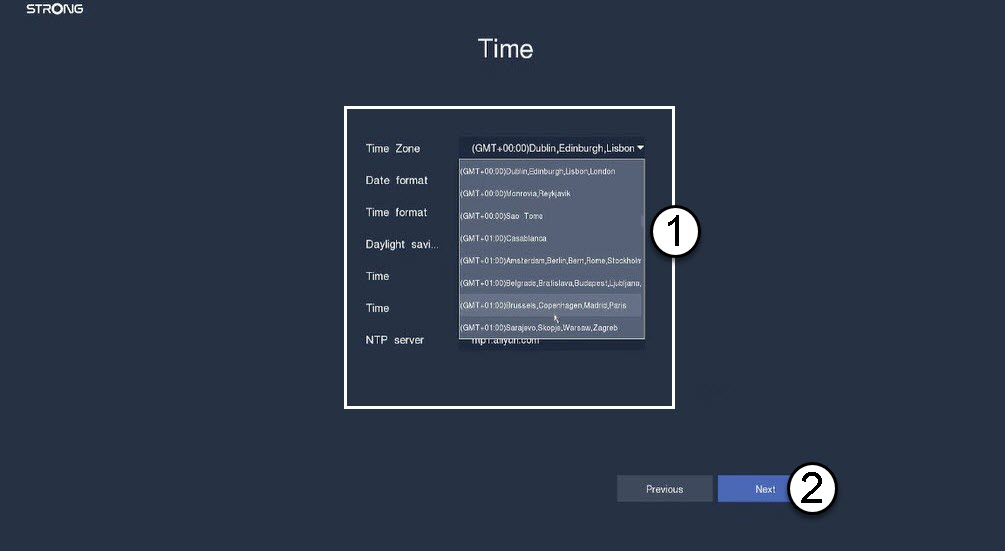
3Ställ indatum, tid och regioninställningar
Ange följande uppgifter innan du klickar på ”Nästa”:
- Tidszon: Välj tidszon för ditt land/din region.
- Datumformat: Välj det format som används i din region.
- Tidsformat: Välj det format som används i din region.
- Sommartid: Aktivera den här funktionen endast om du har olika standardtidszoner under sommaren och vintern.
- NTP-server: Ange adressen till en tidsserver.
4. Formaterahårddisken
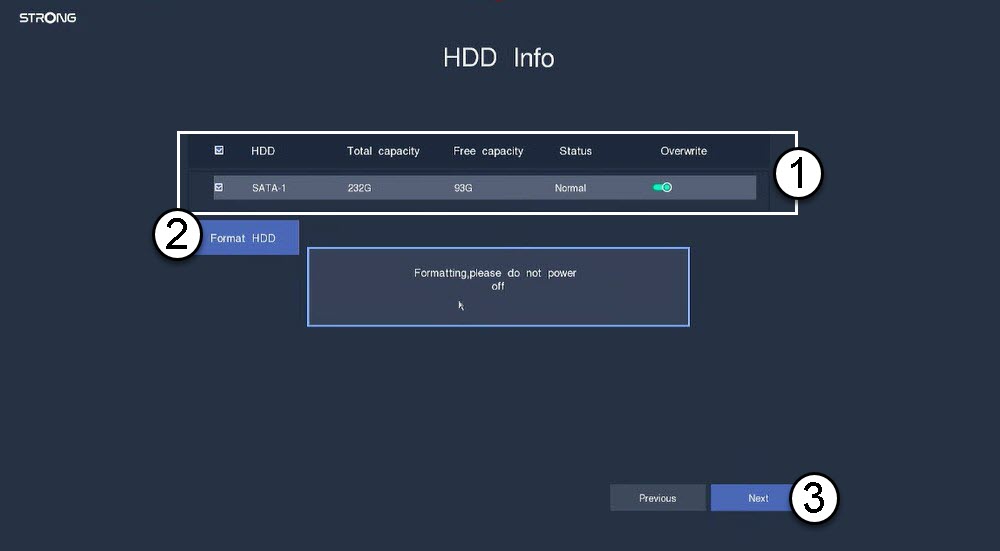
Formatera hårddisken genom att välja dess namn i listan och klicka på ”Formatera hårddisk”. Klicka sedan på ”Nästa”.
5. Kontrolleranätverksanslutningen
I nätverksavsnittet ska du kontrollera DHCP-informationen för LAN. Om DHCP-adressen är korrekt visas statusen ”ansluten”. Klicka på Nästa.

6. Skapaett administratörslösenord
När du ansluter till NVR:en för första gången måste du ställa in lösenordet.
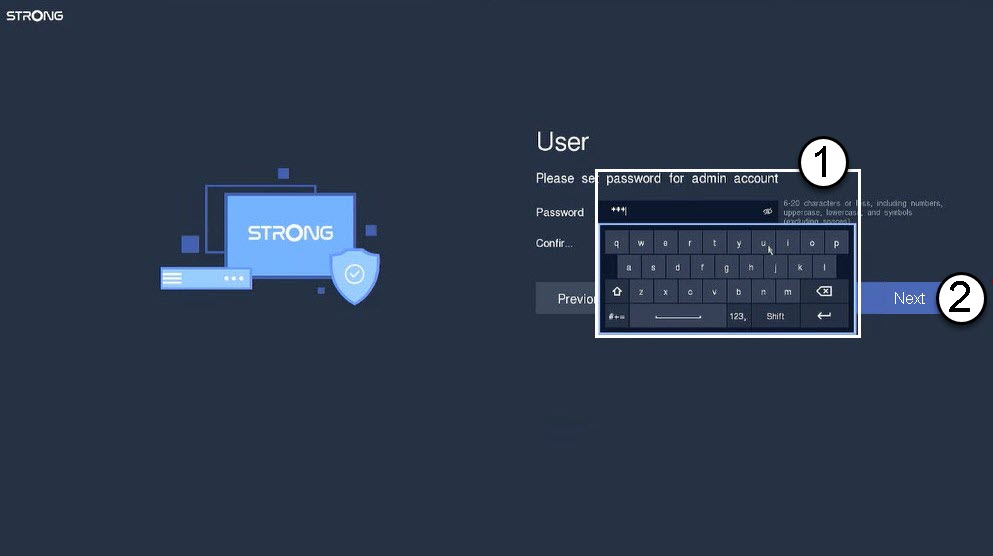

Varning: Se till att skriva ner det lösenord du har ställt in. Du kommer att behöva det för att ansluta till användargränssnittet.