
Dubbelbandsrepeater 750 V2
Inga föremål hittades.
Inga föremål hittades.
Alla frågor
Dubbelbandsrepeater 750 V2
Inga föremål hittades.
Inga föremål hittades.
Jag kan inte komma åt webbgränssnittet (http://strong.ap750) efter att jag har konfigurerat min repeater. Varför?

VARNING: Det är normalt att du inte kan ansluta till webbgränssnittet efter installationen, eftersom anslutningsuppgifterna har ändrats. När installationen är klar skapas nämligen två Wi-Fi-nätverk. Du måste ansluta till ett av dessa nätverk för att komma åt webbgränssnittet.
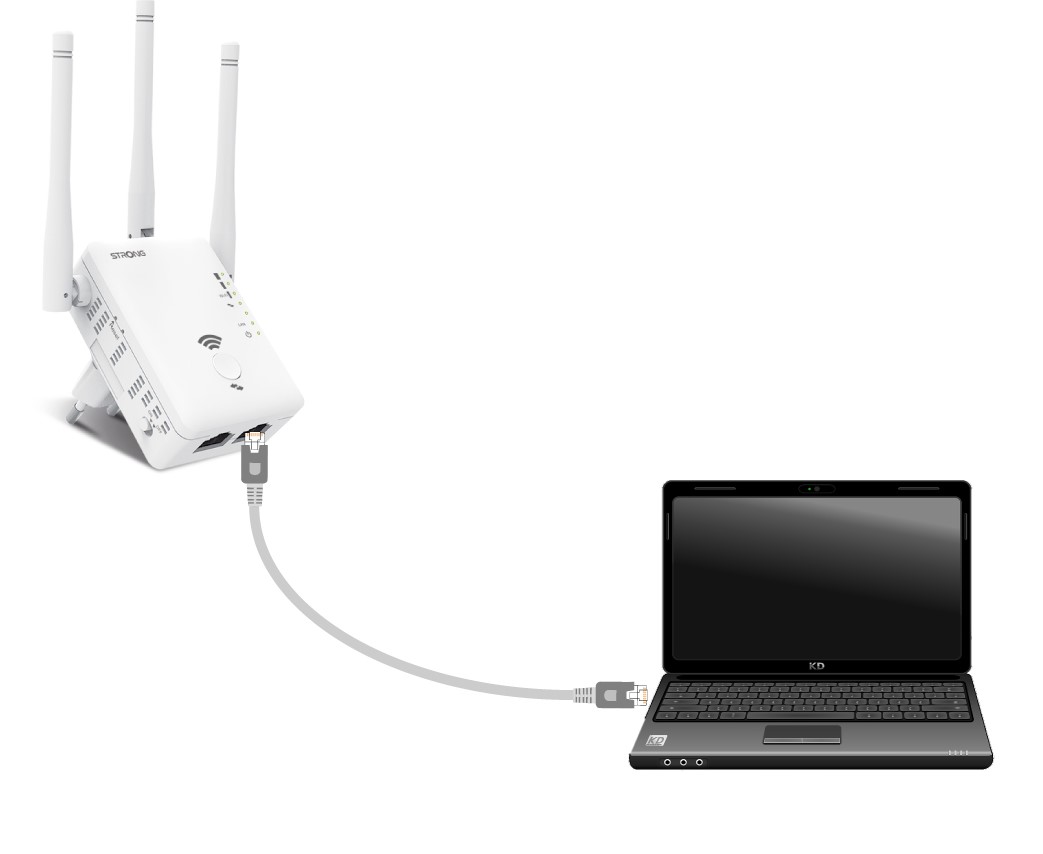
1. Anslutroutern med en RJ45-kabel
Anslut din repeater till en dator med en RJ45-kabel.
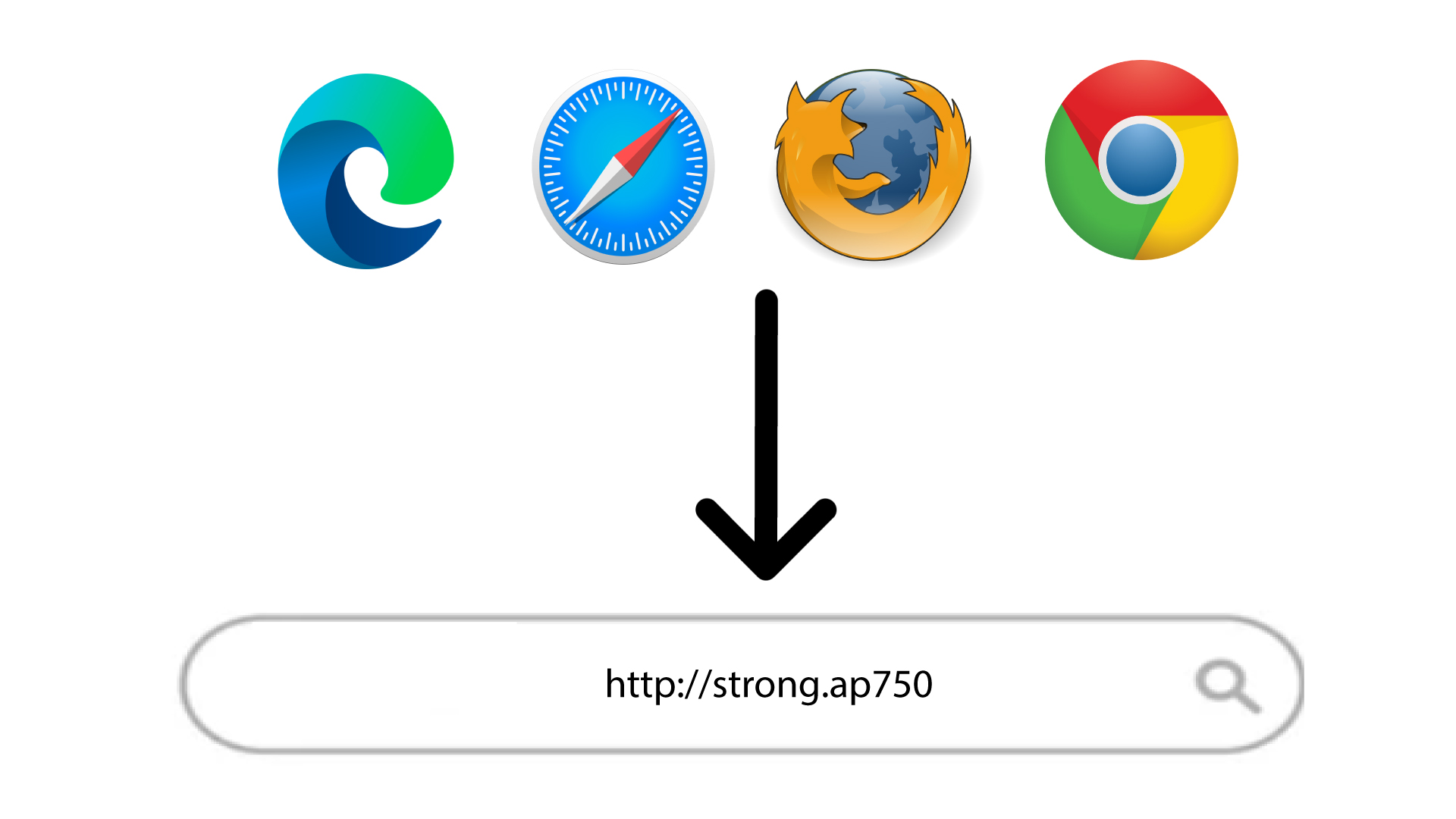
2Gåtill webbgränssnittets URL
Skriv in webbadressen i webbläsaren.
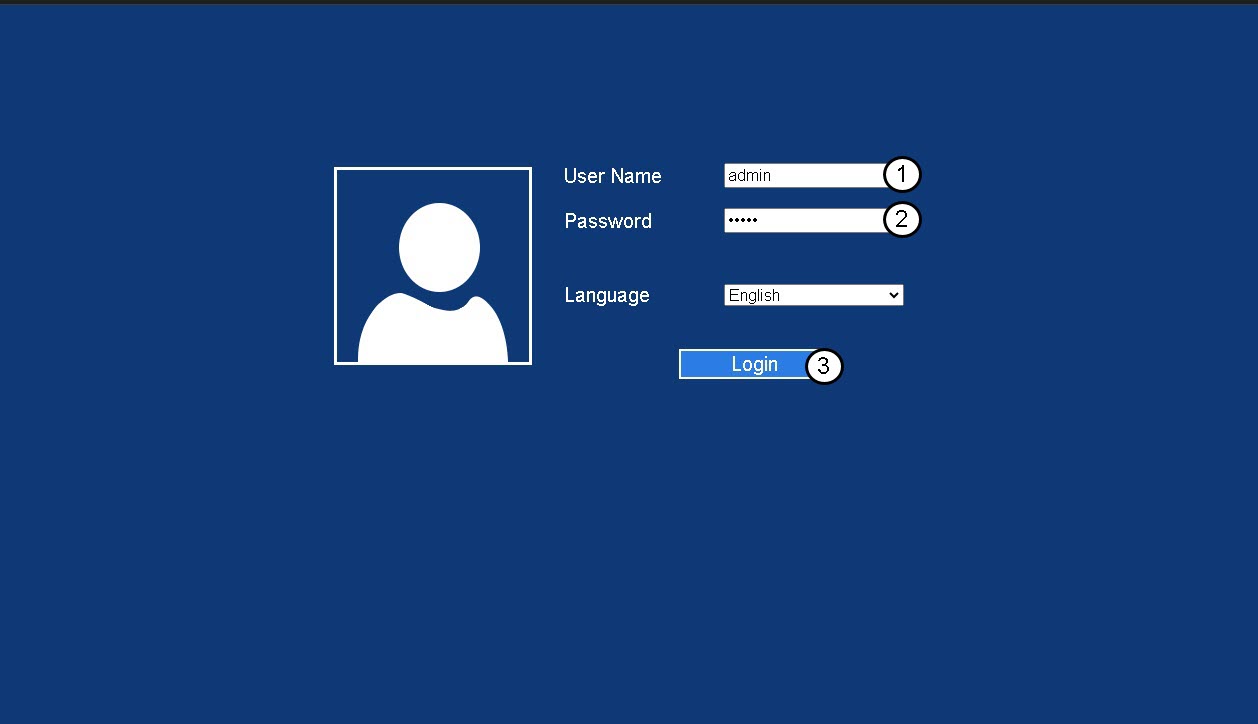
3Inloggningssida
Ange ditt administratörslösenord och klicka på Logga in.
4. Letareda på routerns IP-adress
Leta efter repeaterns IP-adress i enhetsinformationen
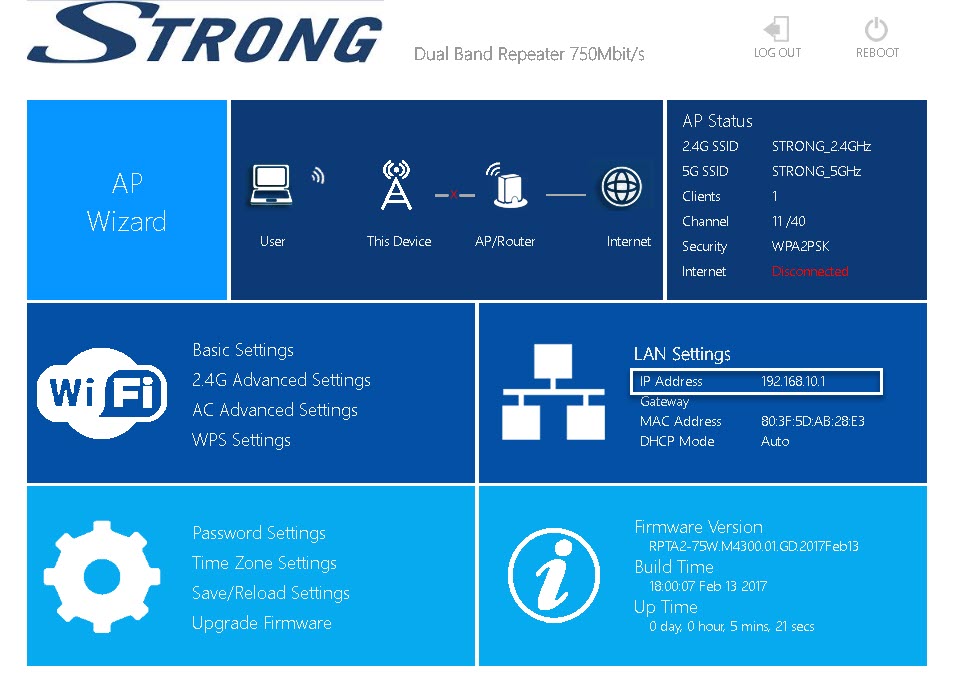
TIPS: Din repeaters IP-adress ändras när den har konfigurerats för Wi-Fi-värden.