
ATRIA Wi-Fi 5 Mesh 2100 UK 2-pack)
Inga föremål hittades.
Inga föremål hittades.
Alla frågor
ATRIA Wi-Fi 5 Mesh 2100 UK 2-pack)
Inga föremål hittades.
Inga föremål hittades.
Jag har glömt Wi-Fi-lösenordet till mitt nätverk ” Mesh ”. Hur kan jag ta reda på det?
1Standardinloggningsuppgifter
Standardlösenordet för Wi-Fi finns på undersidan av enheten, men om du redan har ändrat det kan du behöva återställa Mesh 2100 till fabriksinställningarna.
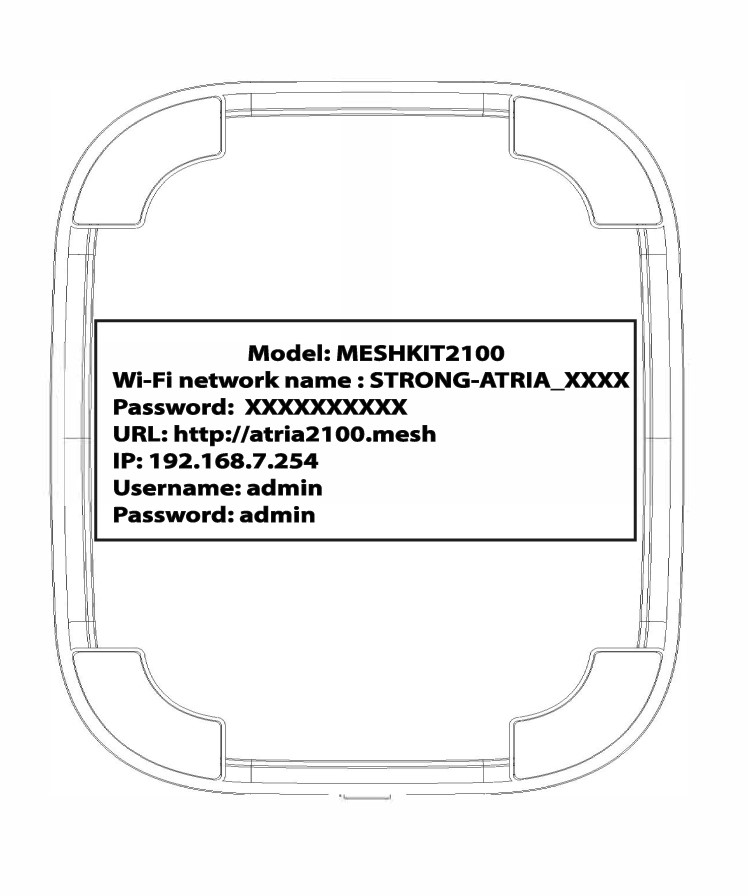
FALL 1: Visa information om Wi-Fi-nätverket i webbgränssnittet
För att ansluta till webbgränssnittet, följ anvisningarna här: Hur kommer jag åt webbgränssnittet?
1WLAN
Klicka på ”WLAN” och ”WLAN 2,4 GHz”. Klicka sedan på ögonikonen bredvid fältet ”PSK ”.

2. Skrivner den nya informationen
Skriv ner lösenordet på ett papper.
FALL 2: Visa information om Wi-Fi-nätverket i appen
För att ansluta till webbgränssnittet, följ denna anvisning: Hur använder jag Atria-appen ” Mesh ”?
1. Wi-Fi-inställningar
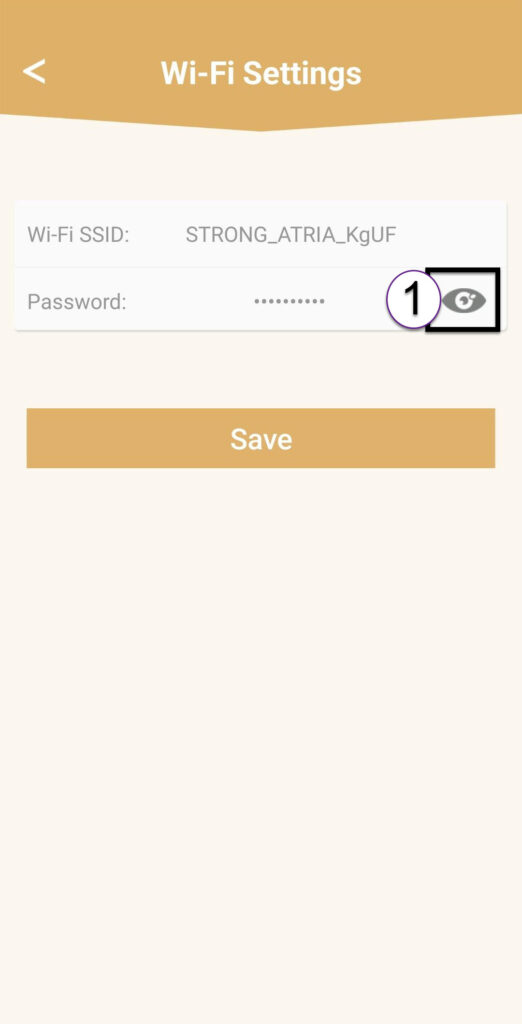
Klicka sedan på ”Wi-Fi-inställningar”.

2Password
Klicka på ögonikonen för att visa lösenordet.
3. Skrivner den nya informationen
Skriv ner lösenordet på ett papper.