Powerline 500 Wi-Fi-trippelpaket
Inga föremål hittades.
Inga föremål hittades.
Alla frågor
Powerline 500 Wi-Fi-trippelpaket
Inga föremål hittades.
Inga föremål hittades.
LED-lampan med husikonen lyser på Wi-Fi-adaptern, men jag kan inte ansluta till Wi-Fi-nätverket för Powerline 500.
1. Ansluttill Wi-Fi
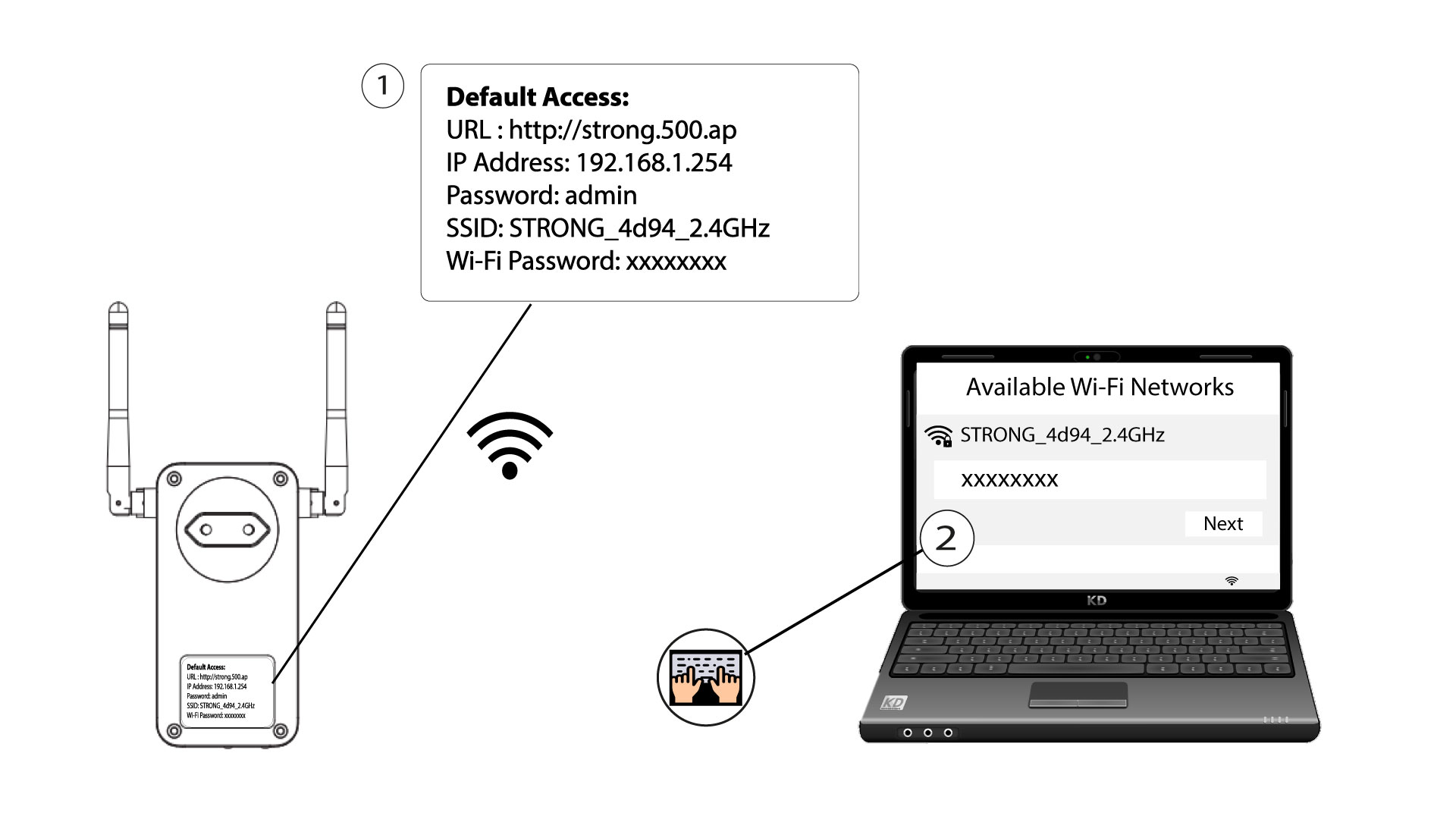
För att ansluta till Wi-Fi-nätverket på din Powerline för första gången måste du ansluta till det SSID som anges på produktens baksida och använda det Wi-Fi-lösenord som också anges där.
Observera att gemen L kan förväxlas med versal i, så prova gärna de olika alternativen
2. ÅterställWi-Fi-adaptern
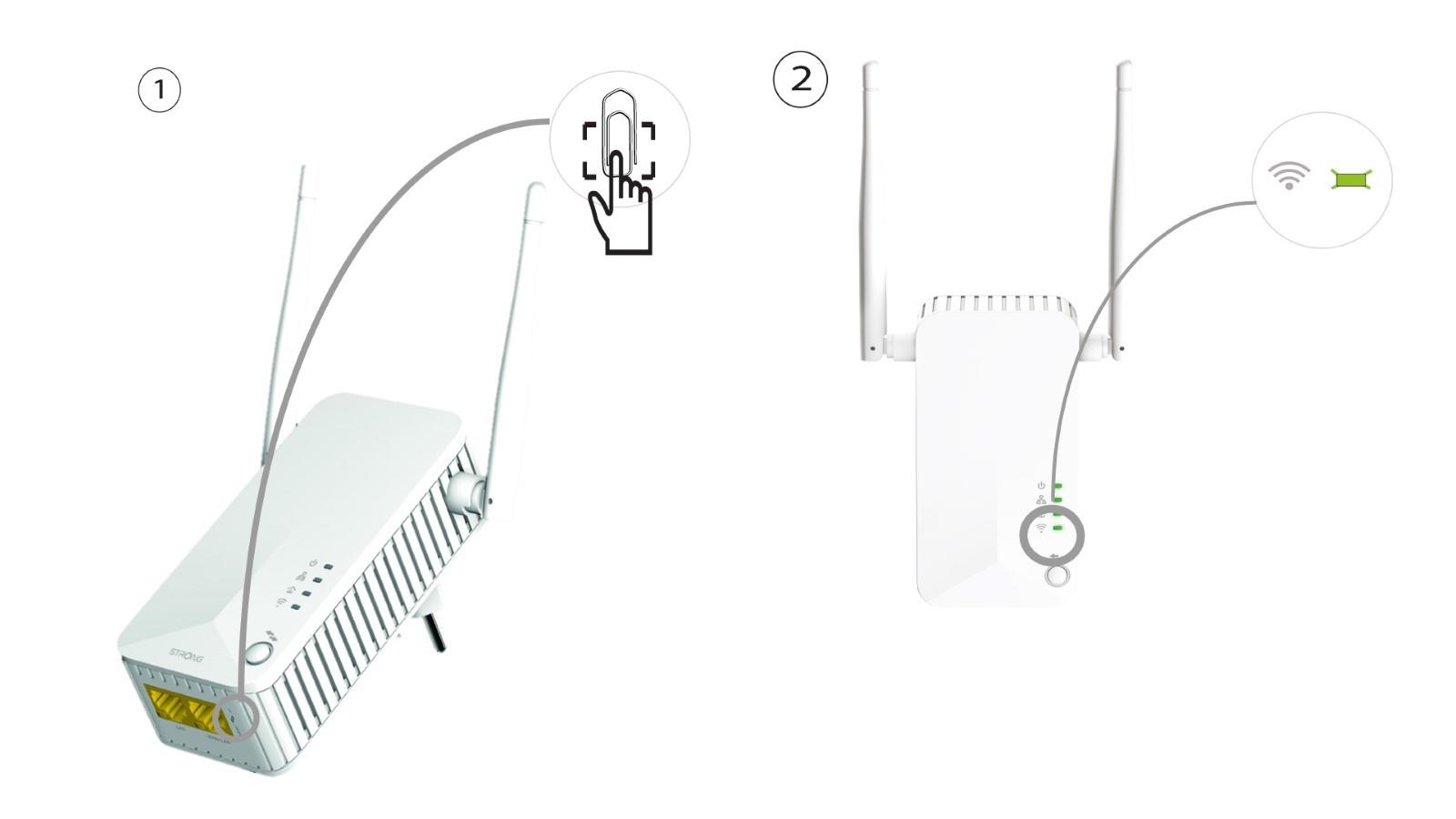
Om du fortfarande inte kan ansluta till Powerline 500 Wi-Fi, återställ då Powerline Wi-Fi genom att trycka in ett gem i hålet under enheten tills lysdioderna börjar blinka.