CPL 600 Duo Wi-Fi FR V2
Alla frågor
CPL 600 Duo Wi-Fi FR V2
Varför uppstår avbrott i mitt 2,4 GHz-Wi-Fi, och hur kan det hjälpa att byta kanal till 1, 6 eller 11?
Varför uppstår avbrott i mitt 2,4 GHz-Wi-Fi, och hur kan det hjälpa att byta kanal till 1, 6 eller 11?
För att minimera störningar rekommenderar vi att du byter WiFi-kanal till 1, 6 eller 11. Dessa kanaler ligger tillräckligt långt ifrån varandra för att undvika överlappning, vilket minskar risken för störningar från andra nätverk och enheter i närheten. Genom att välja en av dessa kanaler kan du förbättra stabiliteten och prestandan hos din WiFi-anslutning.
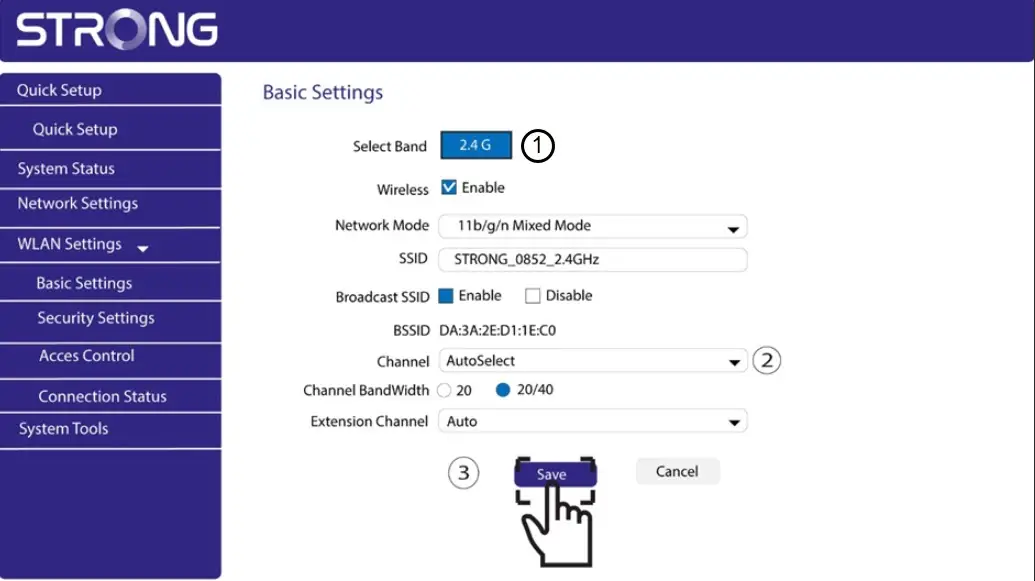
För att byta kanal öppnar du inställningarna för din Powerline Wi-Fi-enhet via webbgränssnittet. Gå till avsnittet ”WLAN-inställningar > Grundinställningar” och välj kanal 1, 6 eller 11.
1. Ansluttill Wi-Fi
För att göra detta anger du routerns SSID och lösenord på din enhet.

2AngeIP-adressen till webbgränssnittet
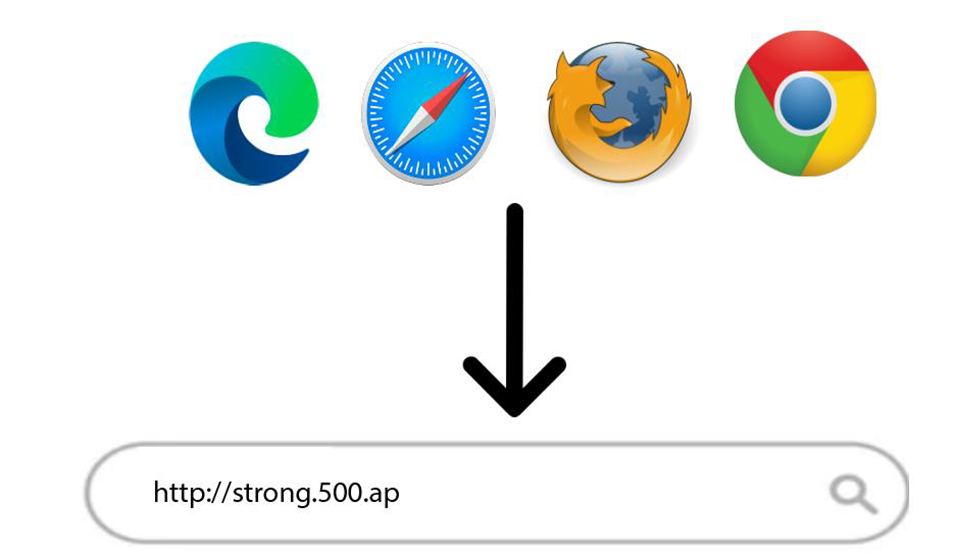
Ange sedan följande IP-adress i din webbläsare: http://strong.500.ap
3Inloggningssida
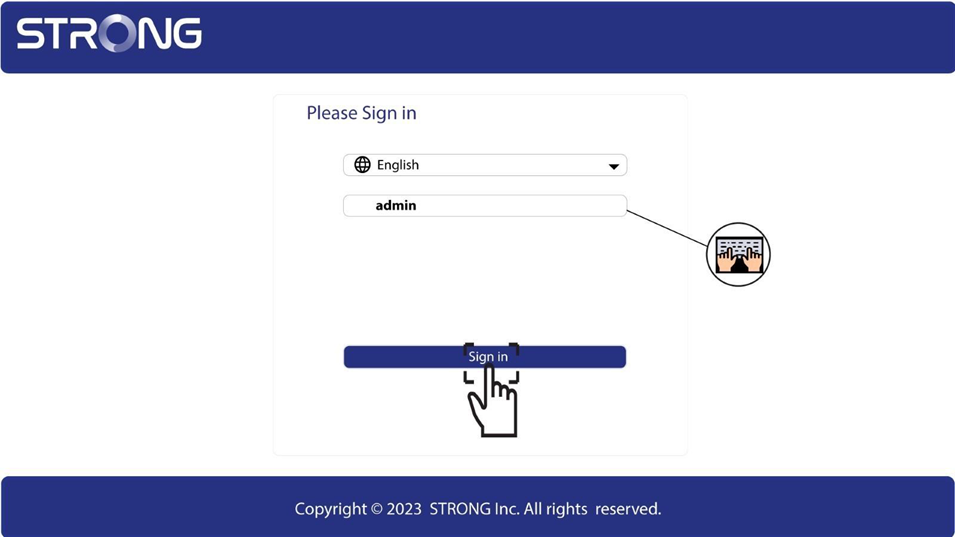
När du har gått till IP-adressen klickar du där och anger användarnamnet (admin). Klicka sedan på Logga in.
4. WLAN-inställningar
Klicka på ”WLAN-inställningar” och ”Grundinställningar”.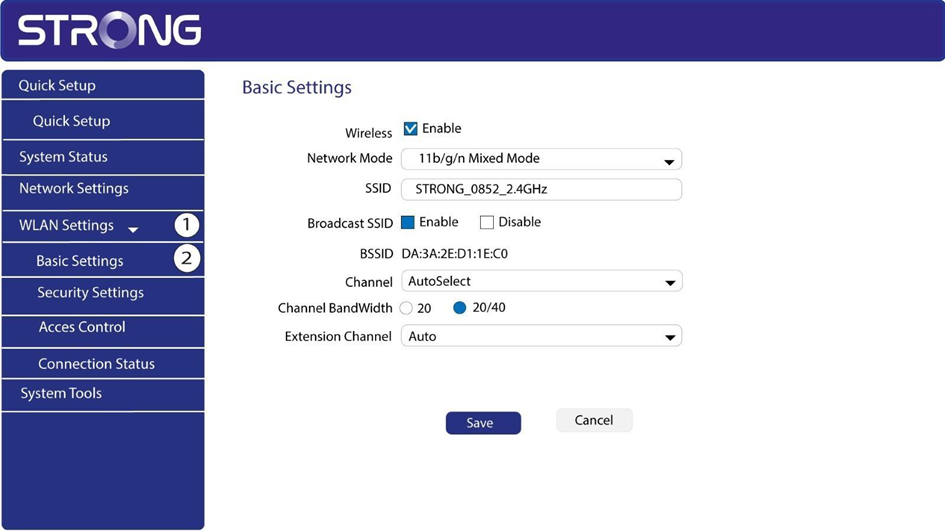
5Väljnätverksband
Välj nätverksbandet 2,4 GHz. Välj sedan kanal i listrutan (1, 6 eller 11) och klicka på Spara.