
Універсальний Повторювач 300S
Нічого не знайдено.
Нічого не знайдено.
Усі питання
Універсальний Повторювач 300S
Нічого не знайдено.
Нічого не знайдено.
Як змінити пароль адміністратора на моєму сайті Повторювач?
1. Підключітьсядо веб-інтерфейсу користувача
Будь ласка, скористайтеся цією інструкцією для підключення до веб-інтерфейсу користувача.
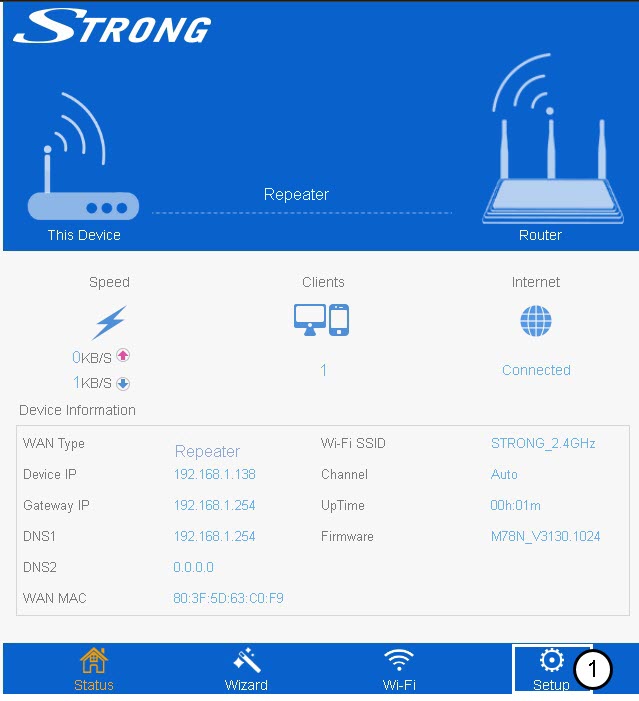
2. Налаштування
Натисніть «Налаштування» на нижній панелі.
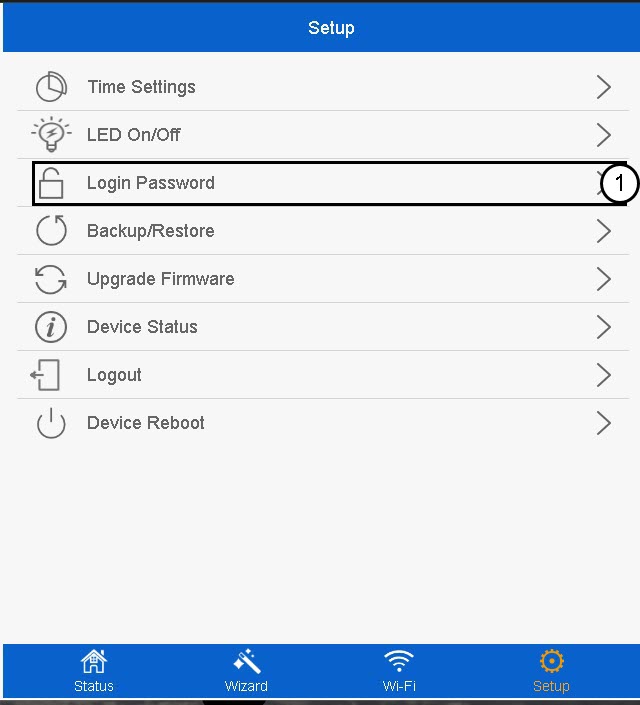
3. Пароль для входу
Натисніть «Пароль для входу».
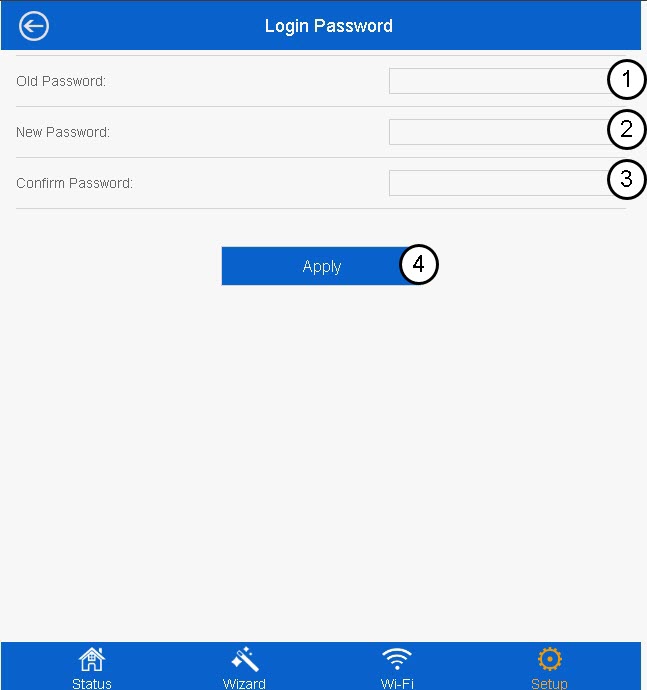
4. Створітьновий пароль
Перед тим, як натиснути «Застосувати», введіть таку інформацію:
- Старий пароль: Введіть пароль за замовчуванням.
- Новий пароль: Введіть новий пароль
- Підтвердіть пароль: Введіть той самий пароль, що й у попередньому полі.
Новий пароль повинен містити від 8 до 31 символів (малі літери, великі літери, цифри та спеціальні символи). Допускаються лише такі спеціальні символи: @ ! §% * ? &

Увага: Будь ласка, запишіть новий пароль адміністратора, він знадобиться вам для входу в веб-інтерфейс. Якщо ви забудете пароль адміністратора, будь ласка, скиньте налаштування пристрою Повторювач до заводських, дотримуючись цієї інструкції.