4G AIRHOME 200 Mini — маршрутизатор знімними 4G-антенами
Нічого не знайдено.
Нічого не знайдено.
Усі питання
4G AIRHOME 200 Mini — маршрутизатор знімними 4G-антенами
Нічого не знайдено.
Нічого не знайдено.
Як змінити PIN-код SIM-карти?
Змінити PIN-код вашої SIM-картки можна через веб-інтерфейс. Для цього виконайте наведені нижче дії.
1. Підключітьсядо мережі Wi-Fi вашого маршрутизатор
Необхідно підключитися до веб-інтерфейсу. Для цього введіть на своєму пристрої SSID (ім’я мережі Wi-Fi) та пароль Wi-Fi маршрутизатора « маршрутизатор ».

2. Перейдітьза наступною IP-адресою
Потім введіть у браузері таку IP-адресу: 192.168.188.1

3Введітьсвої облікові дані
Необхідно ввести пароль. Після цього натисніть «Увійти».

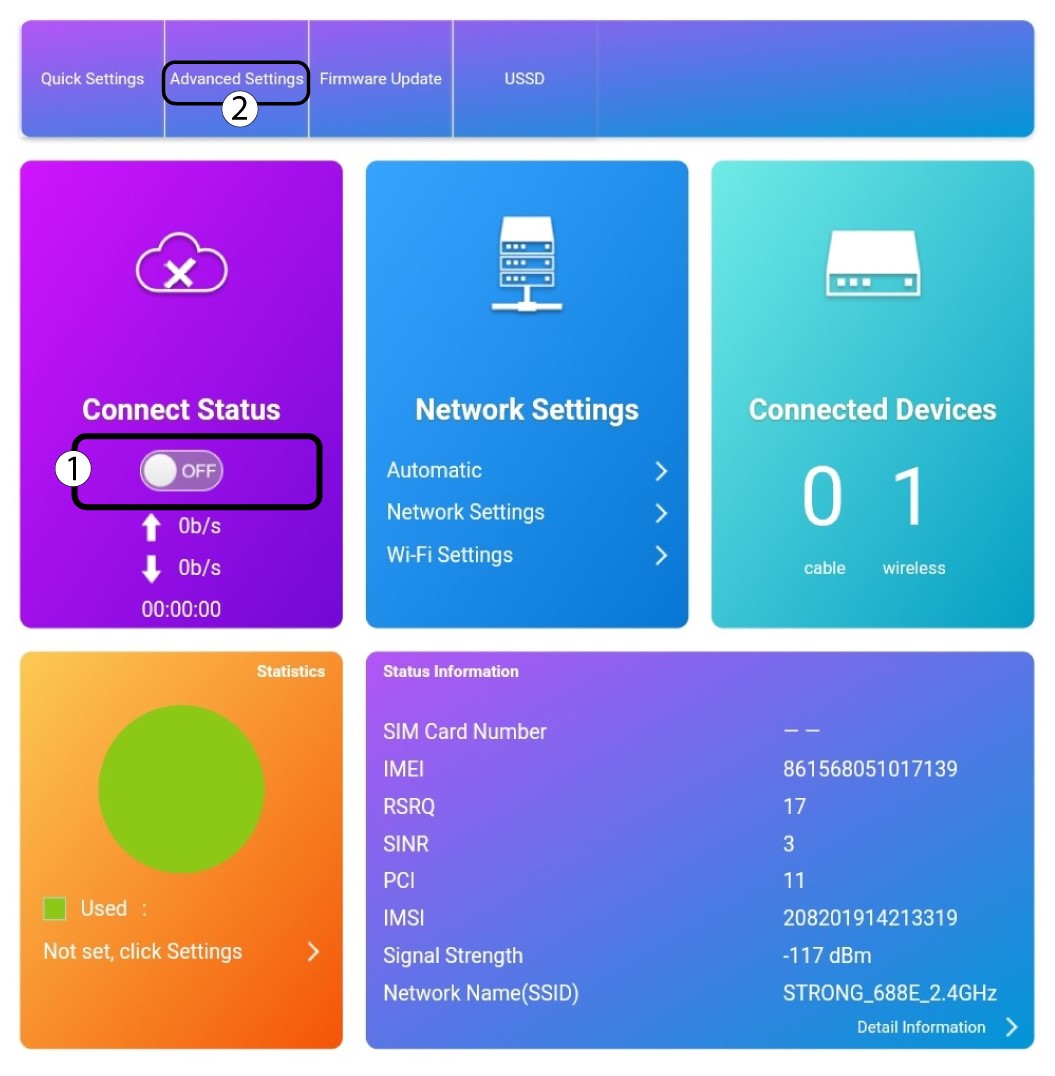
4. Розширеніналаштування
Натисніть перемикач у розділі «Статус підключення» та натисніть «Додаткові налаштування».
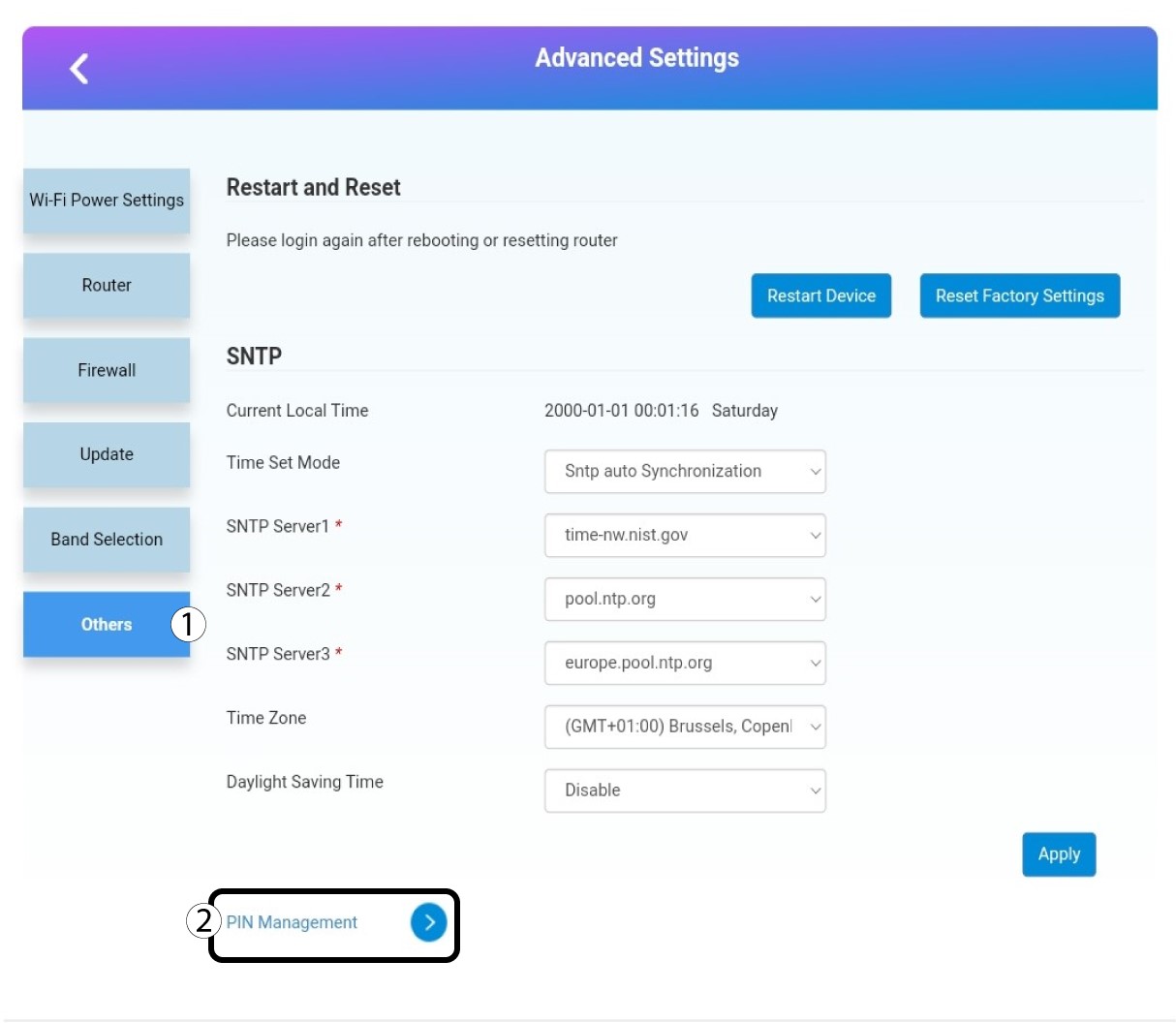
Управління 5PIN
Натисніть «Інше» та «Управління PIN-кодом ».
6. ЗмінитиPIN-код
Натисніть «Змінити PIN-код».

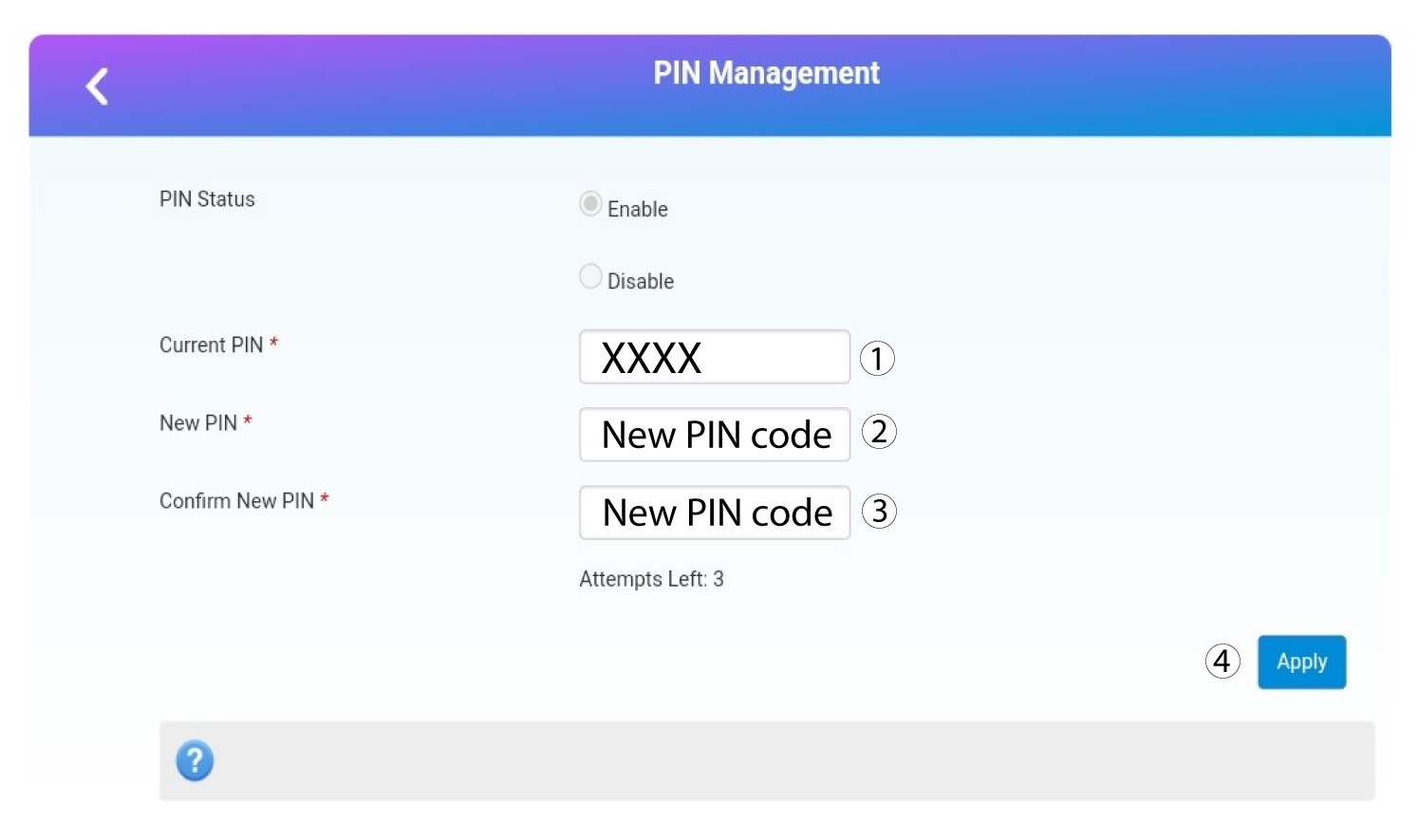
7. Введітьновий PIN-код
Перед тим, як натиснути «Застосувати», введіть таку інформацію:
- Поточний PIN-код: Введіть свій поточний PIN-код.
- Новий PIN-код: Введіть новий PIN-код.
- Підтвердити новий PIN-код: Введіть новий PIN-код.