
Powerline 600 Duo Wi-Fi Mini
Усі питання
Powerline 600 Duo Wi-Fi Mini
Як змінити ім'я SSID та пароль мережі Wi-Fi « Powerline 600 Mini»?
Як змінити ім’я SSID та пароль мережі Wi-Fi Mini « Powerline 600»?
1. Підключітьсядо мережі Wi-Fi
Підключіться до мережі Wi-Fi пристрою « Powerline 600 Wi-Fi Mini».
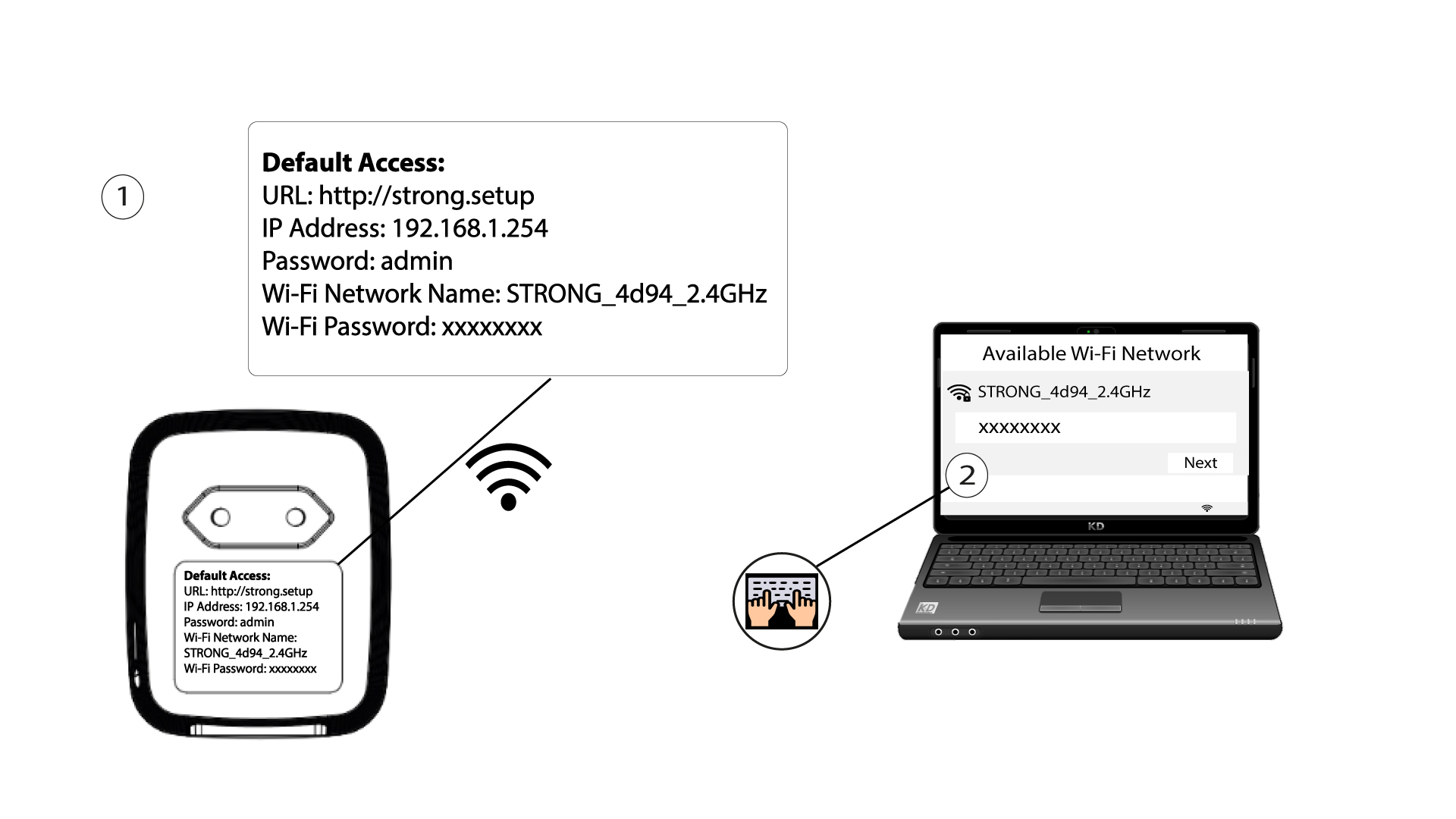
2. ВведітьIP-адресу веб-інтерфейсу користувача
Щоб відкрити користувацький інтерфейс, введіть URL-адресу: http://strong.setup у адресному рядку вашого веб-браузера.

3Введітьсвої облікові дані
Потім введіть пароль: admin

4. Швидкеналаштування
Перейдіть до меню, виберіть «Швидке налаштування», потім натисніть «Точка доступу (AP) » і натисніть «ДАЛІ».

5. Введітьдані про нову мережу
Відредагуйте SSID та пароль. Під час створення нового пароля, будь ласка, уникайте використання великої літери «I» та малої літери «l», оскільки їх легко сплутати. Ми також радимо створити пароль, що складається з почергового поєднання великих літер, малих літер та цифр. Після завершення редагування натисніть «ДАЛІ», щоб зберегти зміни.

6. Запишітьнові дані про мережу
Будь ласка, запишіть новий SSID та пароль на аркуші паперу, а потім знову підключіть усі свої пристрої до пристрою « Powerline 600 Duo Wi-Fi Mini», використовуючи нові налаштування.
