
4G AIRHOME 210 UK вбудованими 4G-антенами
Усі питання
4G AIRHOME 210 UK вбудованими 4G-антенами
Як скинути налаштування мого « маршрутизатор » до заводських?
Іноді може трапитися так, що ваш пристрій працює некоректно і у вас немає доступу до Інтернету. У такому випадку ми рекомендуємо скинути налаштування пристрою до заводських і, за необхідності, згодом знову оновити його прошивку.
Для цього є два способи: ви можете скинути налаштування пристрою, натиснувши кнопку скидання, або зробити це через веб-інтерфейс.
ВИПАДОК 1: Кнопка скидання
Для цього натисніть кнопку «Reset», розташовану з правого боку пристрою « маршрутизатор », і утримуйте її протягом двох секунд.

1ВИПАДОК2: Скидання налаштувань у веб-інтерфейсі користувача
Щоб підключитися до веб-інтерфейсу, дотримуйтесь інструкцій, наведених у статті: «Як отримати доступ до веб-інтерфейсу?»
2. Оновлення прошивки
Потім натисніть «Оновлення прошивки».

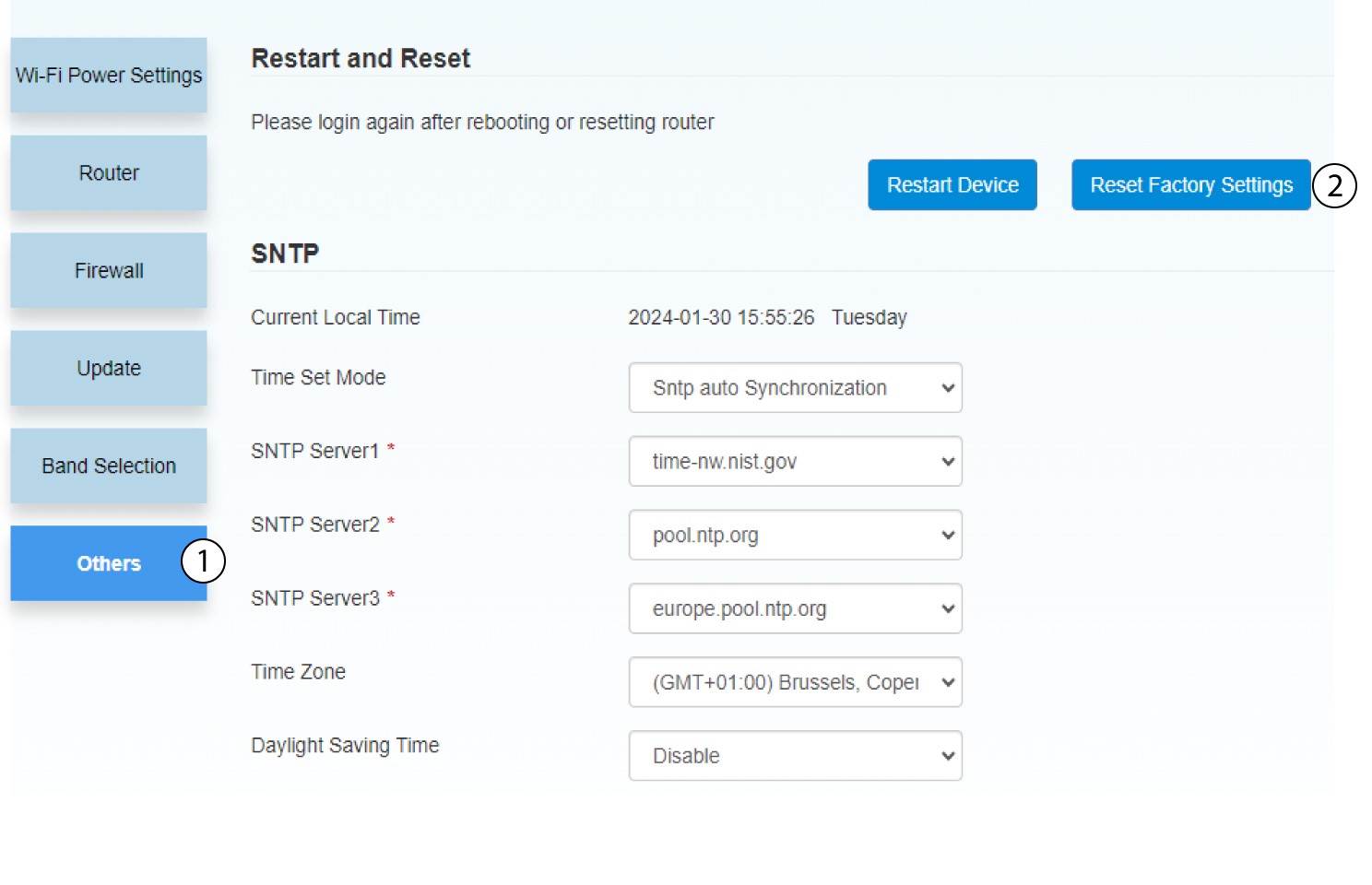
3. Скинутиналаштування до заводських
Натисніть «Інше». У розділі «Перезапуск та скидання налаштувань » натисніть «Скинути до заводських налаштувань».
4. Спливаюче повідомлення
Натисніть «Так» у спливаючому повідомленні.
