Нічого не знайдено.
4K GOOGLE TV BOX S3+ | DOLBY VISION ATMOS
Нічого не знайдено.
Усі питання
Нічого не знайдено.
4K GOOGLE TV BOX S3+ | DOLBY VISION ATMOS
Нічого не знайдено.
Як скинути налаштування пристрою LEAP S3 до заводських?

Попередження: під час скидання налаштувань пристрою до заводських всіх програм та індивідуальних налаштувань буде видалено. Вам доведеться заново встановити всі програми.
1. Увімкнітьпристрій
Увімкніть « TV » та пристрій LEAP S3.
2. Перейдітьдо меню «Налаштування»
Натисніть значок шестерні (кнопку «Налаштування») на пульті дистанційного керування. Потім натисніть кнопку «OK» на пульті, щоб відкрити меню налаштувань.

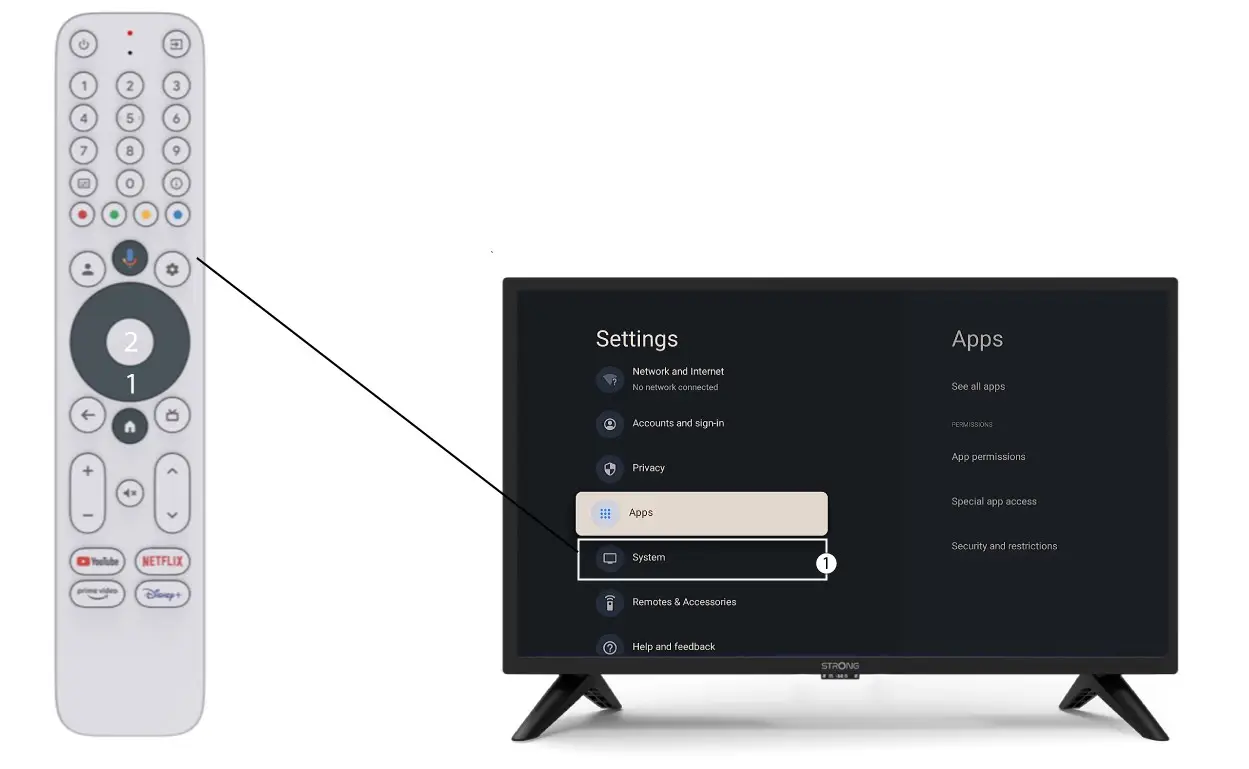
3. Налаштування системи
У меню «Налаштування» виберіть пункт «Система » та натисніть «ОК».
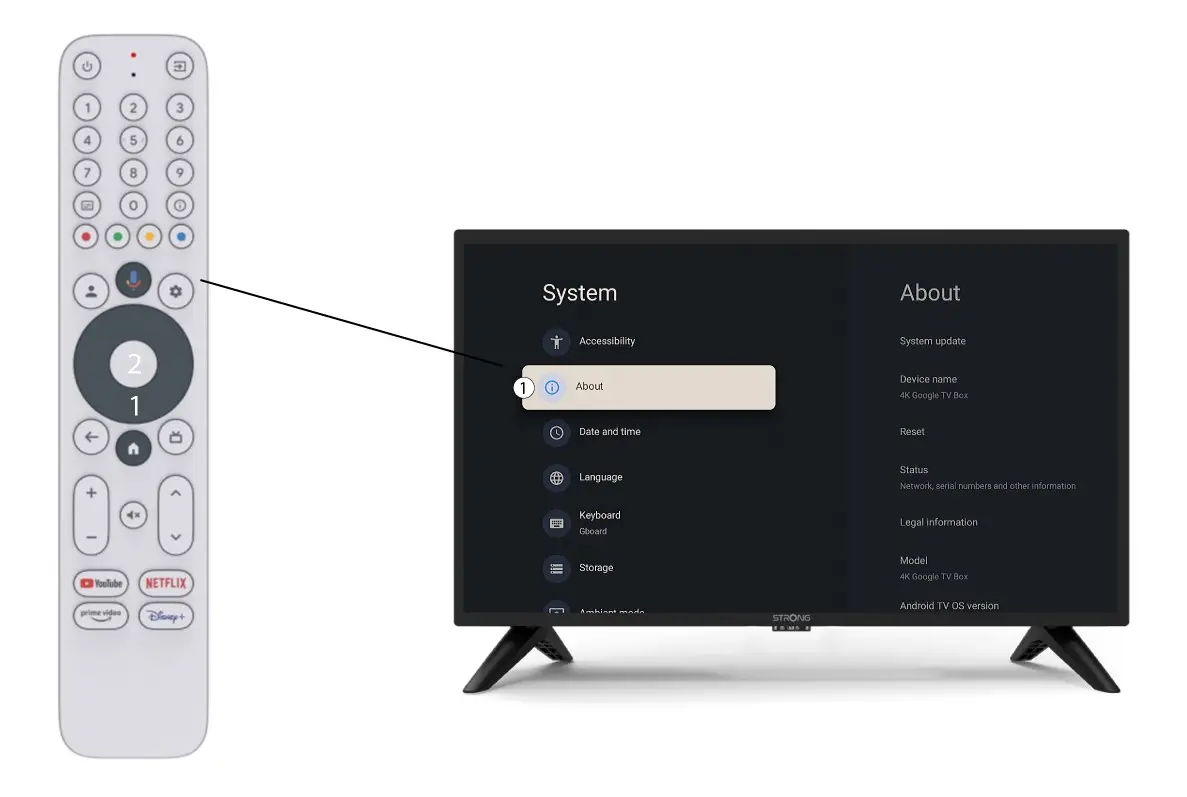
4Про
Виберіть пункт «Про систему» в меню «Налаштування системи» та натисніть кнопку «ОК» на пульті дистанційного керування.
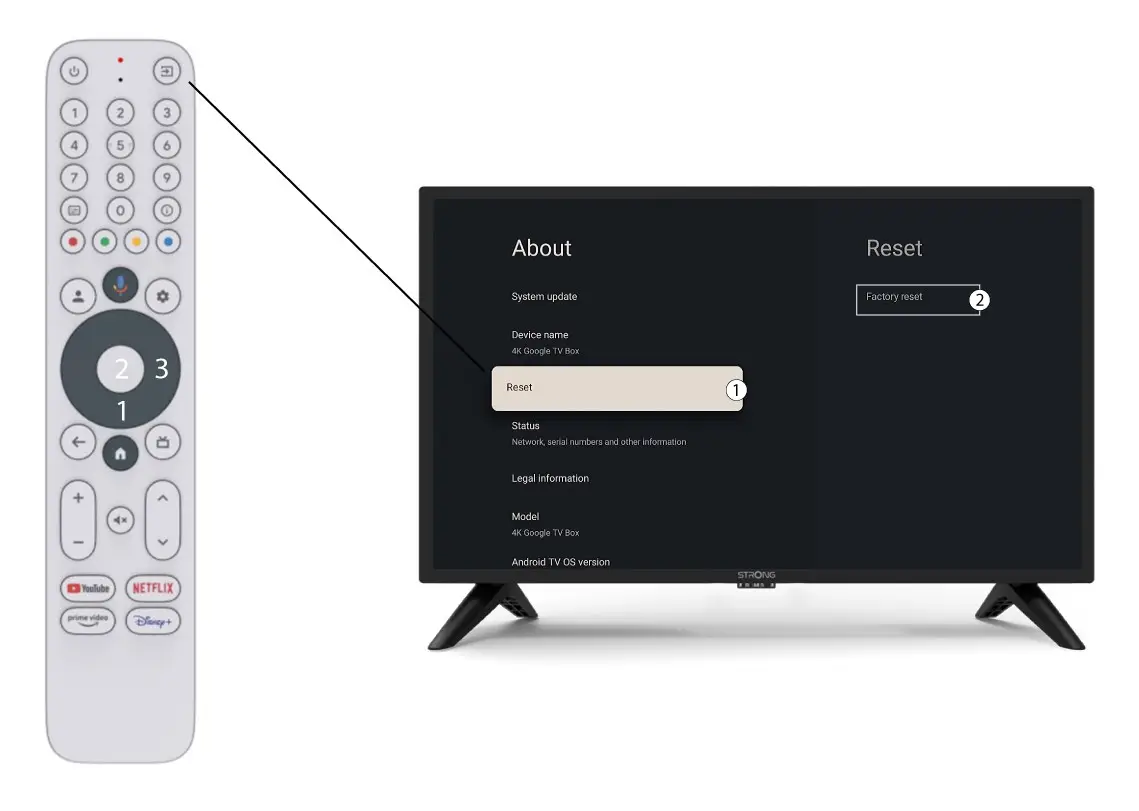
5. Скидання до заводських налаштувань
Виберіть пункт «Скинути налаштування», а потім — «Скинути до заводських налаштувань», після чого натисніть «ОК».