
Нічого не знайдено.
Нічого не знайдено.
12-КАНАЛЬНИЙ МЕРЕЖЕВИЙ ВІДЕОРЕЄСТРАТОР
Усі питання
Нічого не знайдено.
Нічого не знайдено.
12-КАНАЛЬНИЙ МЕРЕЖЕВИЙ ВІДЕОРЕЄСТРАТОР
Як налаштувати мій мережевий відеореєстратор (NVR)?
1. Дочекайтесязавантаження системи
Будь ласка, зачекайте під час завантаження.

2. Оберітьбажану мову
Виберіть мову та натисніть «Далі».

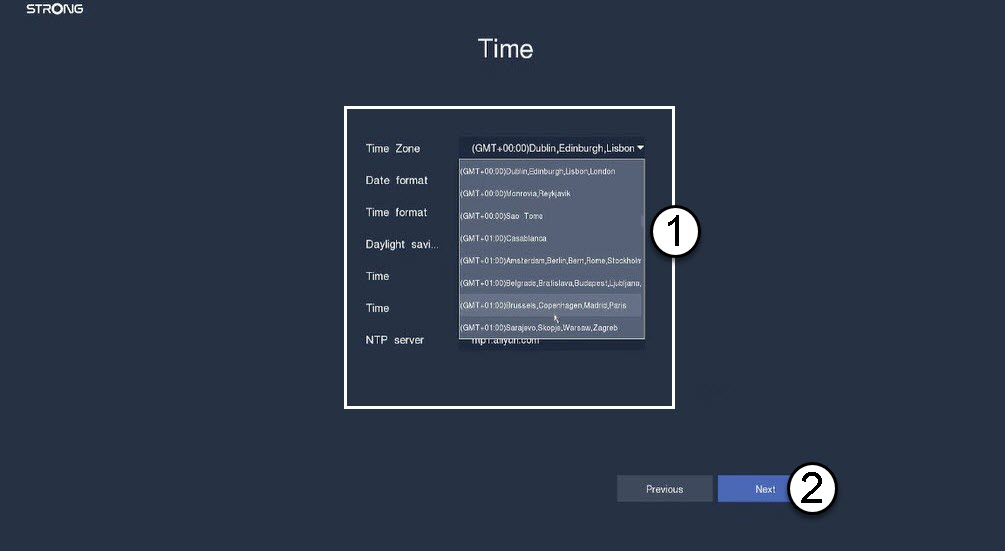
3.Налаштування дати, часу та регіону
Введіть наведену нижче інформацію, перш ніж натиснути кнопку «Далі»:
- Часовий пояс: Виберіть часовий пояс вашої країни/регіону.
- Формат дати: Виберіть формат, що використовується у вашому регіоні.
- Формат часу: Виберіть формат, що використовується у вашому регіоні.
- Перехід на літній час: Увімкніть цю функцію лише в тому випадку, якщо у вас встановлені різні часові пояси за замовчуванням для літа та зими.
- Сервер NTP: Введіть адресу сервера часу.
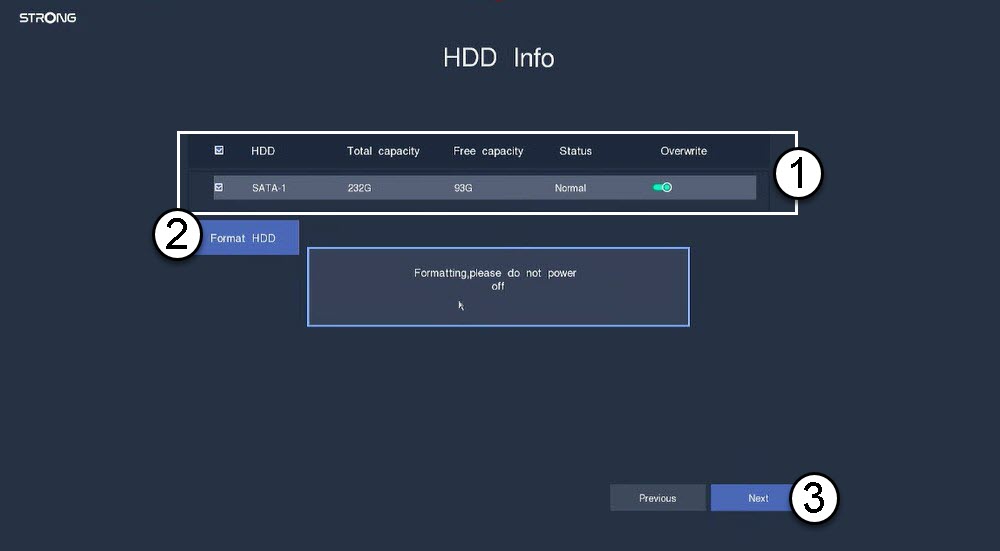
4. Відформатуйтежорсткий диск
Будь ласка, відформатуйте жорсткий диск, вибравши його ім’я зі списку та натиснувши кнопку «Форматувати жорсткий диск». Потім натисніть «Далі».
5. Перевіртепідключення до мережі
У розділі «Мережа» перевірте дані DHCP для локальної мережі. Якщо адреса DHCP вказана правильно, у полі «Стан» буде відображатися «Підключено». Натисніть «Далі».

6. Створитипароль адміністратора
Під час першого підключення до NVR необхідно налаштувати його пароль.
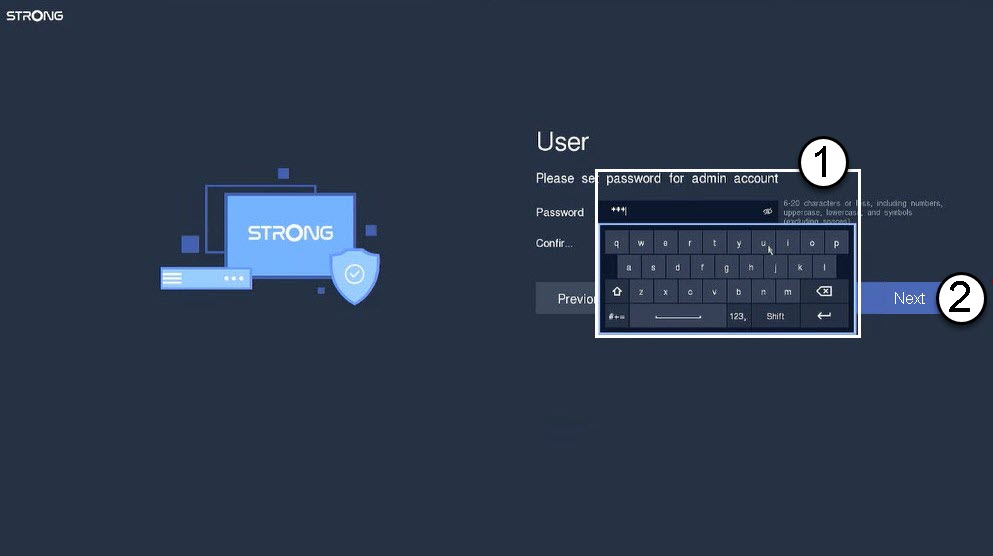

Увага: Будь ласка, запишіть встановлений вами пароль. Він знадобиться вам для входу в інтерфейс користувача.