Powerline 500 Duo | POWERL500DUO
Усі питання
Powerline 500 Duo | POWERL500DUO
У мене немає доступу до Інтернету та/або світлодіод на іконці «Дім» не світиться.
Немає Інтернету! Усуньте неполадки з доступом до Інтернету на пристрої Powerline 500 Kit EU . Якщо у вас немає доступу до Інтернету, прочитайте цю статтю, щоб скинути налаштування мережевих адаптерів powerline .
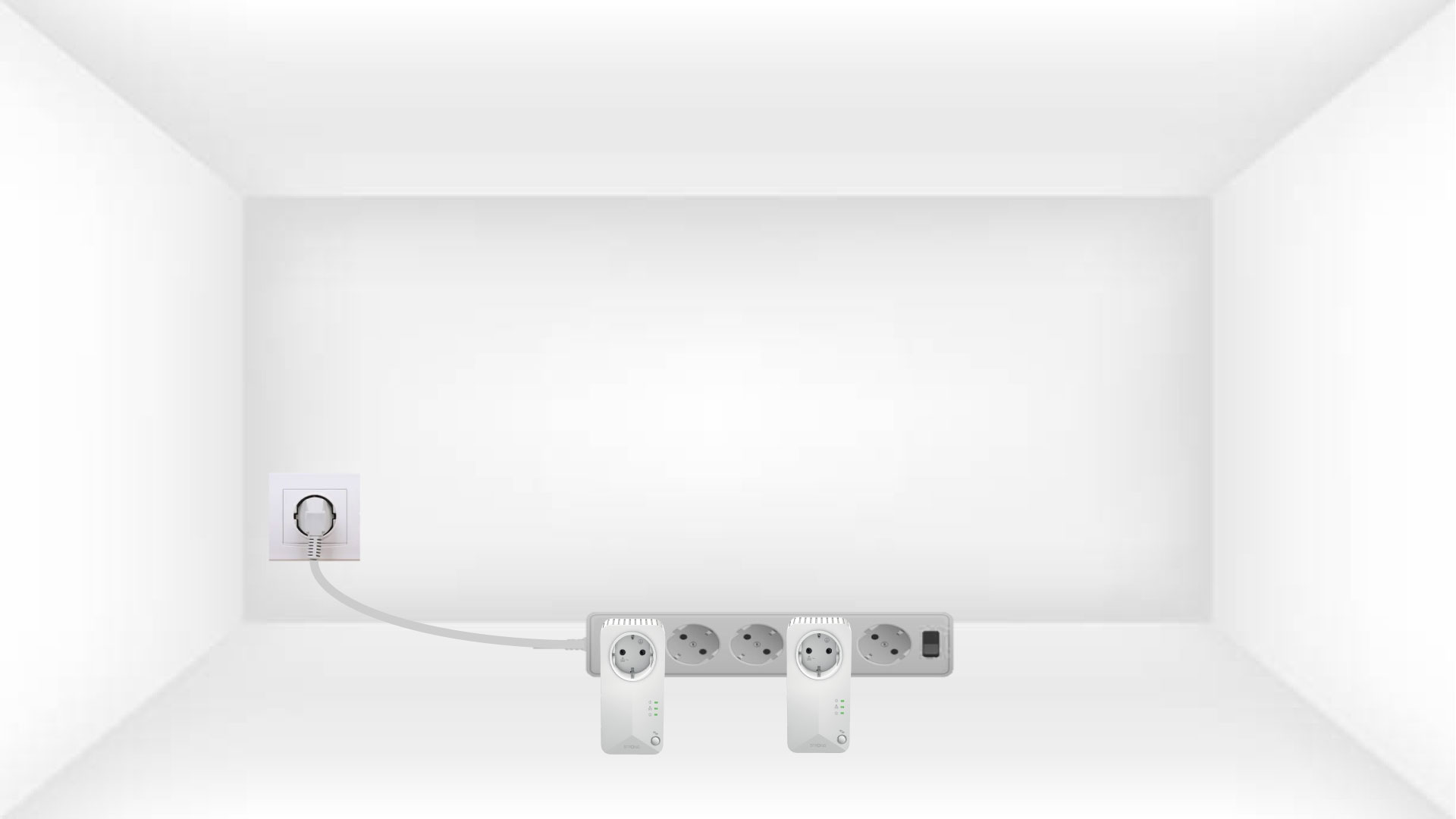
Переглянути інші поширені запитання1. Підключітьадаптери до подовжувача
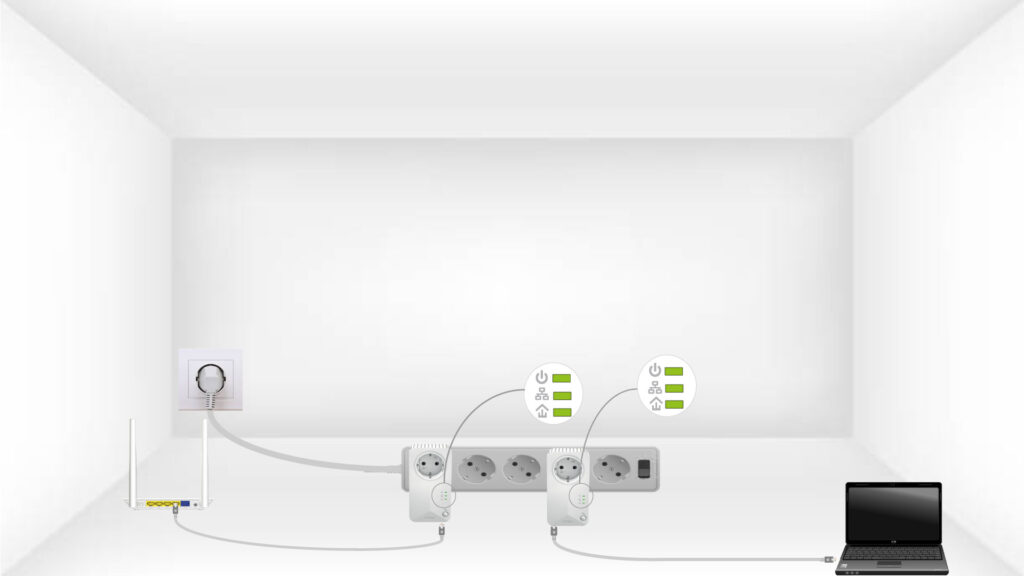
Щоб усунути неполадки з доступом до Інтернету, підключіть адаптери по черзі до подовжувача.
2. Підключітьадаптери до Інтернету
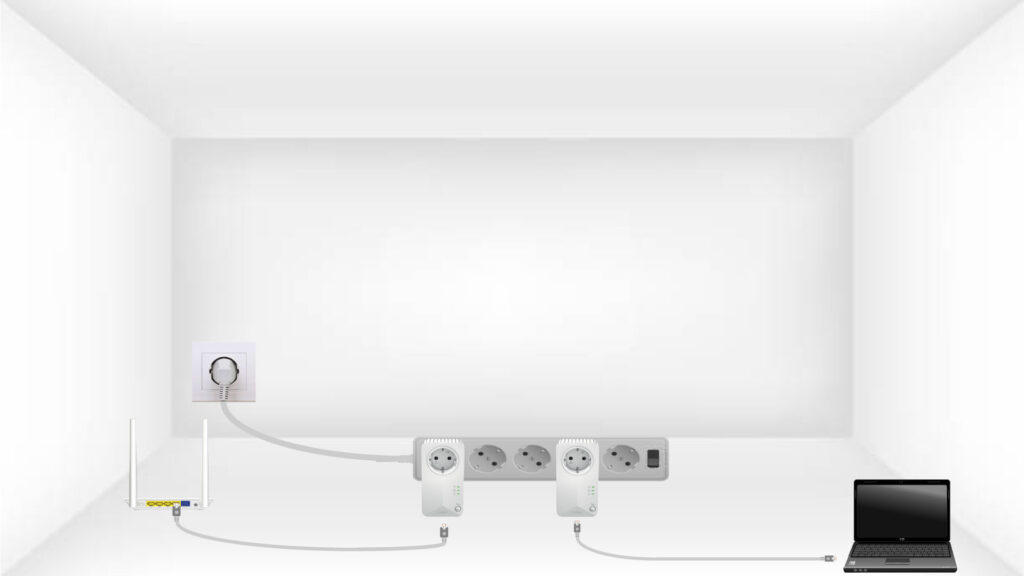
Підключіть кожен адаптер до працездатного пристрою (інтернет- маршрутизатор/шлюз, Android-бокс, Smart- TV, комп’ютер тощо) за допомогою кабелю Ethernet. Між пристроями має бути встановлено зв’язок. В іншому разі адаптер автоматично перейде в режим очікування.
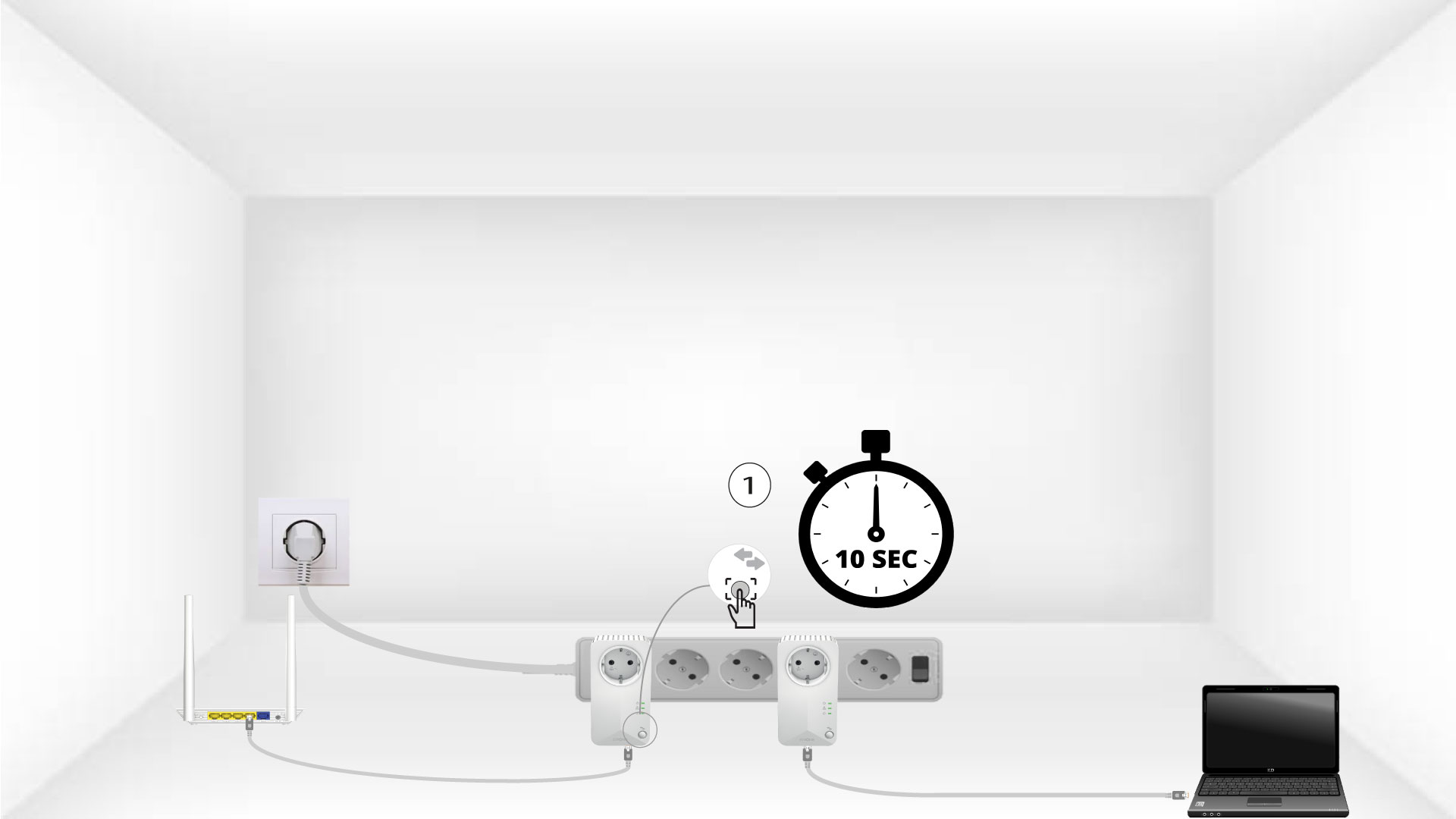
3. Натиснітькнопку «Підключити та захистити» (перший пристрій)
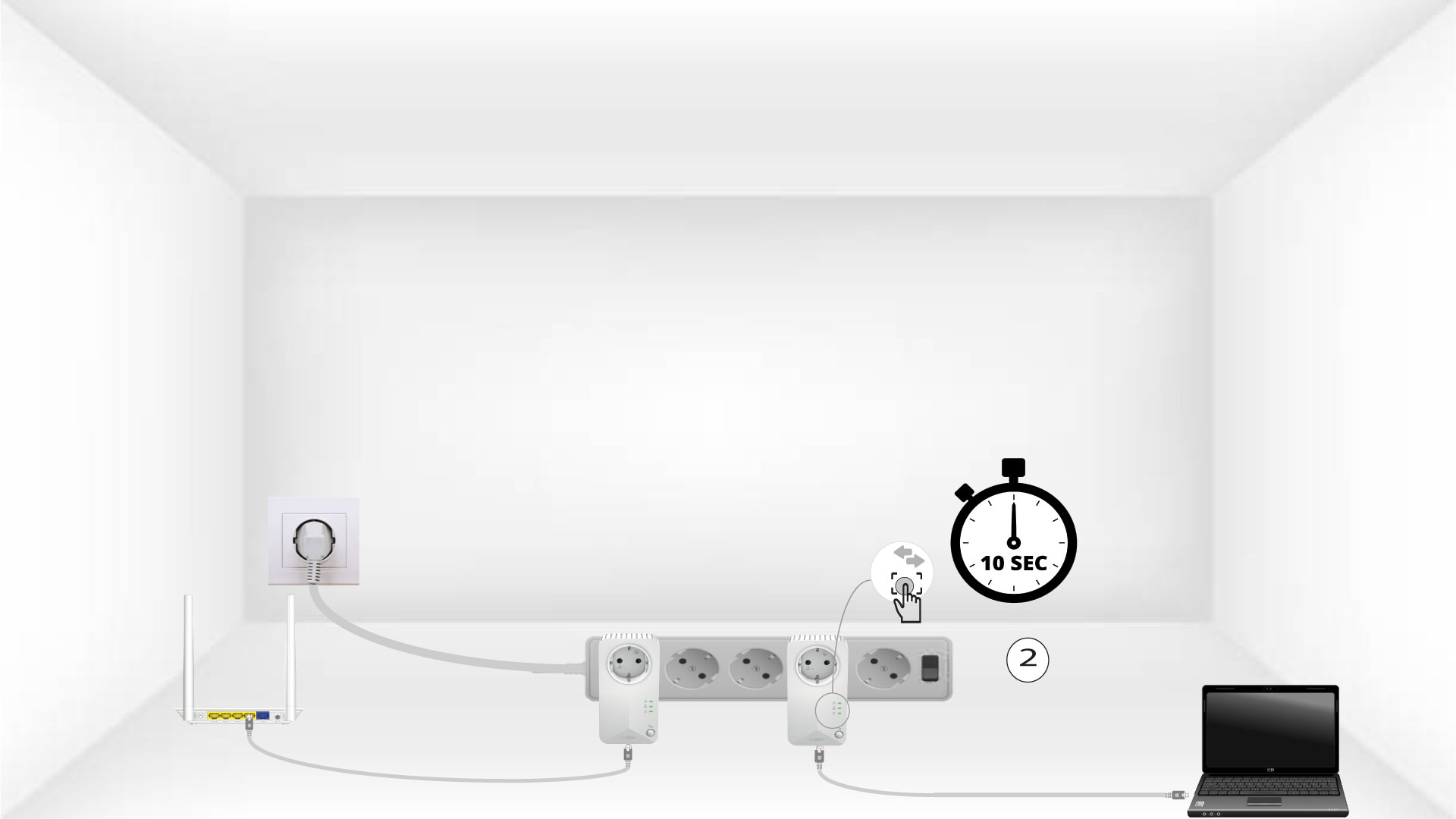
Після того як адаптер підключено до мережі та під’єднано до Ethernet, просто натисніть і утримуйте кнопку «Connect & Secure» на передній панелі протягом 10 секунд.
4. Натиснітькнопку «Підключити та захистити» (другий пристрій)
Натисніть і утримуйте кнопку «Connect & Secure» на передній панелі другого пристрою протягом 10 секунд. На це у вас є не більше двох хвилин.
5На пристроях блимає піктограма «Домашня сторінка»
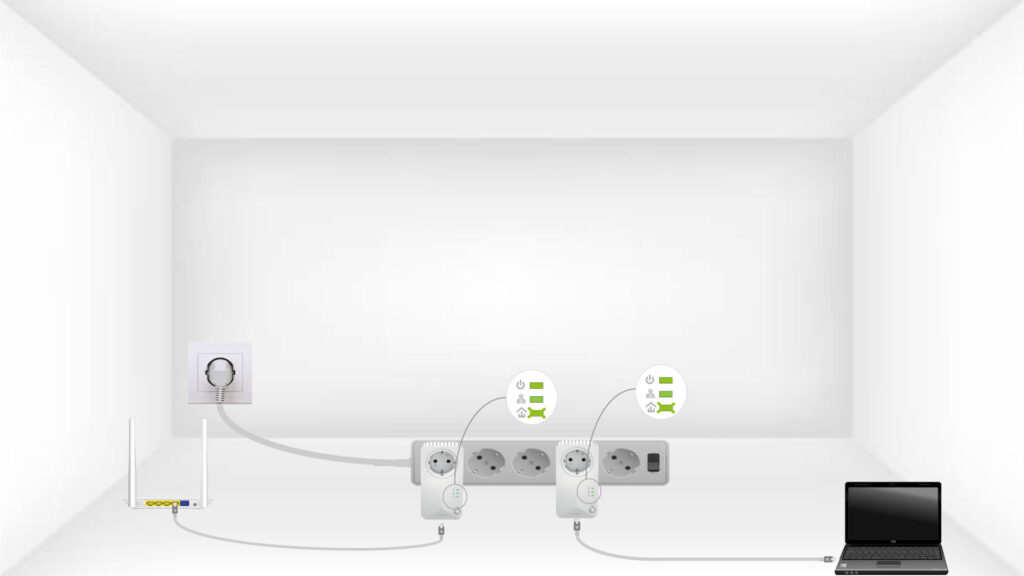
Світлодіод із значком «Додому» повинен почати блимати.
6. Пристроїскинуто до заводських налаштувань
Після завершення операцій усі світлодіоди повинні світитися зеленим кольором.
Повторіть ту саму операцію для третього файлу powerline.
До однієї електромережі можна підключити до 8 пристроїв « powerline 500».
Після з’єднання всіх пристроїв їх можна розмістити в тій кімнаті, де вони вам потрібні