Набір із трьох пристроїв Powerline Wi-Fi
Нічого не знайдено.
Нічого не знайдено.
Усі питання
Набір із трьох пристроїв Powerline Wi-Fi
Нічого не знайдено.
Нічого не знайдено.
На Wi-Fi-адаптері світиться світлодіод із зображенням будинку, але я не можу підключитися до мережі Wi-Fi пристрою « Powerline 500».
1. Підключітьсядо мережі Wi-Fi
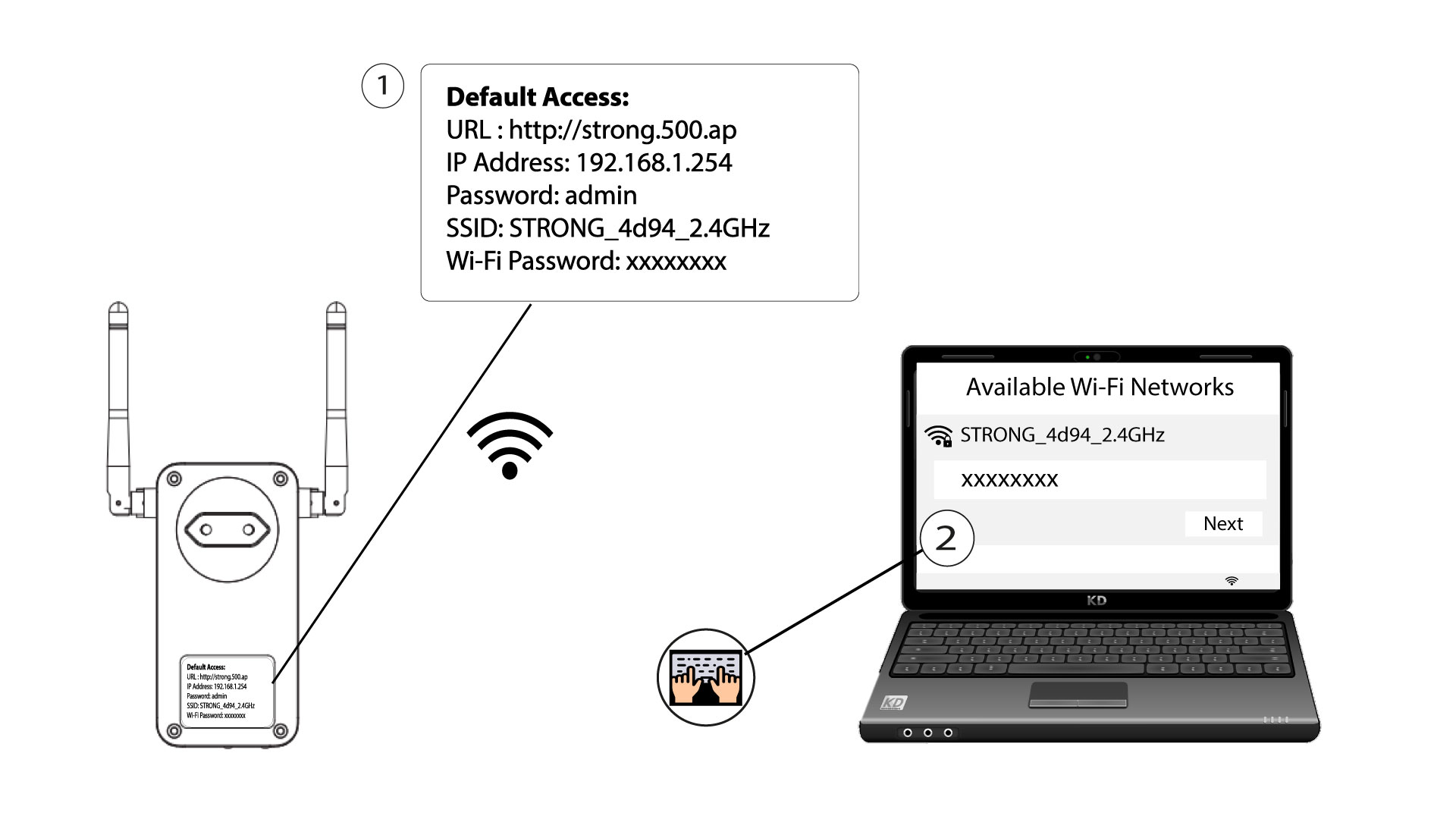
Щоб вперше підключитися до мережі Wi-Fi вашого пристрою « Powerline », необхідно підключитися до SSID, вказаного на задній панелі пристрою, та ввести пароль до мережі Wi-Fi, який також там зазначено.
Зверніть увагу, що малу літеру «L» можна сплутати з великою літерою «i», тому, будь ласка, спробуйте різні варіанти
2. Скинутиналаштування Wi-Fi-адаптера
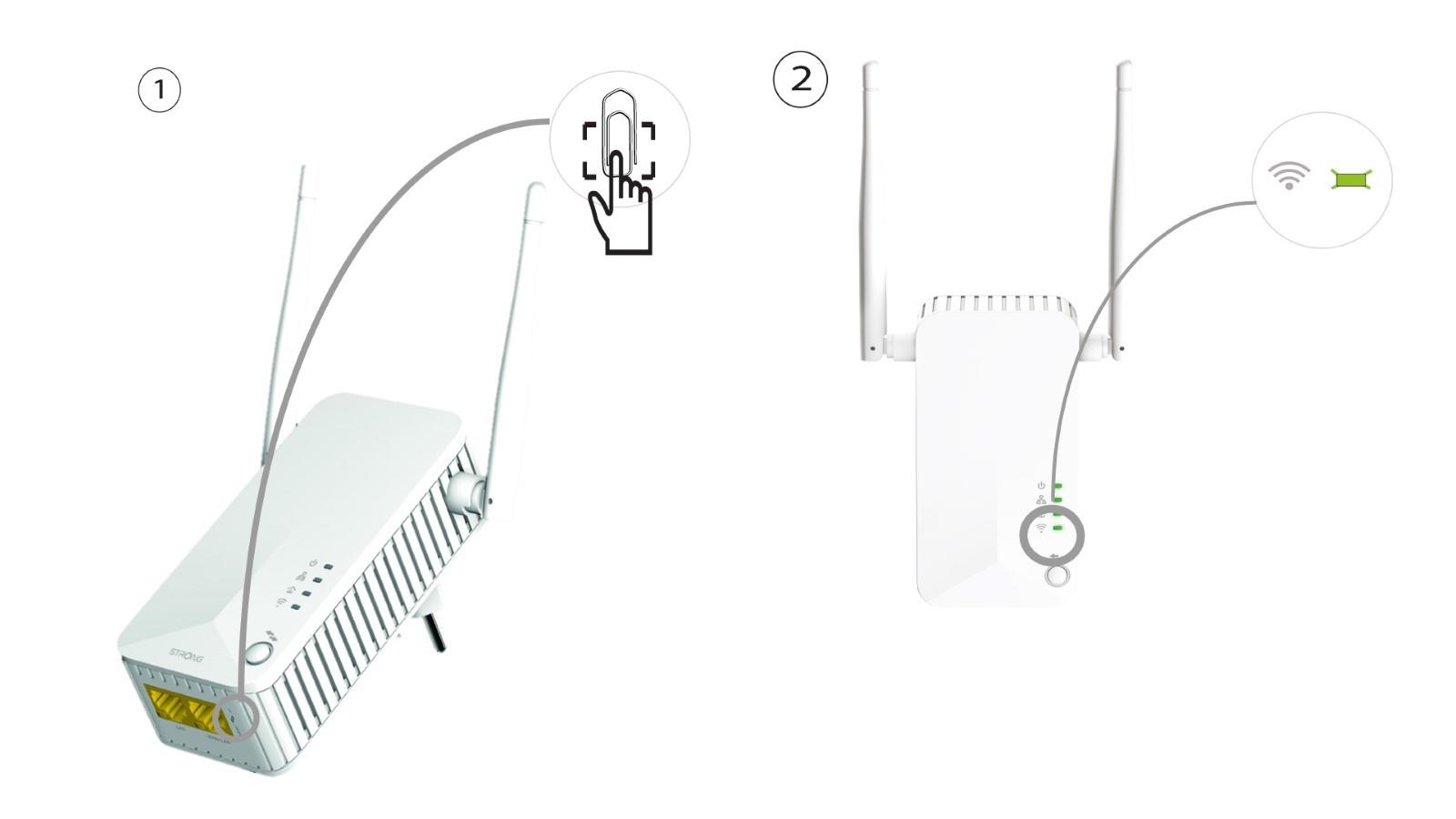
Якщо вам все ще не вдається підключитися до Wi-Fi-пристрою « Powerline 500», будь ласка, виконайте скидання налаштувань Wi-Fi-пристрою « Powerline », вставивши скріпку в отвір, розташований під пристроєм, і утримуючи її, доки світлодіоди не почнуть блимати.