CPL 600 Duo Wi-Fi FR V2
Усі питання
CPL 600 Duo Wi-Fi FR V2
Чому у моїй мережі Wi-Fi на частоті 2,4 ГГц трапляються перебої, і як може допомогти перехід на канали 1, 6 або 11?
Чому у моїй мережі Wi-Fi на частоті 2,4 ГГц трапляються перебої, і як може допомогти перехід на канали 1, 6 або 11?
Щоб мінімізувати перешкоди, рекомендуємо змінити канал Wi-Fi на 1, 6 або 11. Ці канали розташовані на достатній відстані один від одного, щоб уникнути перекриття, що знижує ймовірність виникнення перешкод від інших мереж та пристроїв, які працюють поблизу. Вибравши один із цих каналів, ви зможете покращити стабільність та продуктивність вашого Wi-Fi-з’єднання.
Щоб змінити канал, увійдіть у налаштування Wi-Fi-пристрою « Powerline » через його веб-інтерфейс. Перейдіть до розділу «Налаштування WLAN» > «Основні налаштування» та виберіть канал 1, 6 або 11.
1. Підключітьсядо мережі Wi-Fi
Для цього введіть на своєму пристрої SSID та пароль точки доступу « маршрутизатор ».

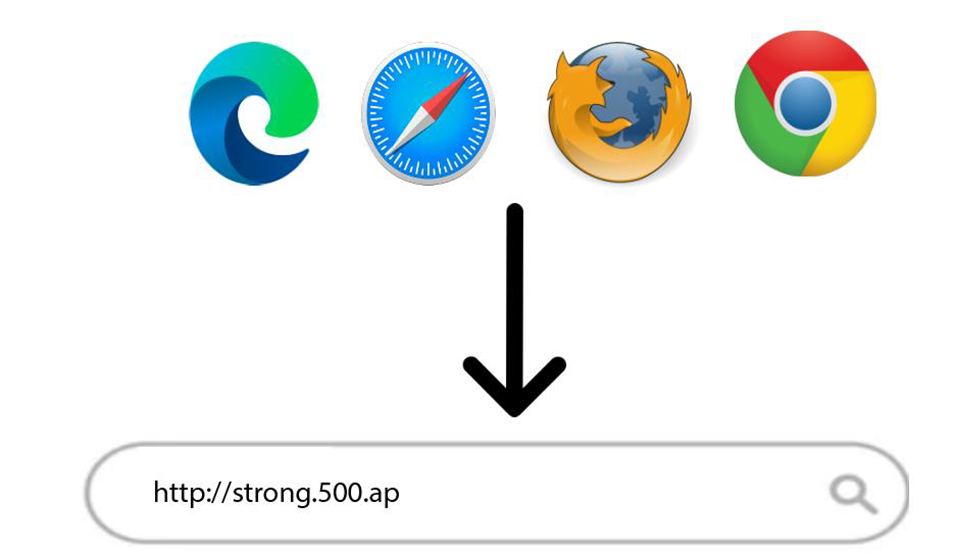
2. ВведітьIP-адресу веб-інтерфейсу користувача
Потім введіть у браузері таку IP-адресу: http://strong.500.ap
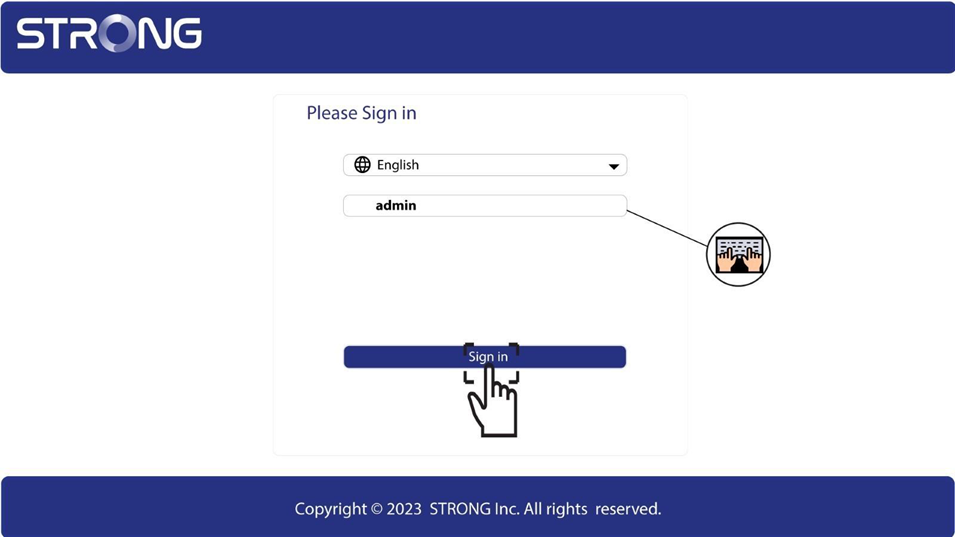
3. Сторінка входу
Після того як ви перейдете за вказаною IP-адресою, натисніть кнопку, після чого вам потрібно буде ввести ім’я користувача (admin). Потім натисніть «Увійти».
4. Налаштування Wi-Fi
Натисніть «Налаштування WLAN» та «Основні налаштування».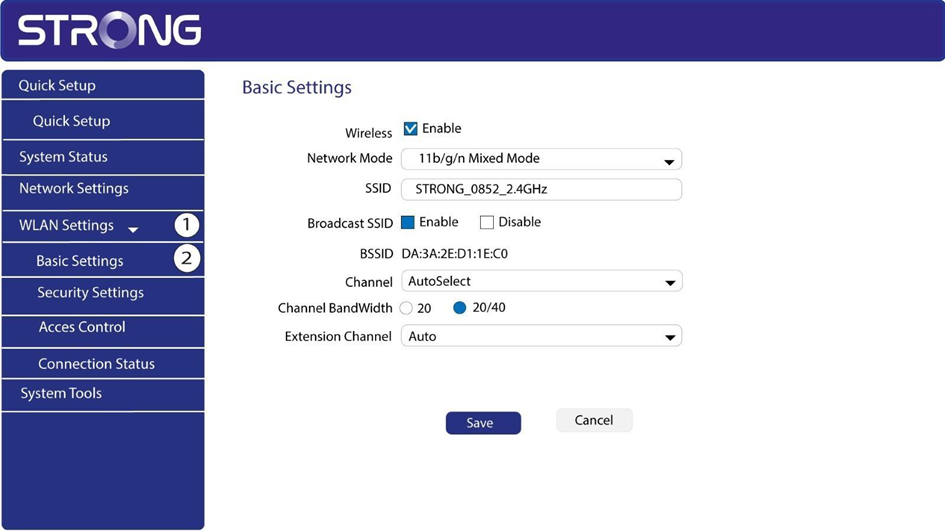
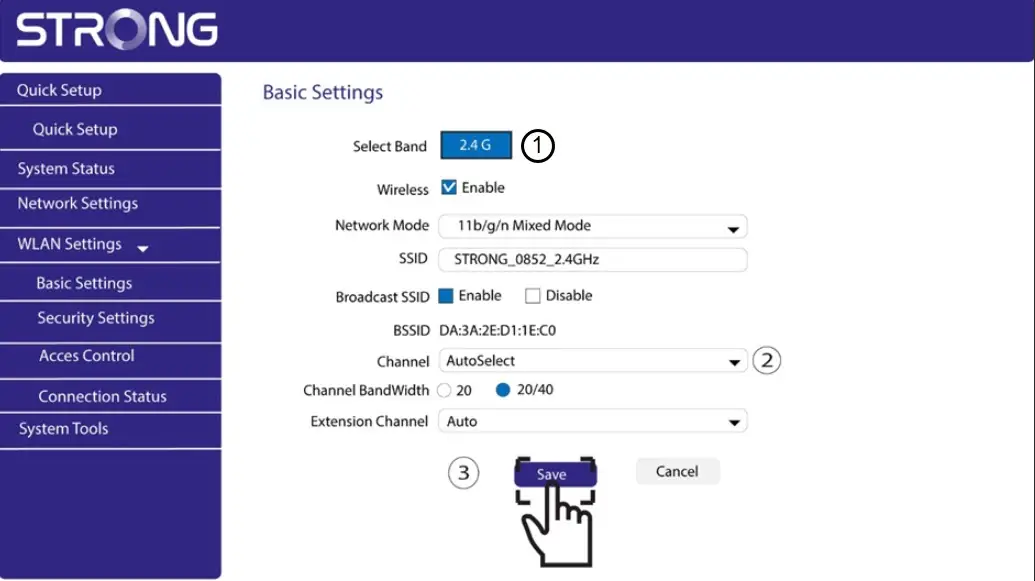
5. Виберітьдіапазон мережі
Виберіть діапазон мережі 2,4 ГГц. Потім виберіть канал зі списку, що розкривається (1, 6 або 11), і натисніть «Зберегти».