Не са намерени никакви елементи.
LEAP
Не са намерени никакви елементи.
Всички въпроси
Не са намерени никакви елементи.
LEAP
Не са намерени никакви елементи.
Как мога да добавя или премахна приложение от началния екран?
1Случай1: Добавяне на приложение
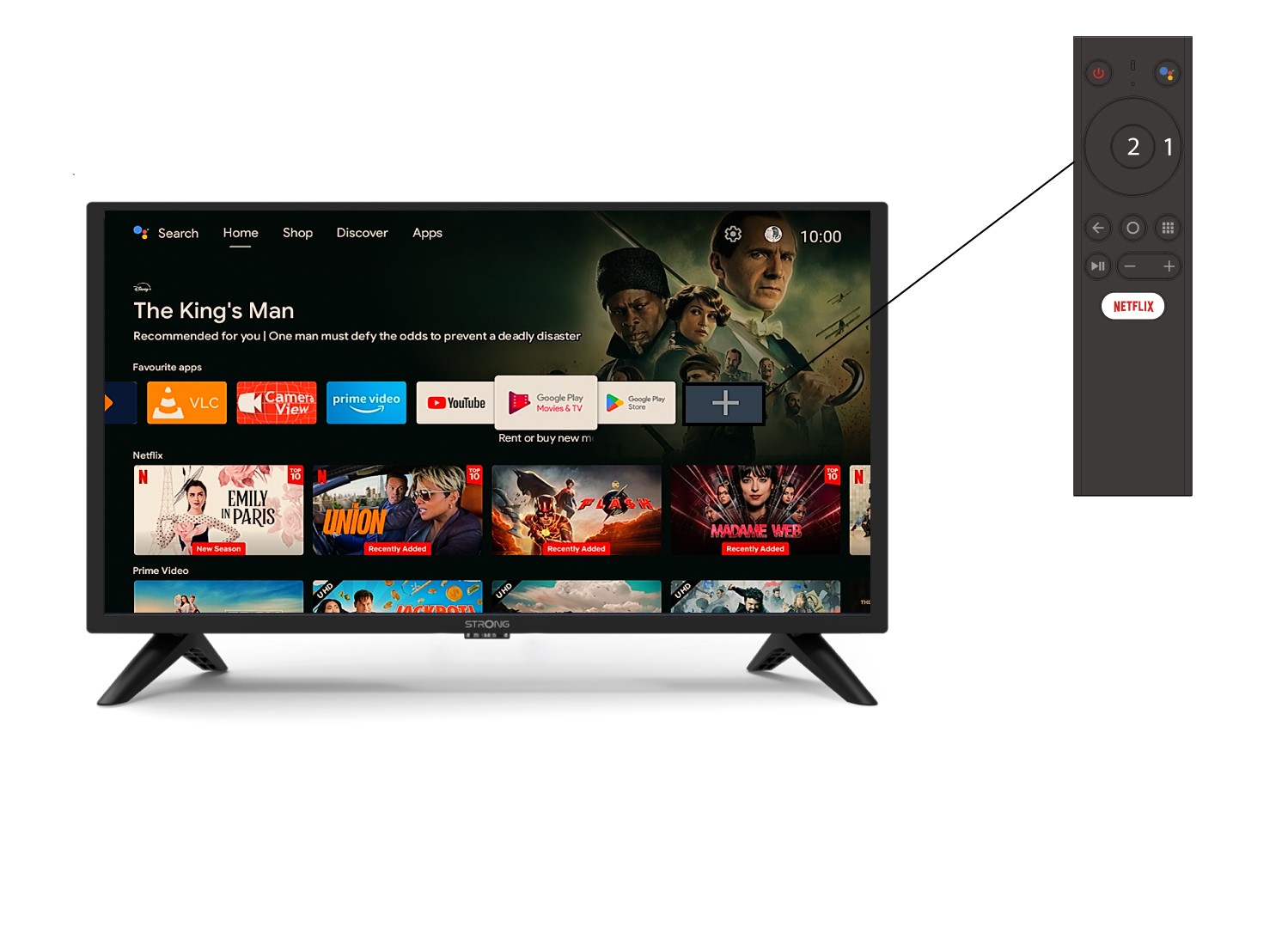
За да добавите приложение на началния екран, отидете до иконата „+“, разположена в края на списъка с приложенията, които вече се намират на началния екран, и натиснете „ОК“.
2 Списък с приложения
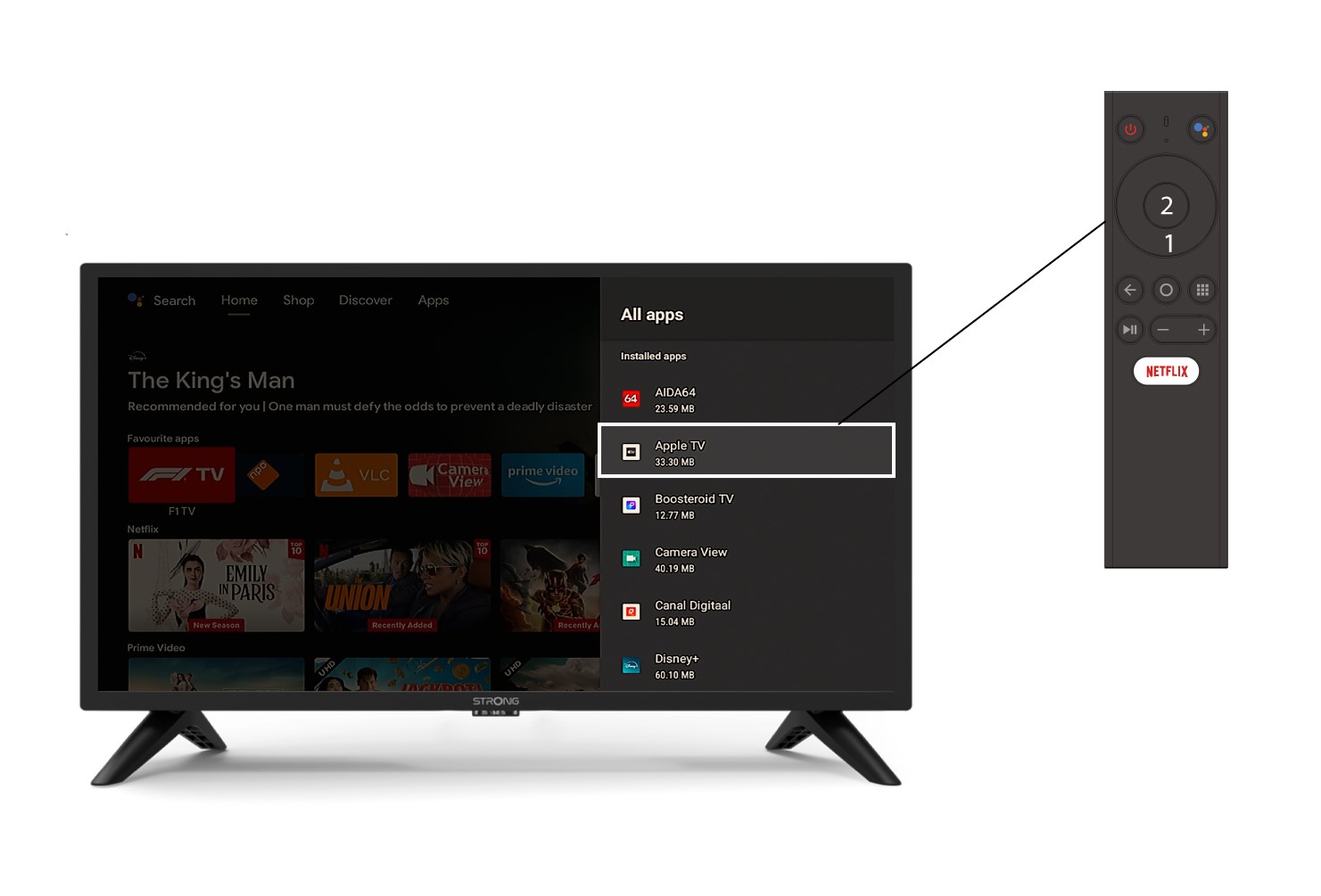
След това се отваря списъкът с приложенията – изберете желаното приложение и натиснете бутона „OK“ на дистанционното управление.
3Случай2: Премахване на приложение
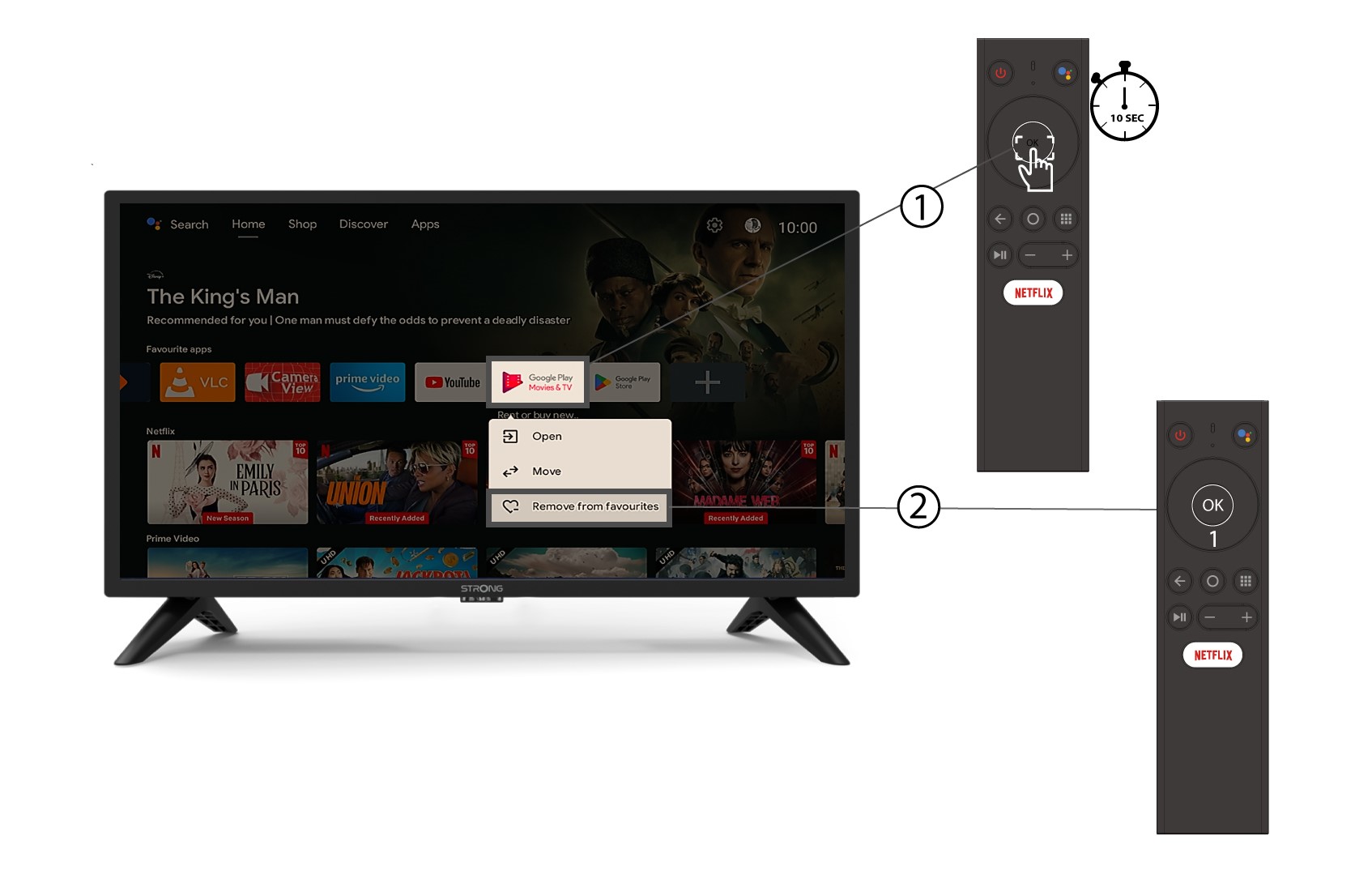
За да премахнете приложение от началния екран, в списъка с приложенията, които вече се намират на началната страница, отидете до приложението, което искате да премахнете, натиснете и задръжте бутона „OK“ – ще се появи прозорец, в който изберете „Премахни от избраните“.