LEAP
Всички въпроси
LEAP
Свързах AZERTY клавиатура чрез USB, но тя се разпознава като QWERTY клавиатура. Защо?

Предупреждение: Моля, имайте предвид, че поддържаните разпределения на клавиатурата за външни клавиатури се определят от Google. Поради това е възможно разпределението на вашата клавиатура да не се поддържа. В такъв случай ви препоръчваме да се свържете с производителя на клавиатурата, за да проверите дали има приложение, което би я направило съвместима.
1. Включете устройството
Включете телевизора и устройството LEAP S1.
2. Отворетеменюто „Настройки“
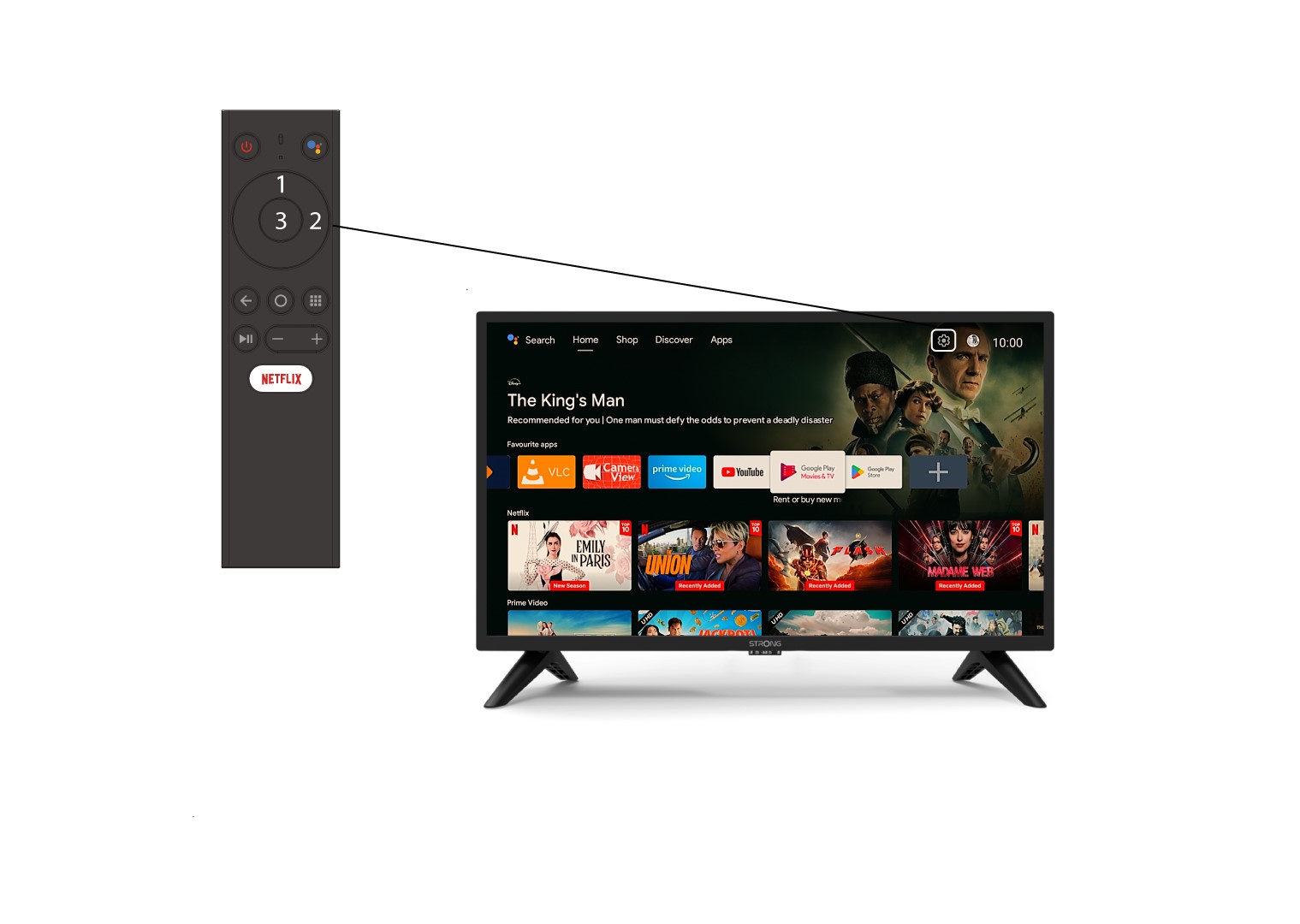
Намерете иконата с зъбното колело (меню „Настройки“) в горния десен ъгъл на екрана и я изберете с помощта на стрелките на компютъра си. След това натиснете бутона „OK“ на дистанционното, за да отворите менюто „Настройки“.
3. Настройки на устройството
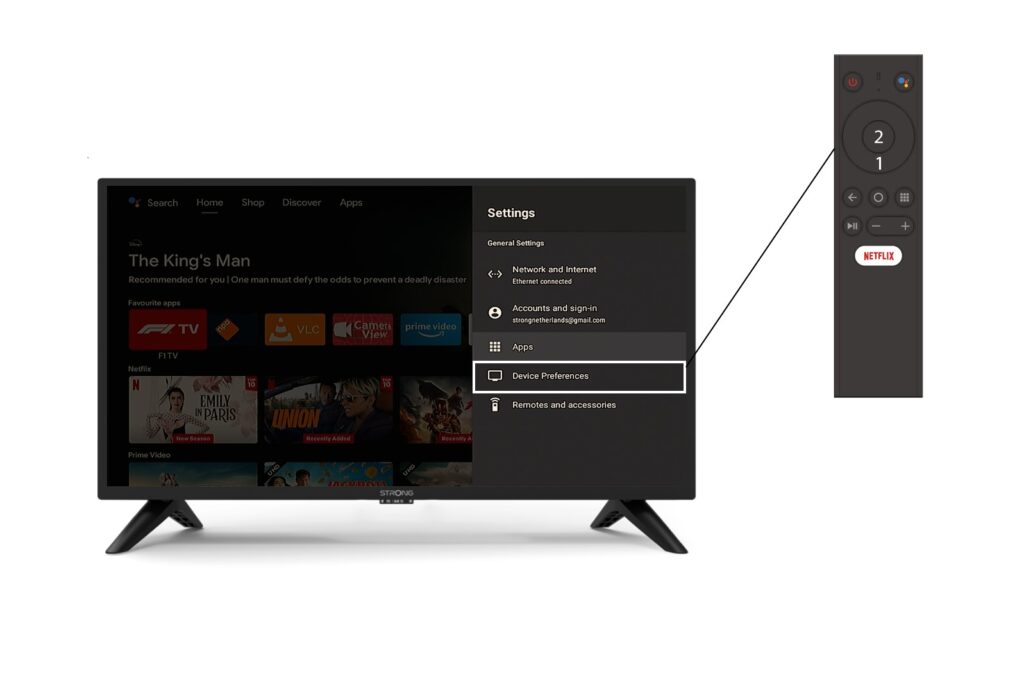
Изберете „Настройки на устройството“ от менюто „Настройки“ и натиснете бутона „OK“ на дистанционното управление.
4. Настройки на клавиатурата
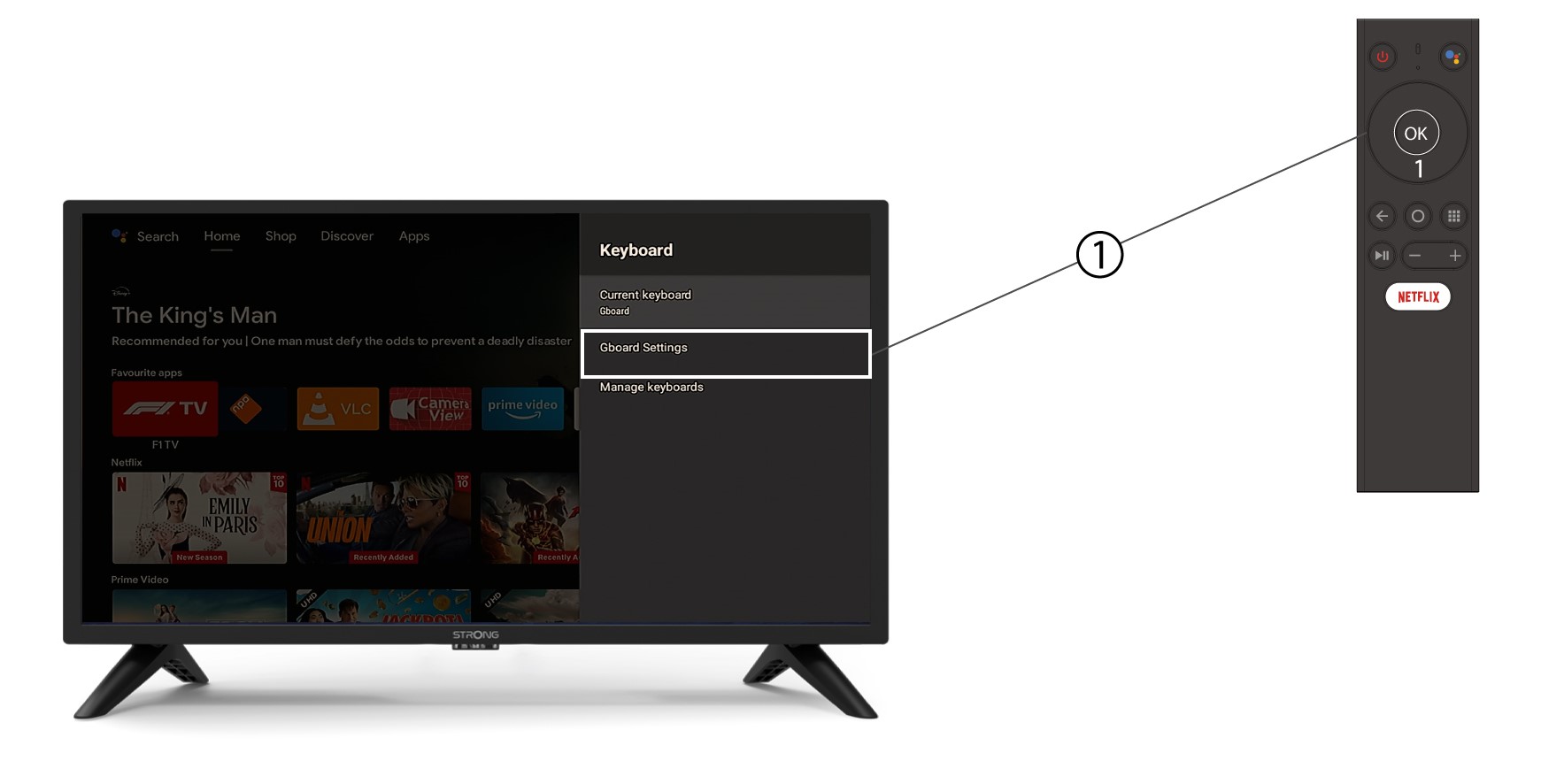
В менюто на клавиатурата кликнете върху „Настройки на Gboard “ и натиснете „ОК“.
5. Настройки на езика
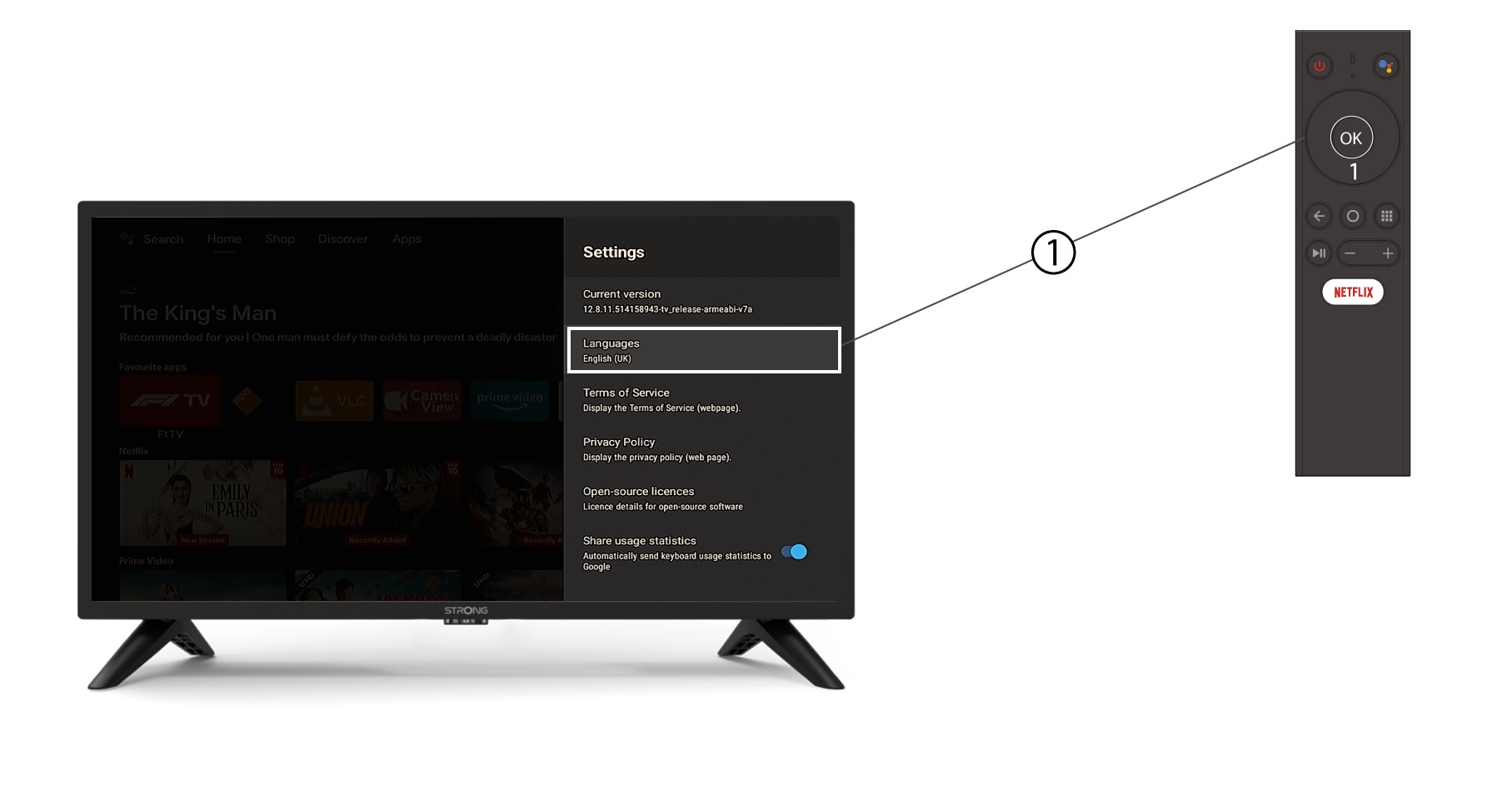
В отвореното меню „Настройки“ кликнете върху „Език“, след това задайте стойността „Английски“ ( UK ) и натиснете „OK“.