ATRIA Wi-Fi 5 Mesh 2100 UK add-on)
Всички въпроси
ATRIA Wi-Fi 5 Mesh 2100 UK add-on)
Как мога да настроя/присвоя статичен IP адрес на моето устройство Atria Mesh 2100?
Може да е полезно да зададете статичен IP адрес на контролера си mesh , за да имате по-лесен достъп до уеб интерфейса в мрежата си чрез приложението Atria Mesh .
Освен това можете да присвоите специални IP адреси на устройствата, свързани към мрежата ви mesh , чрез уеб интерфейса.
1Случай1: Настройка на статичен IP адрес за контролера „ mesh “ в приложението „Atria“ Mesh
Изтеглете приложението за смартфон „ATRIA MESH “ от App Store или Google Play Store.

2. Свързванес Wi-Fi
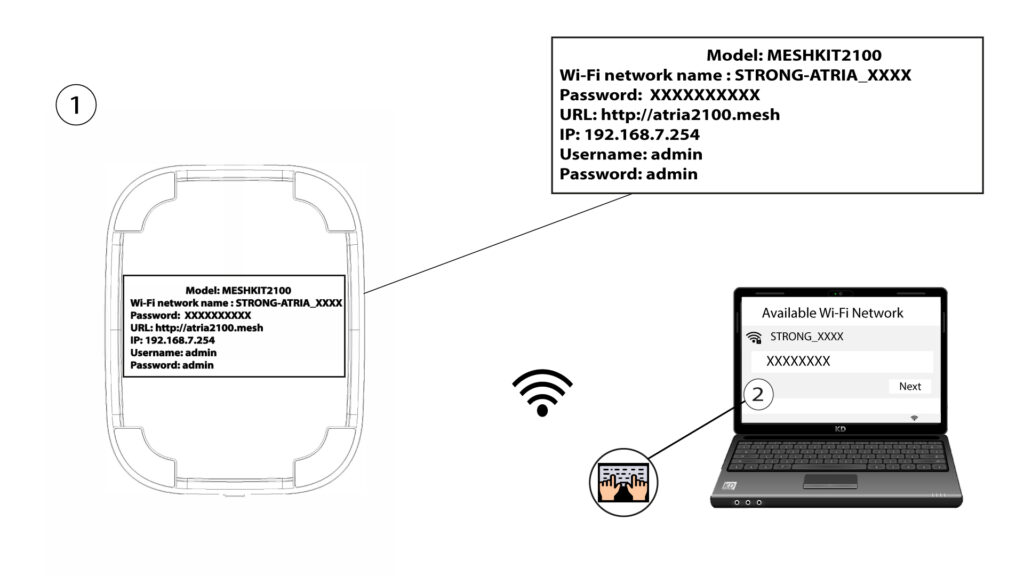
Свържете се с Wi-Fi мрежата на вашето устройство „ mesh “.
3. Удостоверения
След това трябва да се свържете със смартфона си към Wi-Fi мрежата на „ Mesh “ и да влезете в приложението с данните си за достъп, които би трябвало да са„admin“ и„admin“, ако не сте ги променили.

4Моятамрежа
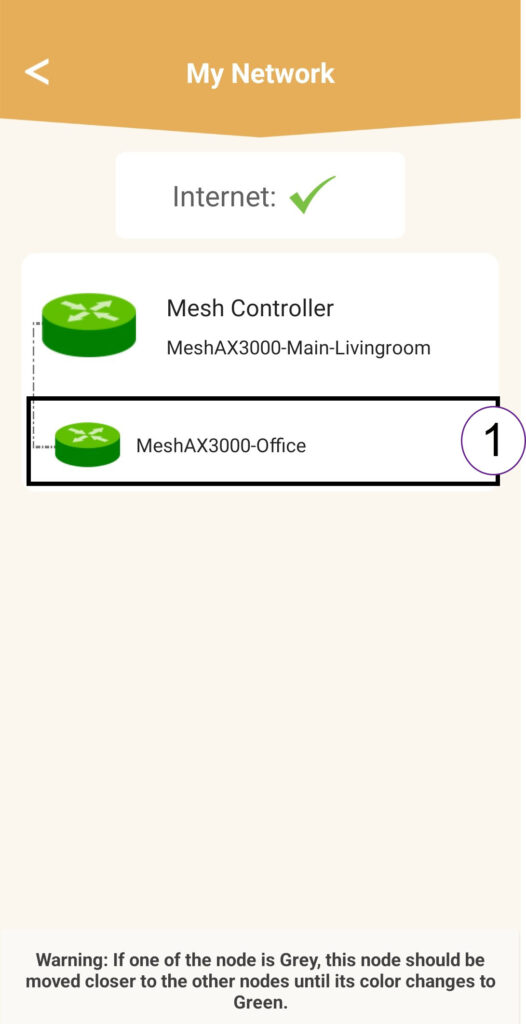
Кликнете върху „Моята мрежа“.

5 Агент на „Mesh “
Кликнете върху името на агента „ Mesh “ в списъка.
6 IPадрес
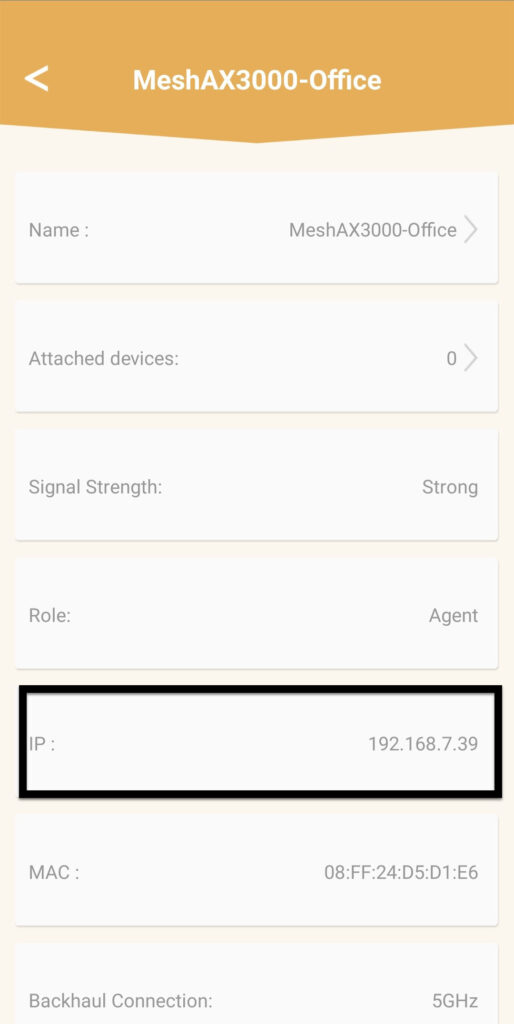
Определете неговия IP-адрес и MAC-адрес.
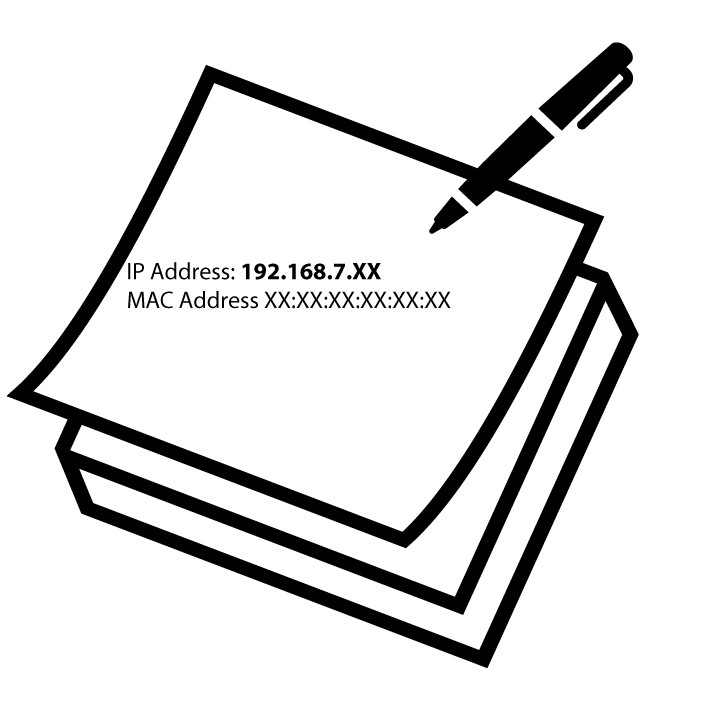
7. Запишетеновата информация
Запишете IP адреса и MAC адреса.
8. Настройки на интернет
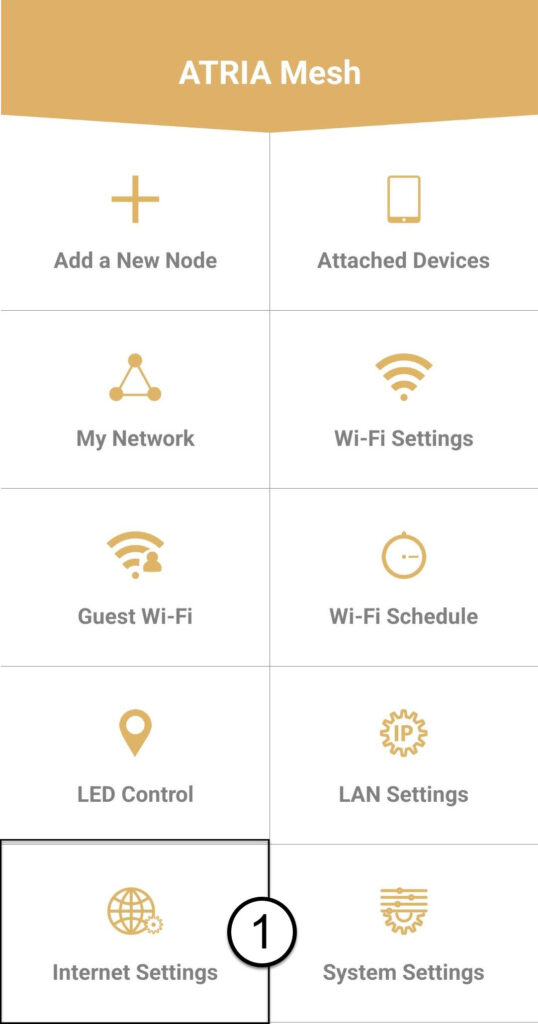
Кликнете върху „Настройки на интернет“.
9Статично
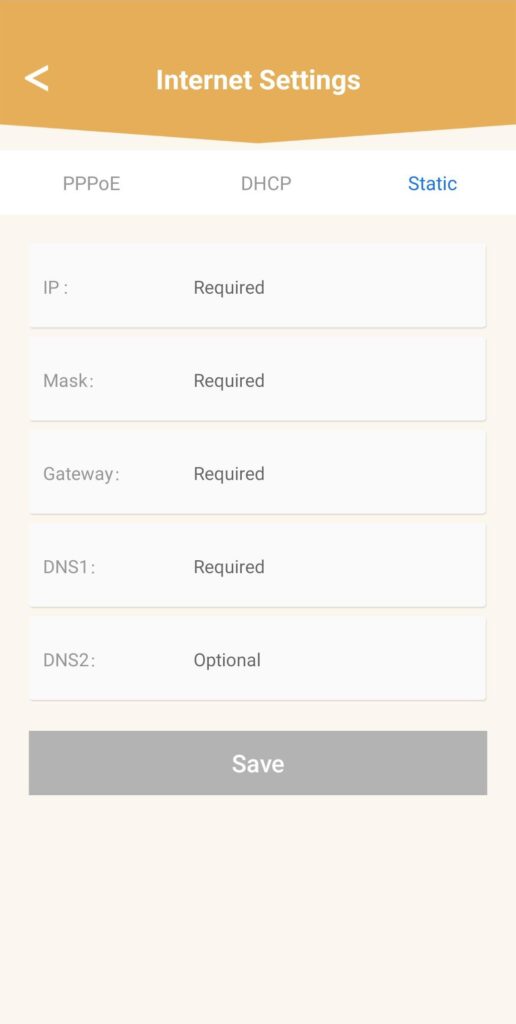
Изберете „Статичен IP“. Въведете следната информация, преди да натиснете „Запази“:
- IP: Въведете IP адреса на агента
- Маска: Полето се попълва автоматично със съответната стойност
- Gateway: Полето се попълва автоматично със съответната стойност
- DNS1: Въведете адреса на основния DNS сървър (тази информация можете да намерите в уеб интерфейса: Мрежа > LAN -> Активиране на ръчен DNS)
- DNS2: Въведете адреса на вторичния DNS сървър (тази информация можете да намерите в уеб интерфейса: Мрежа > LAN -> Активиране на ръчен DNS)
1Случай2: Присвойте специален IP адрес на вашите агенти/устройства от типа „ mesh “ в уеб интерфейса
За да направите това, свържете се с Wi-Fi мрежата на вашия „ mesh “.

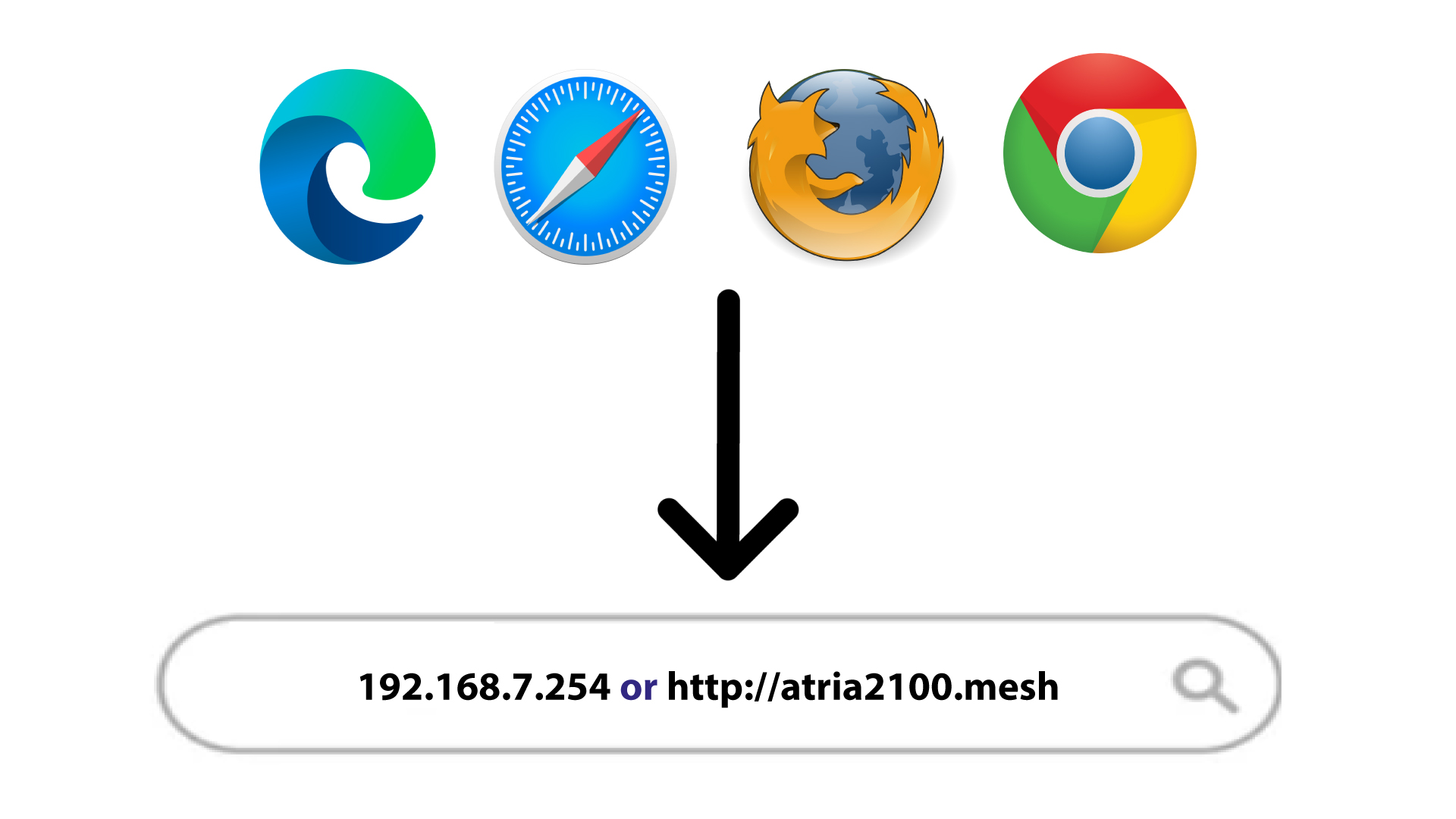
2IP-адресът на уеб интерфейса в браузъра ви
Отворете IP адреса на главното устройство mesh .
Информация за 3LAN
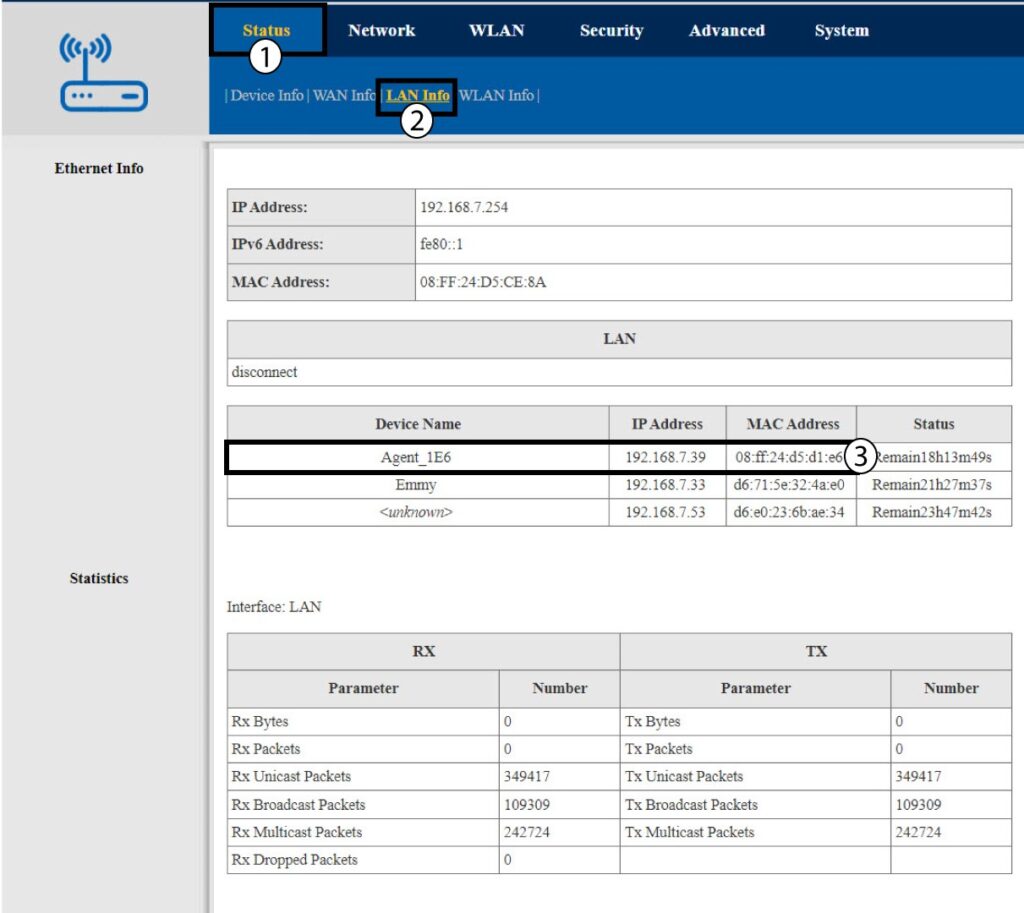
Кликнете върху „Статус“ и „Информация за LAN“. В показания списък намерете устройството „ mesh “ – името му започва с „Agent“.
4. Запишетеновата информация
Запишете IP адреса и MAC адреса на агента.
5 СтатиченIP адрес
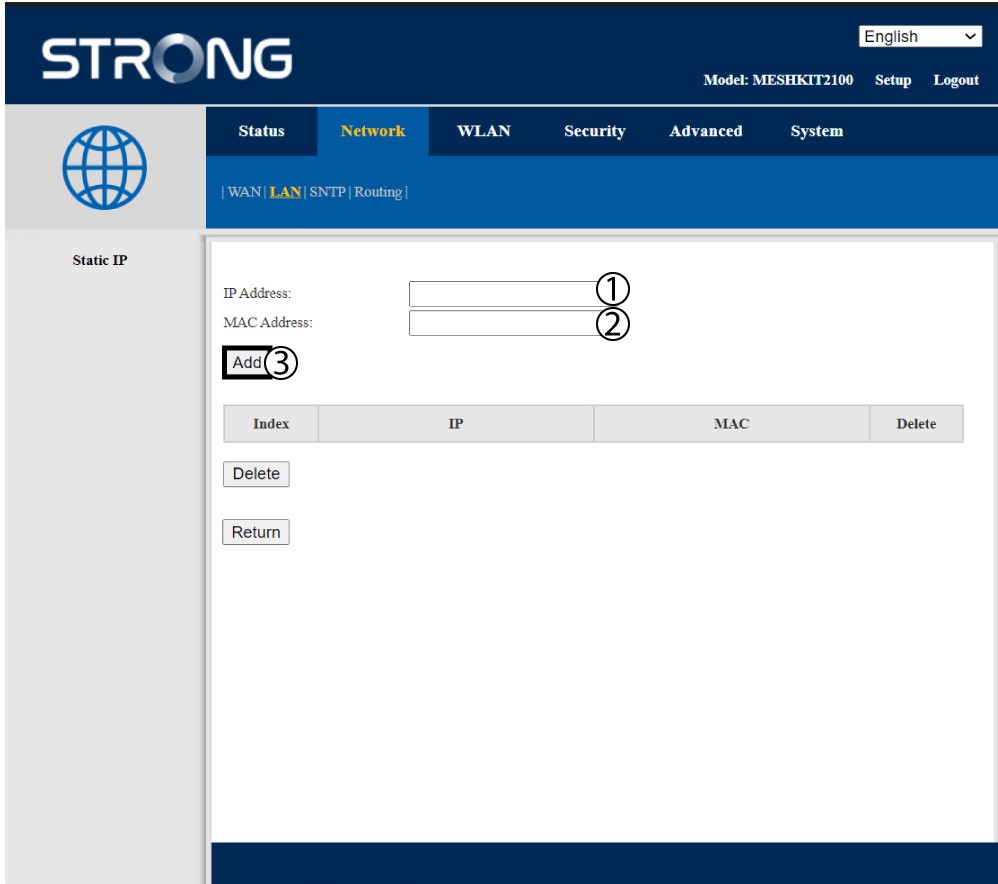
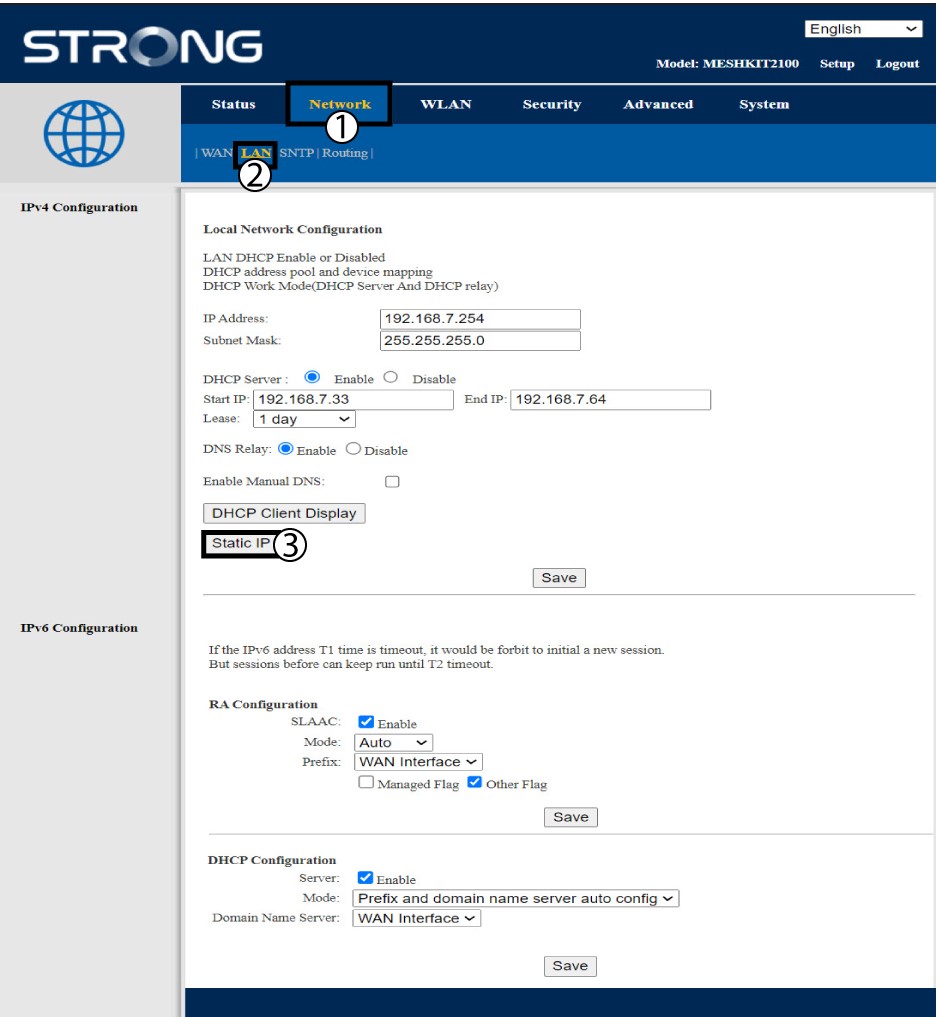
Кликнете върху „Мрежа и LAN“. След това кликнете върху „Статичен IP“.
6. Добавяне наIP адрес и MAC адрес
Въведете IP адреса и MAC адреса, преди да кликнете върху „Добави“.