
Повторител AX1800
Всички въпроси
Повторител AX1800
Как да настроя репитера си като точка за достъп?
1Свържете сес уеб интерфейса
Изпълнете една от процедурите по-долу, за да се свържете с уеб интерфейса:
- Как да се свържа с уеб интерфейса на ретранслатора? (Кабел RJ45)
- Как да се свържа с уеб интерфейса на ретранслатора? (Wi-Fi)
2Изберетережим за вашия ретранслатор
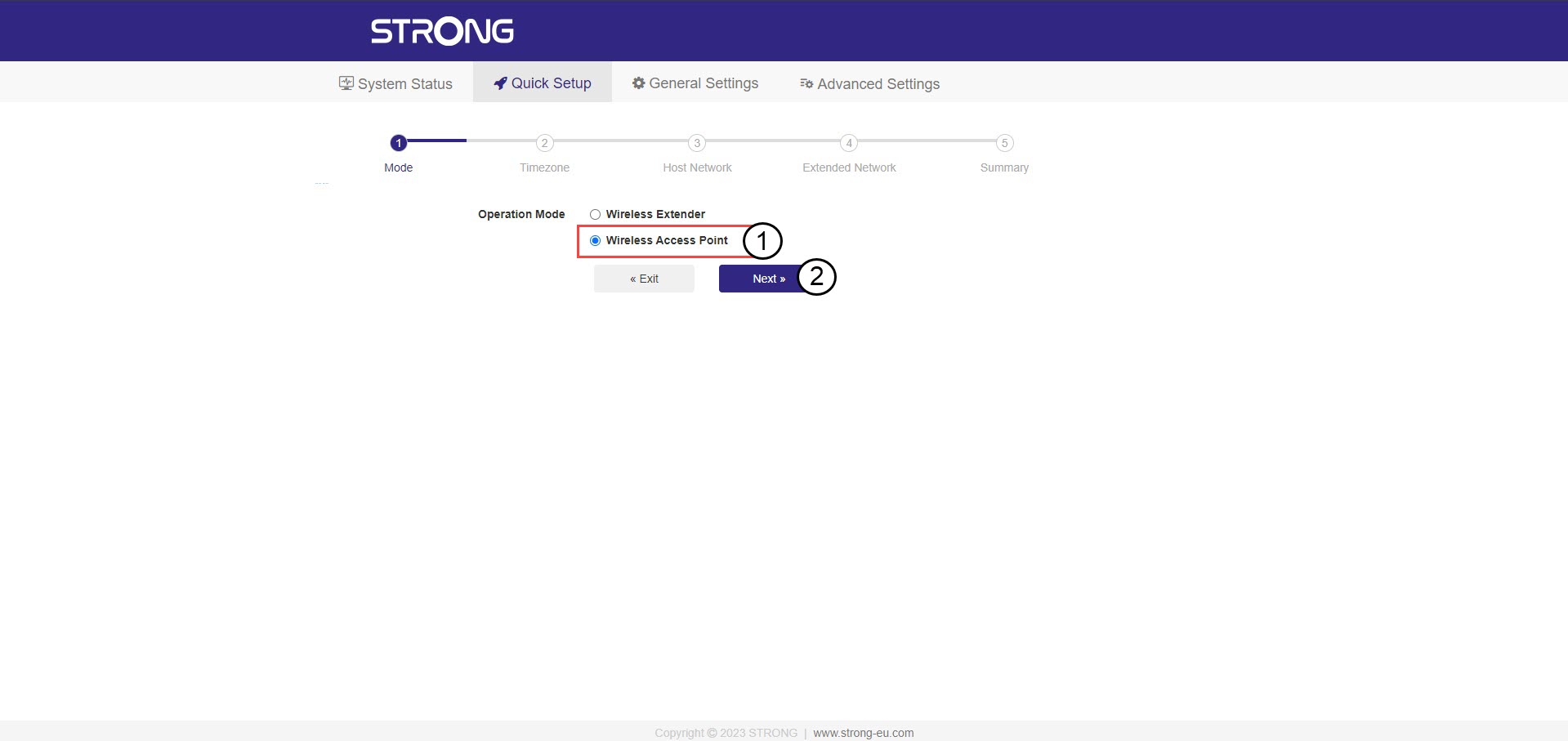
Ще се отвори помощникът за настройка на ретранслатора. Изберете „Безжична точка за достъп “ и кликнете върху „Напред“.
3Изберетечасова зона
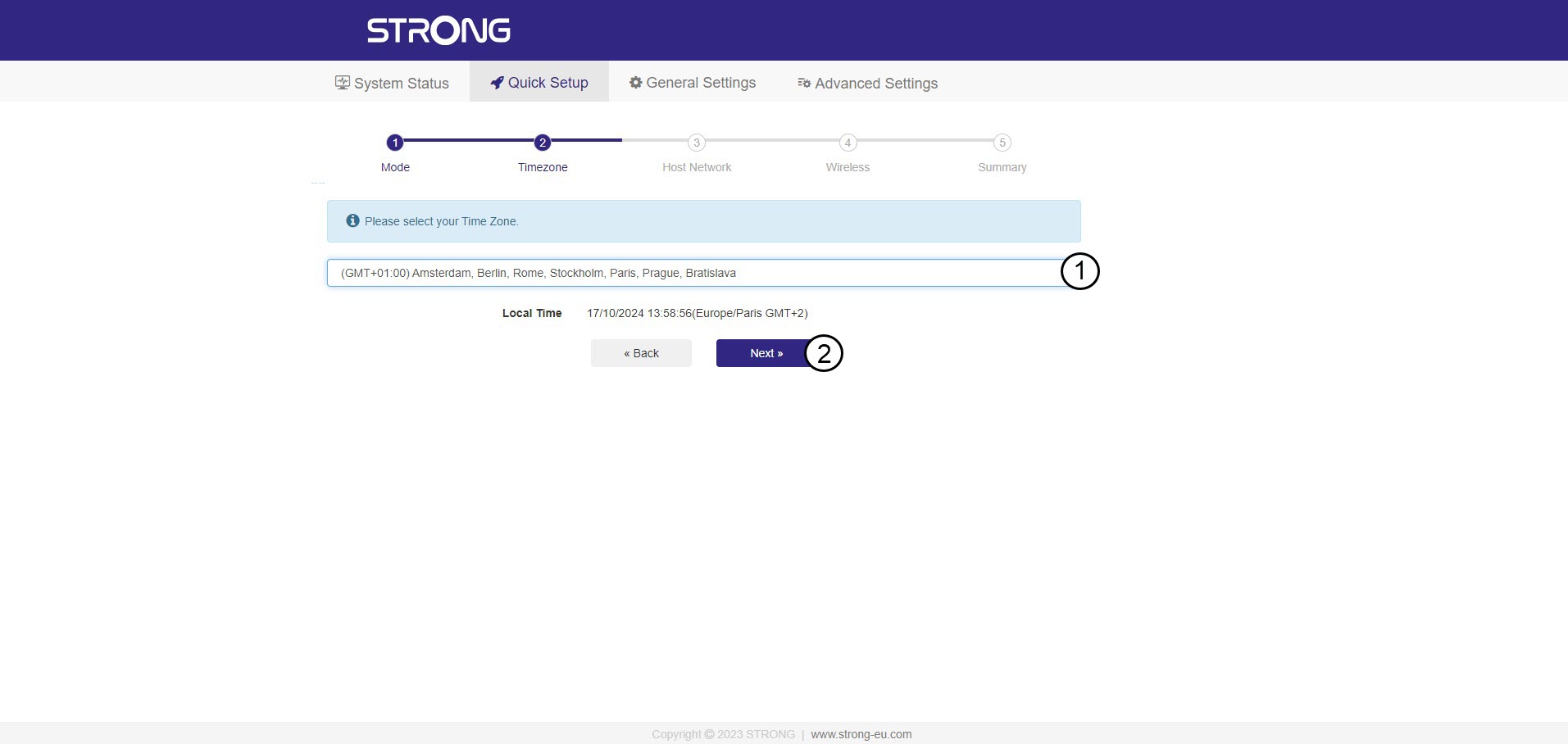
Изберете часовата зона от списъка, ако автоматично откритата е неправилна, и кликнете върху „Напред“.
4. Сканиранена наличните мрежи
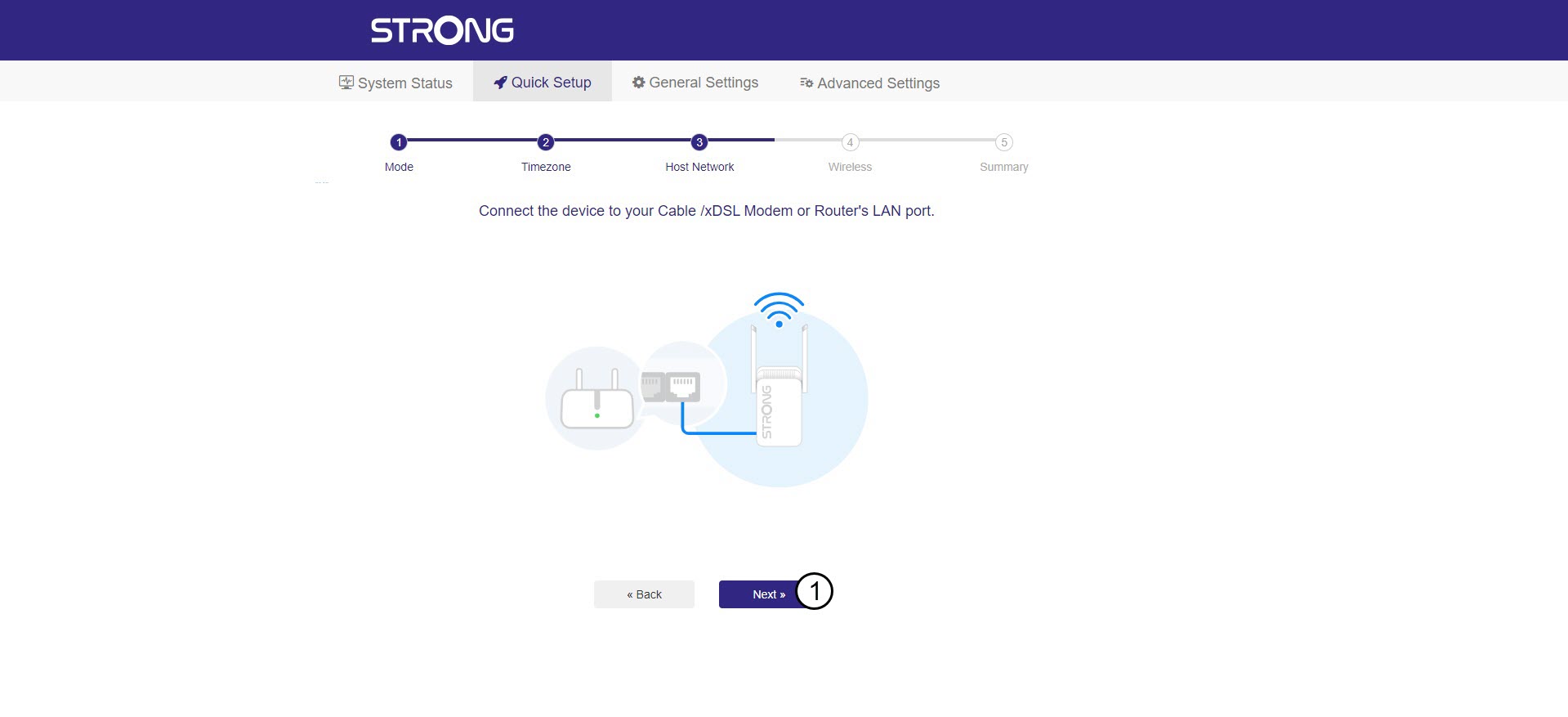
Свържете репитера с модема/рутера си, като включите RJ45 кабел в порта WAN/LAN.
След това кликнете върху „Напред“.
5Въведетепаролата за хост-мрежата Wi-Fi
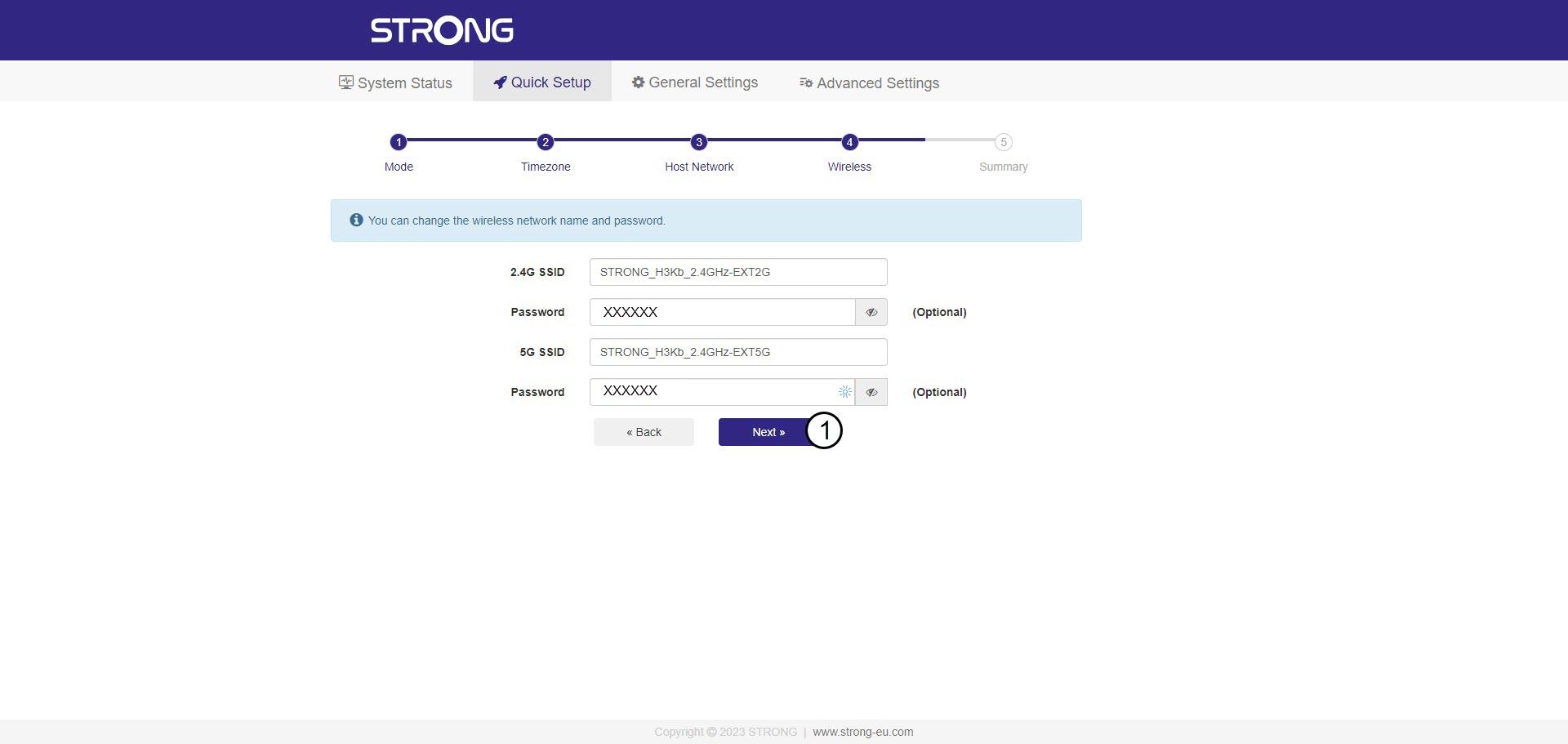
Проверете паролата на новите Wi-Fi мрежи и натиснете „Напред“.
Можете да кликнете върху иконата с око, за да се покаже паролата, която въвеждате.
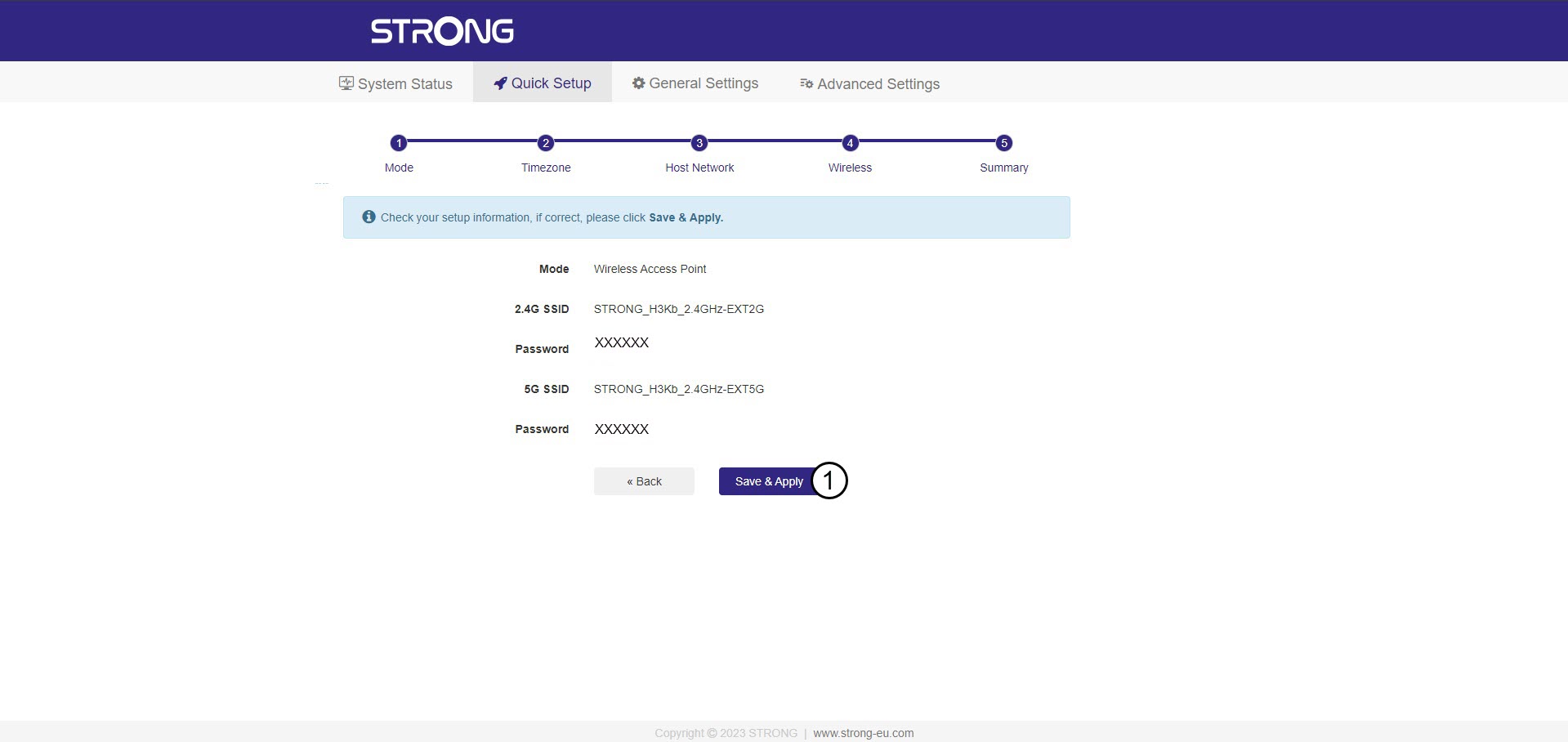
6. Потвърдетеконфигурацията
Появява се обобщение на информацията за новите мрежи. Кликнете върху „Запази и приложи“.
Запишете новата мрежова информация. Тя ще ви е необходима, за да се свържете с потребителския интерфейс.
7Изчакайтепо време на конфигурирането
Моля, изчакайте, докато ретранслаторът се конфигурира.


Внимание: След настройката ще трябва да се свържете с новите мрежи, които бяха създадени.