
ATRIA Wi-Fi 5 Mesh 1200 (пакет от 3 броя)
Не са намерени никакви елементи.
Не са намерени никакви елементи.
Всички въпроси
ATRIA Wi-Fi 5 Mesh 1200 (пакет от 3 броя)
Не са намерени никакви елементи.
Не са намерени никакви елементи.
Как да настроя Wi-Fi мрежата си „ mesh “ (Случай 1: Бутон WPS)
За да настроите мрежата на вашия „ Mesh “, моля, вижте краткото ръководство за бързо стартиране (QIG), което се намира в опаковката на продукта.
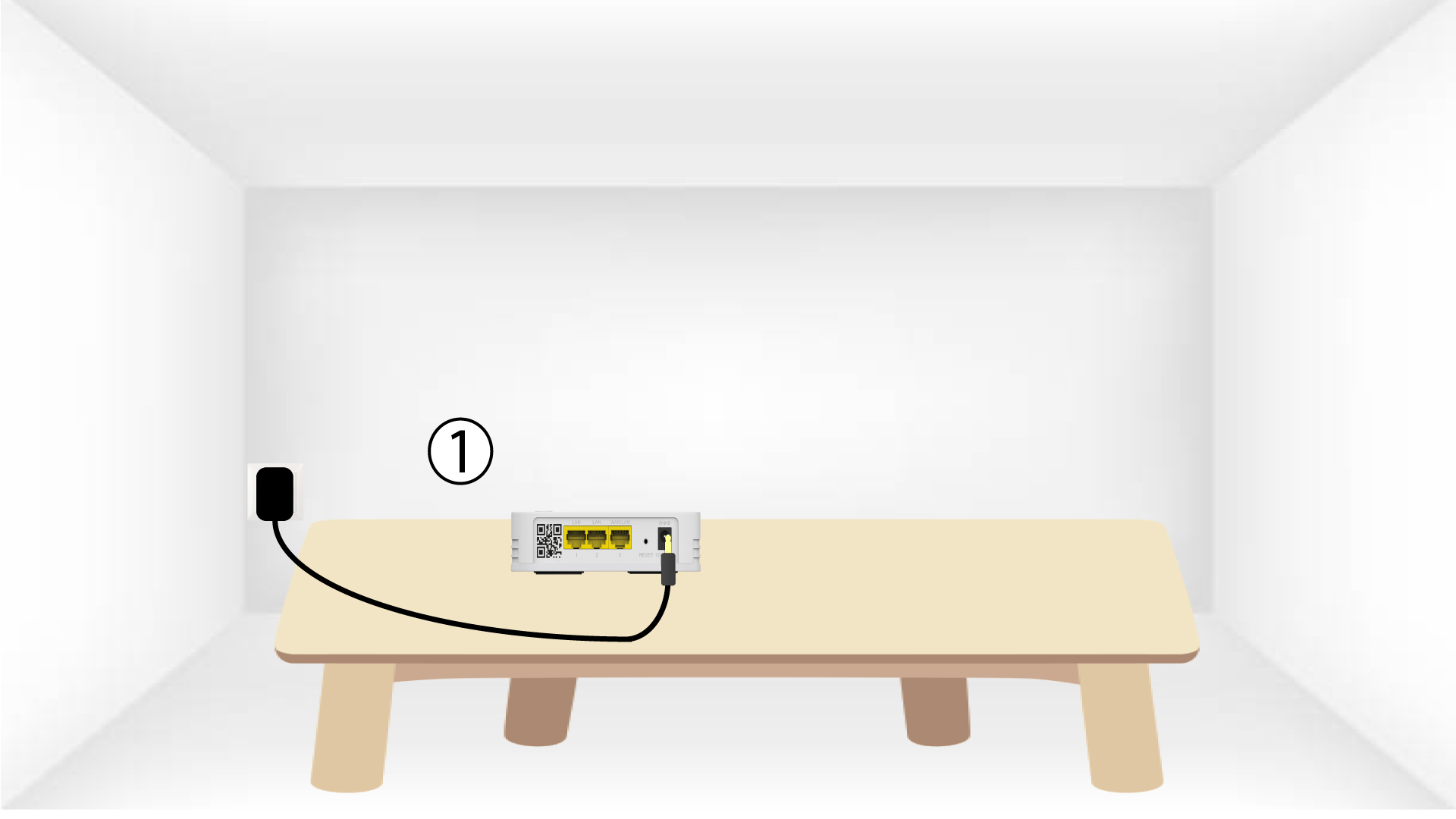
1. Свържетеустройството към захранването
Трябва да включите устройството „ mesh “ в контакта, за да го включите (устройството няма бутон за включване), и да го свържете с
вашия модем чрез RJ45 кабел.

2Изчакайтепо време на конфигурирането
След това трябва да изчакате няколко минути, докато устройството се конфигурира само.
3.Свържете второто устройство
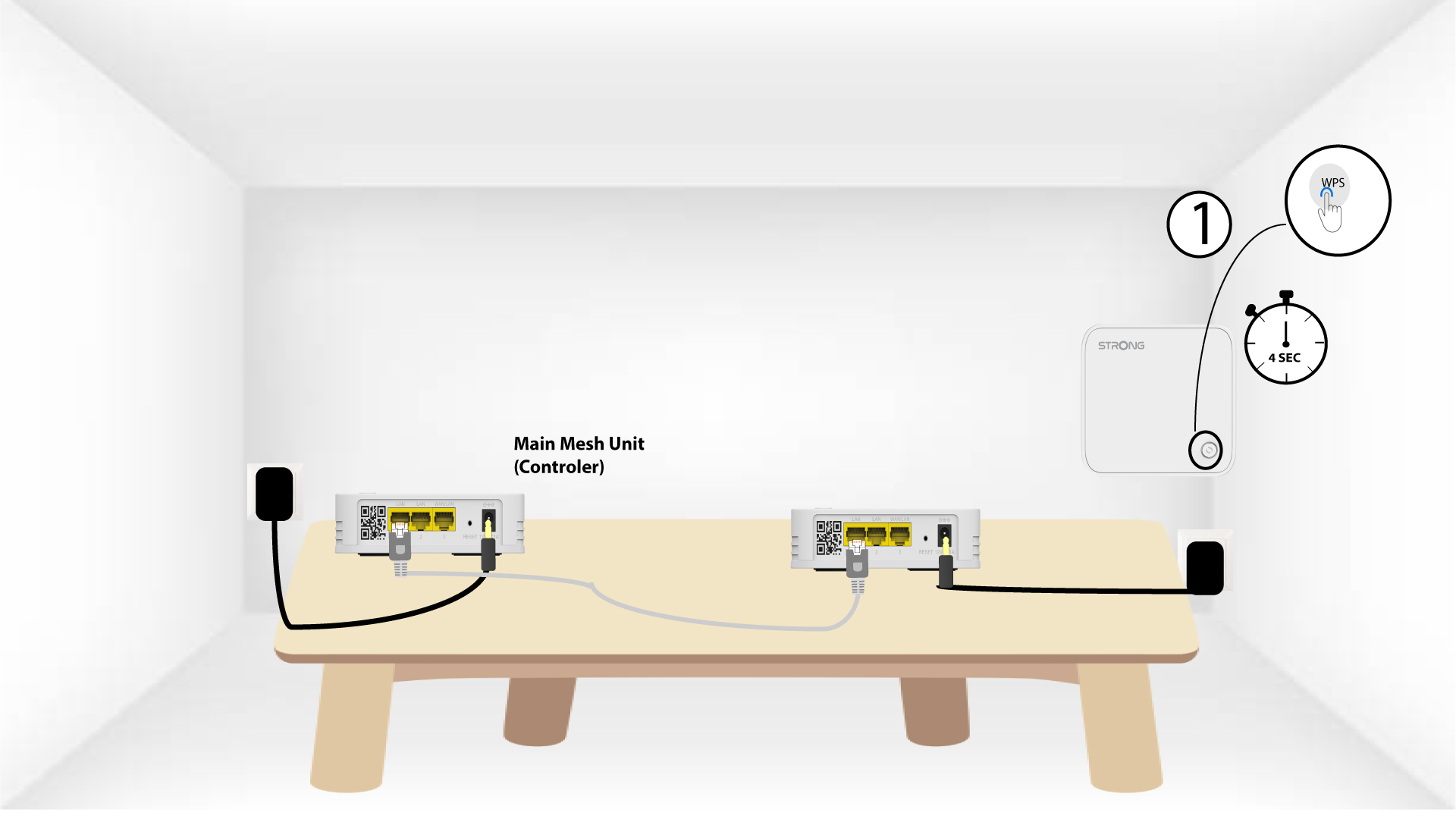
Трябва да включите второто устройство „ mesh “.
4АктивирайтеWPS на главния mesh
Натиснете бутона WPS за поне 4 секунди на устройството „ Mesh “, което е свързано с вашия модем/рутер.
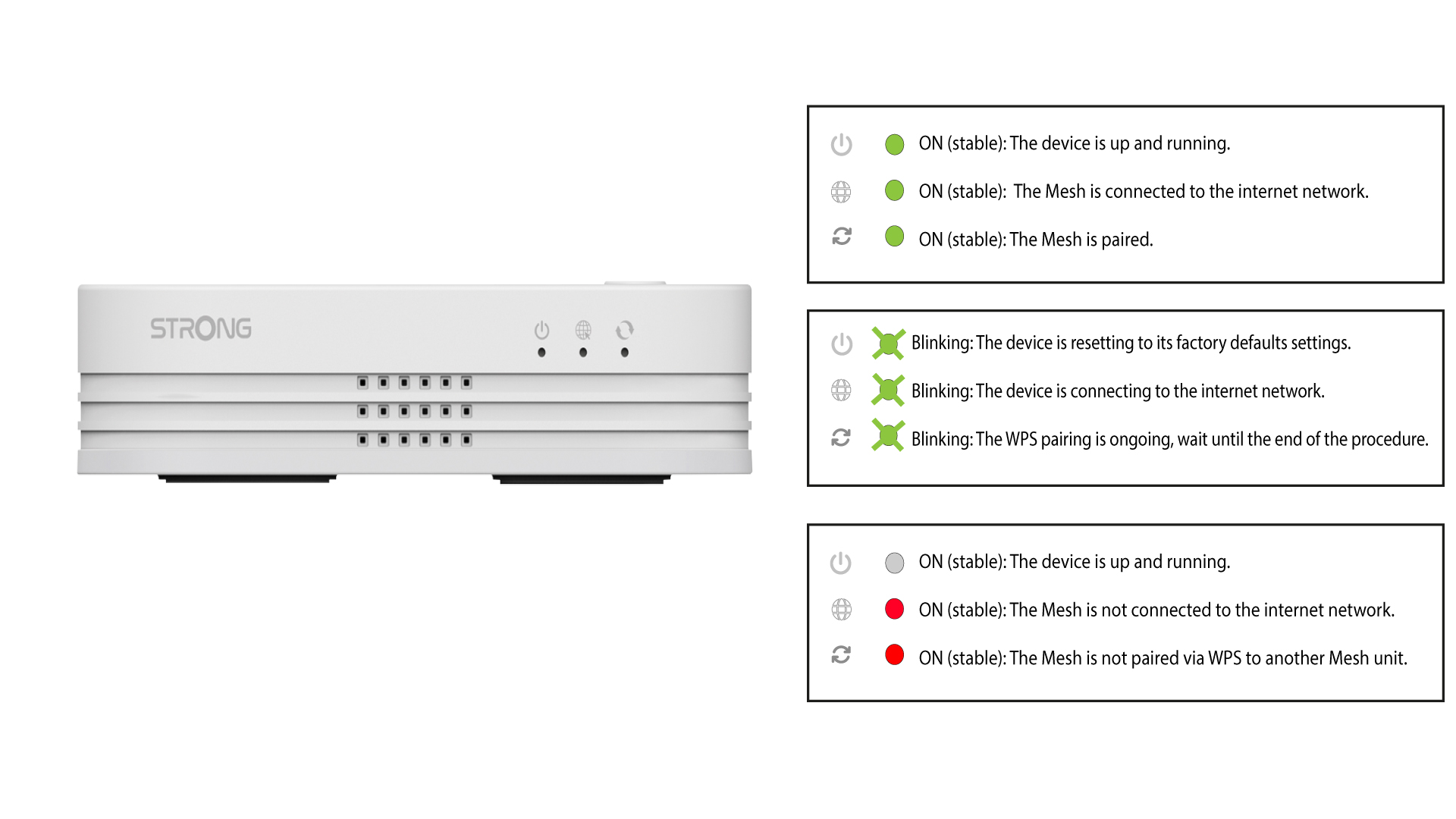
След активиране на WPS светодиодът ще мига в зелено.
5АктивирайтеWPS на втория mesh
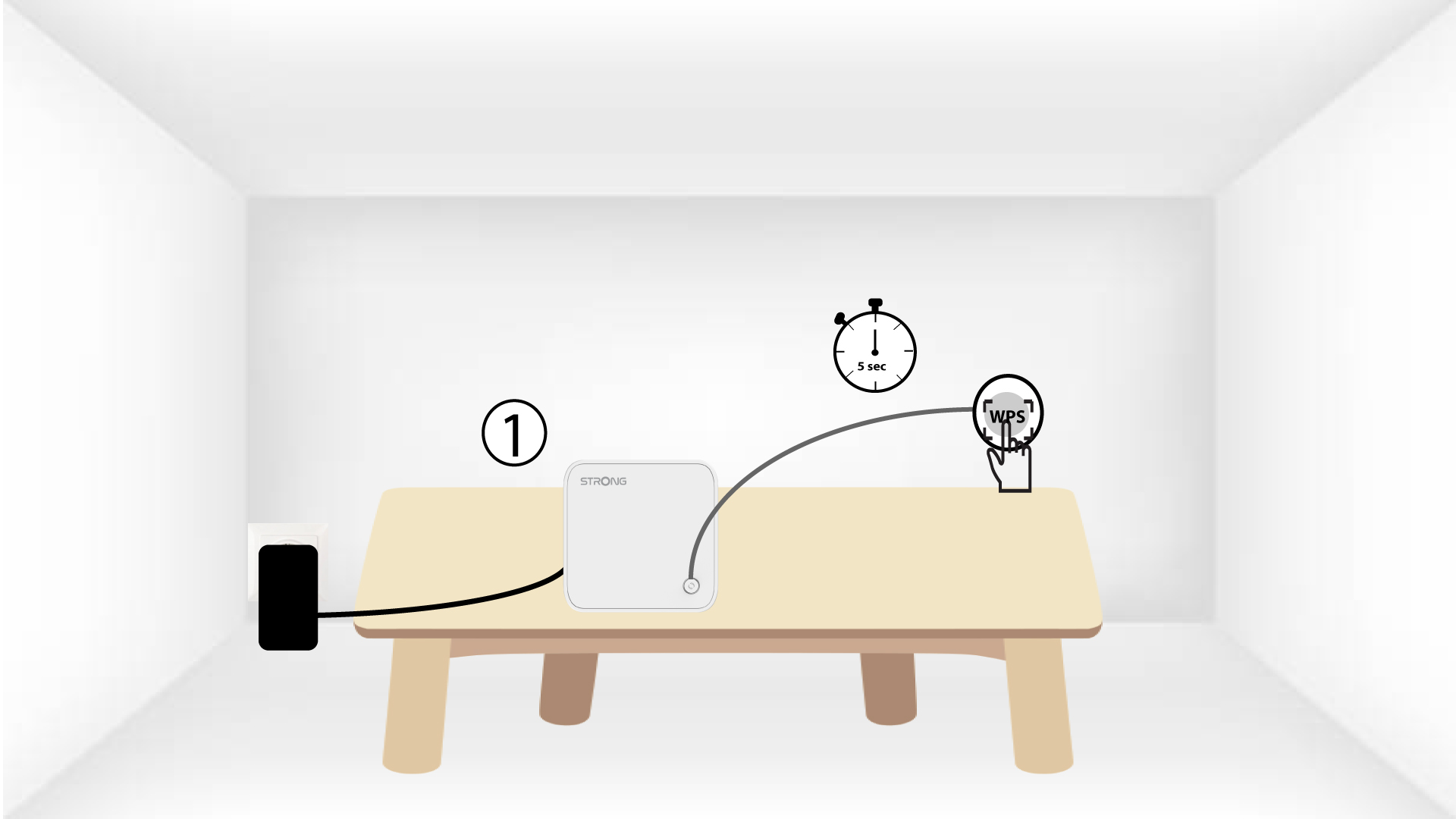
Натиснете бутона WPS на второто устройство „ Mesh “ и го задръжте натиснат в продължение на поне 4 секунди.
6 Устройстватасе свързват
Lorem ipsum dolor sit amet, consectetur adipisicing elit. Никой не знае, че е длъжен да изпълнява задълженията си.