12 КАНАЛА МРЕЖОВ ВИДЕОРЕКОРДЕР
Всички въпроси
12 КАНАЛА МРЕЖОВ ВИДЕОРЕКОРДЕР
Как да инсталирам NVR-а и камерите си?
Всяка камера е снабдена с Y-кабел, който осигурява мрежов достъп (RJ45), захранване (12 VDC – захранващ блок не е включен в комплекта) и, при някои модели, аудио изход.
Можете да организирате мрежата си и да свържете камерите си към нея по различни начини.
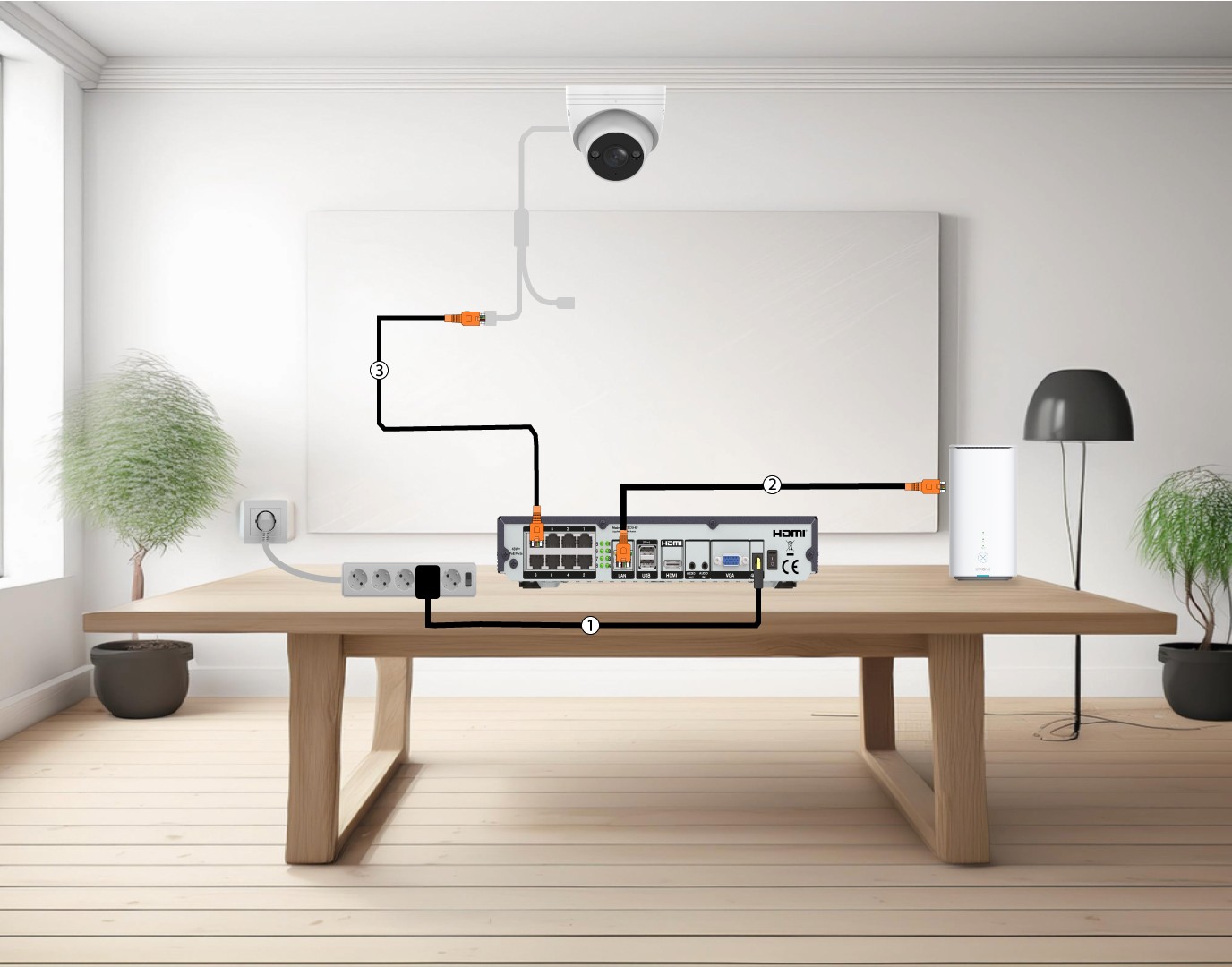
1. Свържетекамерите директно към NVR
Свържете вашия NVR (1) и включете Ethernet кабел от LAN порта на NVR към интернет рутера (2). След това свържете Ethernet кабел от POE портовете на NVR към Ethernet порта на камерата (3). NVR ще осигурява захранване на камерите ви, така че няма да е необходимо да включвате кабел за захранване.
2. Свържетекамерата си към POE switch
За да направите това, включете POE switch (1) и свържете switch към интернет рутера с Ethernet кабел (2). Накрая свържете камерата към switch , като включите Ethernet кабел от камерата към POE switch (3). В този случай за записването са необходими облачни услуги.

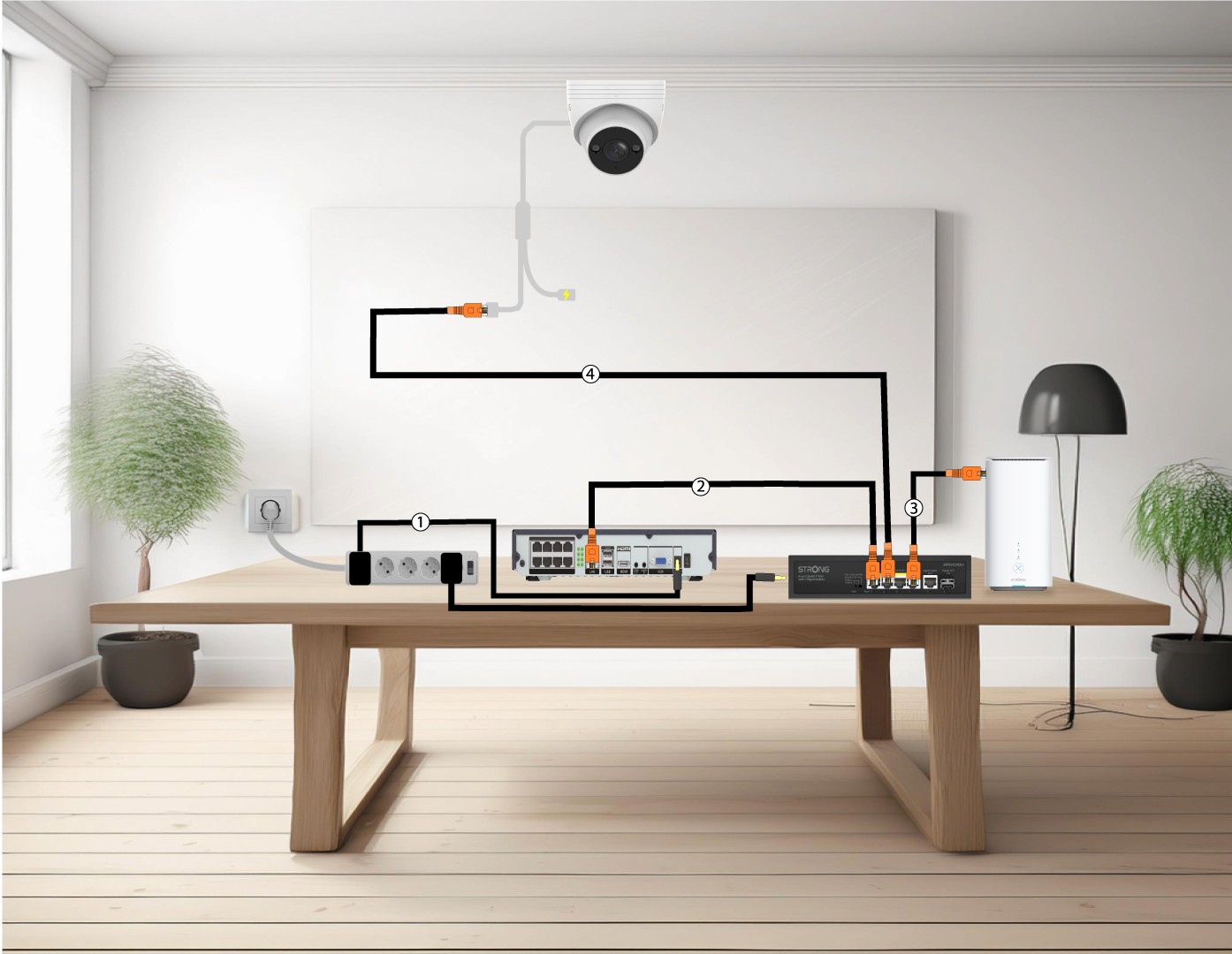
3. Свържетекамерите си към POE Switch с NVR
За да направите това, включете NVR-а (1), след което свържете с Ethernet кабел LAN порта на NVR-а с POE switch -а (2). След това свържете switch към интернет рутера с Ethernet кабел (3). Накрая свържете с Ethernet кабел камерата с switch (4).
4. Свържетекамерите си към не-POE switch и NVR
За да направите това, включете NVR-а (1), след което свържете с Ethernet кабел LAN порта на NVR-а с вашия „ switch “ (2). След това свържете вашия „ switch “ с интернет рутера чрез Ethernet кабел (3). Накрая свържете камерата с „ switch “ чрез Ethernet кабел (4).

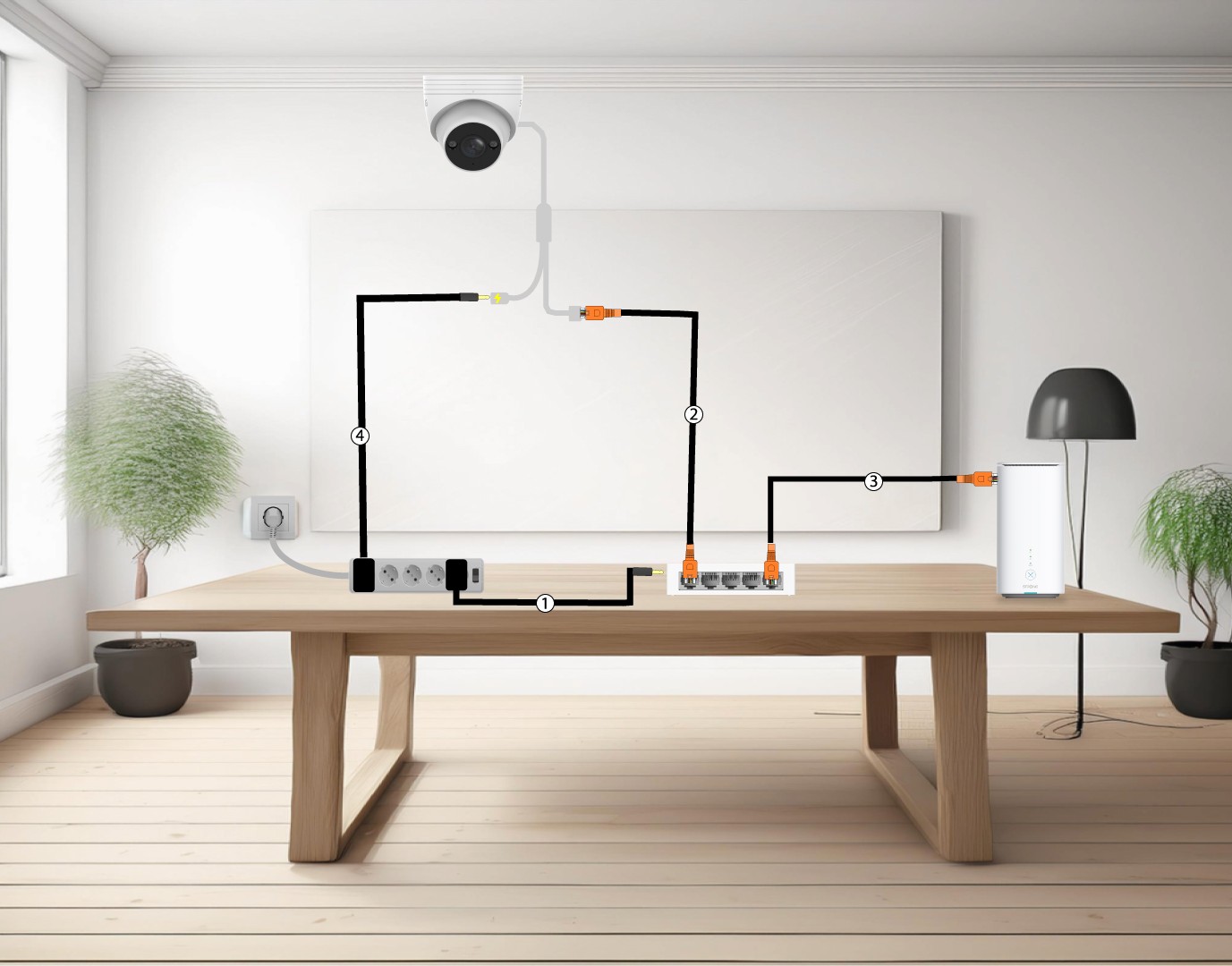
5. Свържетекамерата си към устройство, което не поддържа POE Switch
За да направите това, включете камерата „ switch “ (1) и свържете „ switch “ към интернет рутера с Ethernet кабел (2). След това свържете камерата към „ switch “, като включите Ethernet кабел от камерата към „ switch “ (3). Включете захранващия адаптер на камерата (4).
6. Свържетекамерите си с Wi-Fi мрежата
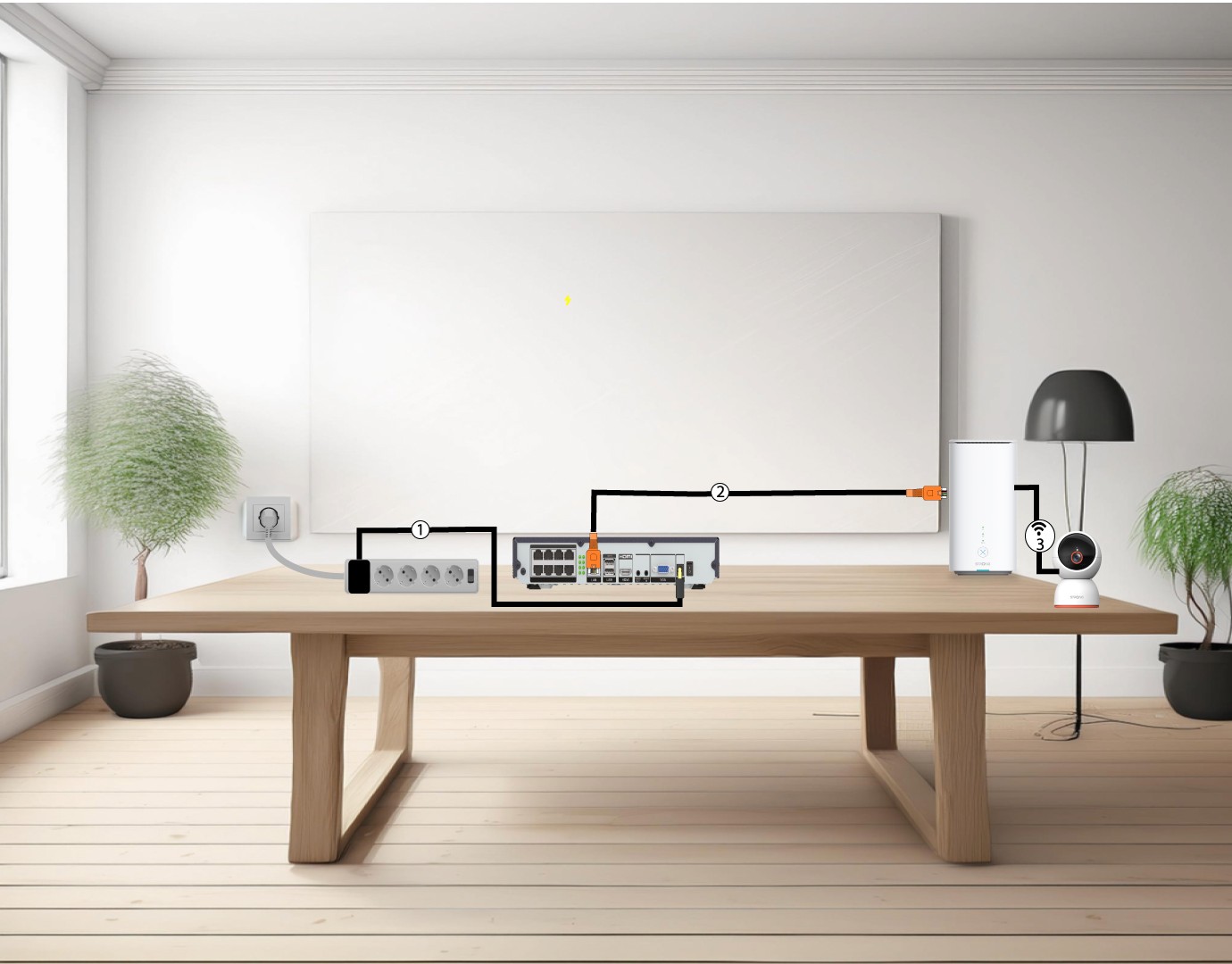
За да направите това, включете NVR-а (1), след което свържете LAN-порта на NVR-а с интернет рутера си чрез Ethernet кабел (2). Добавете камерата „ smart home “ в приложението „Vision by Strong“ и я свържете с Wi-Fi мрежата си (3) – тя ще бъде автоматично разпозната от NVR-а.