4G AIRSPOT 220 Wi-Fi рутер с дисплей
Всички въпроси
4G AIRSPOT 220 Wi-Fi рутер с дисплей
Как да възстановя фабричните настройки на рутера си?
Понякога е възможно устройството ви да не работи правилно и да нямате достъп до интернет. В такъв случай ви препоръчваме да възстановите фабричните настройки на устройството си и след това, ако е необходимо, да актуализирате отново неговия фърмуер.
Имате два начина да го направите: можете да възстановите фабричните настройки на устройството, като натиснете бутона за възстановяване или като го направите чрез уеб интерфейса.
ПРИМЕР 1: Бутон за нулиране.
За да направите това, свалете капака от задната страна на рутера и натиснете бутона RESET с кламер за 2 секунди.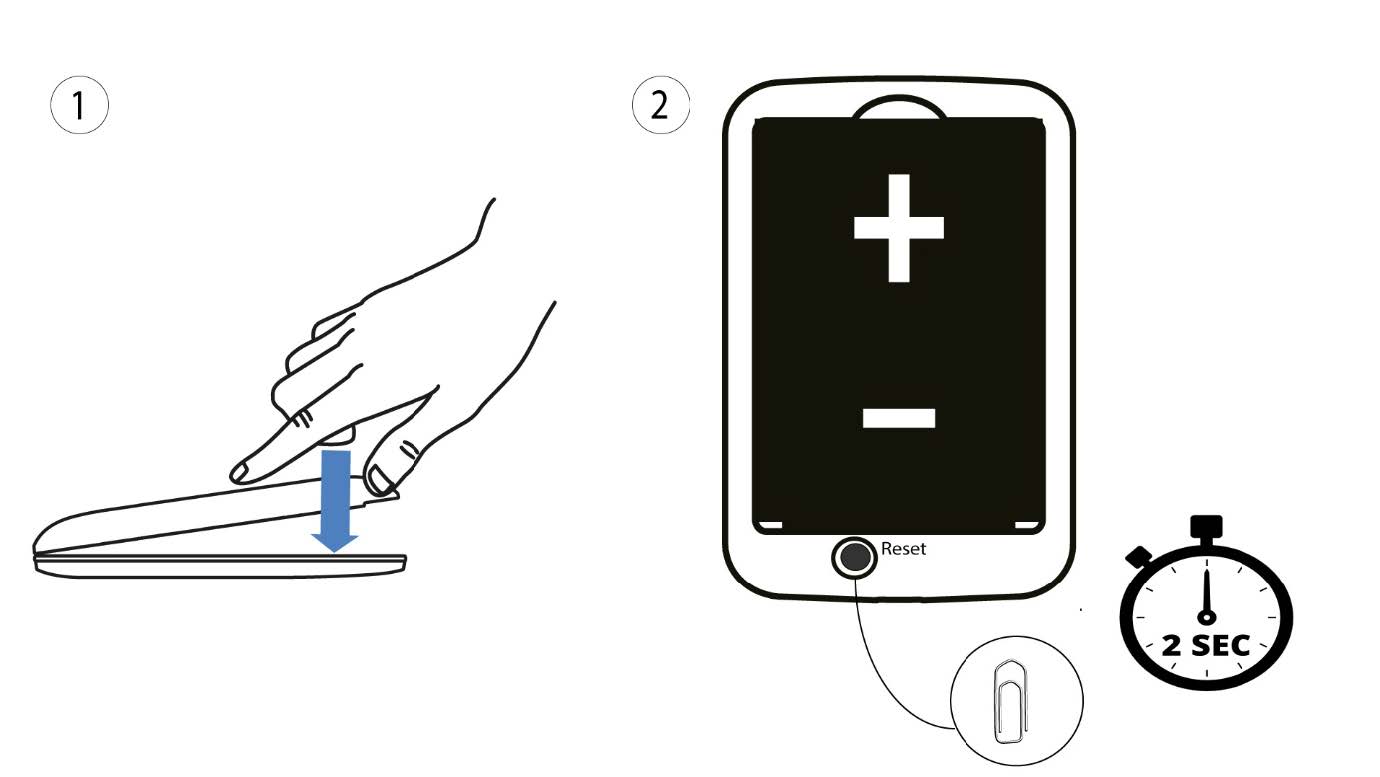
1Случай2: нулиране в уеб интерфейса
1. Трябва да се свържете с Wi-Fi мрежата на вашето устройство.

2. ОтворетеIP адреса на уеб интерфейса
След това въведете следния IP адрес: 192.168.188.1 в браузъра си.

3Вход
Трябва да въведете паролата.

4Настройки
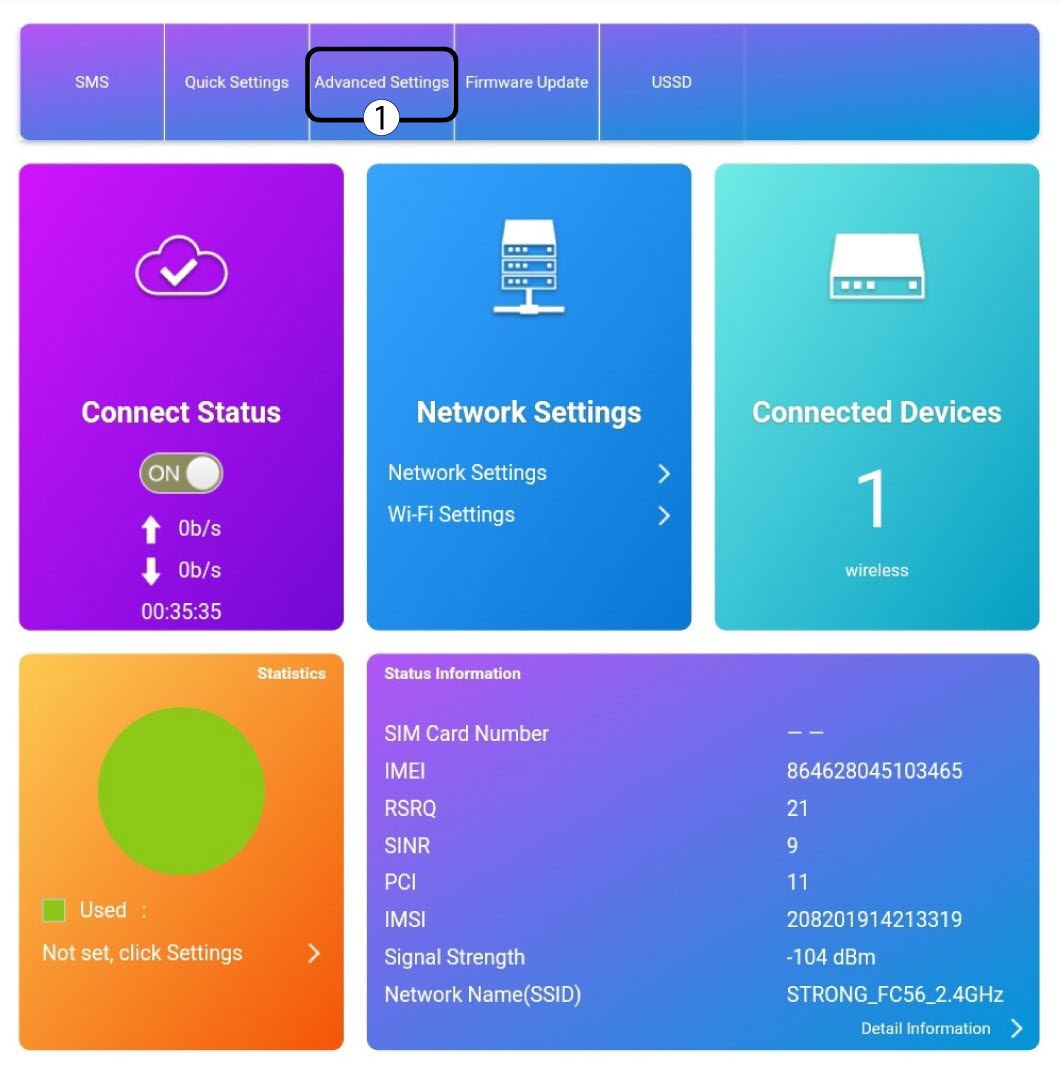
След това кликнете върху „Разширени настройки“.
5Възстановяванена фабричните настройки
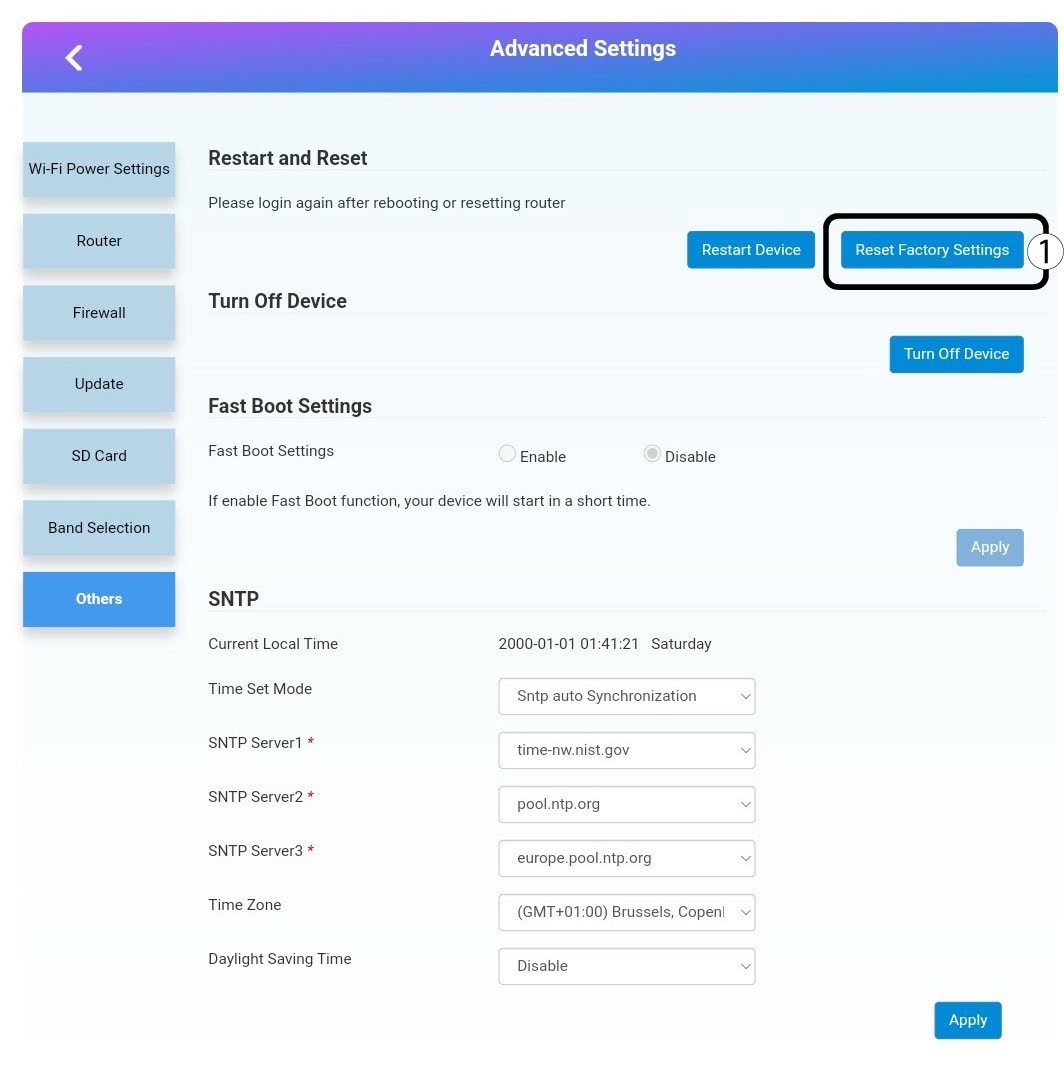
Кликнете върху „Други“. В раздела „Рестартиране и нулиране “ кликнете върху „Възстановяване на фабричните настройки“.
6Потвърждение
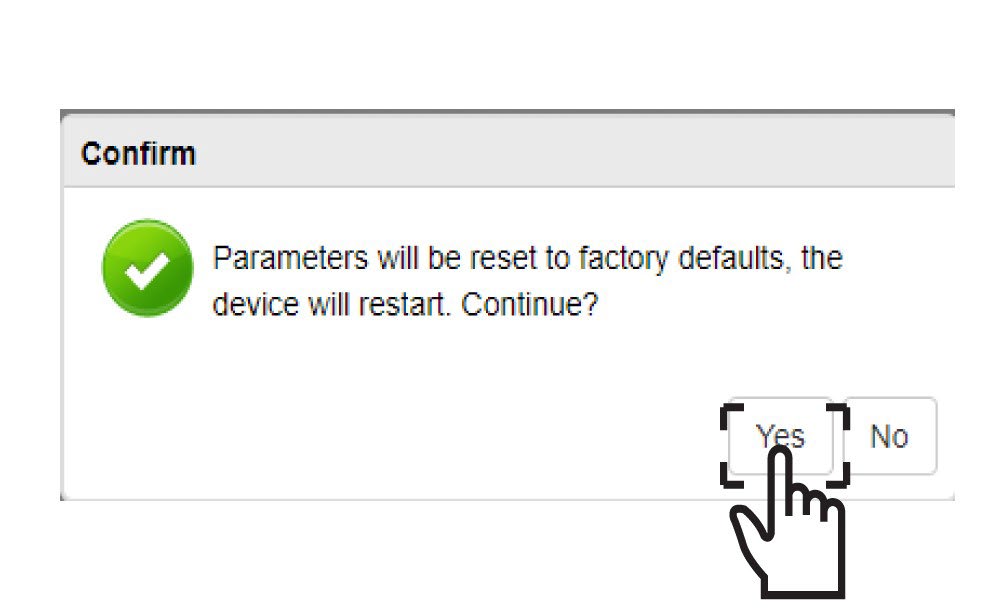
Кликнете върху„ДА“ във изскачащото съобщение.