
ATRIA Wi-Fi 5 Mesh System 2100 UK (комплект от 3 броя)
Не са намерени никакви елементи.
Не са намерени никакви елементи.
Всички въпроси
ATRIA Wi-Fi 5 Mesh System 2100 UK (комплект от 3 броя)
Не са намерени никакви елементи.
Не са намерени никакви елементи.
Забравих паролата за Wi-Fi на мрежата си „ Mesh “ – как мога да я намеря?
1. Стандартниданни за достъп
Паролата по подразбиране за Wi-Fi е посочена от долната страна на устройството; ако обаче вече сте я променили, може да се наложи да възстановите фабричните настройки на „ Mesh 2100“.
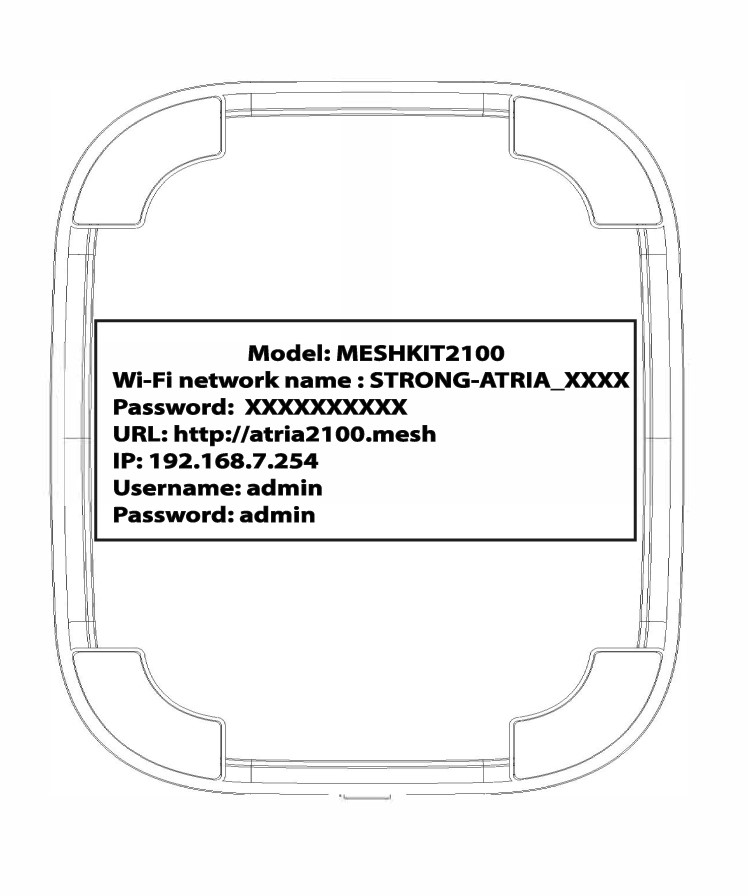
ПРИМЕР 1: Преглед на информацията за Wi-Fi мрежата в уеб интерфейса
За да се свържете с уеб интерфейса, моля, следвайте тази процедура: Как да получа достъп до уеб интерфейса?
1WLAN
Кликнете върху „WLAN“ и „WLAN 2.4G“. След това кликнете върху иконата с окото до полето „PSK “.

2. Запишетеновата информация
Напишете паролата на лист хартия.
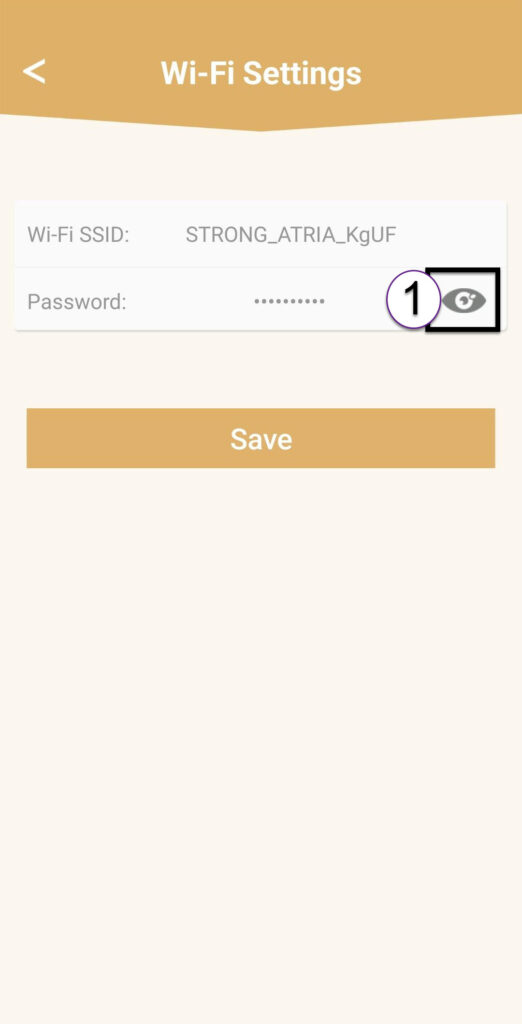
ПРИМЕР 2: Преглед на информацията за Wi-Fi мрежата в приложението
За да се свържете с уеб интерфейса, моля, следвайте тази процедура: Как да използвам приложението „Atria Mesh “?
1. Настройки на Wi-Fi
След това кликнете върху „Настройки на Wi-Fi“.

2Password
Кликнете върху иконата с окото, за да видите паролата.
3. Запишетеновата информация
Напишете паролата на лист хартия.