
ATRIA Wi-Fi 5 Mesh System 2100 UK (balení po 3 kusech)
Všechny otázky
ATRIA Wi-Fi 5 Mesh System 2100 UK (balení po 3 kusech)
Jak se dostanu do webového uživatelského rozhraní?
Chcete-li se dostat do webového uživatelského rozhraní, musíte být připojeni k Wi-Fi svého zařízení poté, co jste připojili zařízení Mesh pomocí kabelu RJ45.
1. Připojeník Wi-Fi
Chcete-li to provést, zadejte do svého zařízení SSID (název sítě Wi-Fi) a heslo k Wi-Fi routeru:

2. IPadresa webového uživatelského rozhraní v prohlížeči
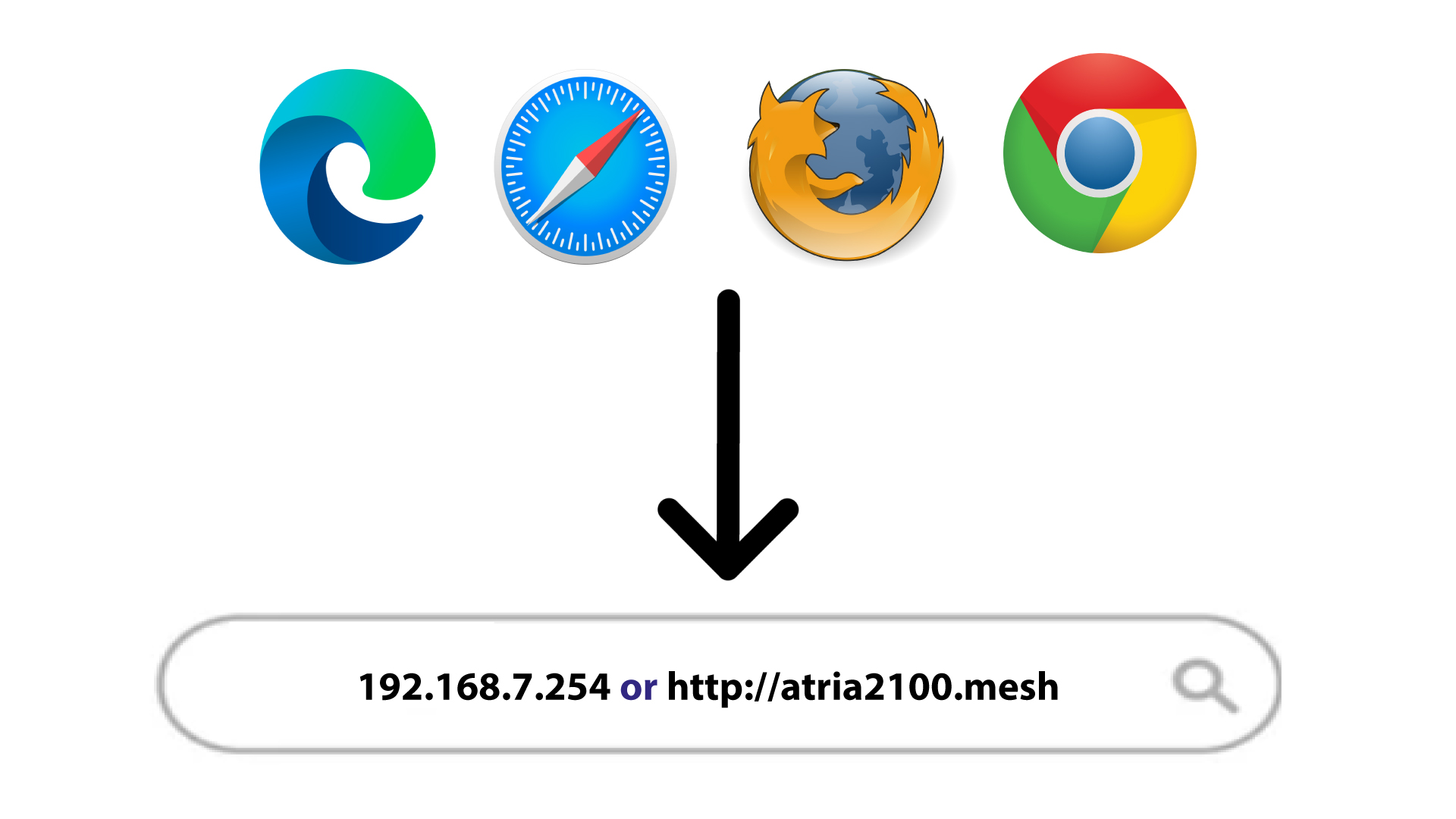
Poté zadejte do prohlížeče následující IP adresu: 192.168.7.254 nebo zadejte následující adresu: http://atria2100.mesh
3. Oprávnění
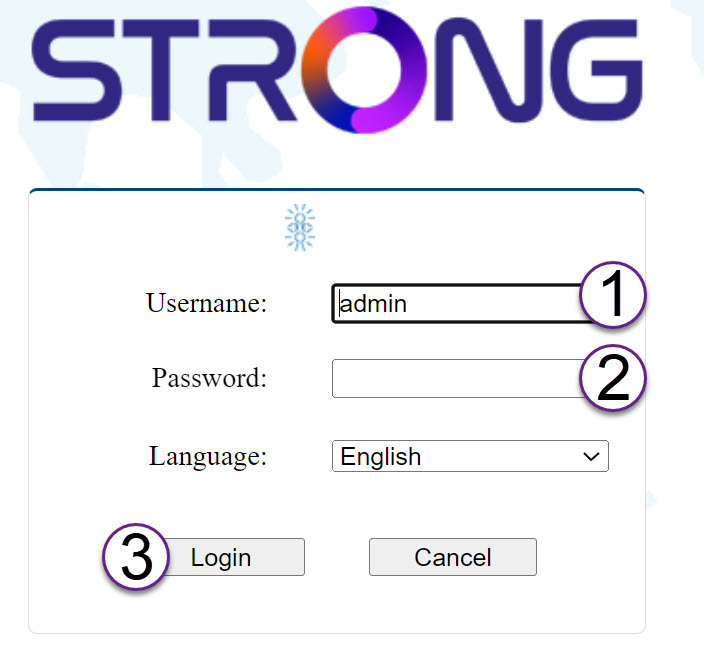
Musíte zadat uživatelské jméno (admin) a heslo (admin) (mějte prosím na paměti, že po prvním přihlášení si vytvoříte své vlastní heslo správce, což znamená, že heslo uvedené na štítku výrobku již nebude fungovat).
Poté klikněte na „Přihlásit se“.
4. Vyskakovací okno
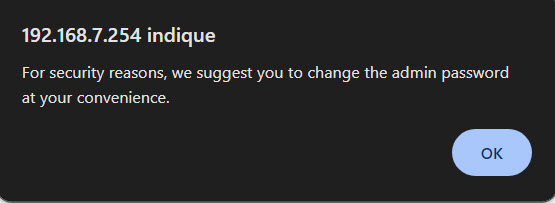
V zobrazeném vyskakovacím okně klikněte na tlačítko „OK “.
5Hlavnístránka
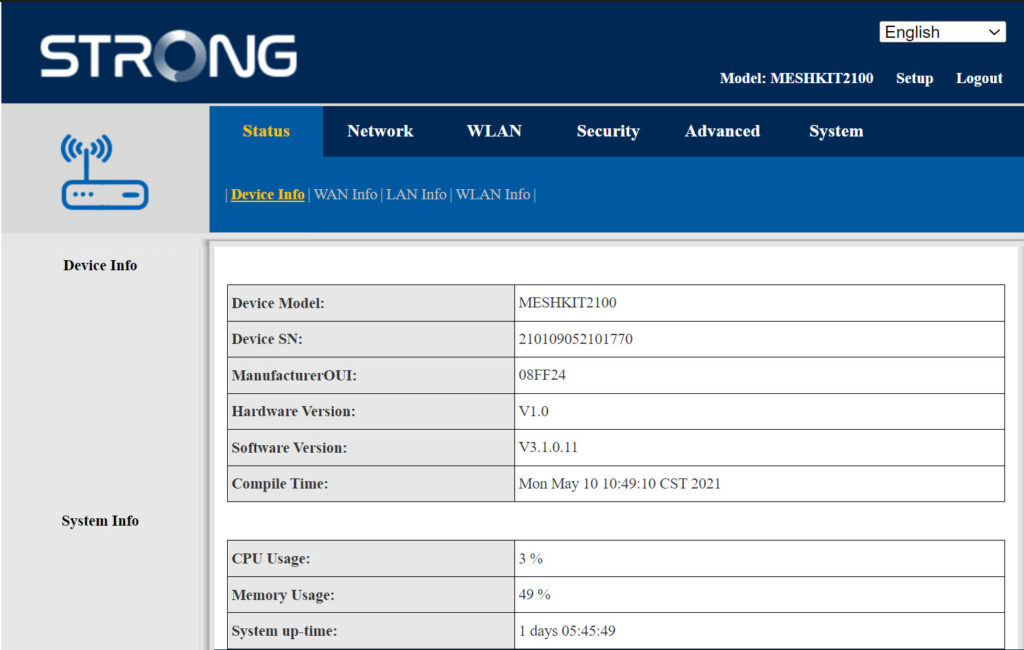
Nyní se nacházíte na hlavní stránce webového uživatelského rozhraní.
Po prvním přihlášení možná budete muset změnit administrátorské heslo webového uživatelského rozhraní. Postupujte podle následujících pokynů.
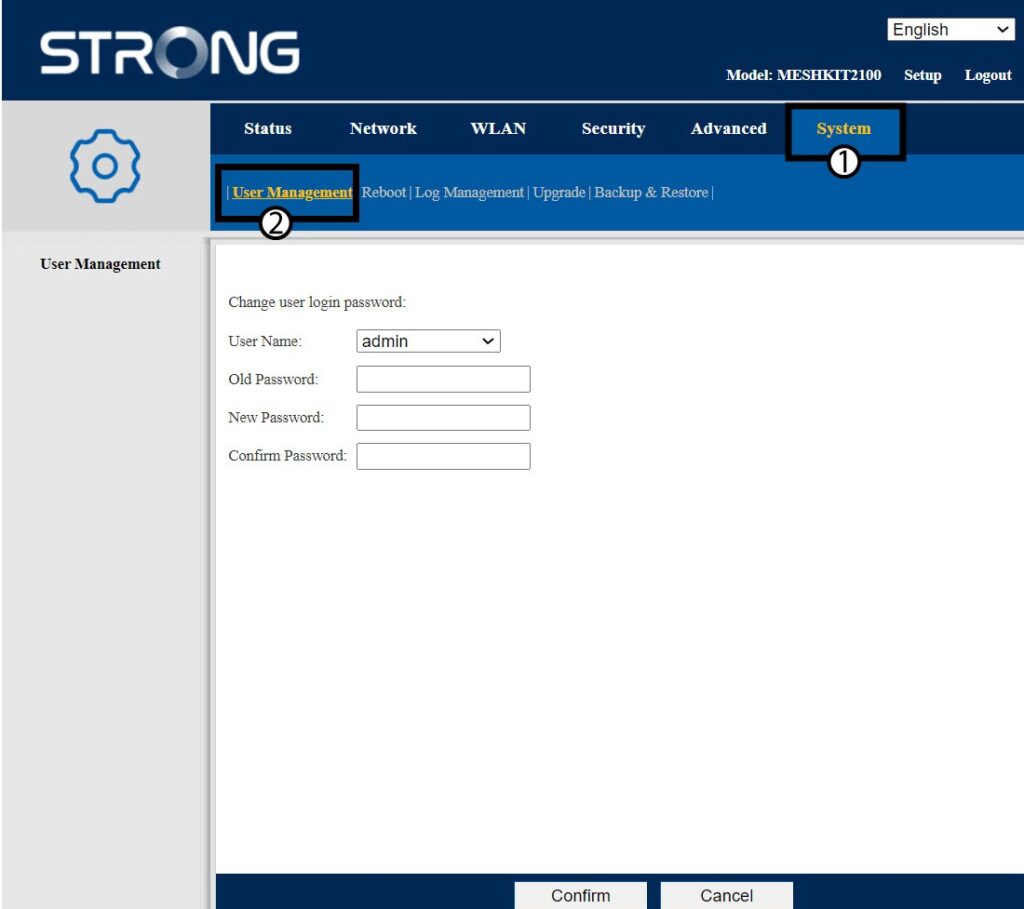
6 Správa uživatelů
Klikněte na položku „Správa systému a uživatelů“.
7Změnitheslo
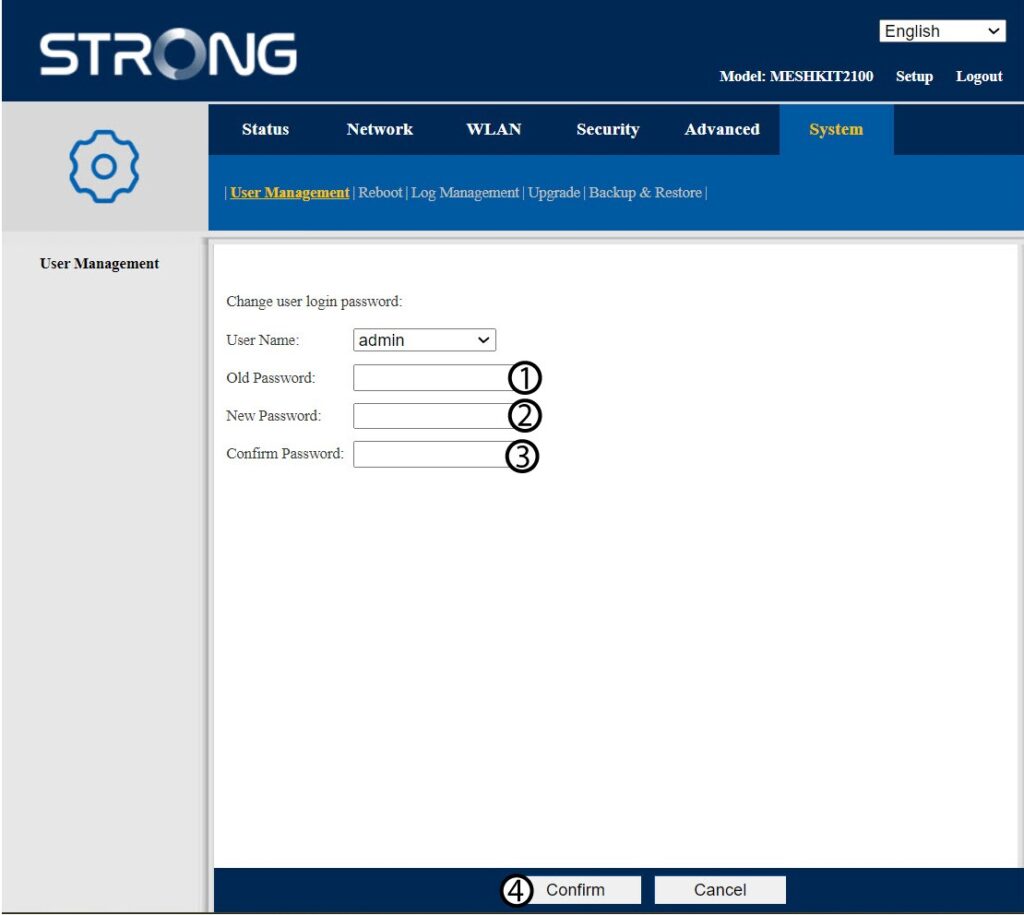
Před kliknutím na tlačítko „Potvrdit“ zadejte následující údaje:
- Staré heslo: Zadejte staré heslo pro správu
- Nové heslo: Zadejte nové heslo.
- Potvrďte heslo: Zadejte stejné heslo jako v předchozím kroku.
8. Zapištesi nové informace
Zapište si nové heslo na kousek papíru a přilepte ho pod router.


Upozornění: Nezapomeňte, že je třeba zadat heslo o délce 8 až 32 znaků, které musí obsahovat velká a malá písmena, číslice a alespoň jeden speciální znak (@, $, !, %, *, ?, &).