Nebyly nalezeny žádné položky.
LEAP S3 | 4K Google TV s podporou Dolby Vision
Nebyly nalezeny žádné položky.
Všechny otázky
Nebyly nalezeny žádné položky.
LEAP S3 | 4K Google TV s podporou Dolby Vision
Nebyly nalezeny žádné položky.
Jak mohu na úvodní obrazovce přidat aplikaci nebo změnit její pořadí?
1. Případ1: Přidání aplikace
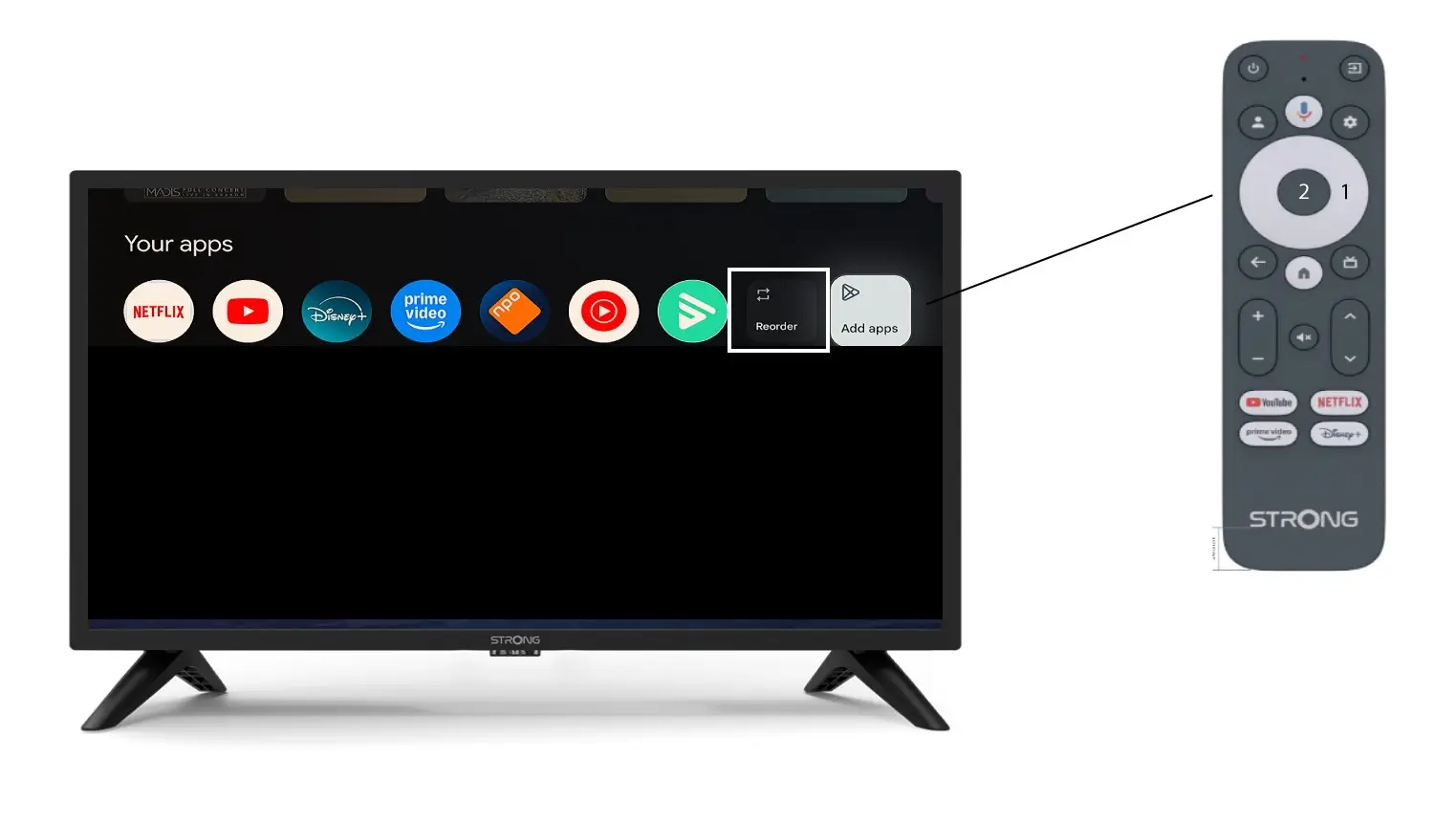
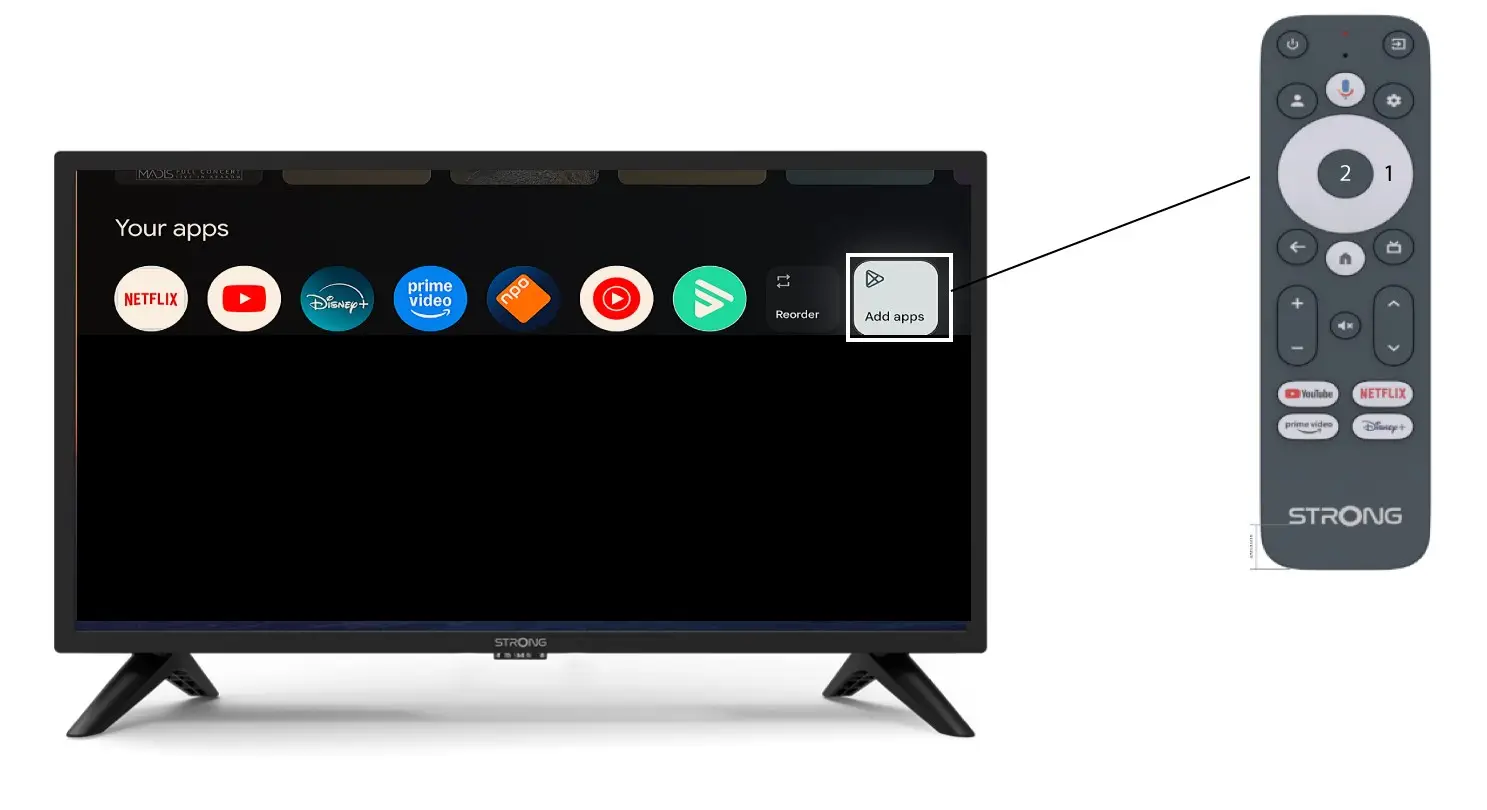
Chcete-li přidat aplikaci na domovskou obrazovku, přejděte na tlačítko „Přidat aplikace“, které se nachází na konci seznamu aplikací již umístěných na domovské obrazovce, a stiskněte „OK“.
2Seznam aplikací
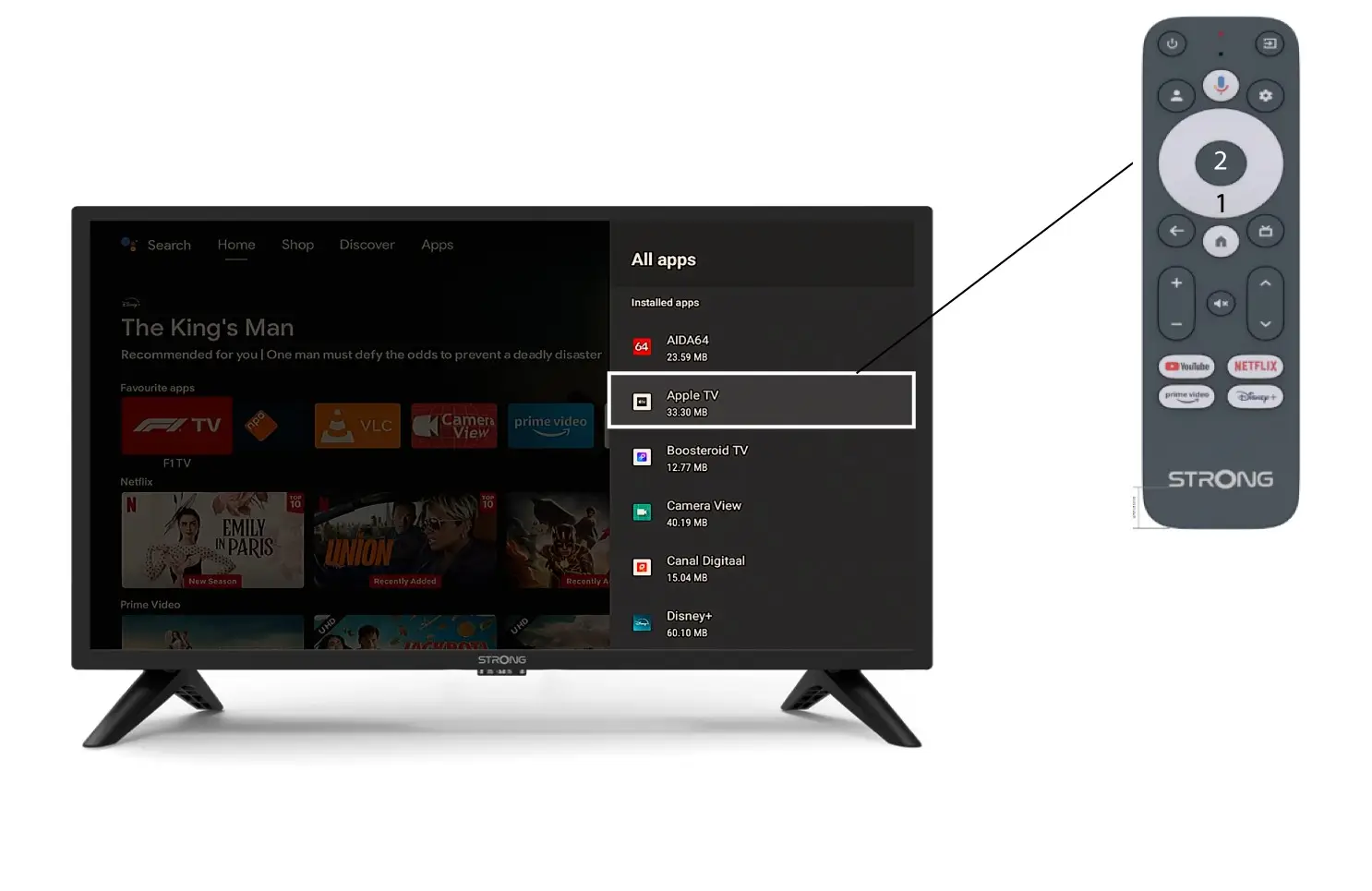
Poté se otevře seznam aplikací, vyberte požadovanou aplikaci a stiskněte tlačítko OK na dálkovém ovladači.
Vezměte prosím na vědomí, že aplikace nelze z oblíbených položek odstranit. Pokud chcete, aby aplikace z této stránky zmizela, musíte ji odinstalovat.
3. Případ2: Změna pořadí aplikací
Chcete-li změnit pořadí aplikací zobrazených na úvodní stránce, klikněte na možnost „Změnit pořadí“.