
Powerline 1000 Duo Wi-Fi Mini UK
Všechny otázky
Powerline 1000 Duo Wi-Fi Mini UK
Jak mohu změnit název SSID a heslo Wi-Fi sítě zařízení Powerline 1000?
1. Připojte sek síti Wi-Fi powerline
Připojte se k síti Wi-Fi zařízení pwerline 1000 Wi-Fi Mini.
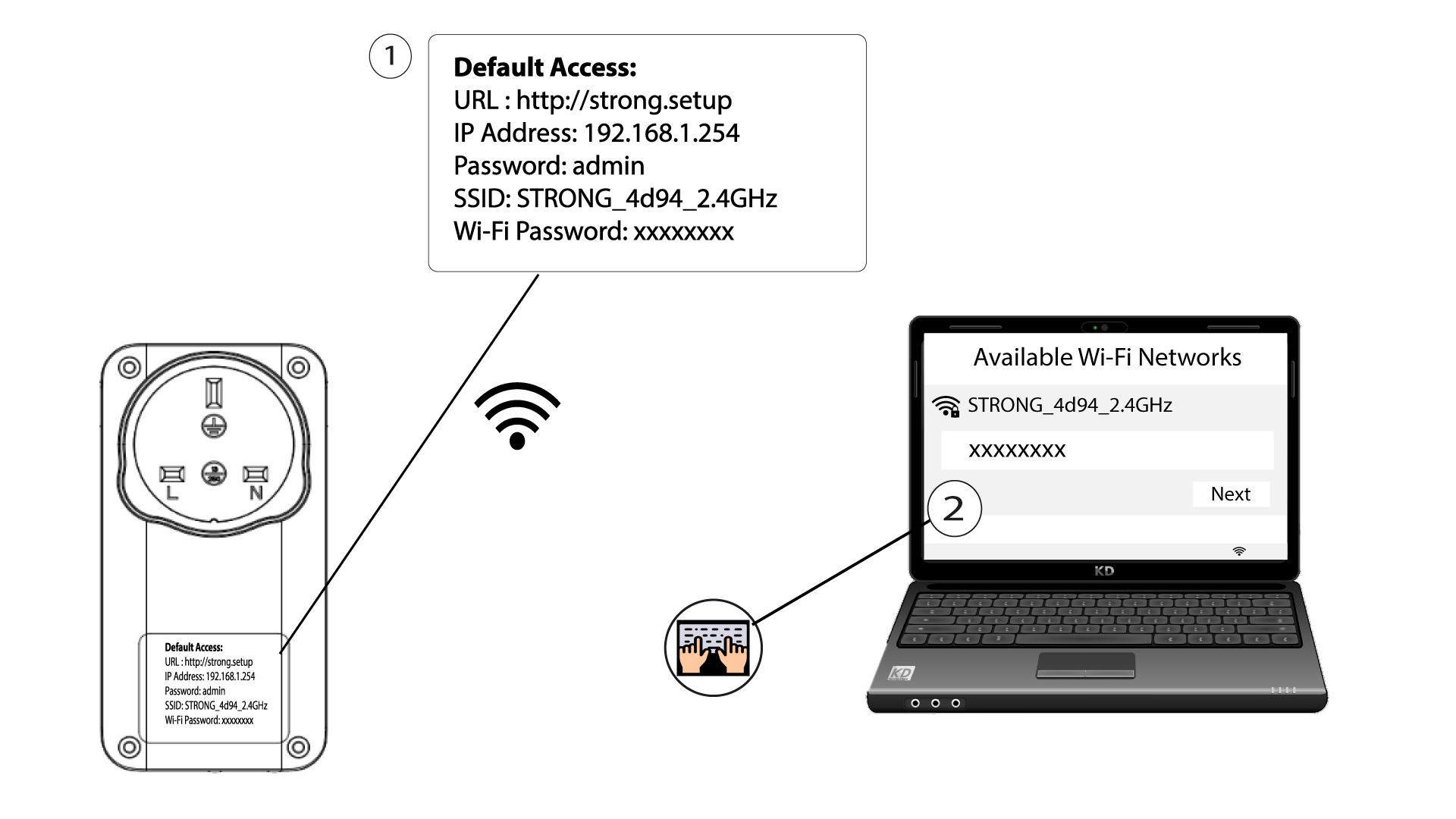
2. Přejdětena IP adresu webového uživatelského rozhraní
Do uživatelského rozhraní se dostanete tak, že do adresního řádku internetového prohlížeče zadáte adresu: http://strong.setup.

3Zadejtesvé přihlašovací údaje
Poté zadejte heslo: admin

4. Rychlénastavení
Přejděte do nabídky, vyberte možnost „Rychlé nastavení“, poté klikněte na „Přístupový bod (AP)“ a klikněte na „DÁLE“.

5Zadejtenové síťové údaje
Upravte SSID a přístupový kód. Při zadávání nového přístupového kódu se prosím vyhněte používání velkého písmene „I“ a malého písmene „l“, protože je lze snadno zaměnit. Doporučujeme také vytvořit přístupový kód, který se skládá ze střídání velkých a malých písmen a číslic. Po dokončení úprav klikněte na tlačítko DALŠÍ pro uložení.

6. Zapištesi nové síťové údaje
Zapište si prosím nové SSID a přístupovou frázi na papír a poté všechna svá zařízení znovu připojte k zařízení „ Powerline 1000 Wi-Fi Mini“ pomocí nových nastavení.
