Směrovač 4G LTE 300
Nebyly nalezeny žádné položky.
Nebyly nalezeny žádné položky.
Všechny otázky
Směrovač 4G LTE 300
Nebyly nalezeny žádné položky.
Nebyly nalezeny žádné položky.
Jak mohu připojit svá zařízení pomocí WPS?

Funkci WPS můžete využít například k nastavení připojení k Wi-Fi mezi routerem a vašimi počítači (Linux/Windows). Pomocí funkce WPS nelze připojit mobilní telefon. Chcete-li svůj telefon snadno připojit k Wi-Fi, naskenujte prosím QR kód umístěný na zadní straně routeru; telefon se tak automaticky připojí k síti bez nutnosti zadávat heslo k Wi-Fi.
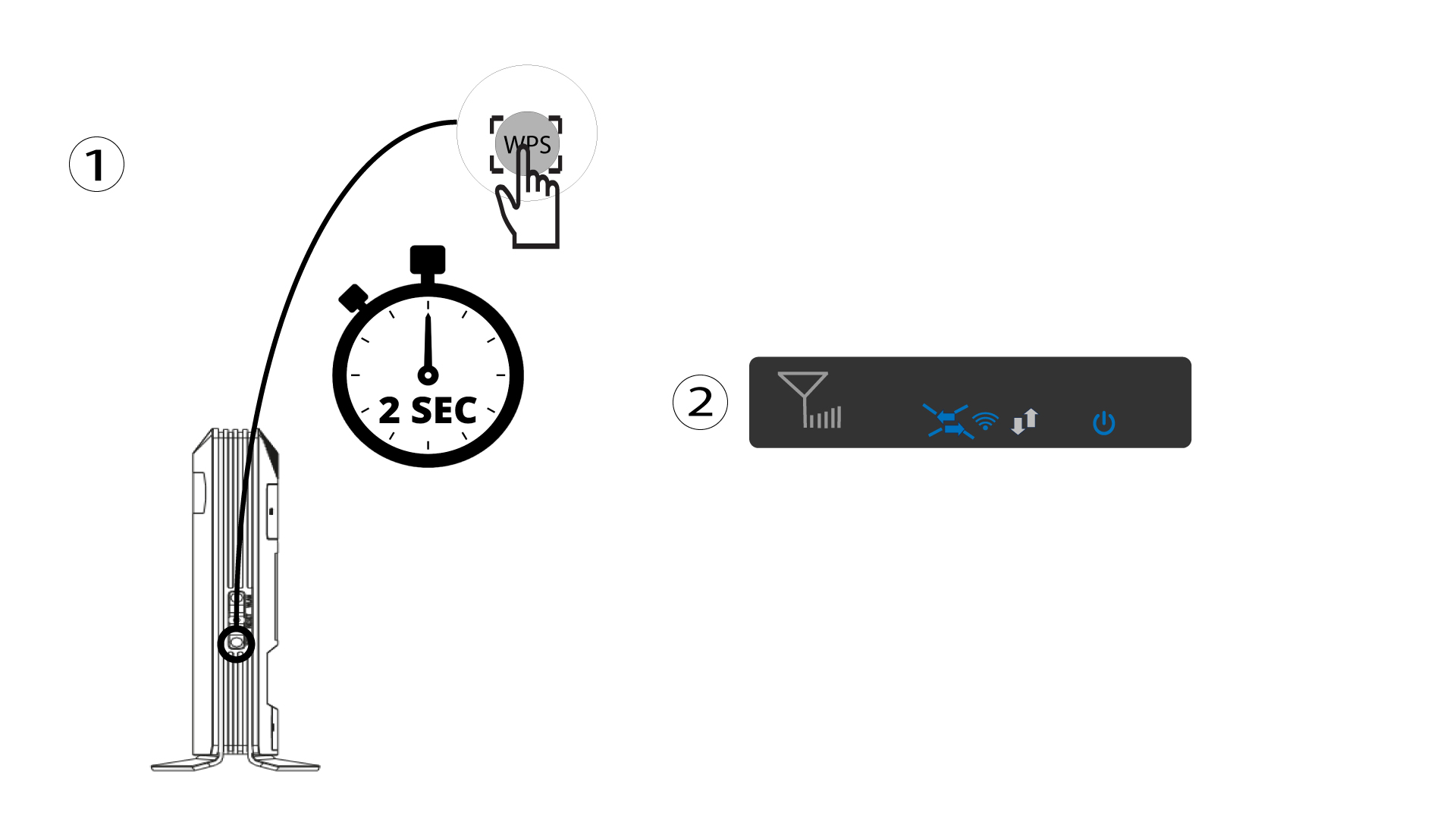
1. Stisknětetlačítko WPS
Stiskněte tlačítko WPS na 2 sekundy, aby se jakékoli kompatibilní zařízení ve vaší domácnosti mohlo automaticky připojit k Wi-Fi síti routeru. Po aktivaci budou vodorovné šipky blikat modře.
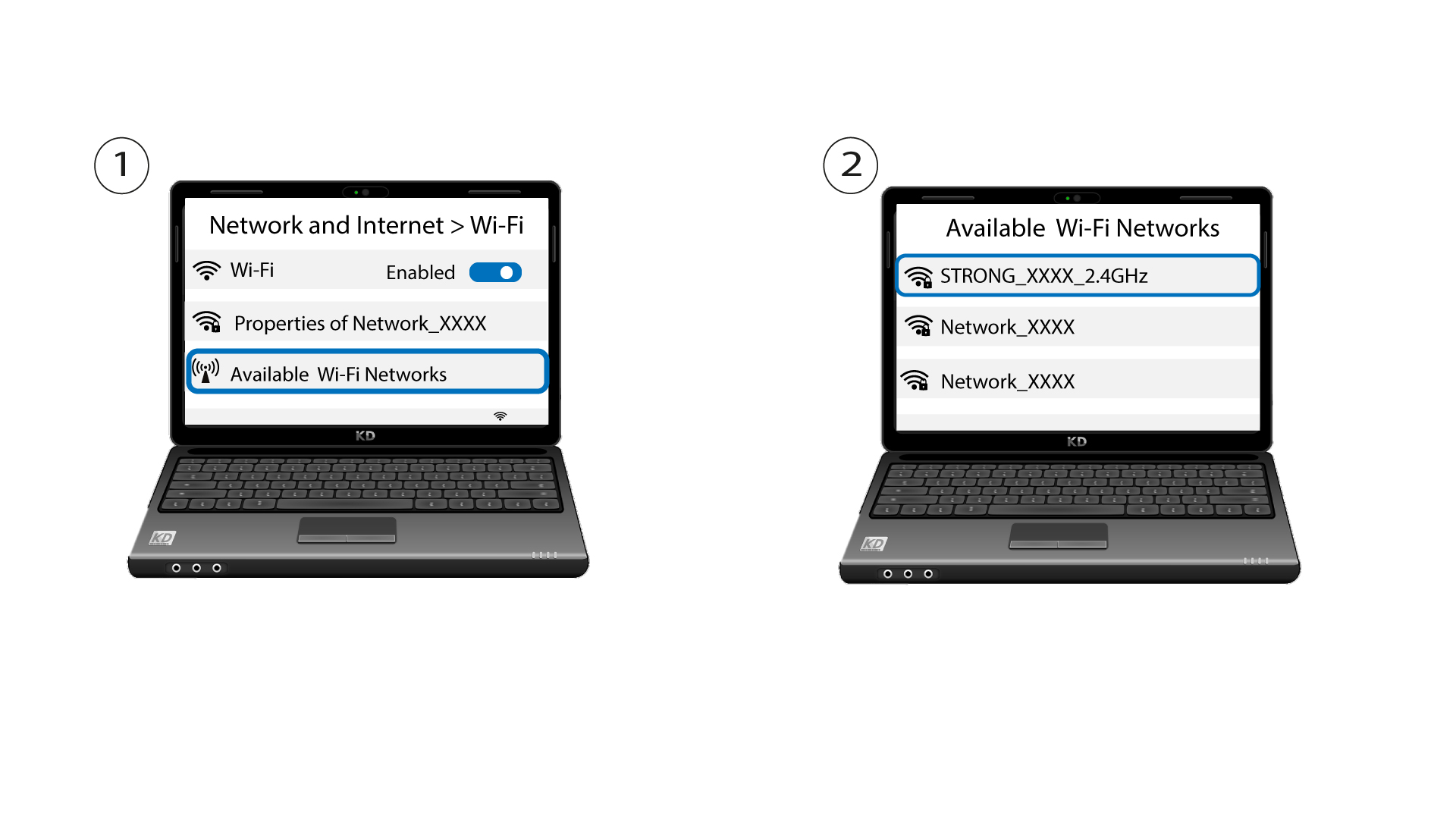
2Vybertesíť Wi-Fi ze seznamu dostupných sítí
Přejděte do nastavení Wi-Fi ve svém počítači nebo telefonu a kliknutím vyberte název routeru.
3. Připojte sek síti Wi-Fi
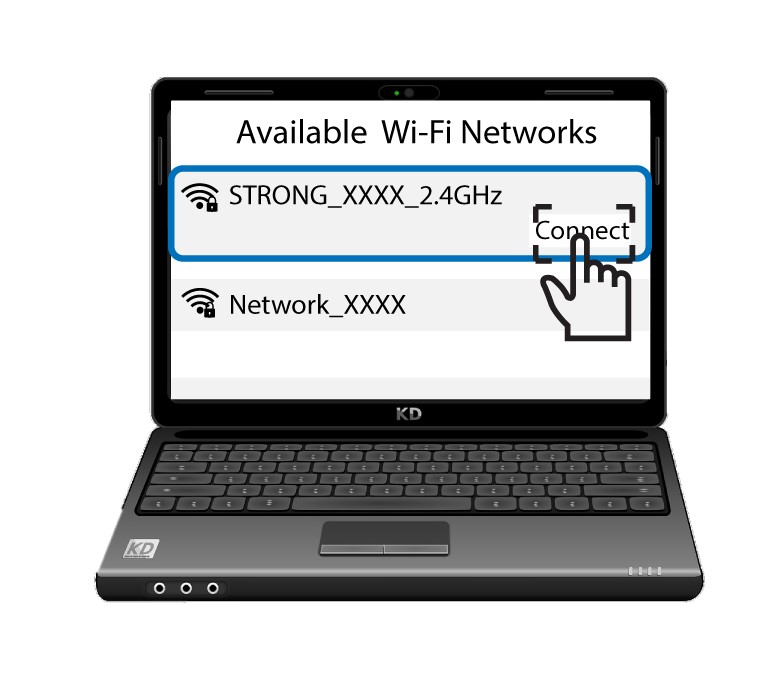
Poté klikněte na tlačítko „Připojit “.