
Mobilní Wi-Fi 4G+ AIRSPOT 510
Nebyly nalezeny žádné položky.
Nebyly nalezeny žádné položky.
Všechny otázky
Mobilní Wi-Fi 4G+ AIRSPOT 510
Nebyly nalezeny žádné položky.
Nebyly nalezeny žádné položky.
Jak mohu spravovat nastavení APN ve svém zařízení?
Někdy se po nakonfigurování zařízení a zadání PIN kódu mohou vyskytnout potíže s mobilní datovou sítí. V takovém případě postupujte podle níže uvedeného návodu a zkontrolujte si údaje o APN.
1. Otevřetewebové uživatelské rozhraní
Chcete-li se připojit k webovému uživatelskému rozhraní, postupujte podle následujících pokynů . Jak se dostanu do webového uživatelského rozhraní?
2. Otevřítnastavení APN
Klikněte na „Nastavení internetu “ a „Konfigurace APN“. Poté klikněte na „Přidat APN“.
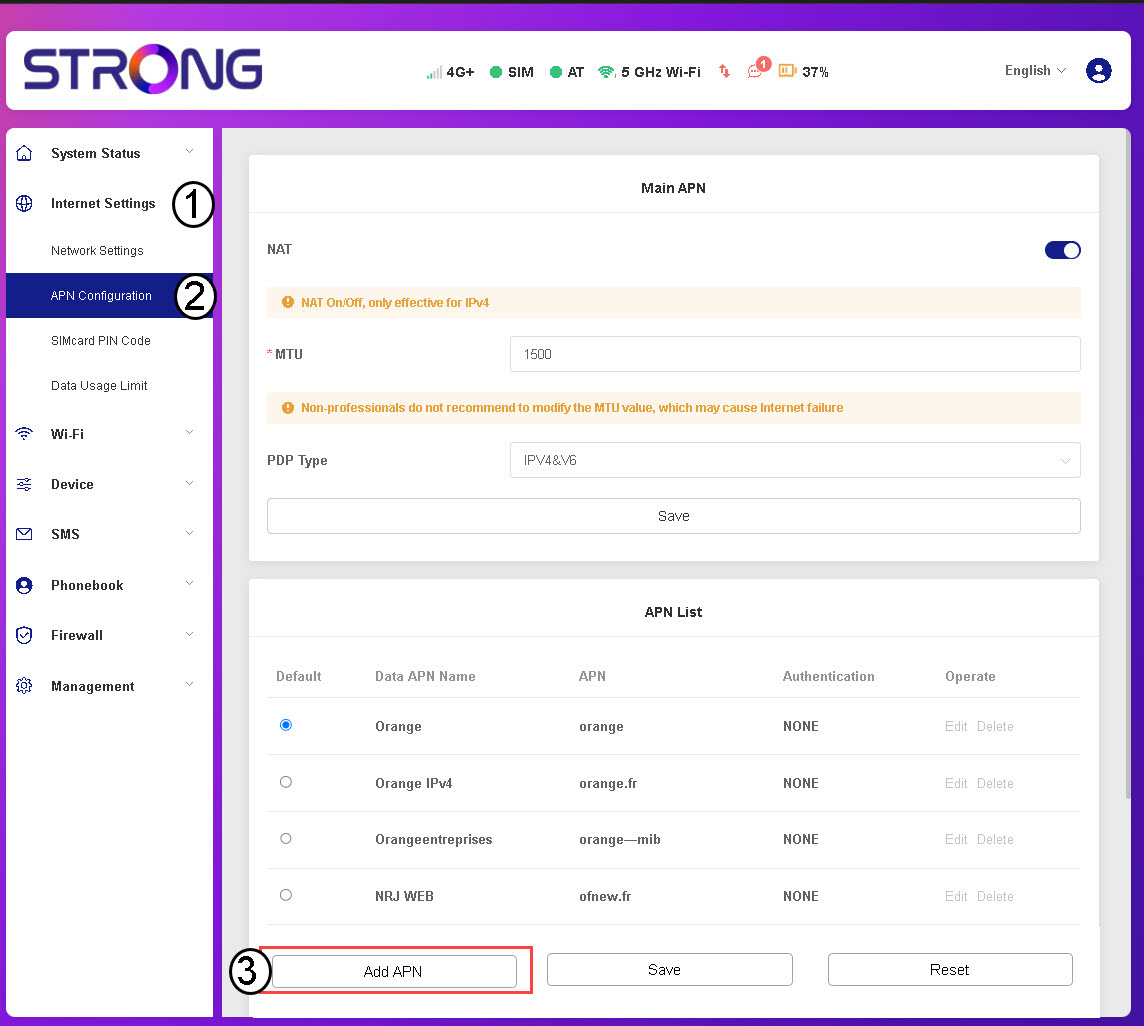
3. Zadejtea uložte údaje o APN
Před kliknutím na tlačítko „Uložit“ zadejte následující údaje :
- Název APN pro data: Zadejte název APN, který vám poskytl váš operátor.
- APN: Zadejte APN, který vám poskytl váš operátor.
- Ověřování: Vyberte typ ověřování ze seznamu na základě informací poskytnutých vaším poskytovatelem služeb.