Nebyly nalezeny žádné položky.
LEAP AIR | 4K Google TV s HDR10+
Nebyly nalezeny žádné položky.
Všechny otázky
Nebyly nalezeny žádné položky.
LEAP AIR | 4K Google TV s HDR10+
Nebyly nalezeny žádné položky.
Jak mám restartovat zařízení LEAP AIR?
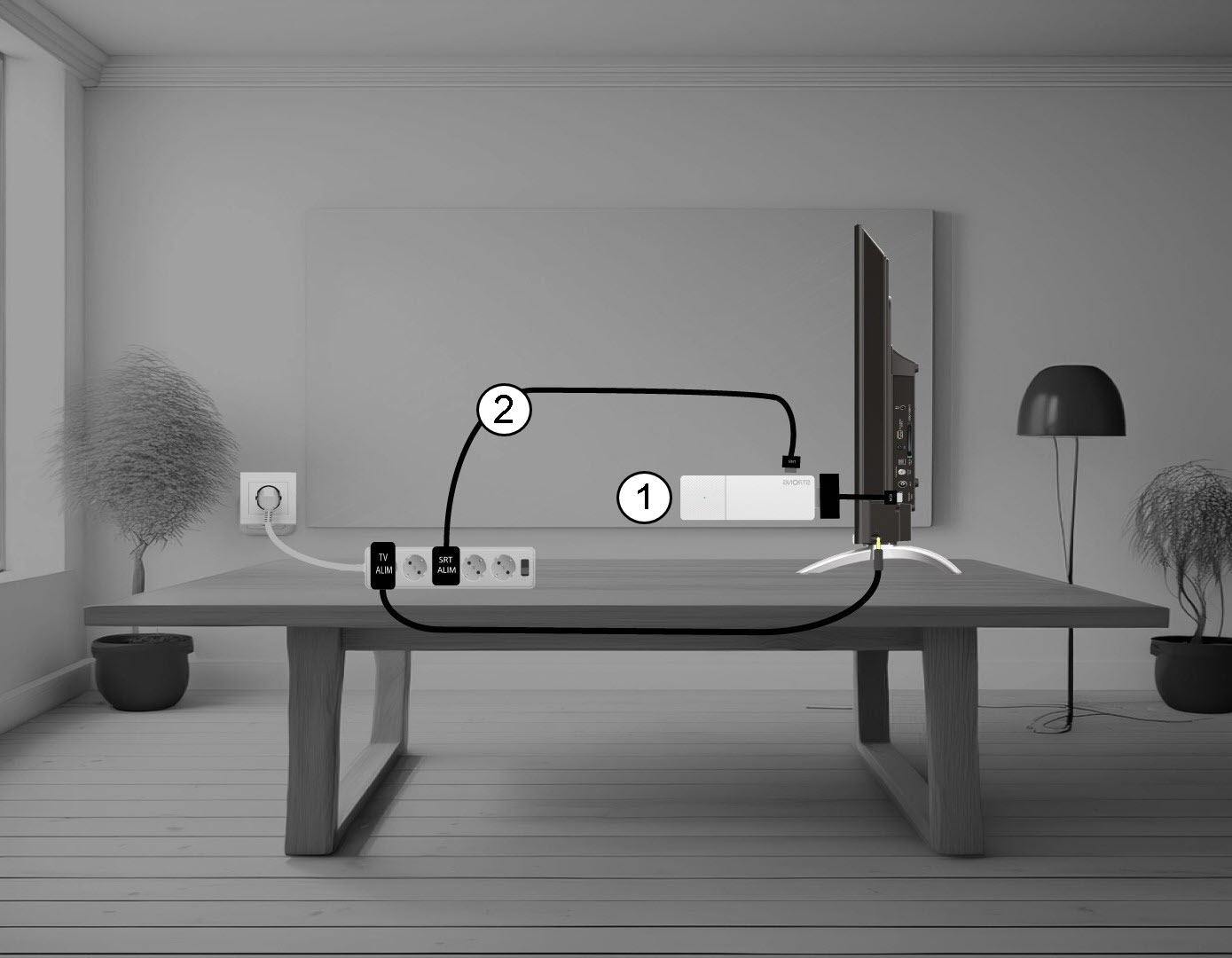
1. Odpojtezařízení LEAP AIR od televizoru
Odpojte kabel HDMI Stick od televizoru (1) a USB kabel od zařízení LEAP AIR (2).
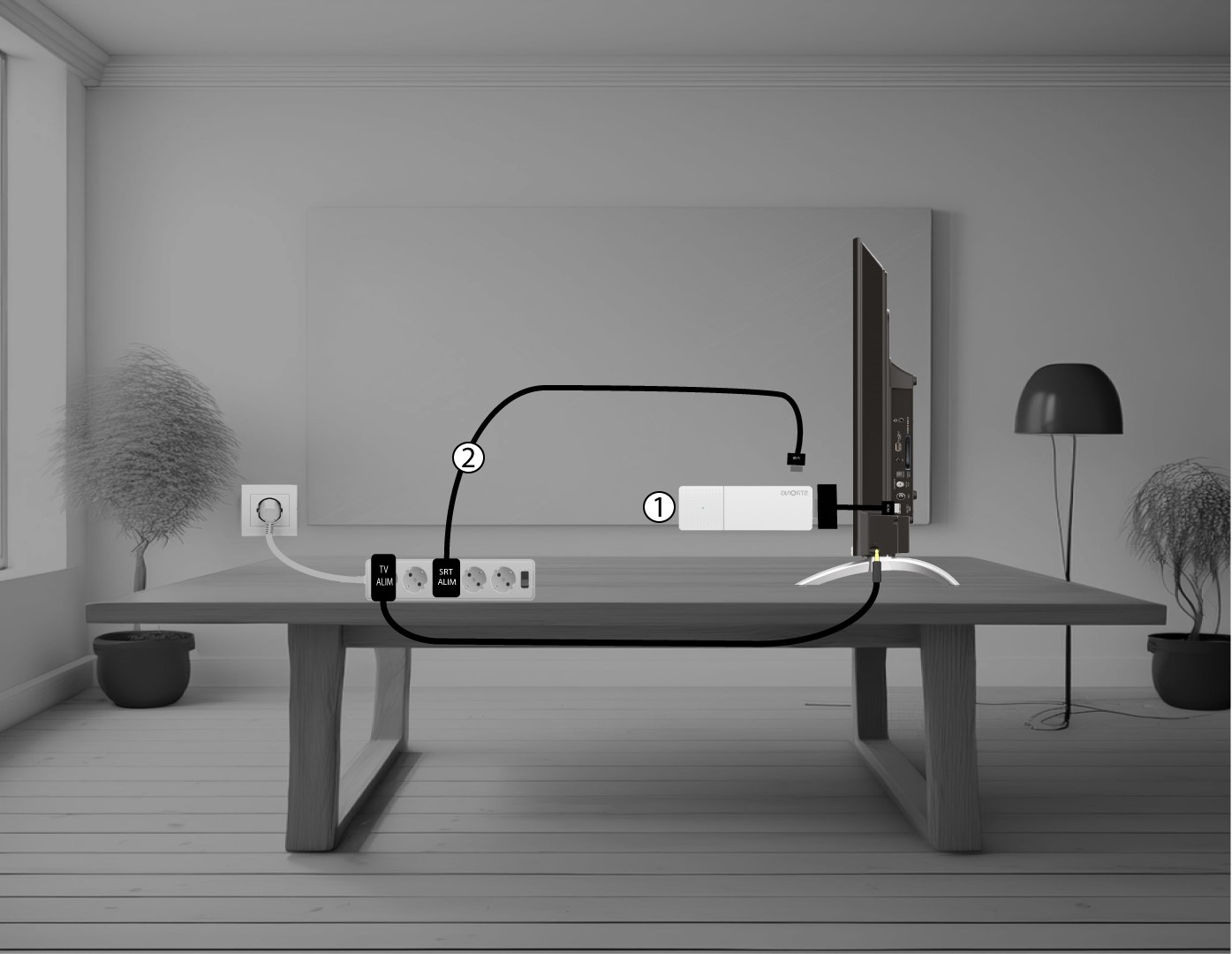
2. Připojtezařízení LEAP AIR k televizoru
Znovu připojte HDMI stick k televizoru (1) a USB kabel (2). Poté zapojte televizor do zásuvky.