
4G AIRHOME 210 UK pevnými 4G anténami
Všechny otázky
4G AIRHOME 210 UK pevnými 4G anténami
Jak mohu obnovit tovární nastavení svého routeru?
Někdy se může stát, že vaše zařízení nefunguje správně a nemáte přístup k internetu. V takovém případě doporučujeme obnovit tovární nastavení zařízení a v případě potřeby poté znovu aktualizovat jeho firmware.
Máte na to dvě možnosti: zařízení můžete resetovat stisknutím tlačítka pro resetování nebo prostřednictvím webového rozhraní.
PŘÍPAD 1: Tlačítko pro resetování
K tomu stiskněte na pravé straně routeru tlačítko „Reset“ a podržte jej stisknuté po dobu dvou sekund.

1PŘÍPAD2: Obnovení nastavení v webovém uživatelském rozhraní
Chcete-li se připojit k webovému uživatelskému rozhraní, postupujte podle pokynů uvedených v článku: Jak se dostanu do webového uživatelského rozhraní?
2. Aktualizace firmwaru
Poté klikněte na „Aktualizace firmwaru“.

3Obnovittovární nastavení
Klikněte na „Ostatní“. V části „Restart a reset “ klikněte na „Obnovit tovární nastavení“.
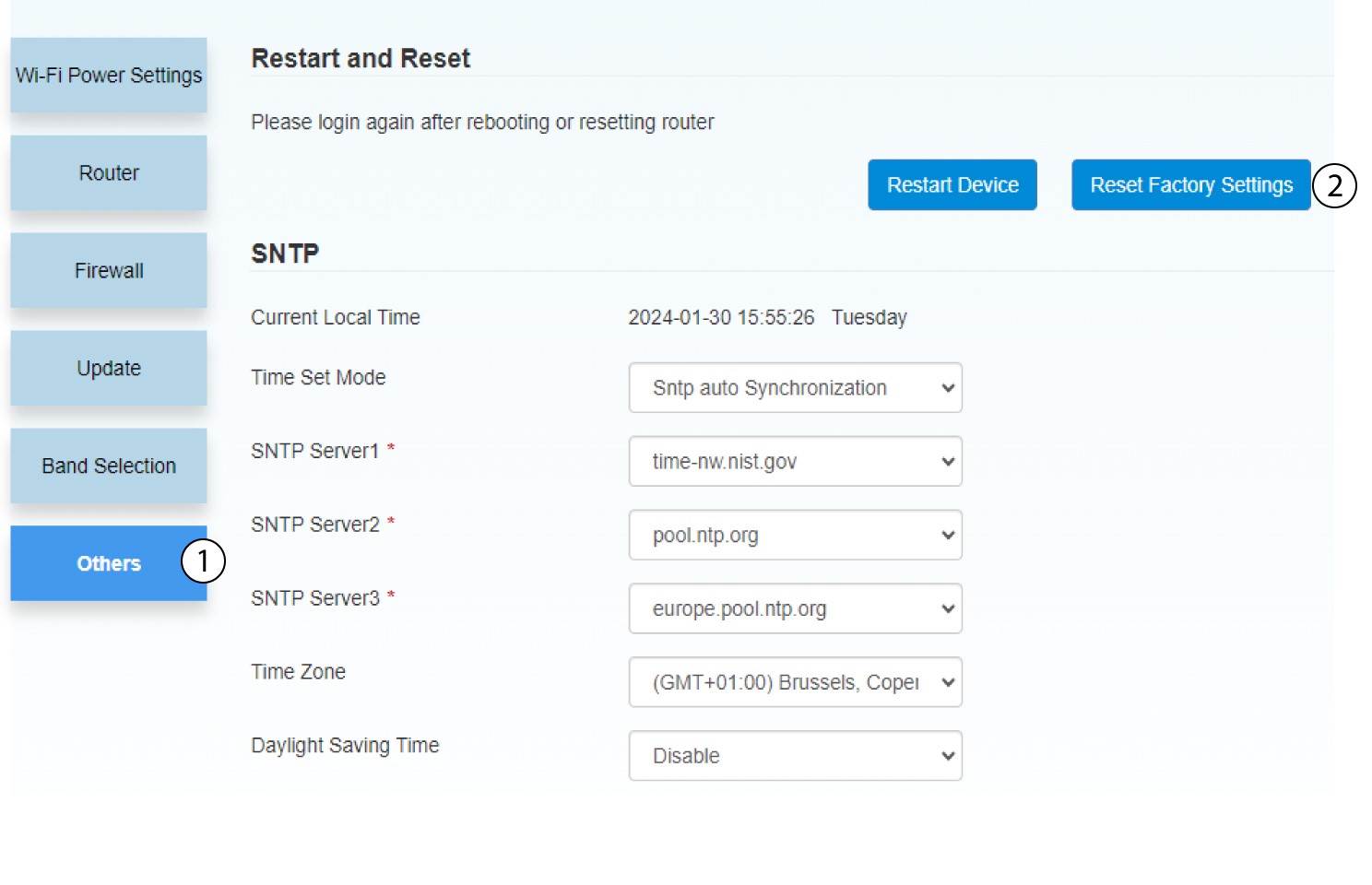
4.Vyskakovací oznámení
V zobrazeném okně klikněte na tlačítko „ANO “.
