Nebyly nalezeny žádné položky.
LEAP 41 | 4K Google TV s HDR10+
Nebyly nalezeny žádné položky.
Všechny otázky
Nebyly nalezeny žádné položky.
LEAP 41 | 4K Google TV s HDR10+
Nebyly nalezeny žádné položky.
Jak mohu zařízení obnovit do továrního nastavení?
1Zapnětetelevizor a přijímač
Zapněte televizor a set-top box.
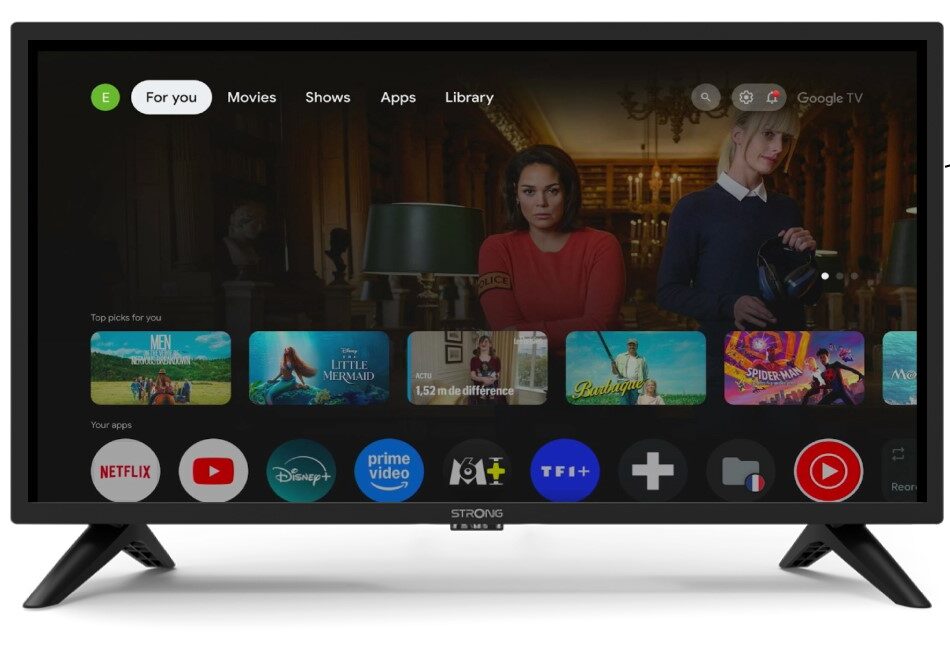
2. Nastavení
Stiskněte ikonu ozubeného kola na dálkovém ovladači.
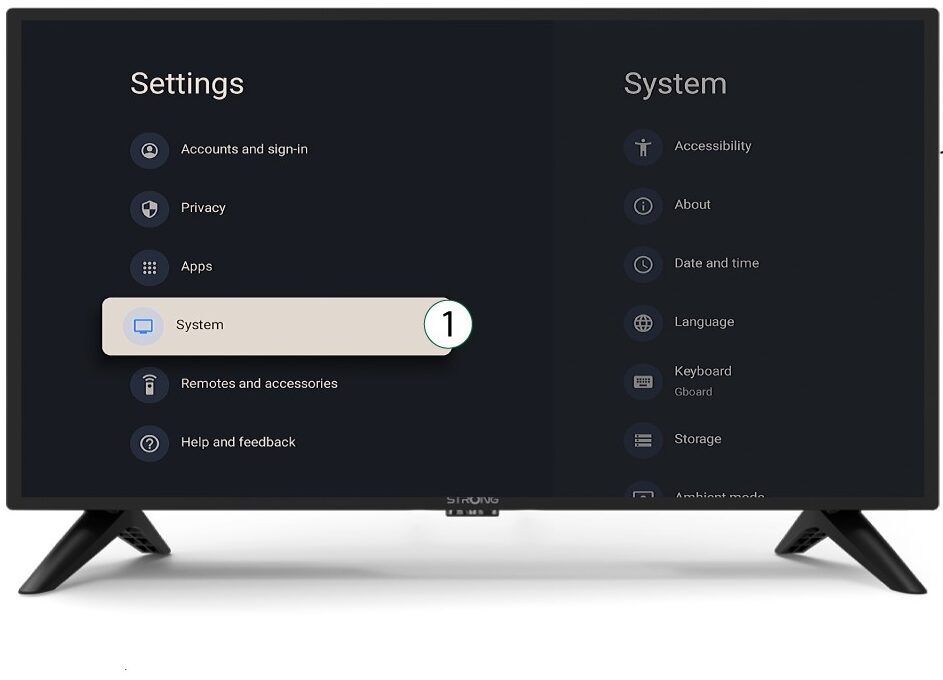
3System
V nabídce Nastavení vyberte položku Systém a stiskněte tlačítko OK.
4Onás
V systémovém menu vyberte položku „O aplikaci“ a stiskněte tlačítko OK.
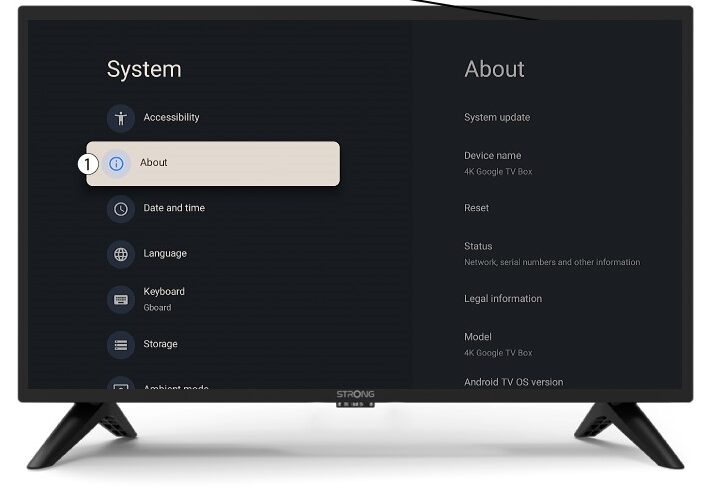
5Resetovat
Vyberte možnost „Resetovat“.
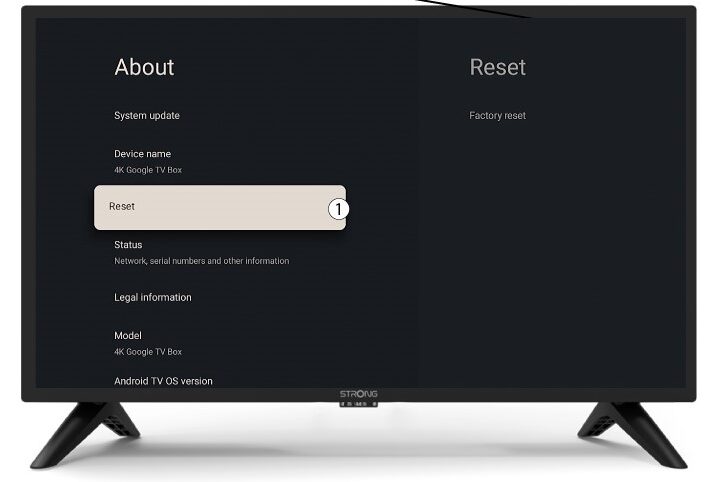
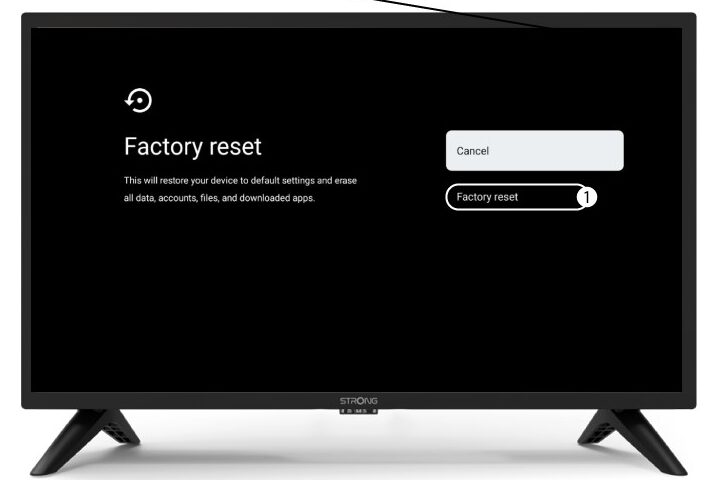
6. Obnovení továrníhonastavení
Vyberte možnost „Obnovit tovární nastavení “ a stiskněte tlačítko OK.
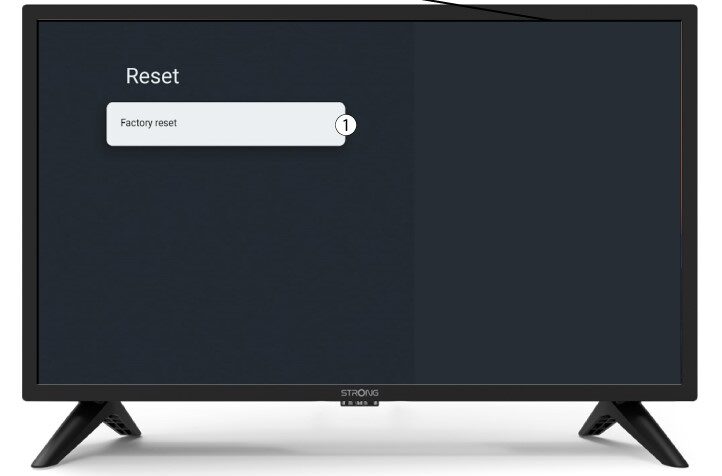
7Potvrďteresetování
Na stránce „Obnovení továrního nastavení“ vyberte možnost „Obnovení továrního nastavení“.