Nebyly nalezeny žádné položky.
4K GOOGLE TV BOX S3+ | DOLBY VISION ATMOS
Nebyly nalezeny žádné položky.
Všechny otázky
Nebyly nalezeny žádné položky.
4K GOOGLE TV BOX S3+ | DOLBY VISION ATMOS
Nebyly nalezeny žádné položky.
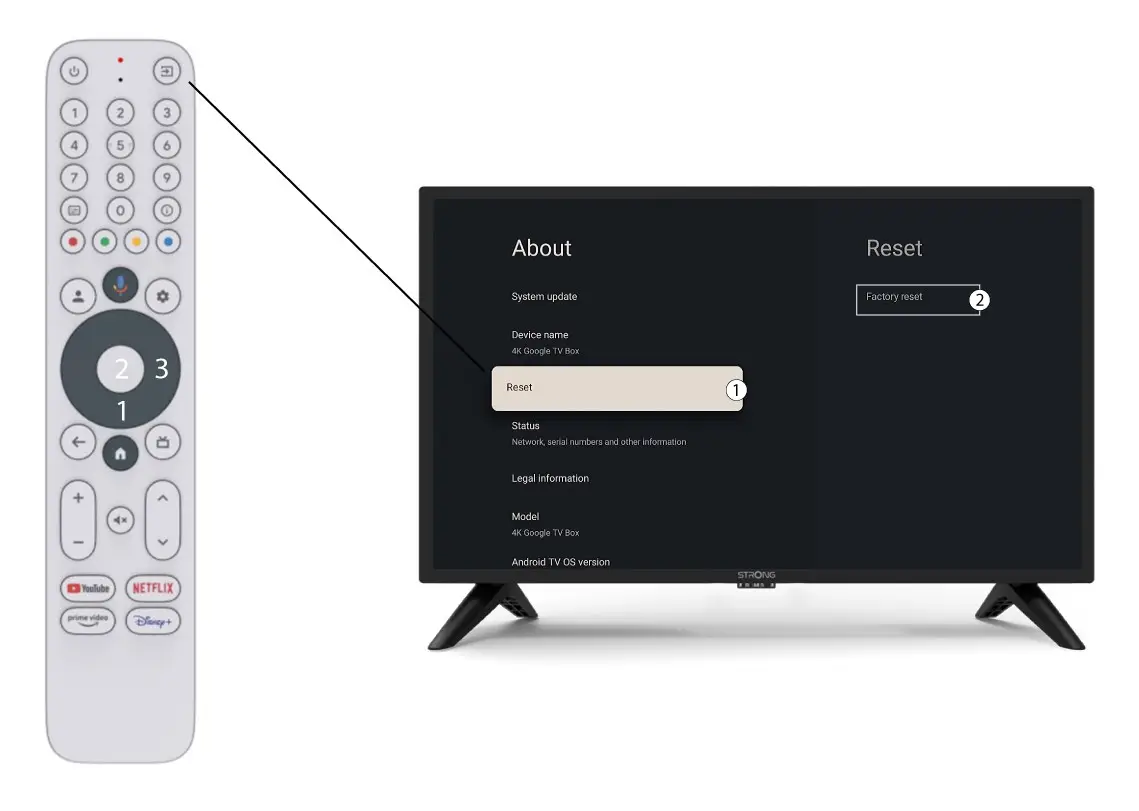
Jak mohu obnovit tovární nastavení zařízení LEAP S3?

Upozornění: Při obnovení továrních nastavení zařízení dojde k odstranění všech aplikací a uživatelských nastavení. Budete muset všechny aplikace nainstalovat znovu od začátku.
1.Zapněte zařízení
Zapněte televizor a zařízení LEAP S3.
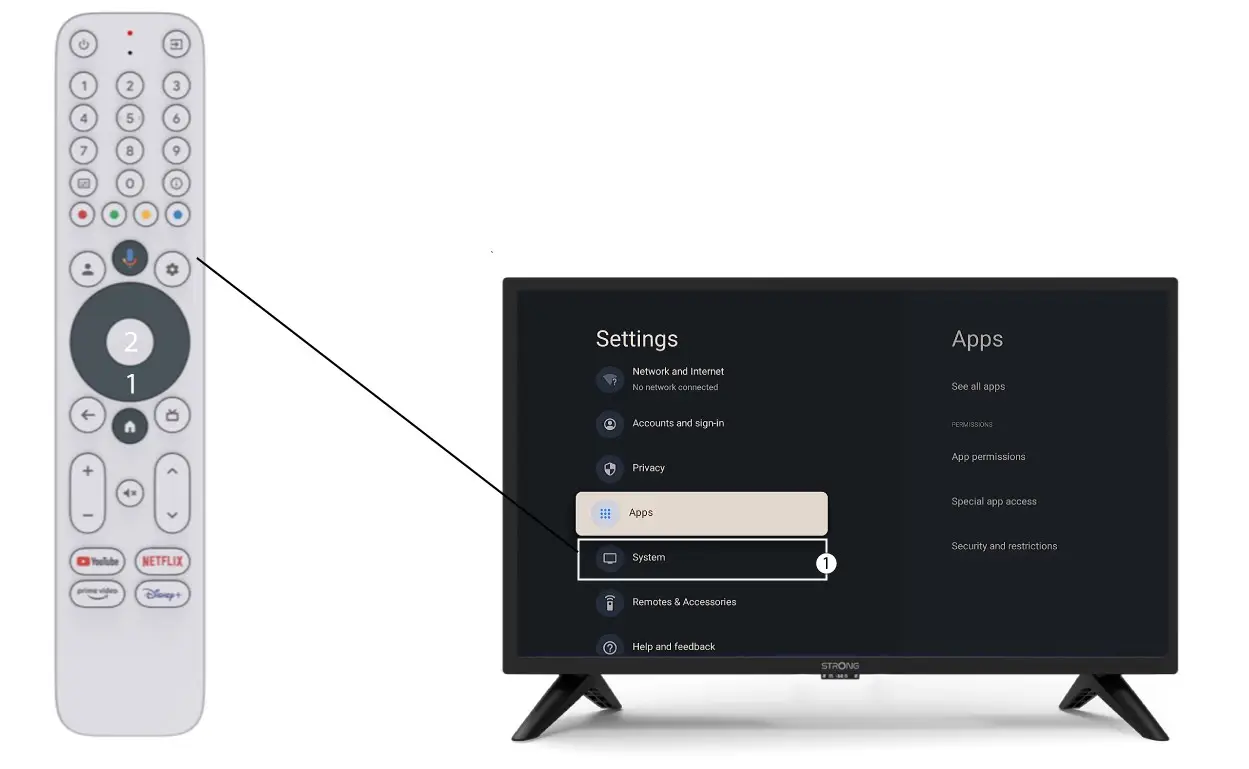
2. Přejdětedo nabídky Nastavení
Stiskněte ikonu ozubeného kola (tlačítko Nastavení) na dálkovém ovladači. Poté stiskněte tlačítko OK na dálkovém ovladači, čímž otevřete nabídku nastavení.

3 Nastavení systému
V nabídce Nastavení vyberte položku Systém a stiskněte tlačítko OK.
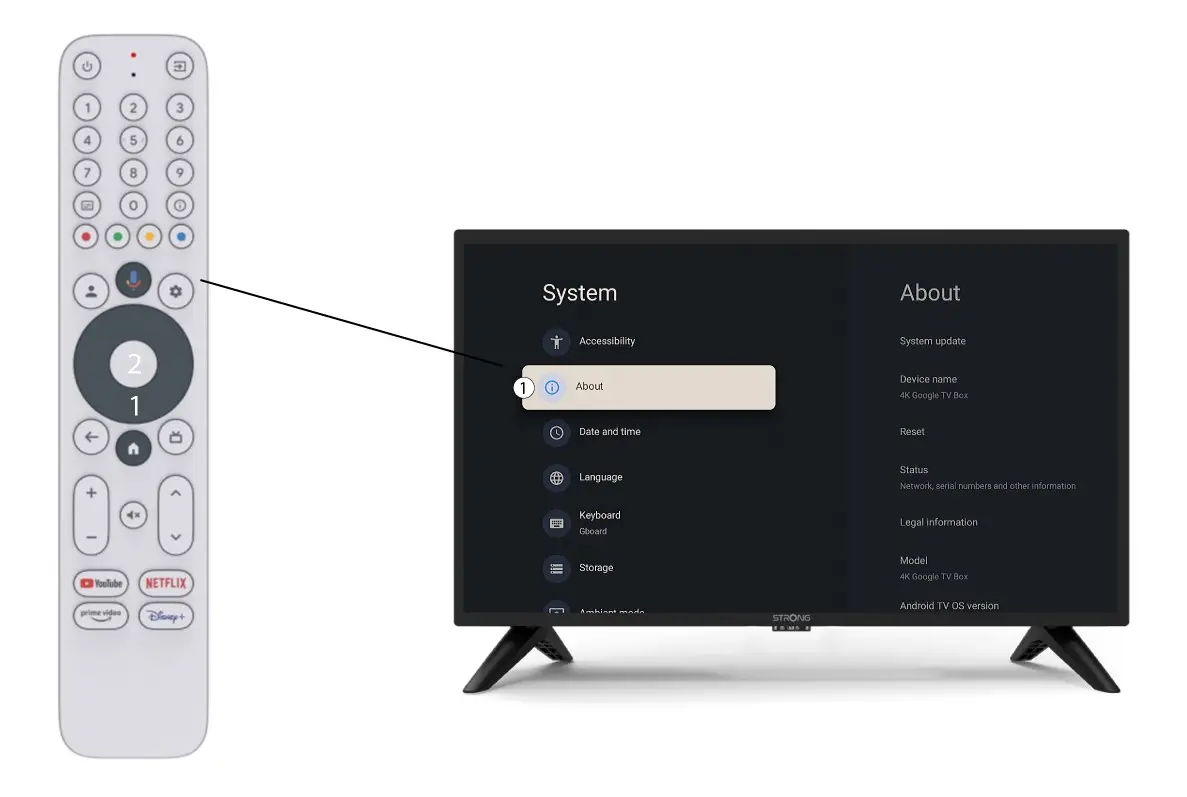
4Onás
V nabídce „Nastavení systému“ vyberte položku „O aplikaci“ a stiskněte tlačítko OK na dálkovém ovladači.
5. Obnovení továrníhonastavení
Vyberte možnost „Reset“ a poté „Obnovení továrního nastavení“ a poté stiskněte tlačítko „OK“.