
ATRIA Wi-Fi 5 Mesh 2100 UK balení po 2 kusech)
Všechny otázky
ATRIA Wi-Fi 5 Mesh 2100 UK balení po 2 kusech)
Jak mohu aktualizovat firmware zařízení Mesh ?
Chcete-li aktualizovat software jednotky mesh , musíte být připojeni k webovému uživatelskému rozhraní.

Upozornění: Nejprve musíte aktualizovat agenty mesh (jednotky, které nejsou připojeny k internetovému routeru) a teprve poté řídicí jednotku mesh (jednotkamesh , která je připojena k internetovému routeru pomocí kabelu RJ45).
Musíte si zapsat IP adresy všech jednotek mesh , abyste se mohli připojit k webovému uživatelskému rozhraní
každé jednotky zvlášť.
Nové verze softwaru našich produktů jsou k dispozici zde (stahování -> software):
https://eu.strong-eu.com/downloads/product-downloads/atria-wi-fi-mesh-home-kit-2100/. Pokud je sekce
prázdná, znamená to, že pro daný produkt není k dispozici žádná aktualizace.
1. Stránka pro stahování
Přejděte na následující stránku: https://eu.strong-eu.com/downloads/product-downloads/atria-wi-fi-meshhome-kit-2100/ a soubor si stáhněte.
2Atria– aplikace „ Mesh “
Stáhněte si aplikaci pro chytré telefony„ATRIA MESH “ z App Store nebo Google Play Store.

3. Oprávnění
Poté se musíte se svým smartphonem připojit k Wi-Fi síti zařízení „ Mesh “ a následně se přihlásit do aplikace pomocí přihlašovacích údajů, které by měly být„admin“ a„admin“, pokud jste je nezměnili.

4Mojesíť
Klikněte na „Moje síť“.

5. AgentMesh
Klikněte na jméno agenta služby mesh .
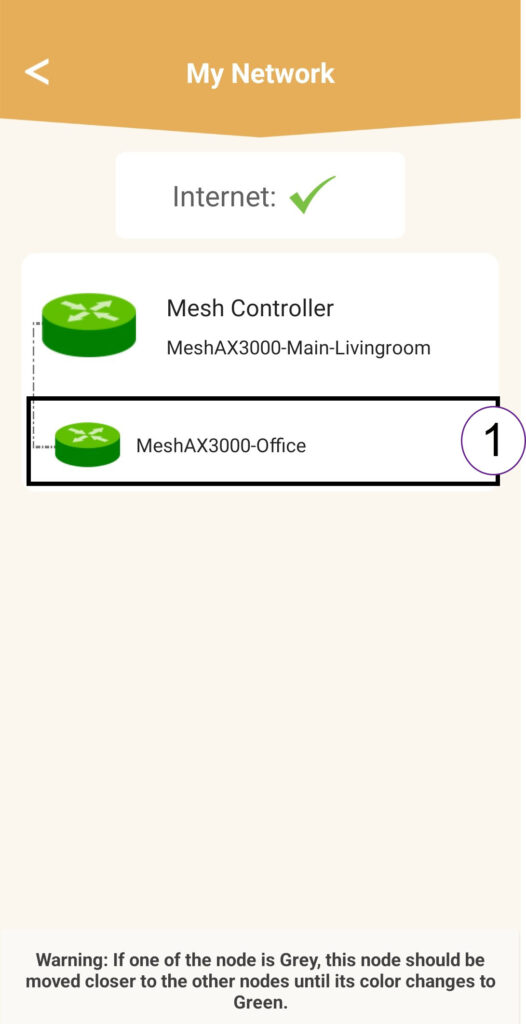
6. IPadresa
Zjistěte IP adresu agenta:
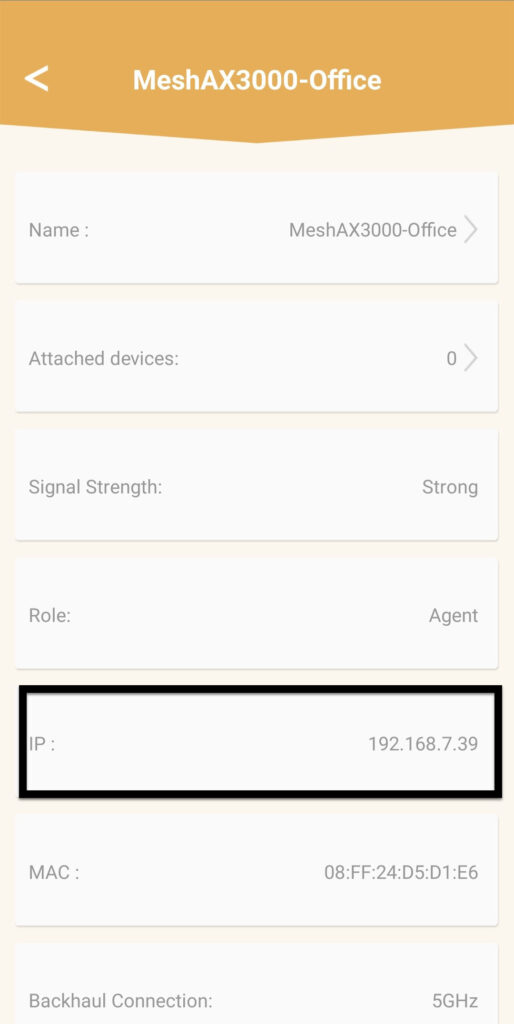
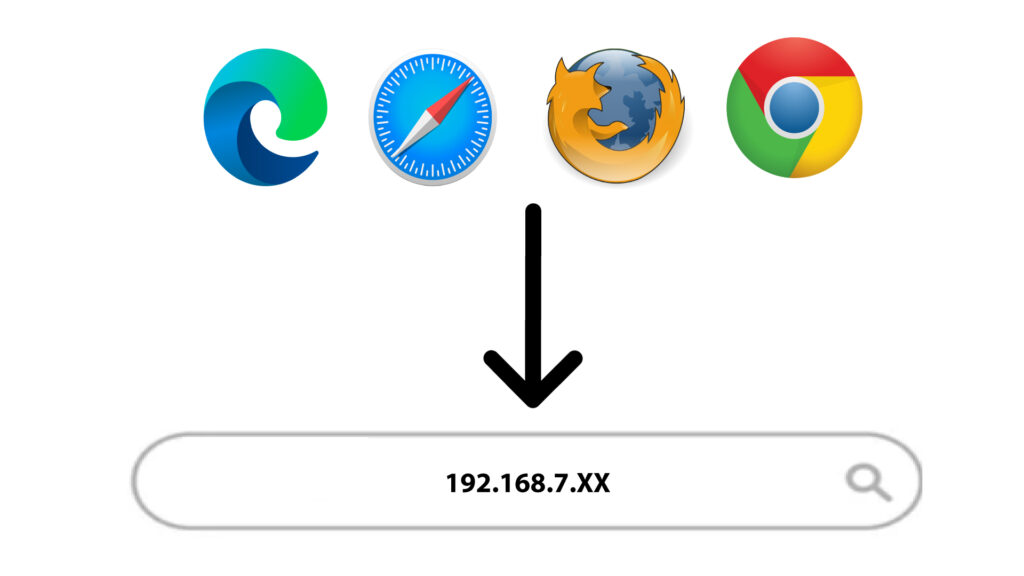
7. IPadresa webového uživatelského rozhraní agenta v prohlížeči
Přejděte na IP adresu agenta.
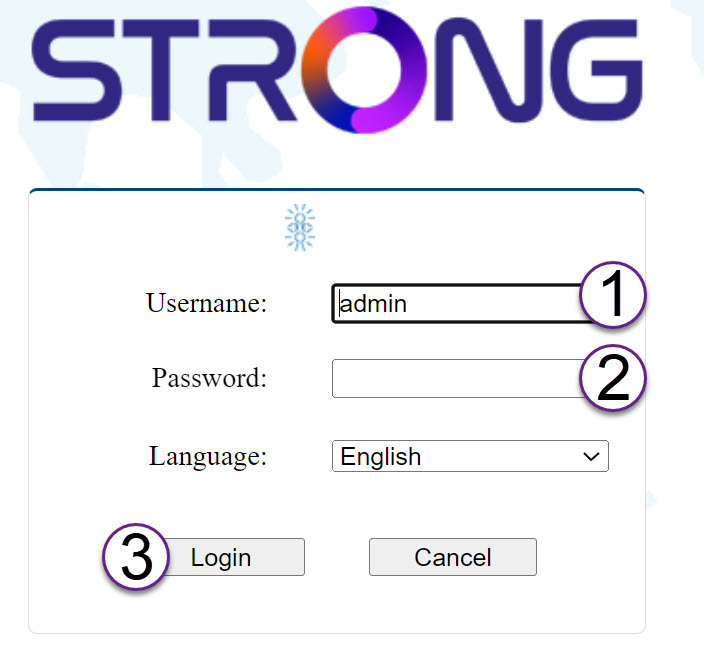
8. Kvalifikace
Zadejte uživatelské jméno a heslo a poté klikněte na tlačítko „Přihlásit se“.
9Aktualizace
Klikněte na položku „Systém“ a poté na „Aktualizovat“. Poté klikněte na „Vybrat soubor “ a nahrajte soubor, který jste si stáhli z našich webových stránek, a poté klikněte na „Potvrdit“.
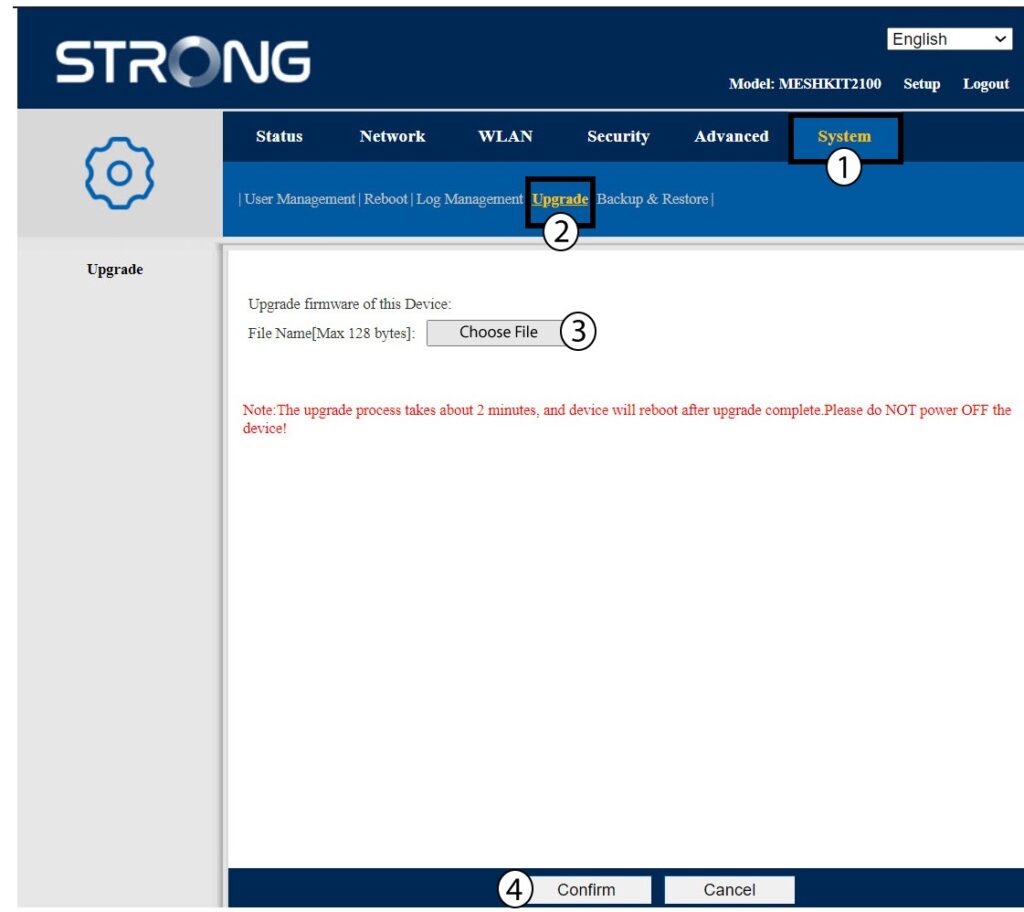
Upozornění: Tyto kroky zopakujte u všech agentů a poté aktualizujte řadič.