
ATRIA Wi-Fi 5 Mesh 2100 (add-on)
Všechny otázky
ATRIA Wi-Fi 5 Mesh 2100 (add-on)
Jak mám nastavit síť „ Mesh “, abych optimalizoval svou Wi-Fi síť?
Chcete-li optimalizovat pokrytí, měli byste nainstalovat zařízení mesh na místě, kde máte problémy s pokrytím, abyste pokryli co nejširší oblast ve vaší domácnosti.
Ujistěte se prosím, že jednotky mesh nejsou umístěny v místnosti, kde se nachází nosná zeď, protože čím je zeď silnější, tím větší mohou být potíže s průchodem signálu Wi-Fi skrz ni.
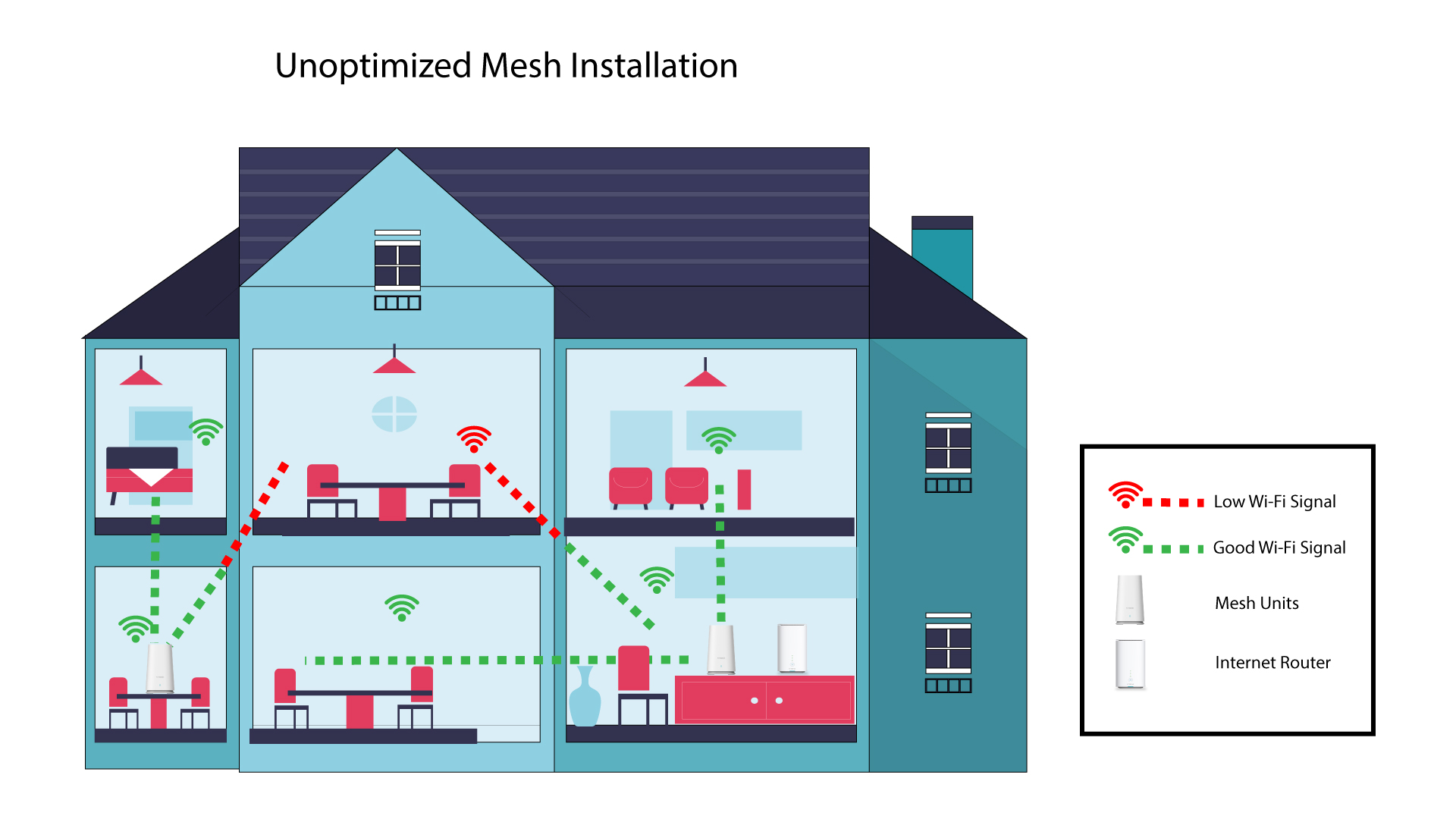
1Neoptimalizovanáinstalace systému Mesh
Následující schéma znázorňuje pokrytí Wi-Fi uvnitř domu, kde nejsou uzly mesh umístěny v té správné části domu, aby bylo zajištěno dostatečné pokrytí.
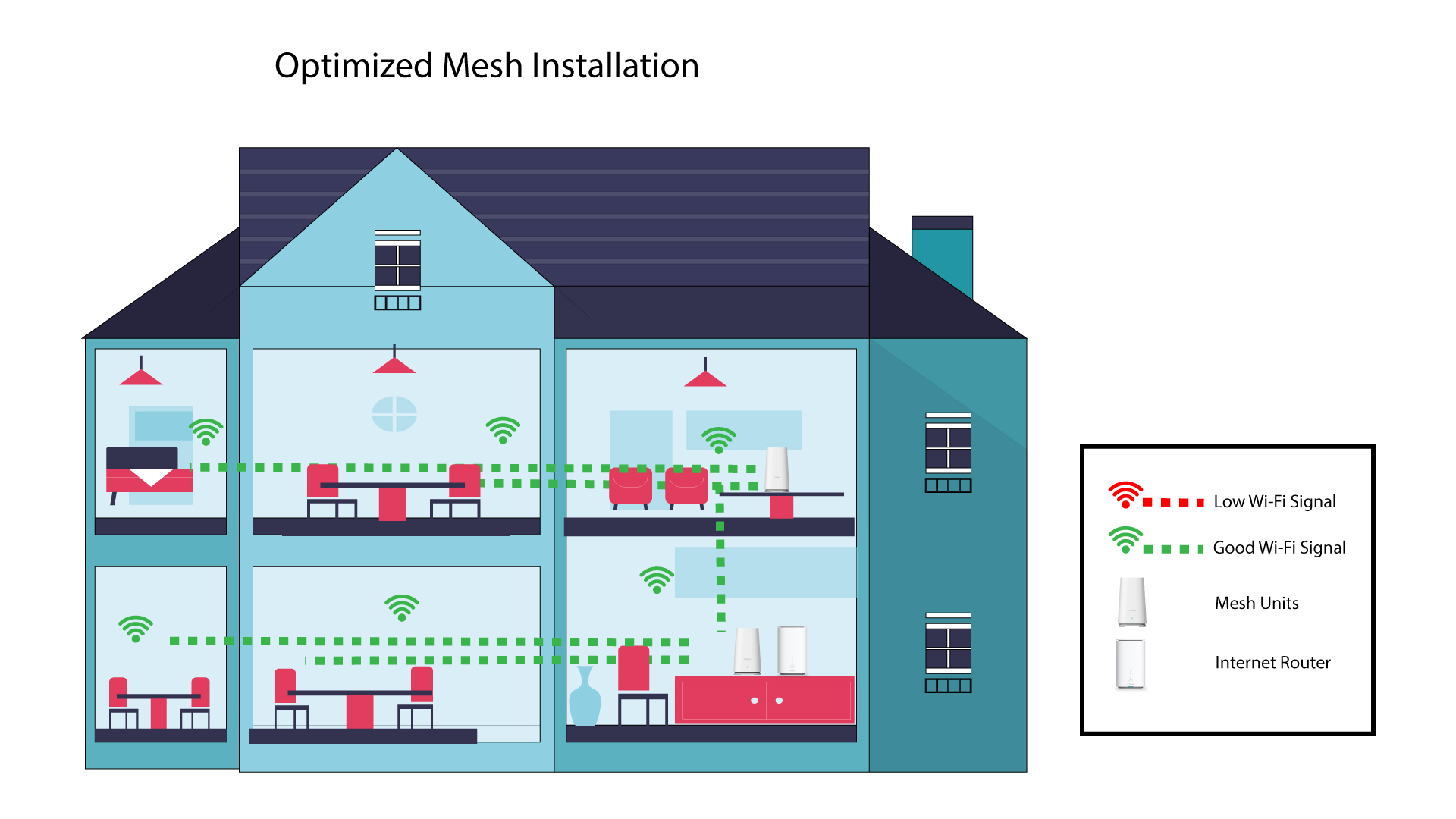
2 Optimalizovanáinstalace Mesh
Následující schéma znázorňuje pokrytí Wi-Fi uvnitř domu, kde jsou uzly mesh umístěny v pravé části domu tak, aby bylo zajištěno správné pokrytí.
1Atria– aplikace „ Mesh “
Stáhněte si aplikaci pro chytré telefony„ATRIA MESH “ z App Store nebo Google Play Store.

2. Připojeník Wi-Fi
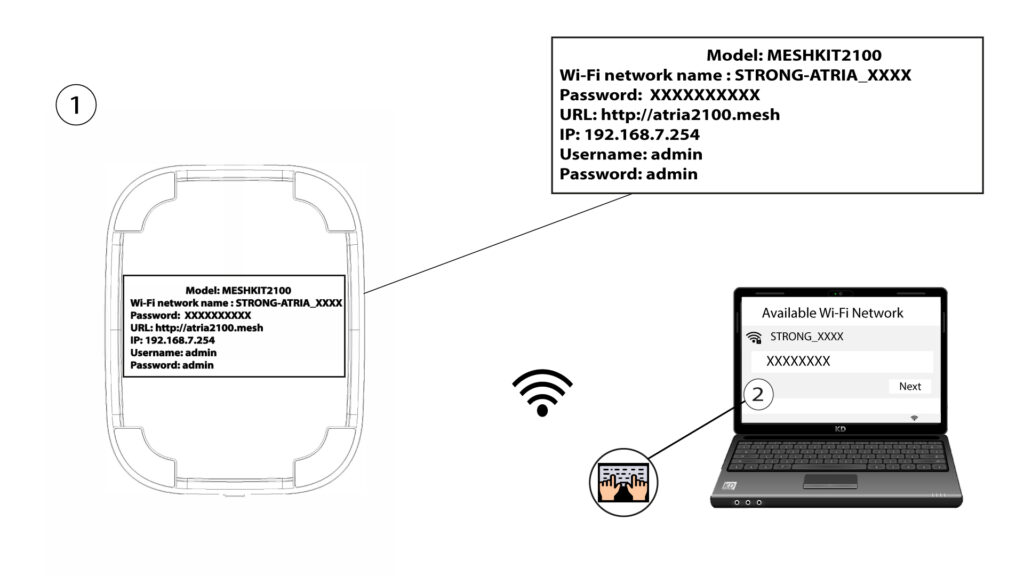
Připojte se k síti Wi-Fi vašeho zařízení mesh .
3. Oprávnění
Poté se musíte se svým smartphonem připojit k Wi-Fi síti zařízení „ Mesh “ a následně se přihlásit do aplikace pomocí přihlašovacích údajů, které by měly být„admin“ a„admin“, pokud jste je nezměnili.

4Mojesíť
Klikněte na „Moje síť“.

5. Název Mesh
Zobrazí se názvy jednotek mesh , které jste nakonfigurovali ve své síti.
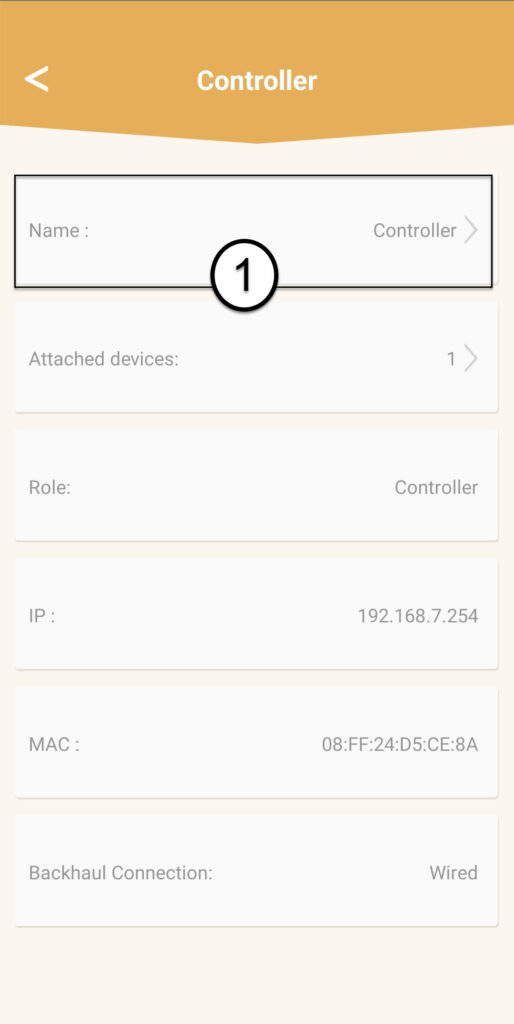
Kliknutím na název jednotky „ mesh “ se dostanete k jejím informacím.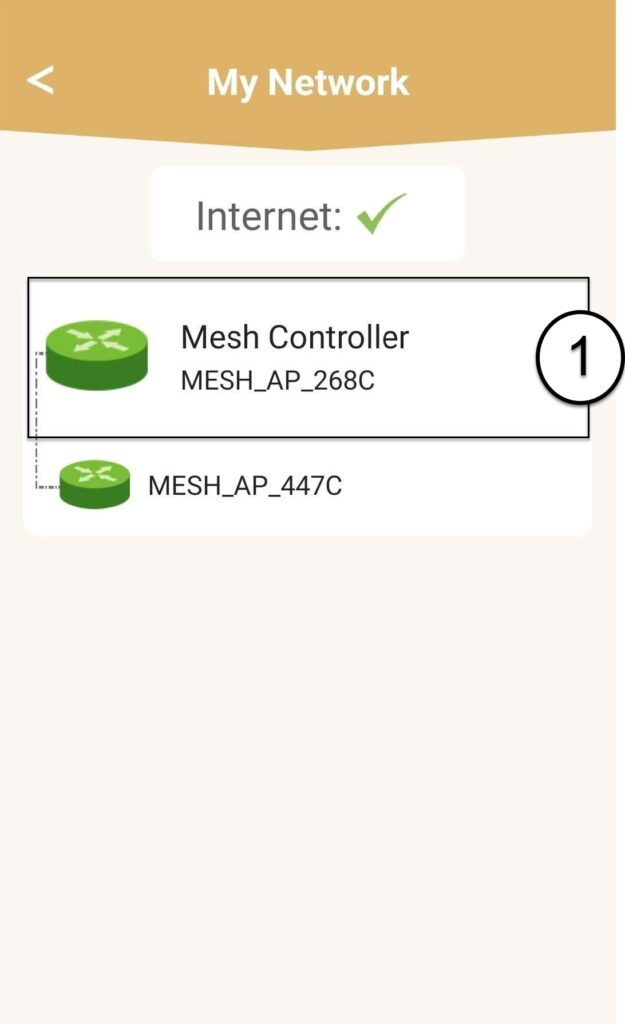
6Jméno
Klikněte na pole pro zadání jména.
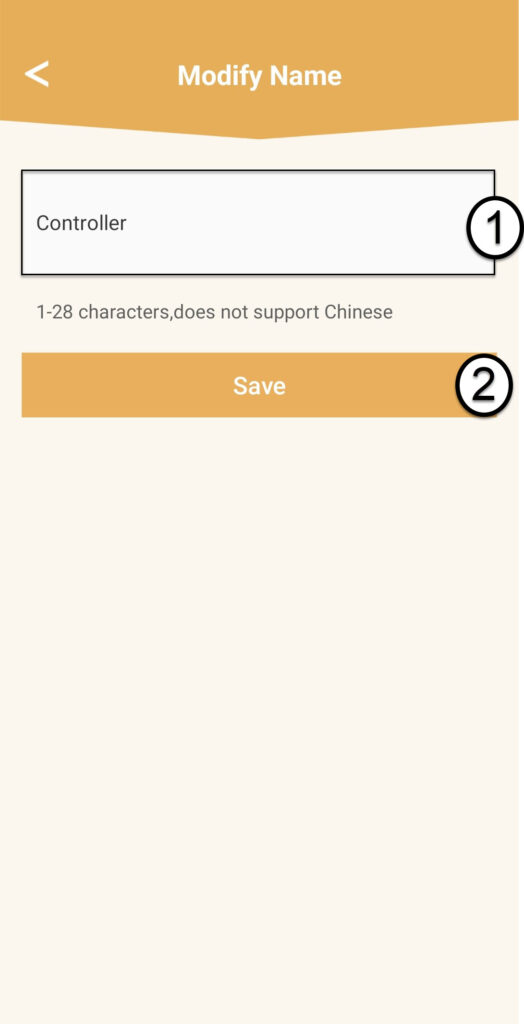
7 Změnitnázev řadiče
Zadejte nový název a klikněte na „Uložit“:
- Ovladač mesh u by měl být pojmenován takto: MeshAX3000-Main-název_místnosti
- Agenti sítě mesh by měli být pojmenováni takto: MeshAX3000-Název_místnosti

Upozornění: Pokud se jednotka mesh zobrazuje šedě, znamená to, že neposkytuje dostatečné pokrytí a měli byste upravit její umístění, abyste optimalizovali síť mesh .