Powerline 600 Triple UK V2
Nebyly nalezeny žádné položky.
Nebyly nalezeny žádné položky.
Všechny otázky
Powerline 600 Triple UK V2
Nebyly nalezeny žádné položky.
Nebyly nalezeny žádné položky.
Jak přidat nový produkt „ powerline “ do stávající sítě „ powerline “ s vysokou úrovní zabezpečení 1?
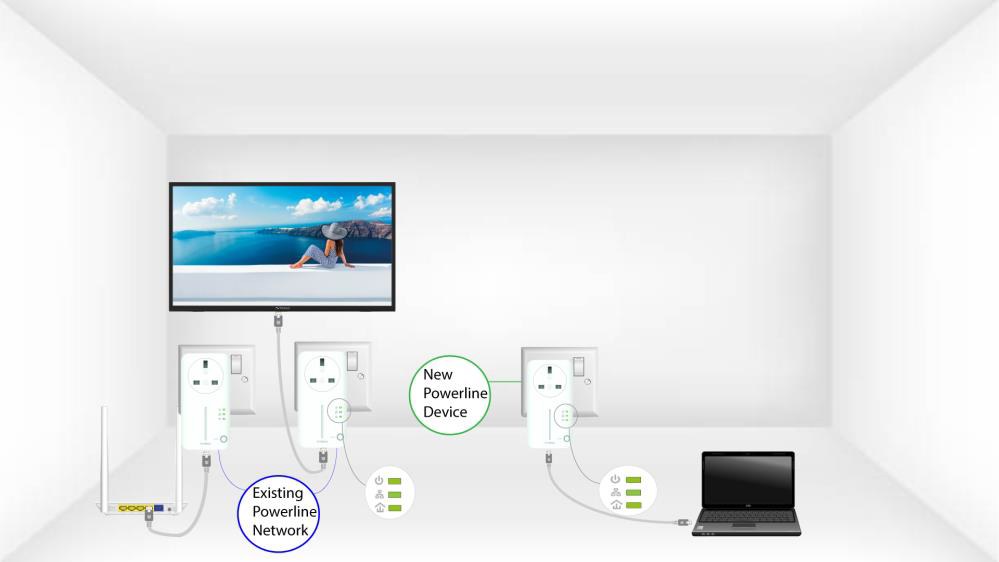
Jelikož je vaše stávající síť nastavena s konfigurací „Vysoká úroveň zabezpečení 1“, přidání produktu probíhá jednoduše podle principu Plug & Play. Na samotném produktu není třeba provádět žádné úkony. Stačí připojit nový produkt powerline a ten se automaticky přidá do sítě.
Adaptéry powerline se obvykle párují po dvou nebo třech kusech, takže pokud potřebujete do sítě nakonfigurované na vysokou úroveň zabezpečení 1 přidat další produkty powerline , musíte postupovat podle níže uvedených kroků.
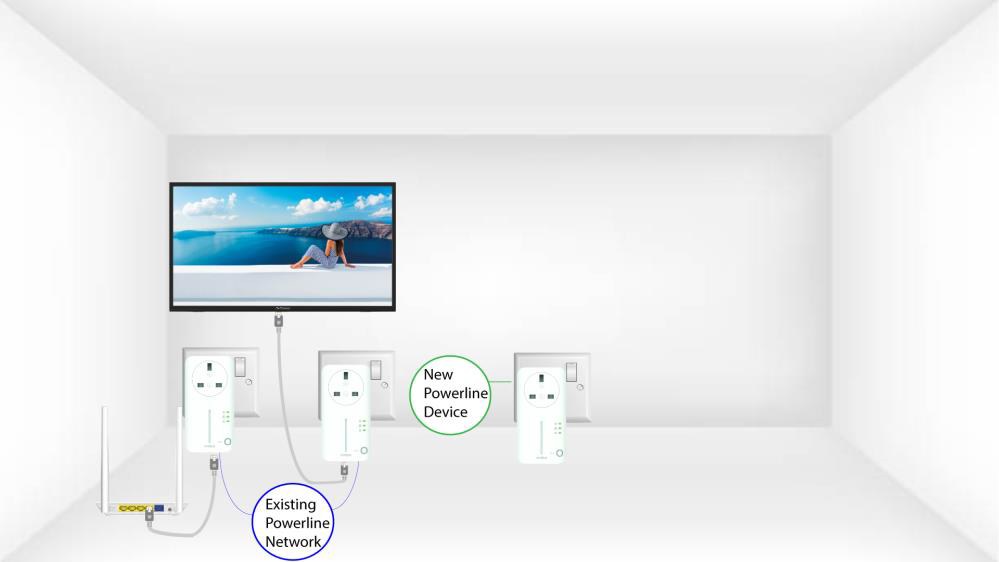
1. Zapojteadaptéry do zásuvky
Zapojte další zařízení do elektrické zásuvky.
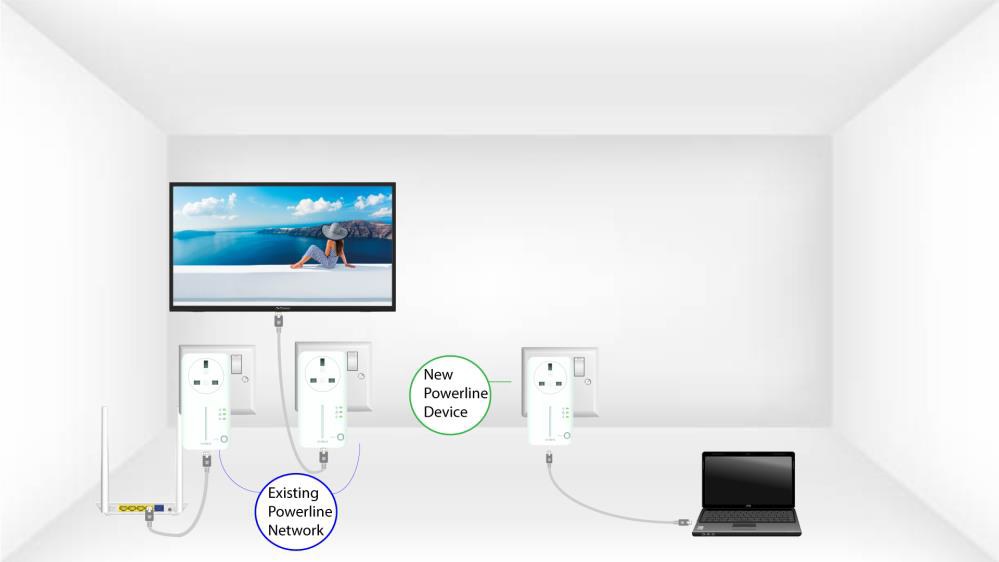
2. Připojteadaptéry k internetu
Připojte zařízení k internetovému routeru/bráně pomocí konektoru RJ45.
3Zařízeníjsou nastavena
Po připojení nového zařízení svítí na všech zařízeních zelené LED diody.