
Powerline 600 Duo Mini
Všechny otázky
Powerline 600 Duo Mini
Nemám přístup k internetu a/nebo se nerozsvítí LED kontrolka u ikony „domů“.
Nemám přístup k internetu a/nebo nesvítí LED kontrolka u ikony „domov“.
Musíte adaptéry obnovit do továrního nastavení. Chcete-li adaptéry obnovit, postupujte podle následujících kroků na stránce
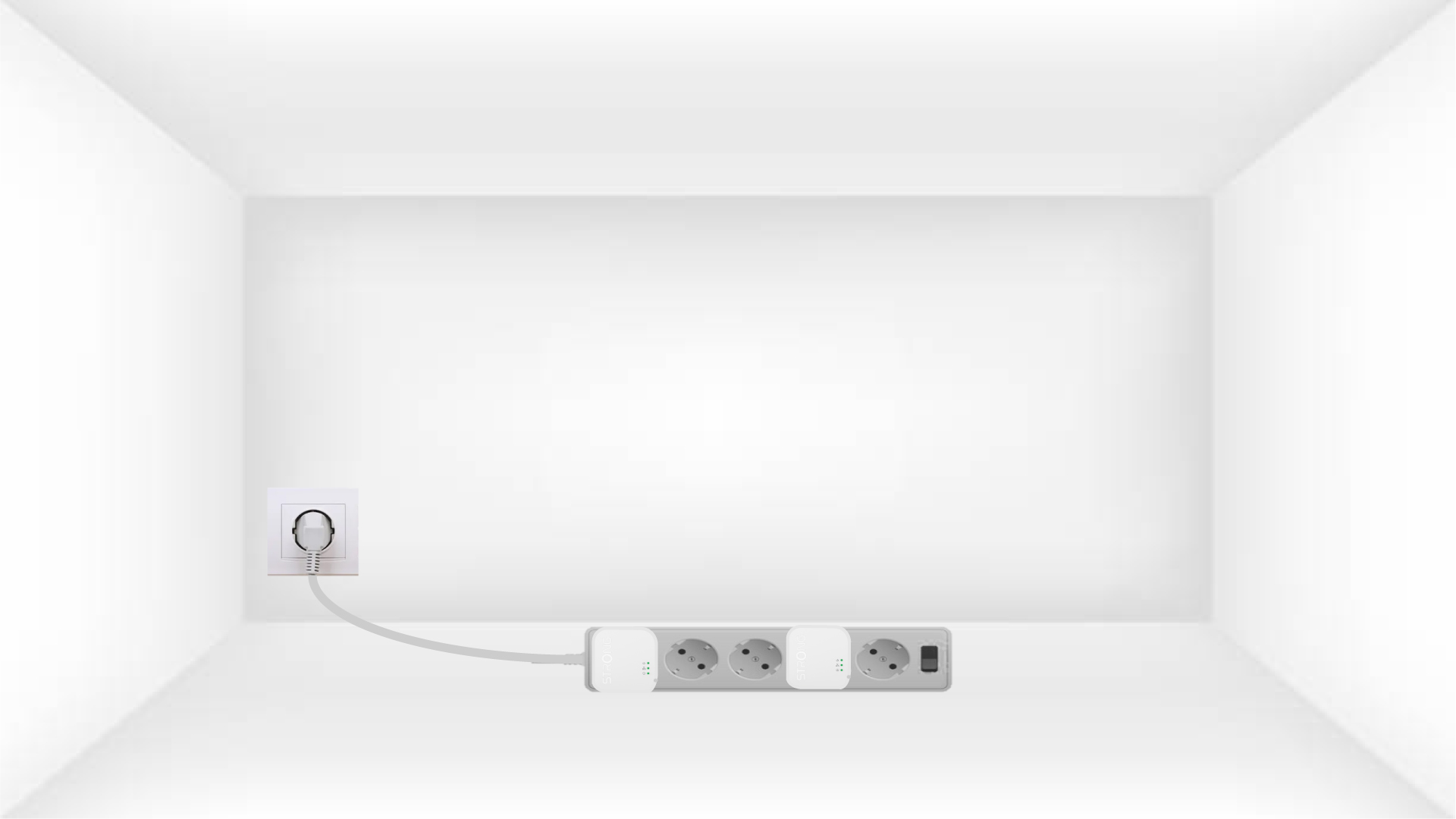
1. Připojteadaptéry k prodlužovacímu kabelu s vypínačem
Připojte adaptéry jeden po druhém k prodlužovacímu kabelu s vypínačem.
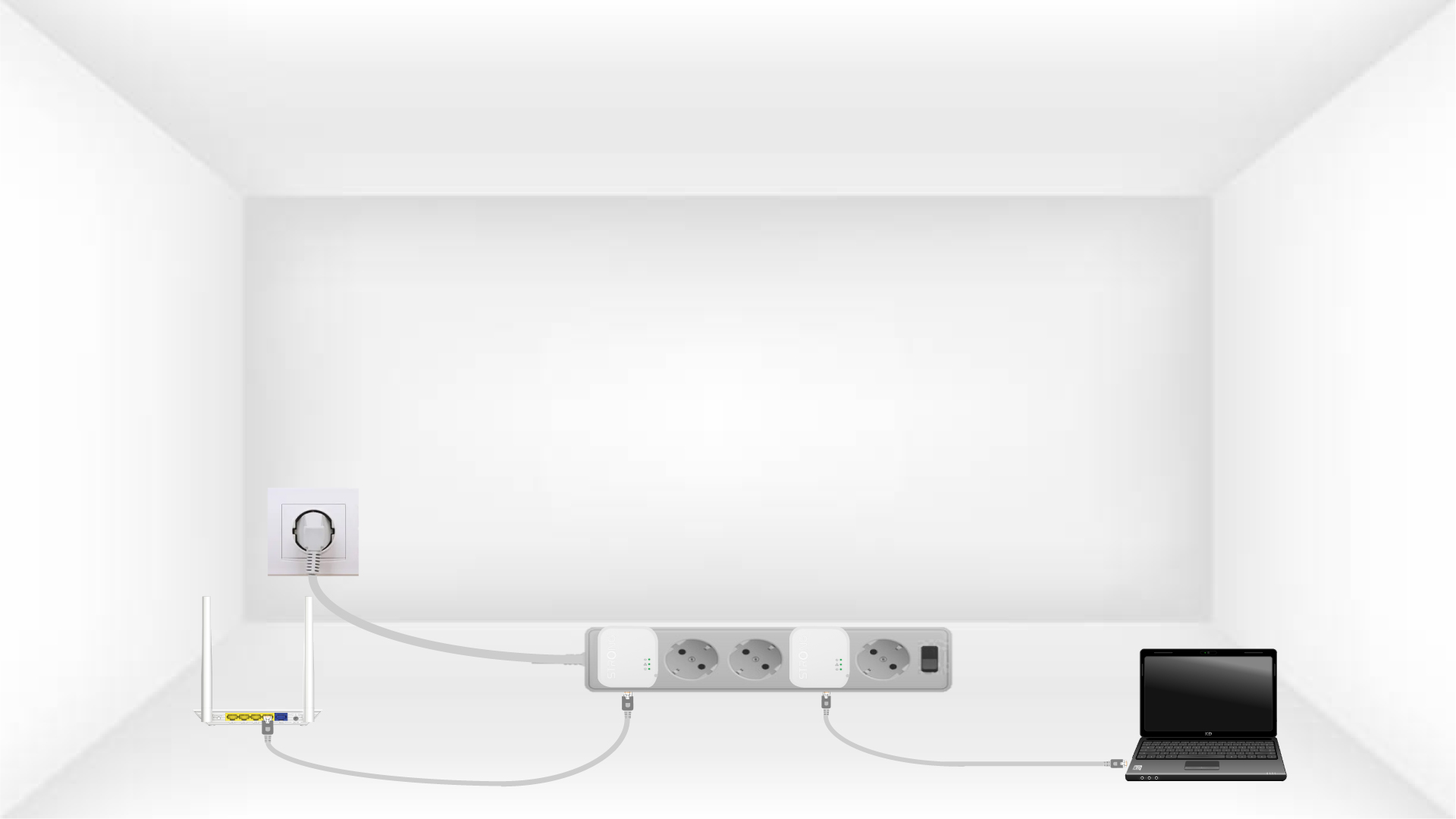
2. Připojteadaptér k internetu
Každý adaptér připojte ethernetovým kabelem k funkčnímu zařízení (internetový router/brána, zařízení s Androidem box, Smart TV, počítač atd.). Mezi zařízeními musí probíhat komunikace, jinak se adaptér automaticky přepne do pohotovostního režimu.
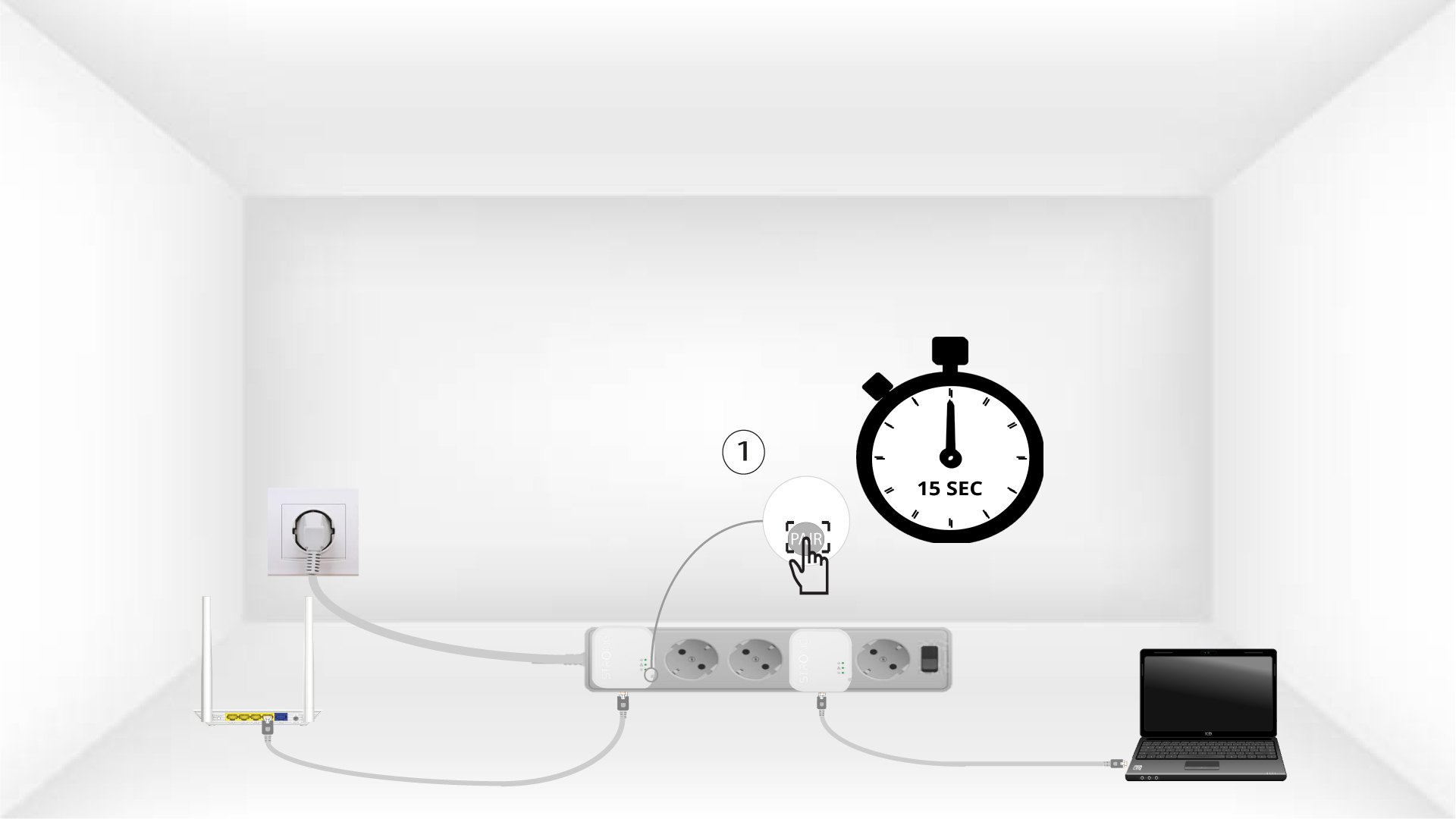
3Stisknětetlačítko „Connect & Secure“ (první adaptér)
Jakmile je adaptér zapojen do zásuvky a připojen k síti Ethernet, stačí stisknout tlačítko „Connect & Secure“ na pravé straně zařízení a podržet ho stisknuté po dobu 15 sekund.
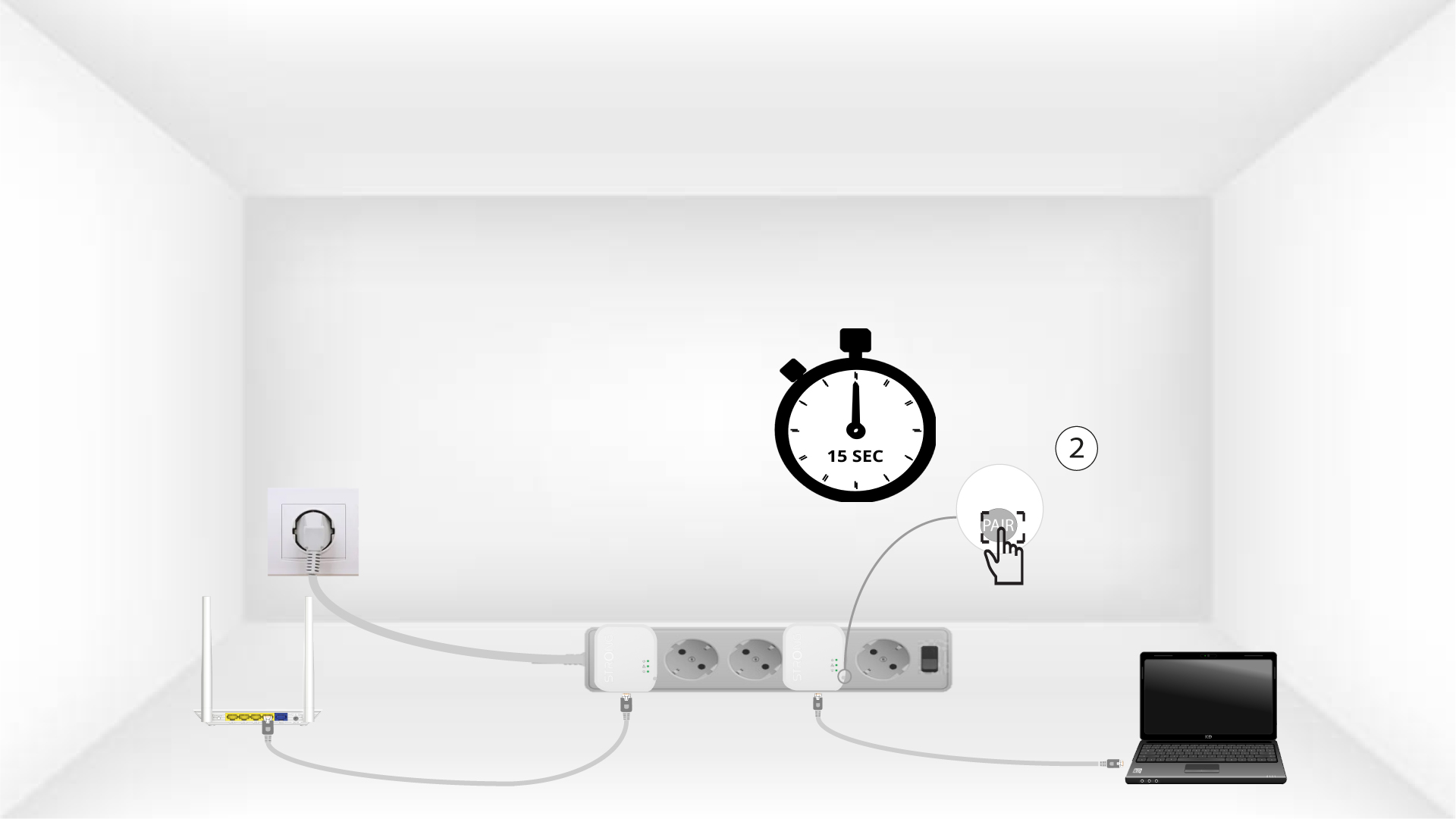
4Stisknětetlačítko „Connect & Secure“ (druhý adaptér)
Stiskněte na 15 sekund tlačítko „Connect & Secure“, které se nachází na pravé straně druhého zařízení.
5 DomovskáLED bliká
LED dioda s ikonou domova by měla začít blikat.
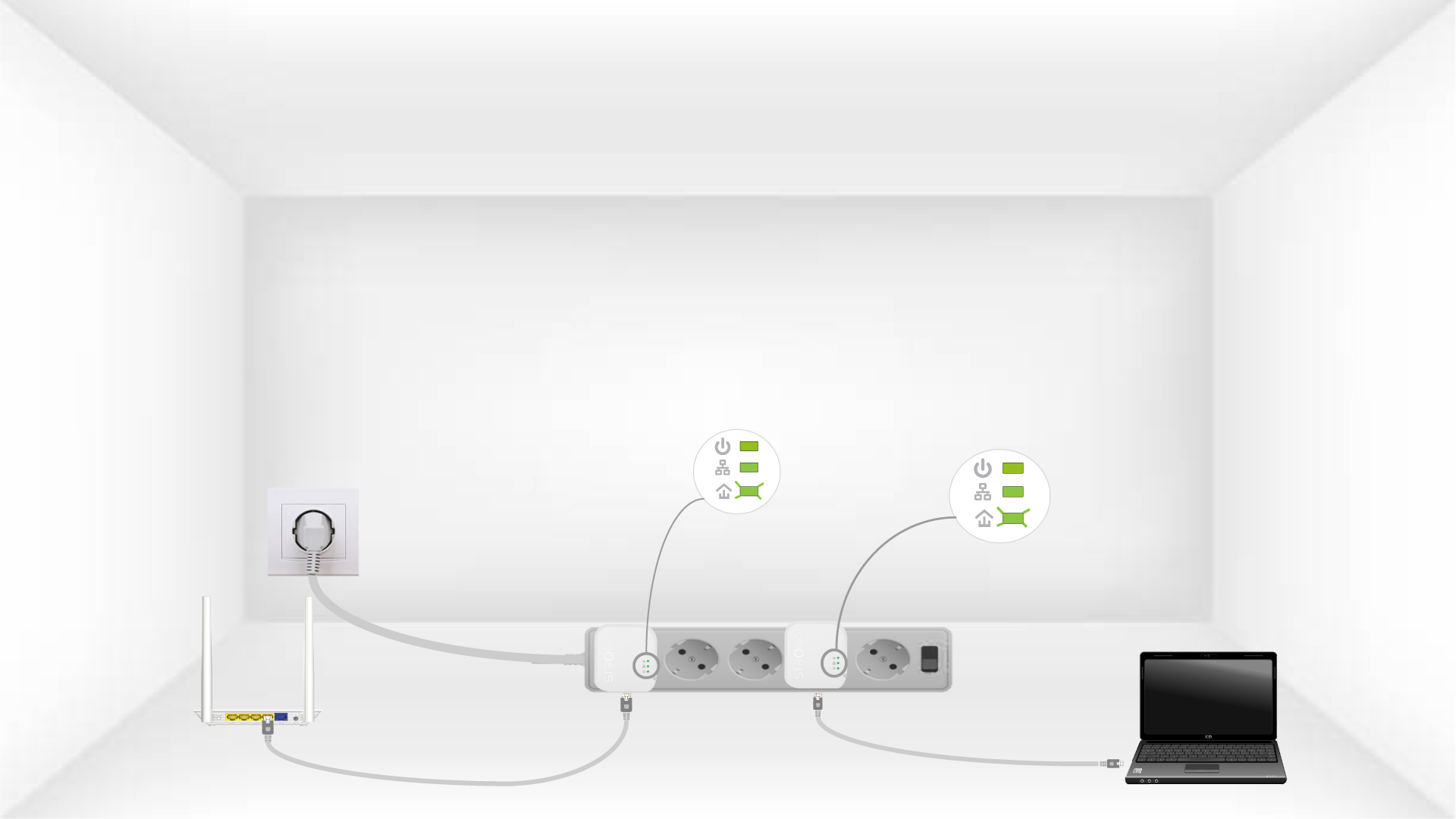
6. Adaptéryjsou resetovány
Po dokončení operací musí svítit všechny LED diody zeleně.
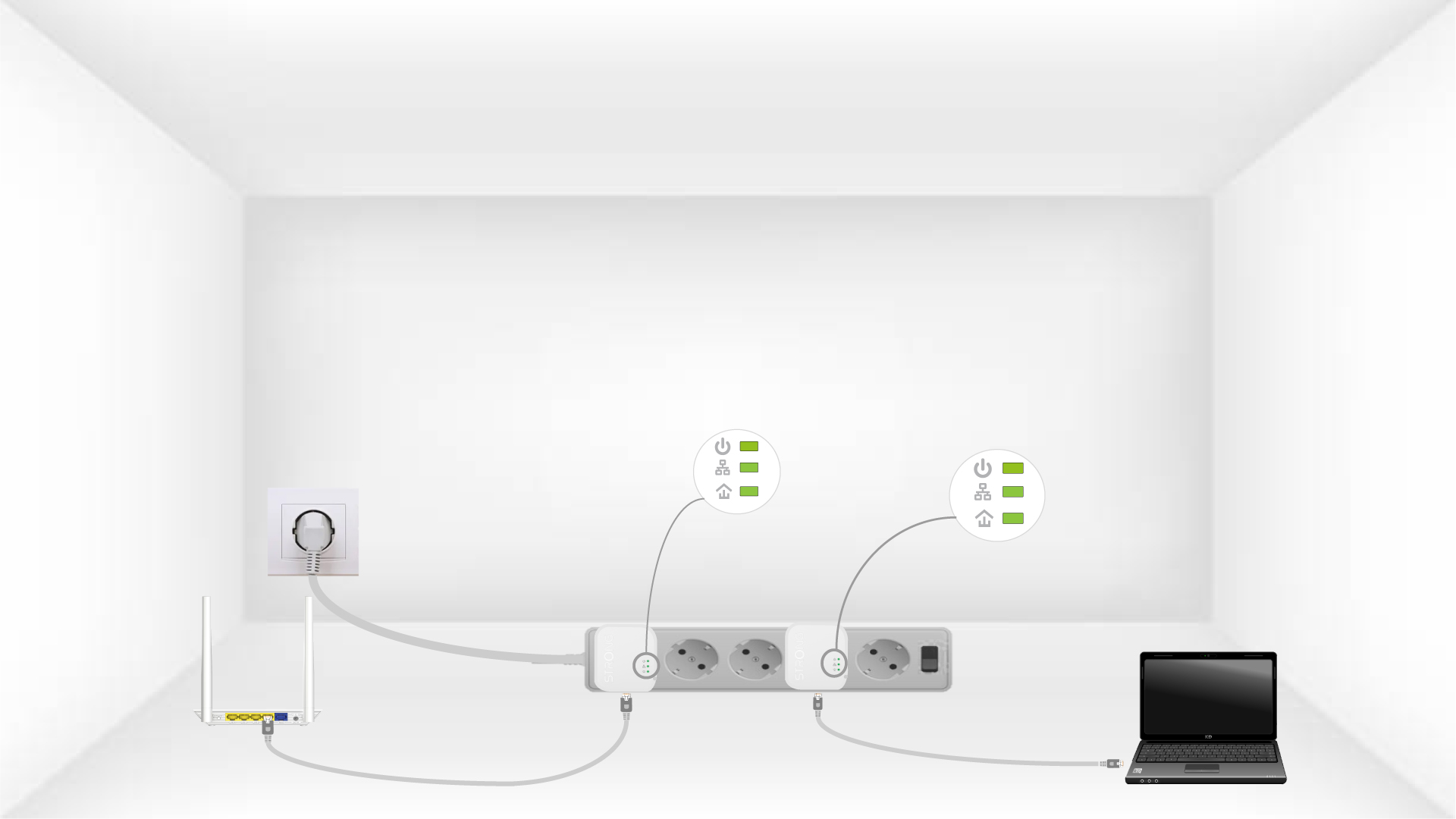
Stejný postup zopakujte u třetího zařízení powerline. Na stejnou elektrickou instalaci můžete připojit až osm zařízení Powerline 600 Mini.
Po spárování všech zařízení je můžete umístit do místnosti, kde je potřebujete.