
PLW600MDUO
Nebyly nalezeny žádné položky.
Nebyly nalezeny žádné položky.
Všechny otázky
PLW600MDUO
Nebyly nalezeny žádné položky.
Nebyly nalezeny žádné položky.
Jak nastavit vysokou úroveň zabezpečení 2 na zařízeních powerline ?
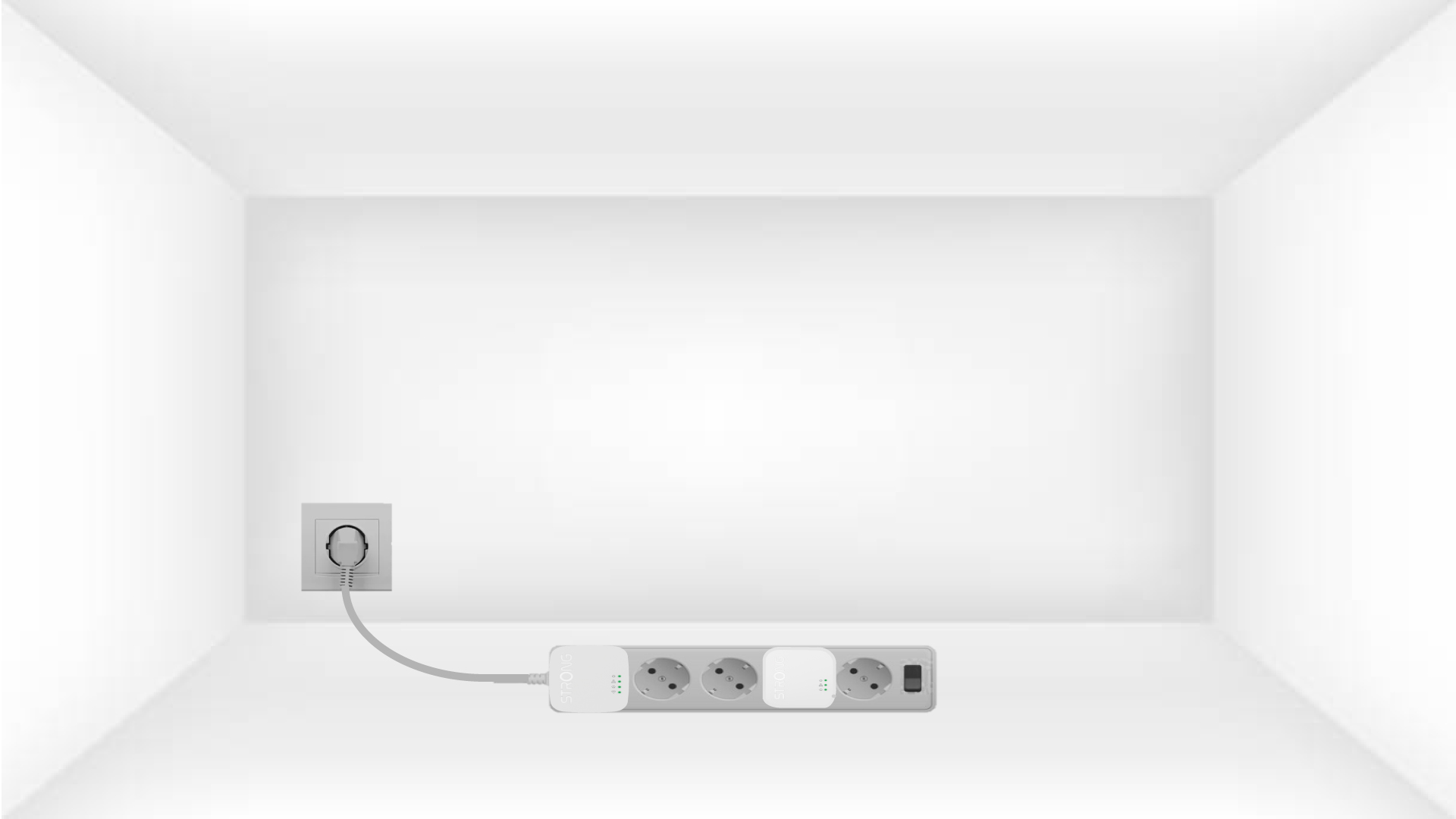
1. Připojteadaptéry k prodlužovacímu kabelu s vypínačem
Take a power strip and plug all the powerline adapters into it.
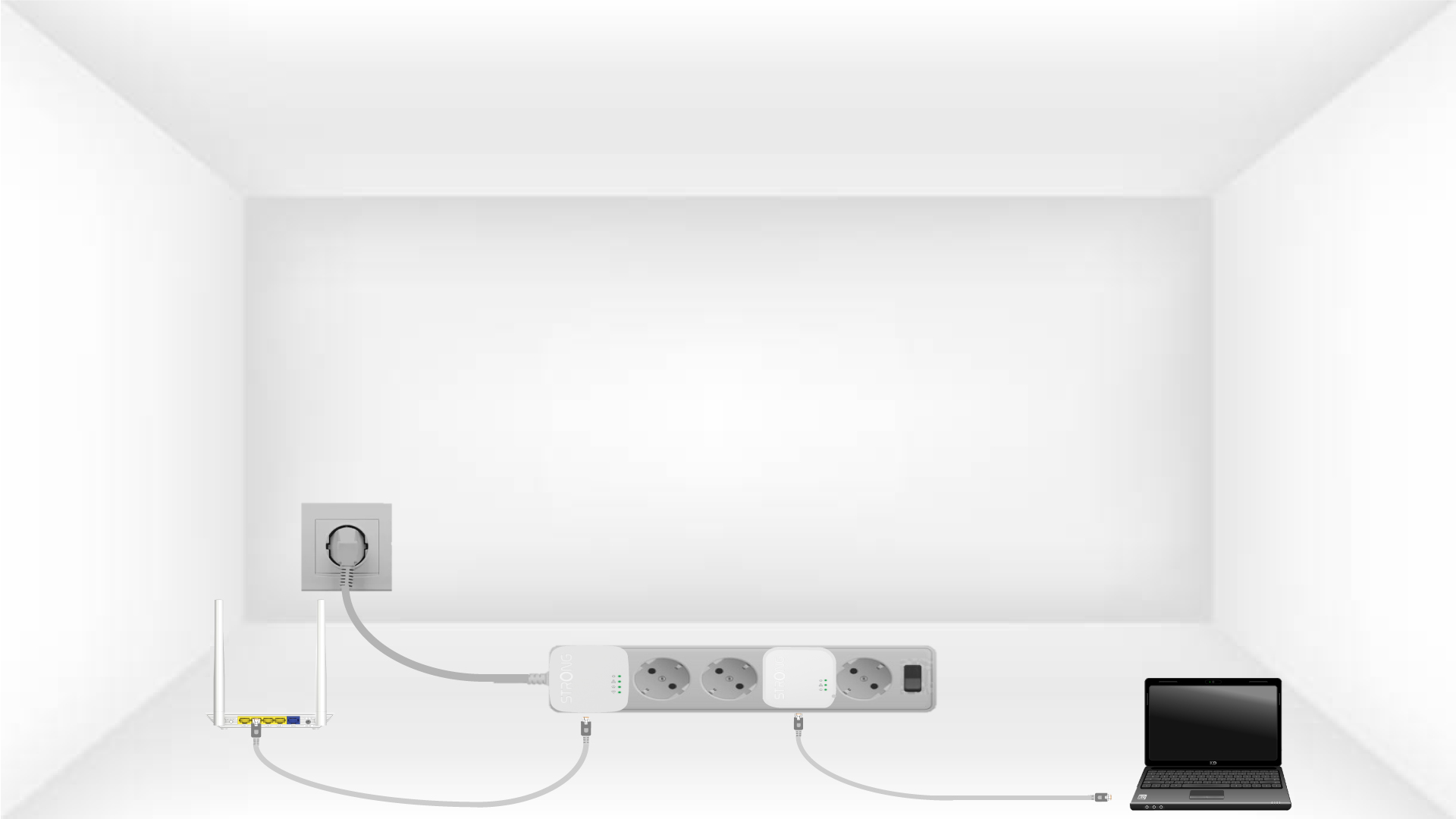
2. Připojteadaptéry k internetu
Connect one of the powerline adapters to the Internet gateway/router with an RJ45 cable.
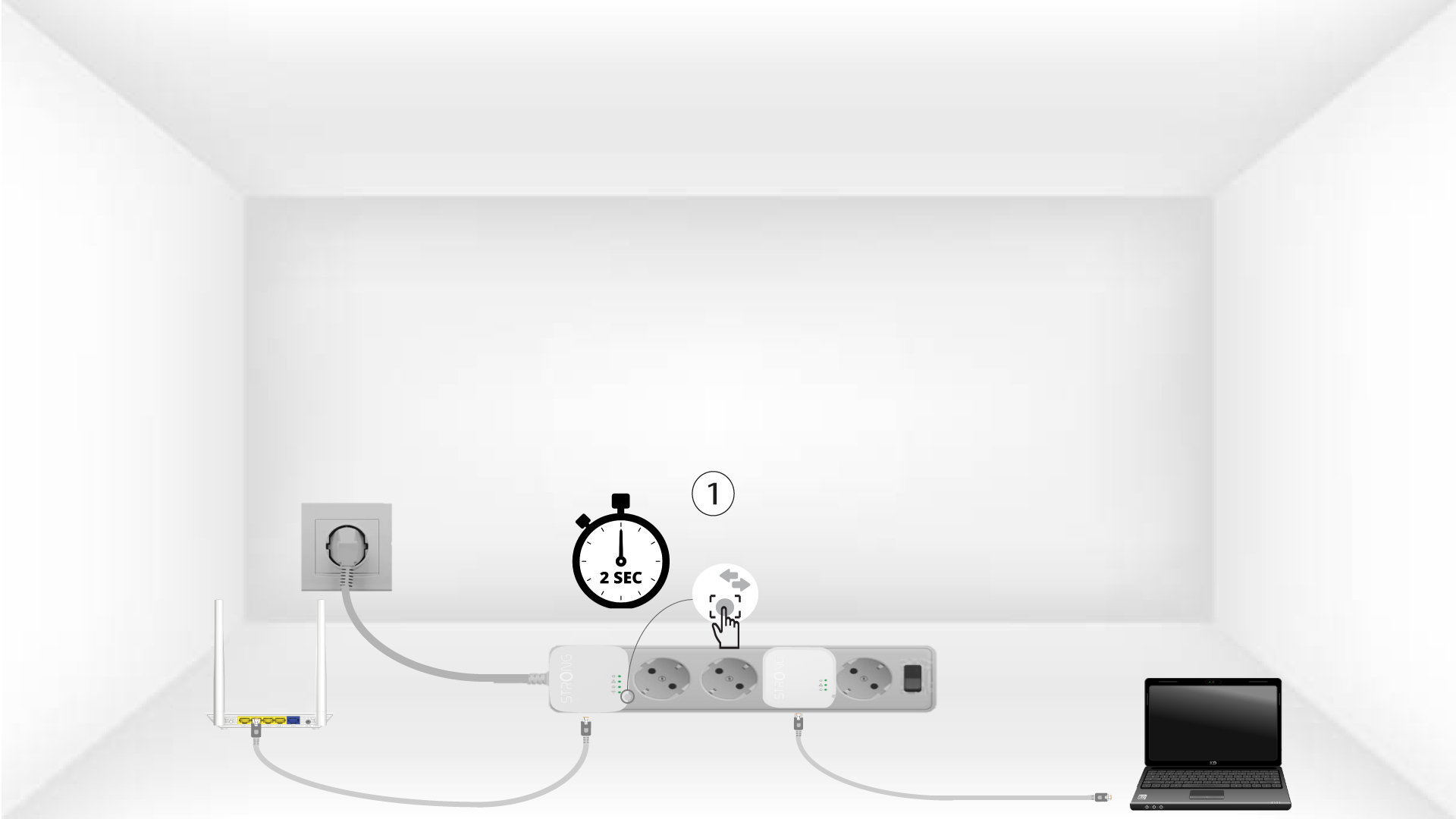
3 Stisknětetlačítko „Connect & Secure“ (první zařízení)
Press the Connect & Secure button on the first device for 2 seconds.
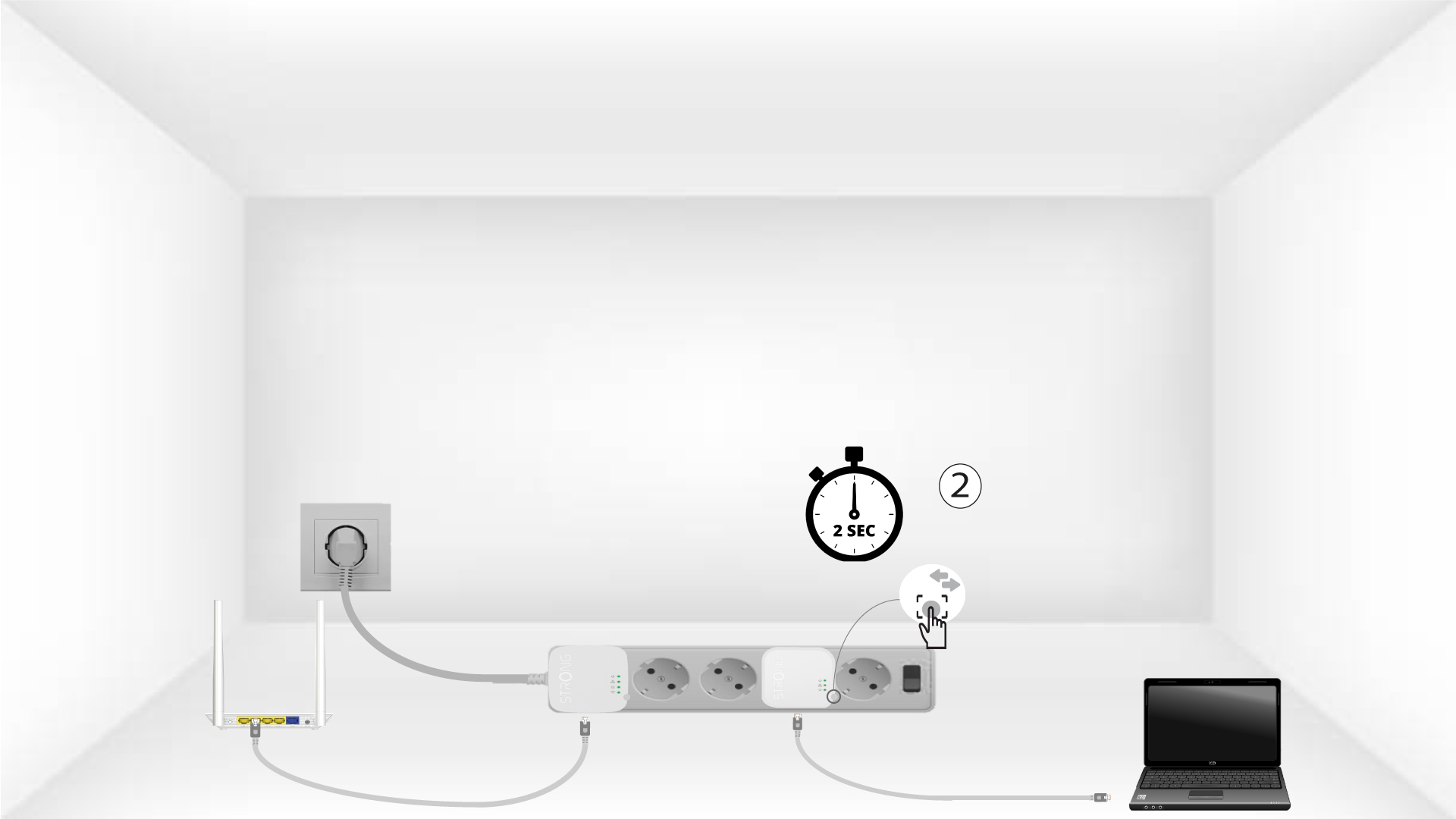
4Stisknětetlačítko „Connect & Secure“ (druhé zařízení)
Press the Connect & Secure button on the second device for 2 seconds. You have up to two minutes to do it.
5The home LED blinks
The home LED should blink on both devices.
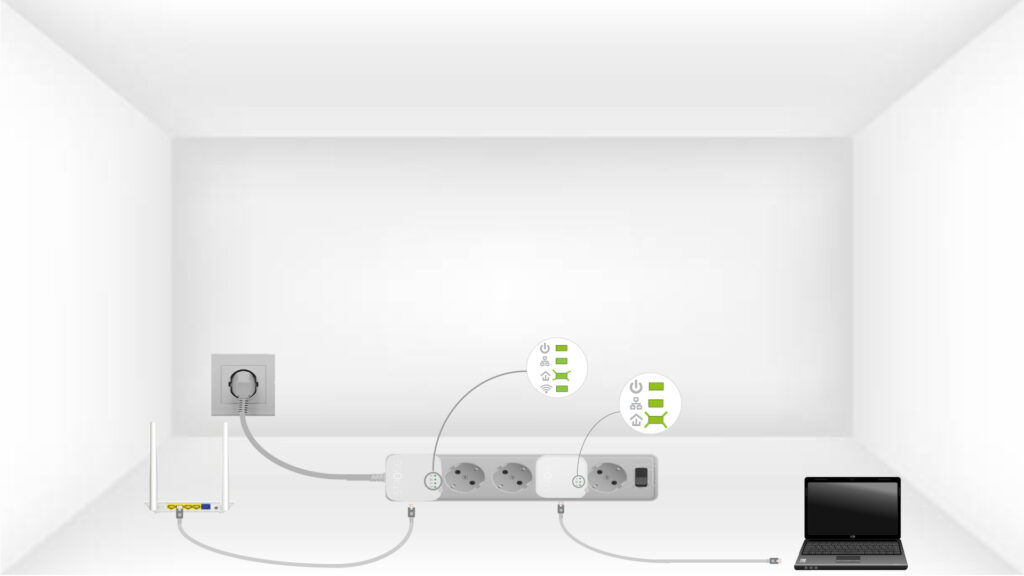
6Šifrovací klíčje nastaven
Váš jedinečný šifrovací klíč je nyní nastaven a všechny LED diody zařízení by měly svítit zeleně.
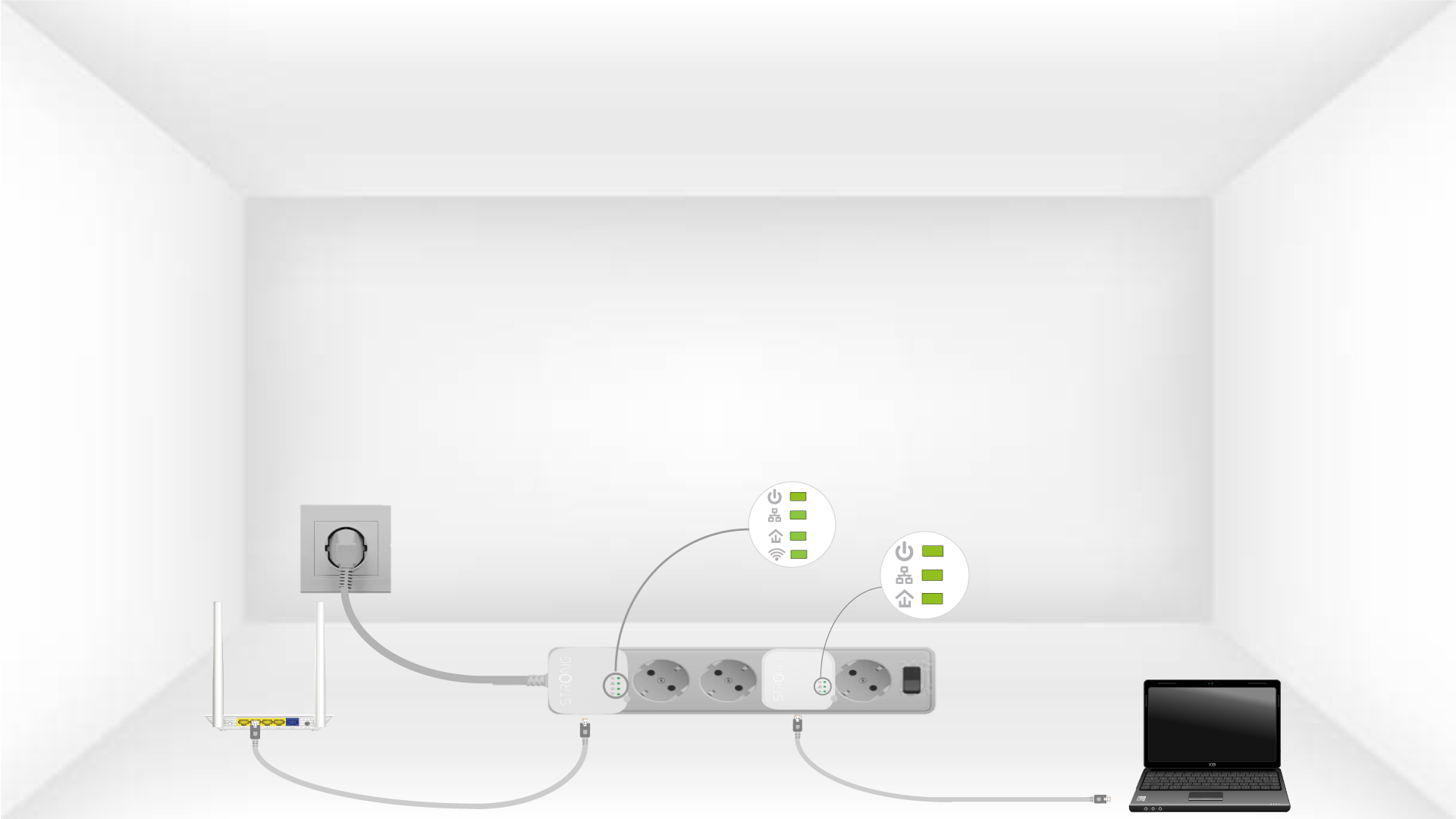
Now, install the adapters in the rooms where you need them. We strongly recommend not plugging the adapters into a power strip.