
ATRIA Wi-Fi 5 Mesh 2100 UK add-on)
Alle spørgsmål
ATRIA Wi-Fi 5 Mesh 2100 UK add-on)
Kan jeg konfigurere et gæstenetværk til mit Mesh -netværk?
Ja, du kan konfigurere et gæstenetværk til dit Mesh -netværk. Der er to måder at gøre det på:
1TILFÆLDE1: Webgrænseflade:
For at oprette forbindelse til webgrænsefladen skal du følge nedenstående fremgangsmåde: Hvordan får jeg adgang til webgrænsefladen?
2Gæstenetværk
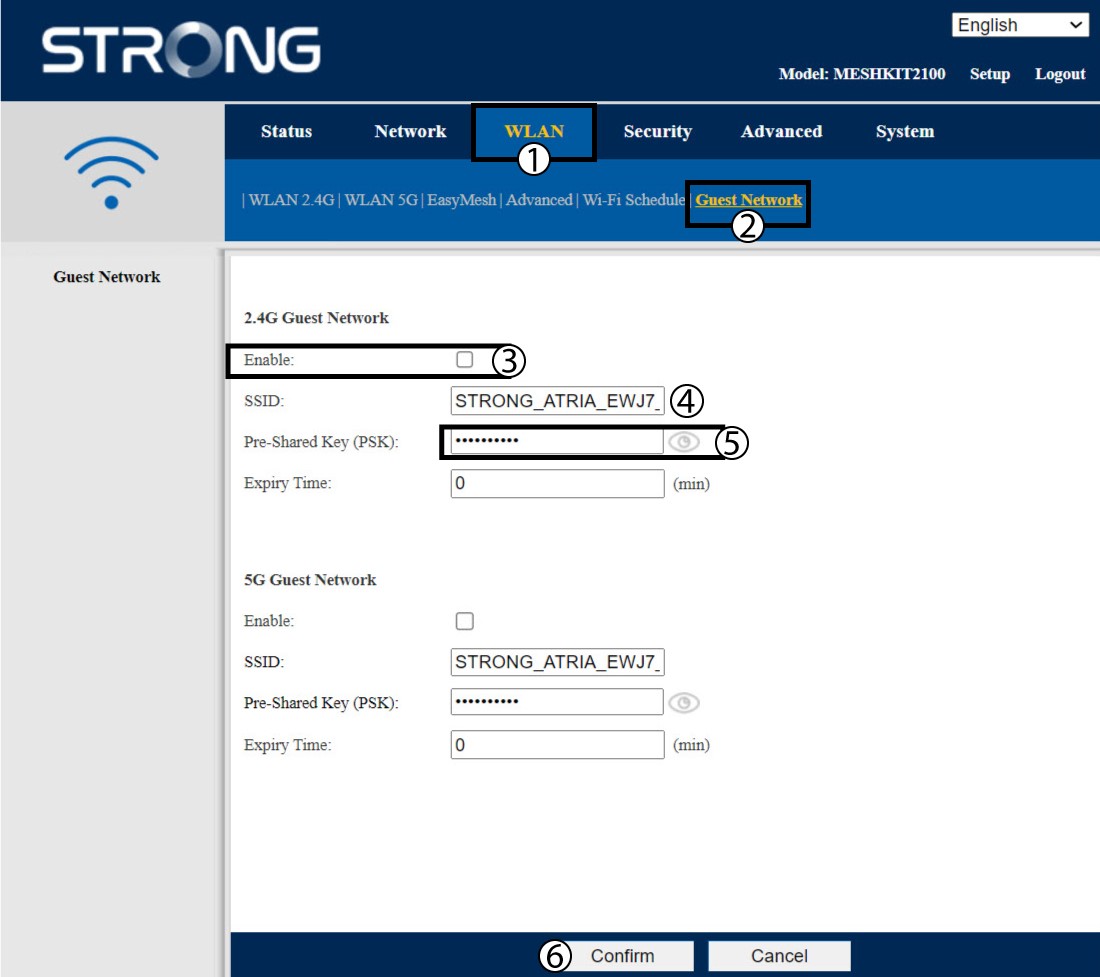
Klik på »WLAN« og »Gæstenetværk«. Hvis du vil aktivere både 2,4- og 5G -gæstenetværk, skal du markere af krydsningsfelterne og klikke på »Bekræft«.
3. Skrivde nye oplysninger ned
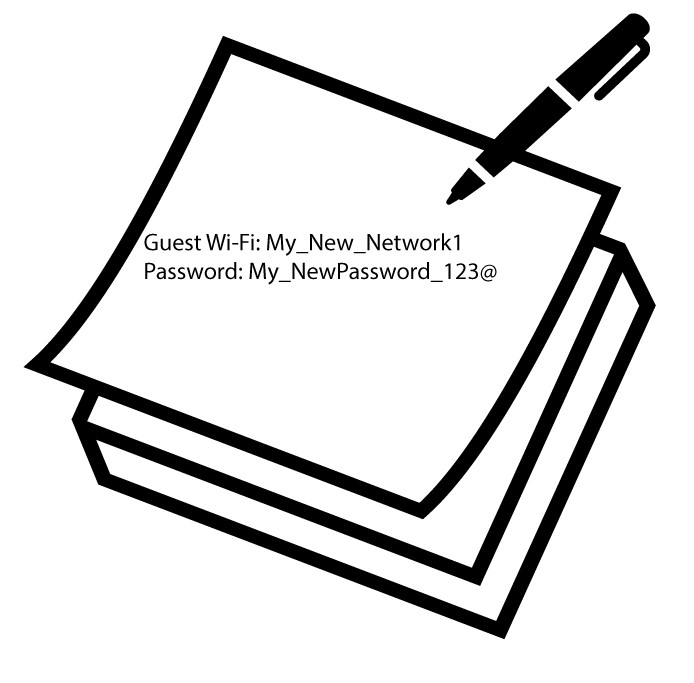
Skriv navnet på gæstenetværket og adgangskoderne ned på et stykke papir.
1Sag2: Atria-appen » Mesh «
For at oprette forbindelse til appen skal du følge nedenstående vejledning: Hvordan bruger jeg Atria-appen » Mesh «?
2. Gæste-Wi-Fi
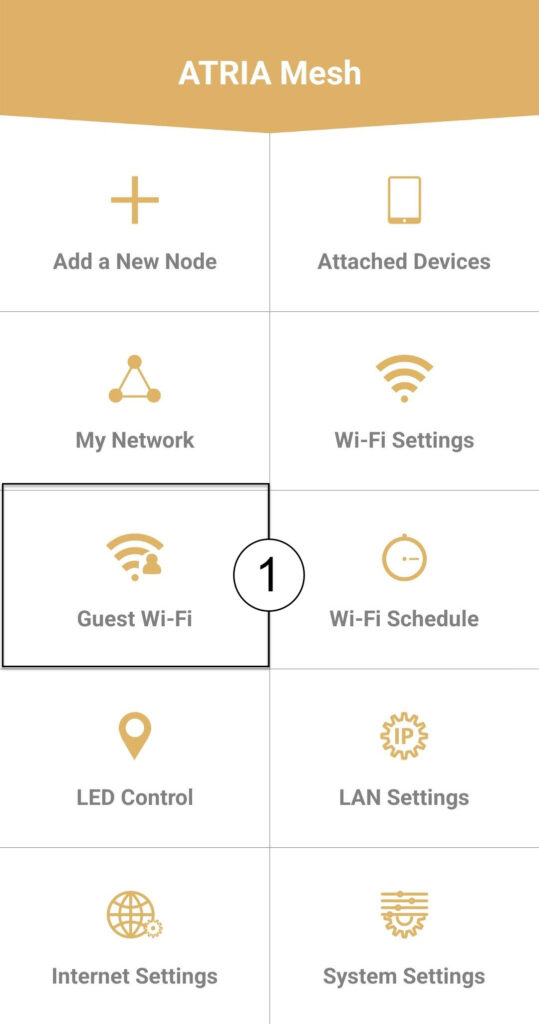
Klik på »Gæste-Wi-Fi«.
3 NYTTRIN
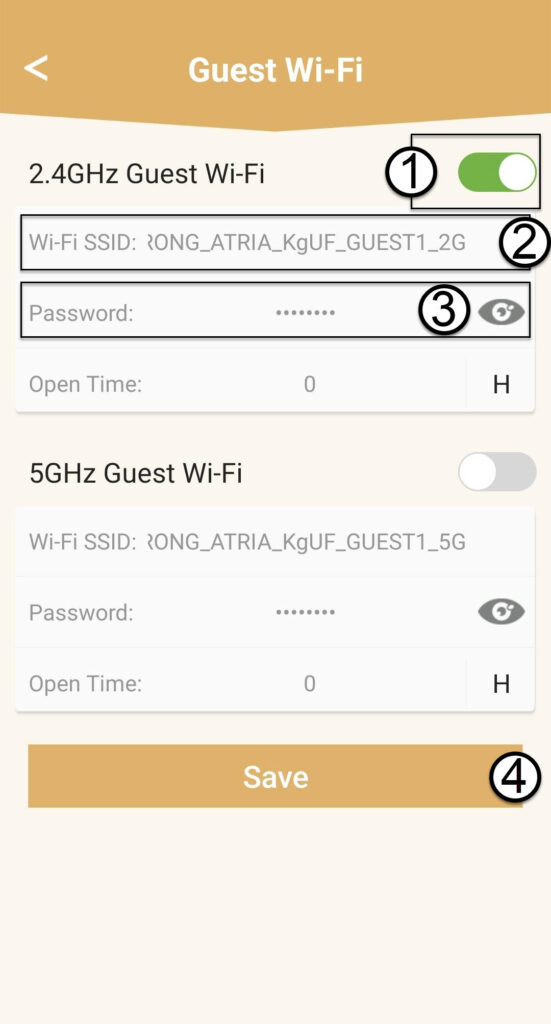
Tryk på vippeknappen for gæste-Wi-Fi-netværket for at aktivere det. Klik derefter på SSID-navnet for at ændre det, og klik på øjeikonet for at få vist adgangskoden og redigere den, inden du klikker på »Gem«.
4. Skrivde nye oplysninger ned
Skriv det nye Wi-Fi-SSID og adgangskoden ned på et stykke papir.