
ATRIA Wi-Fi 5 Mesh 2100 UK add-on)
Ingen varer fundet.
Ingen varer fundet.
Alle spørgsmål
ATRIA Wi-Fi 5 Mesh 2100 UK add-on)
Ingen varer fundet.
Ingen varer fundet.
Jeg har glemt Wi-Fi-adgangskoden til mit Mesh -netværk. Hvordan kan jeg finde den?
1Standardloginoplysninger
Standard-Wi-Fi-adgangskoden står på undersiden af din enhed, men hvis du allerede har ændret den, kan det være nødvendigt at nulstille Mesh 2100 til fabriksindstillingerne.
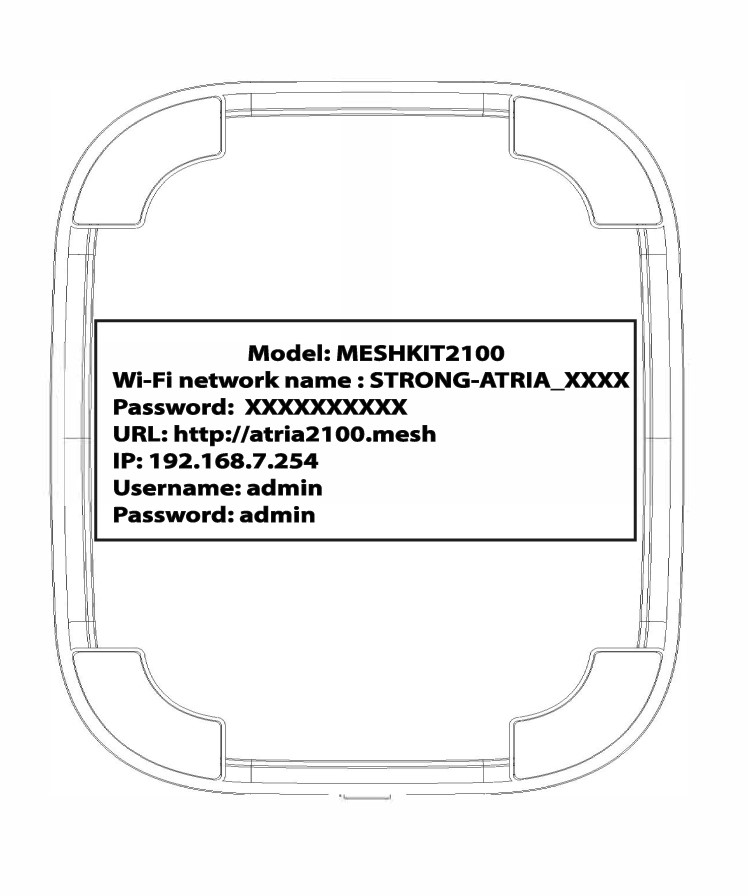
EKSEMPEL 1: Visning af oplysninger om Wi-Fi-netværket i webgrænsefladen
For at oprette forbindelse til webgrænsefladen skal du følge denne vejledning: Hvordan får jeg adgang til webgrænsefladen?
1WLAN
Klik på »WLAN« og »WLAN 2,4 G«. Klik derefter på øjeikonet ved siden af feltet »PSK «.

2. Skrivde nye oplysninger ned
Skriv adgangskoden ned på et stykke papir.
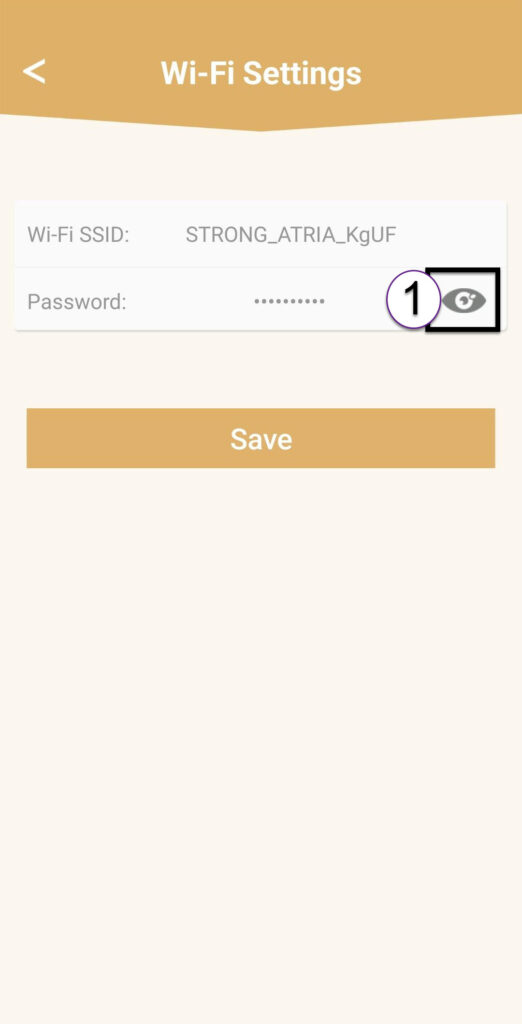
EKSEMPEL 2: Visning af oplysninger om Wi-Fi-netværket i appen
For at oprette forbindelse til webgrænsefladen skal du følge denne vejledning: Hvordan bruger jeg Atria-appen » Mesh «?
1. Wi-Fi-indstillinger
Klik derefter på »Wi-Fi-indstillinger«.

2Password
Klik på øjeikonet for at få vist adgangskoden.
3. Skrivde nye oplysninger ned
Skriv adgangskoden ned på et stykke papir.