Ingen varer fundet.
LEAP S3 | 4K Google TV med Dolby Vision
Ingen varer fundet.
Alle spørgsmål
Ingen varer fundet.
LEAP S3 | 4K Google TV med Dolby Vision
Ingen varer fundet.
Hvordan tilføjer jeg en app eller ændrer rækkefølgen af apps på startskærmen?
1Eksempel1: Tilføjelse af en app
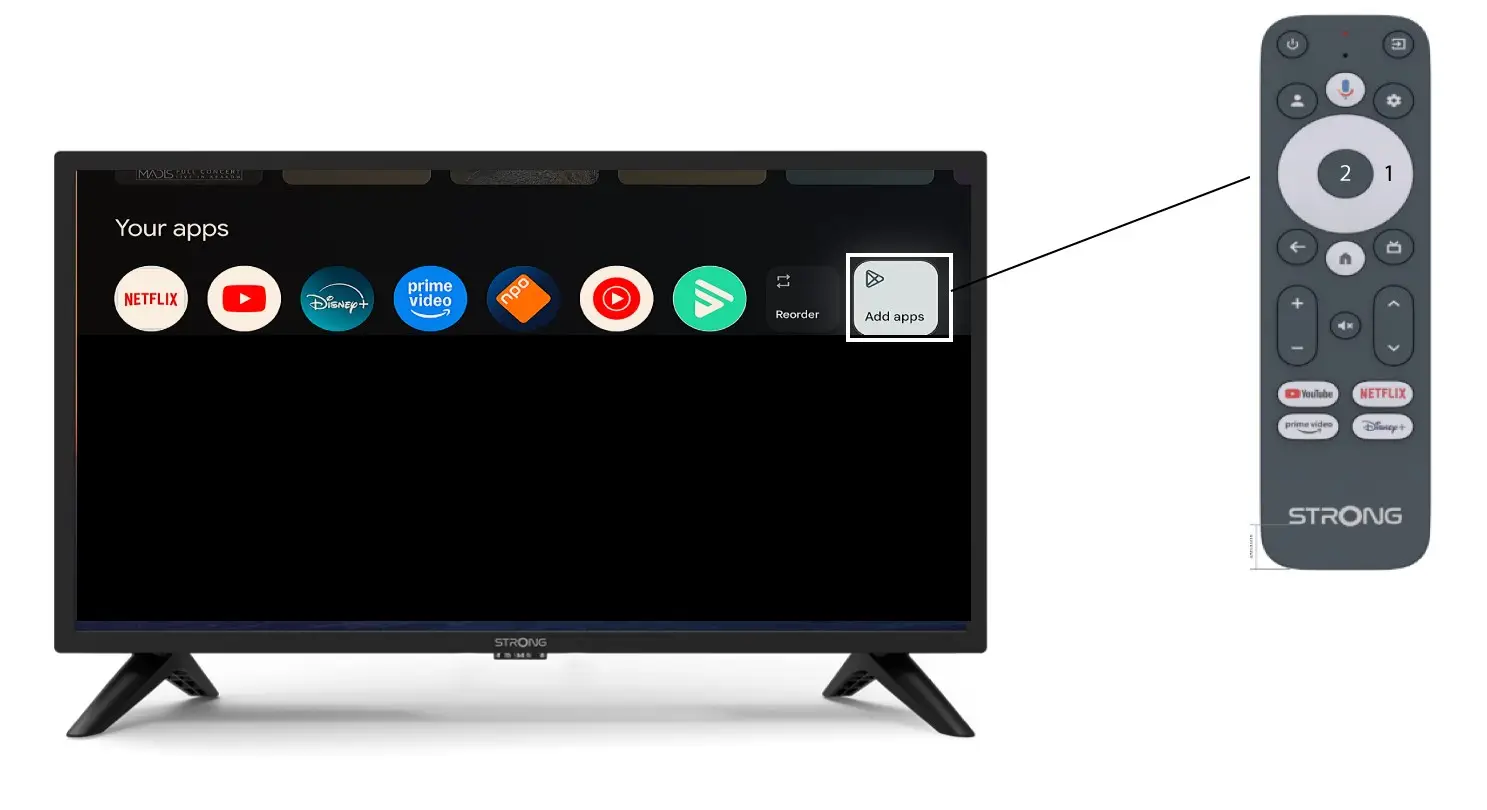
For at tilføje et program til startskærmen skal du gå til knappen »Tilføj programmer«, der findes i bunden af listen over programmer, der allerede er på startskærmen, og trykke på »OK«.
2. Liste over apps
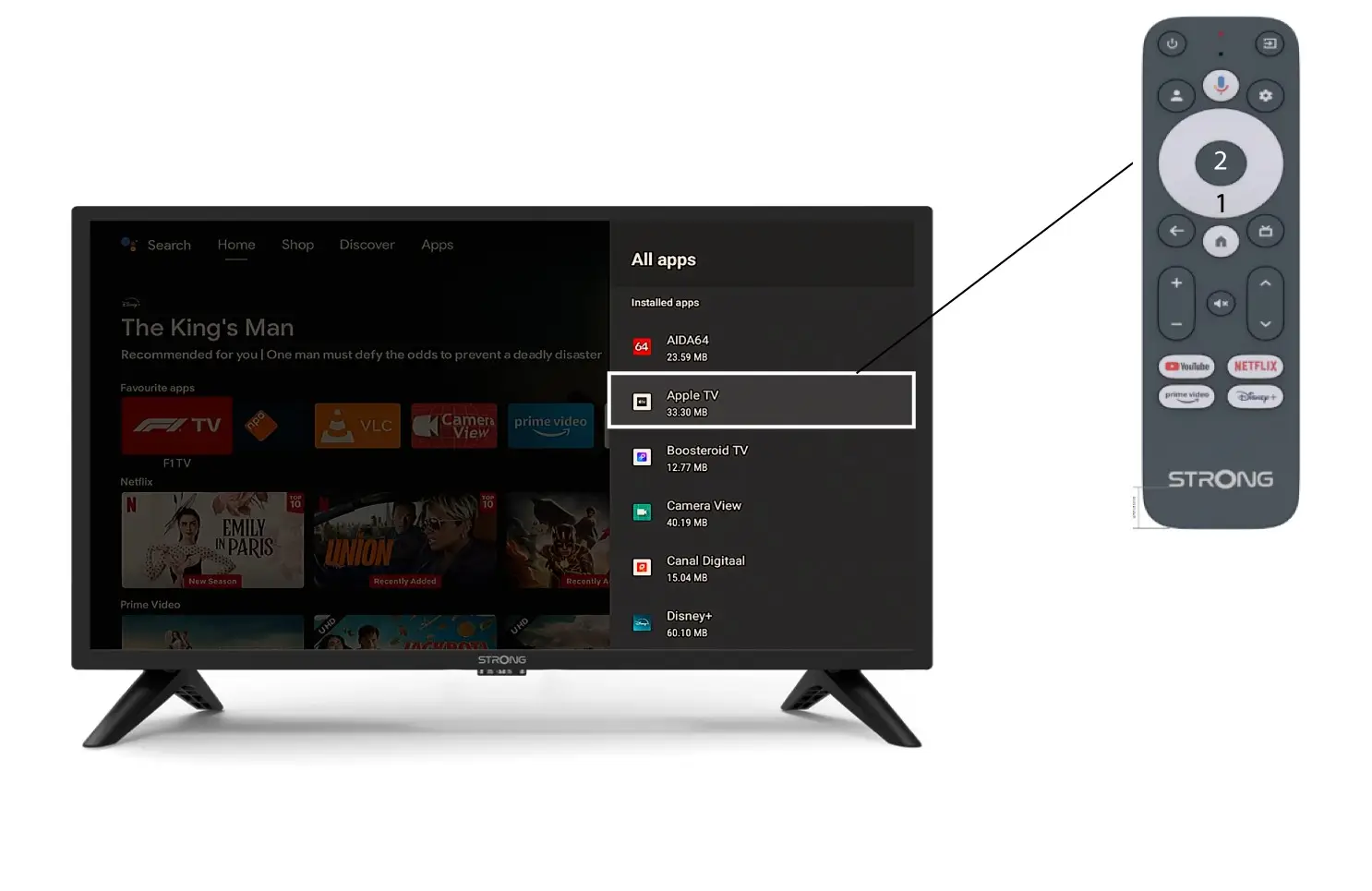
Derefter åbnes listen over programmer. Vælg det ønskede program, og tryk på OK-knappen på fjernbetjeningen.
Bemærk, at det ikke er muligt at fjerne apps fra favoritlisten. Du skal afinstallere appen, hvis du ønsker, at den skal forsvinde fra denne side.
3. Eksempel2: Omplacering af apps
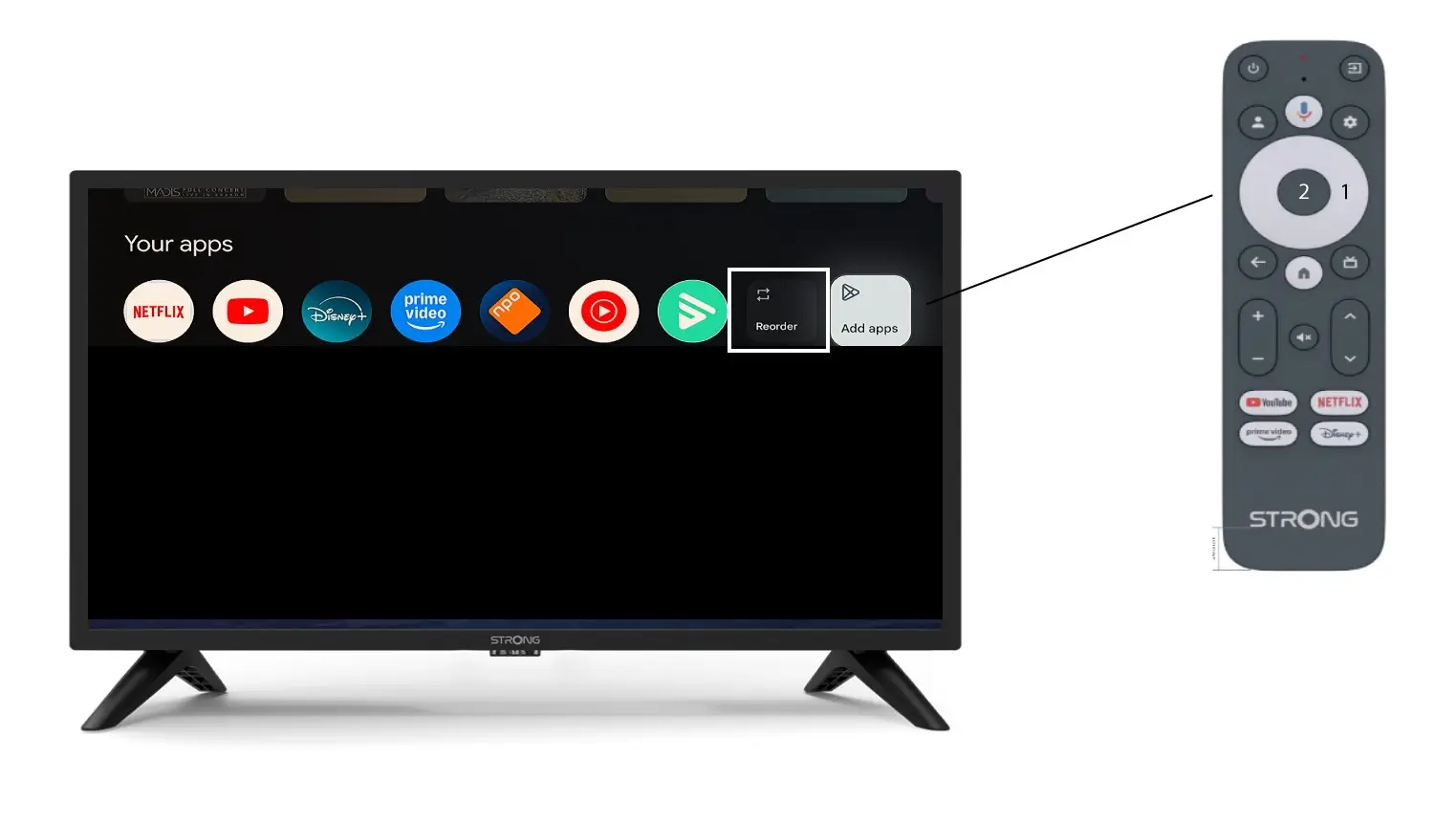
For at ændre rækkefølgen af de apps, der vises på startskærmen, skal du klikke på »Omarranger«.