Ingen varer fundet.
LEAP S3 | 4K Google TV med Dolby Vision
Ingen varer fundet.
Alle spørgsmål
Ingen varer fundet.
LEAP S3 | 4K Google TV med Dolby Vision
Ingen varer fundet.
Hvordan nulstiller jeg LEAP S3 til fabriksindstillingerne?

Advarsel: Når du nulstiller din enhed til fabriksindstillingerne, slettes alle applikationer og brugerdefinerede indstillinger. Du bliver nødt til at geninstallere alle dine applikationer fra bunden.
1. Tændfor enheden
Tænd for dit tv og din LEAP S3.
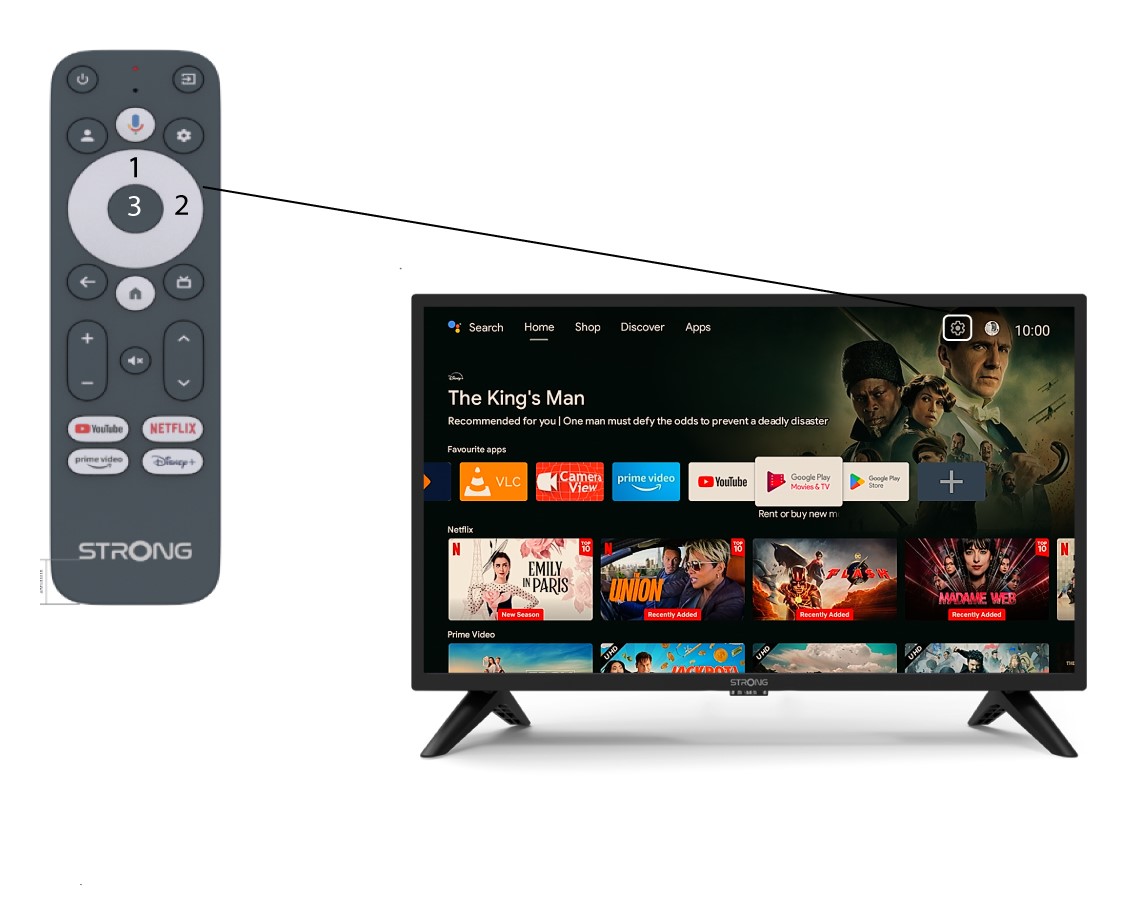
2Gåtil menuen »Indstillinger«
Find tandhjulsikonet (Indstillingsmenuen) øverst til højre på skærmen, og vælg det ved hjælp af pileknapperne på fjernbetjeningen. Tryk derefter på OK-knappen på fjernbetjeningen for at åbne Indstillingsmenuen.
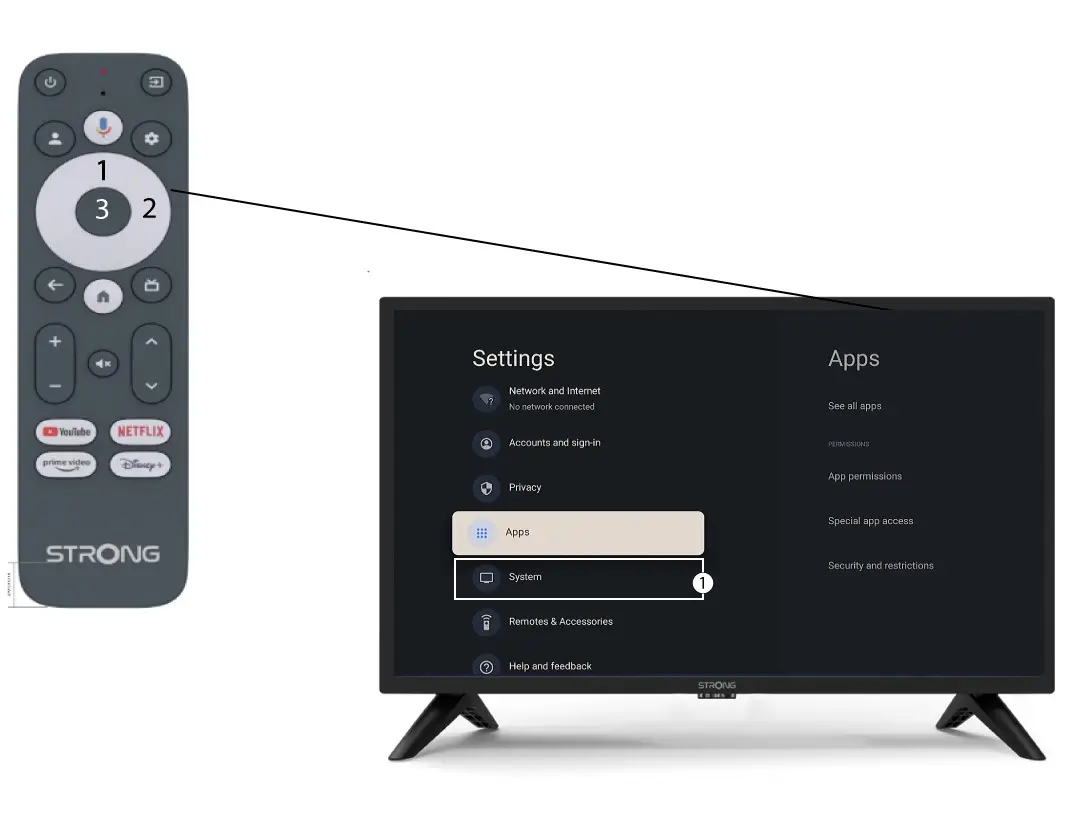
3Systemindstillinger
I menuen »Indstillinger« skal du vælge »System« og trykke på OK.
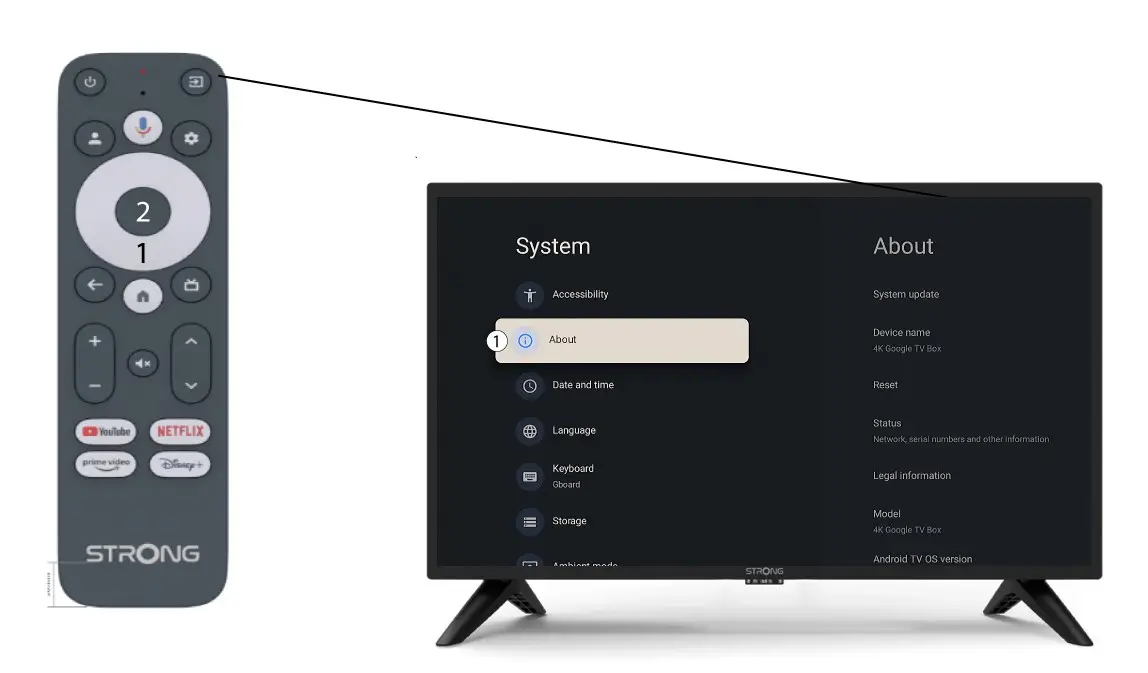
4Om
Vælg »Om« i menuen »Systemindstillinger«, og tryk på OK-knappen på fjernbetjeningen.
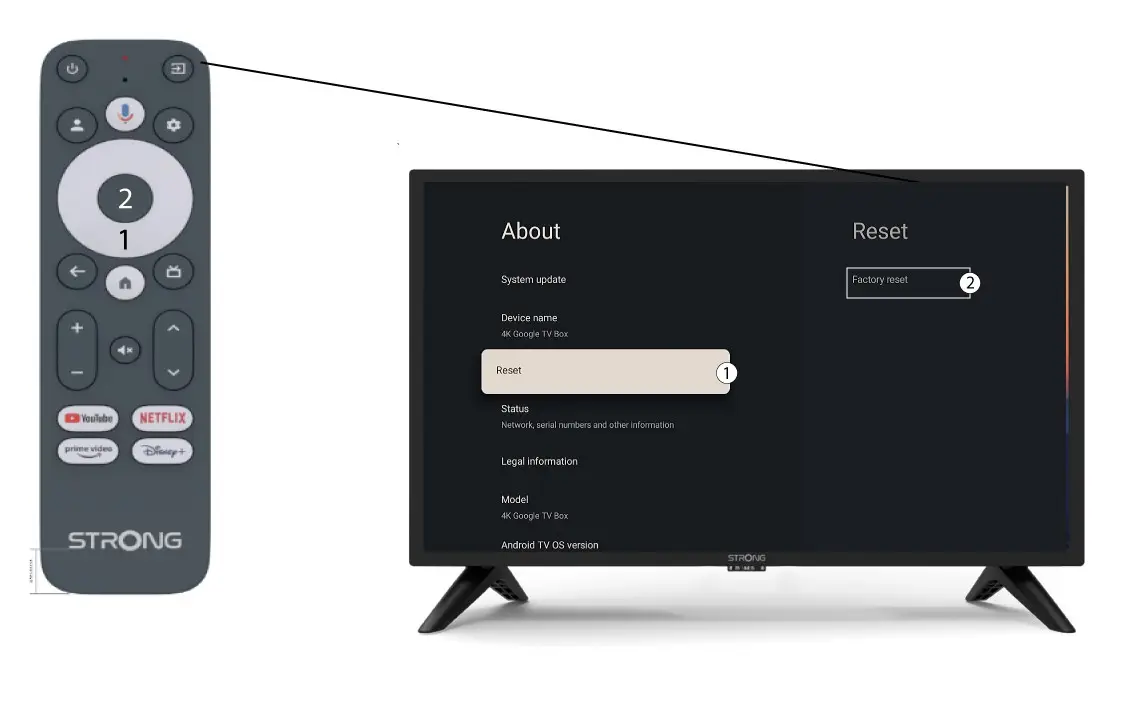
5. Fabriksindstilling
Vælg »Nulstil«, og vælgderefter »Fabriksindstilling«, inden du trykker på OK.