4G+ AIRSPOT 520 Mobil Wi-Fi med Touchscreen
Ingen varer fundet.
Ingen varer fundet.
Alle spørgsmål
4G+ AIRSPOT 520 Mobil Wi-Fi med Touchscreen
Ingen varer fundet.
Ingen varer fundet.
Hvordan ændrer jeg SSID’et (Wi-Fi-netværksnavnet) og Wi-Fi-adgangskoden? (Mi-Fi-skærmen)
Du kan redigere oplysningerne om Wi-Fi-netværket fra skærmen på din Mi-Fi.
1. ÅbnWi-Fi-indstillingerne
Lås skærmen op, og tryk på Wi-Fi-ikonet.
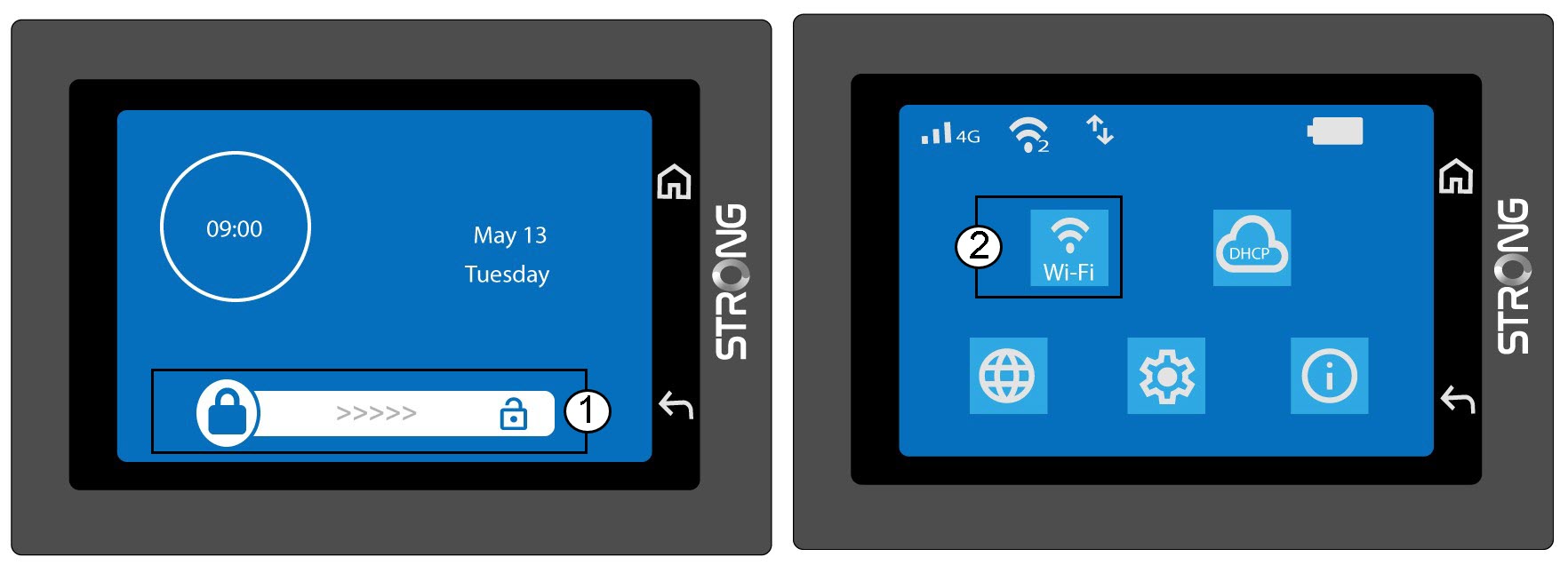
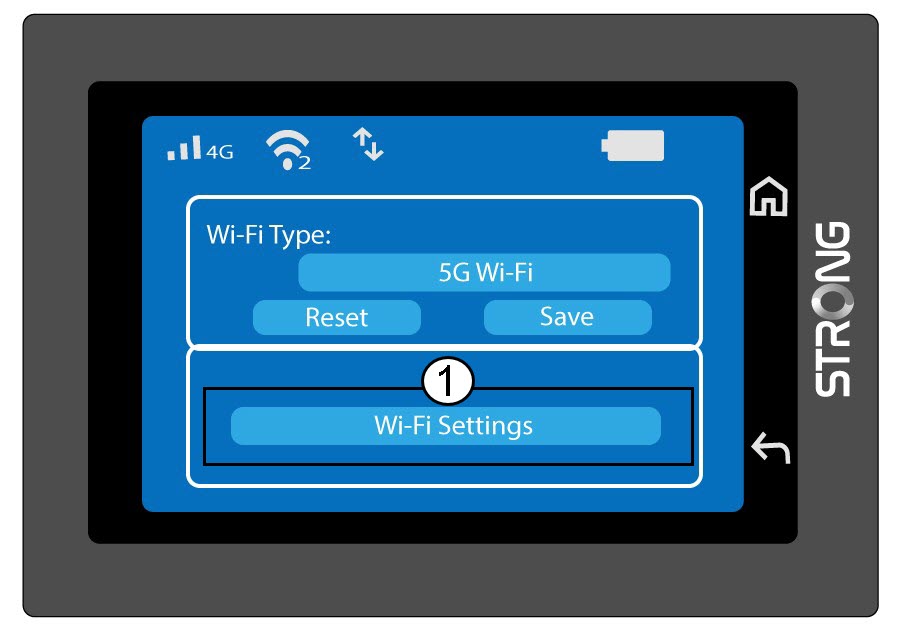
2. ÅbnWi-Fi-konfiguration
Klik på »Wi-Fi-indstillinger«.
3. Skiftnetværksnavnet (SSID)
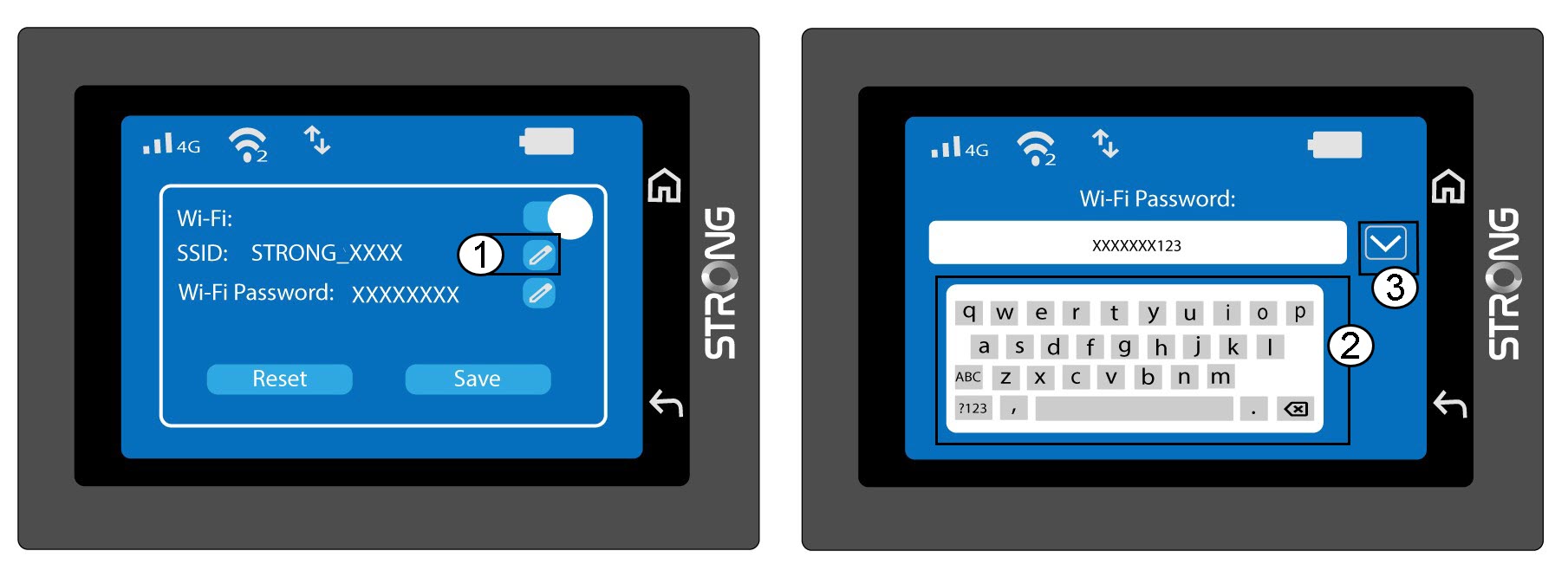
Klik på pen-ikonet ved siden af Wi-Fi-netværksnavnet, indtast det nye navn, og tryk på (V) for at bekræfte.
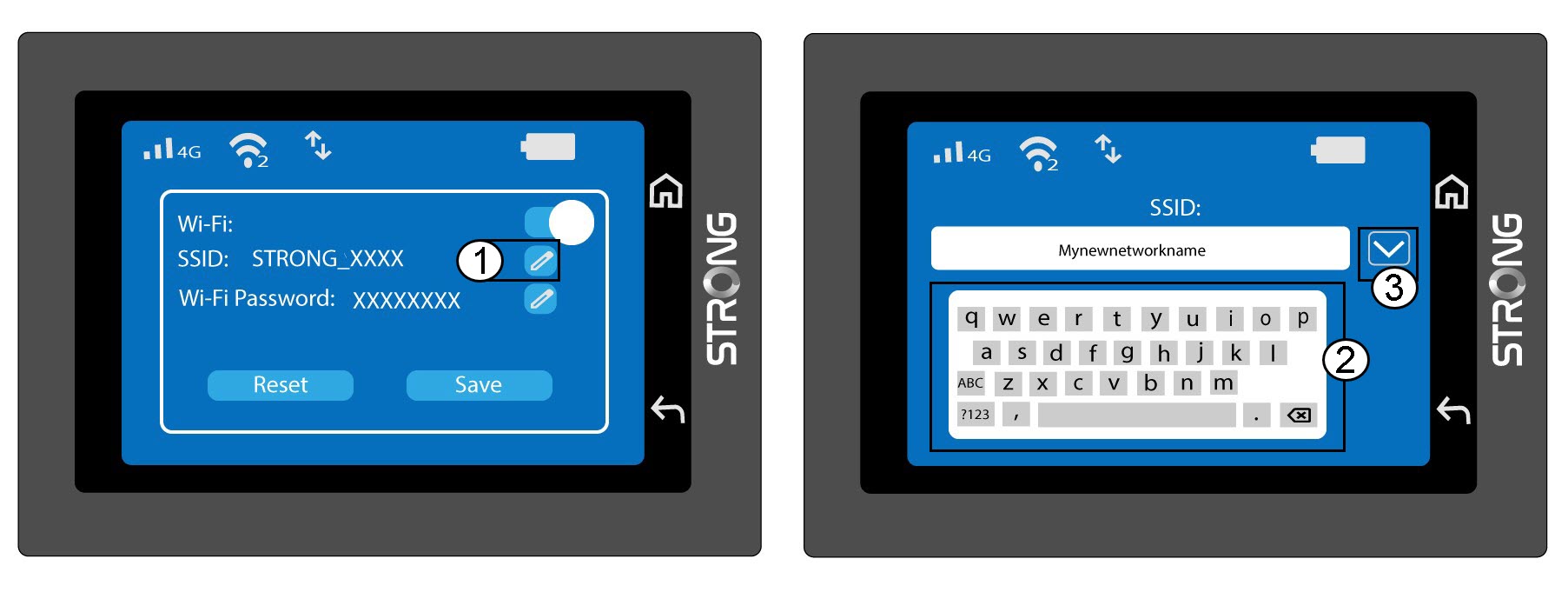
4. SkiftWi-Fi-adgangskoden
Klik på pen-ikonet ved siden af Wi-Fi-adgangskoden, indtast den nye adgangskode, og tryk på (V) for at bekræfte.
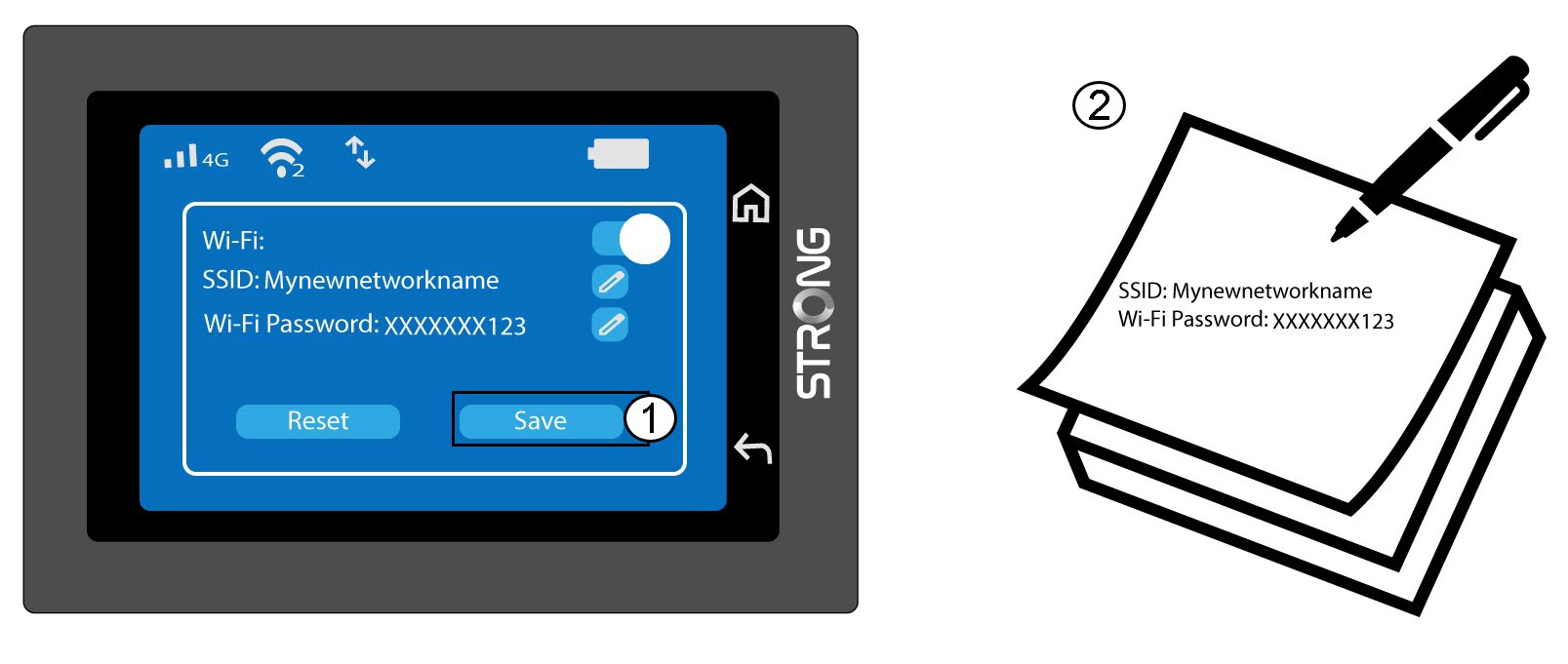
5. Gemdine ændringer
Klik på »Gem«, og skriv det nye netværksnavn og den nye adgangskode ned, så du kan finde dem senere.