
ATRIA kit | MESHKIT1200
Ingen varer fundet.
Ingen varer fundet.
Alle spørgsmål
ATRIA kit | MESHKIT1200
Ingen varer fundet.
Ingen varer fundet.
Hvordan konfigurerer jeg mit Wi-Fi- mesh -netværk (Tilfælde 1: WPS-knap)
For at konfigurere dit Mesh -netværk henvises der til den hurtigstartvejledning (QIG), der findes i produktets » boks «.
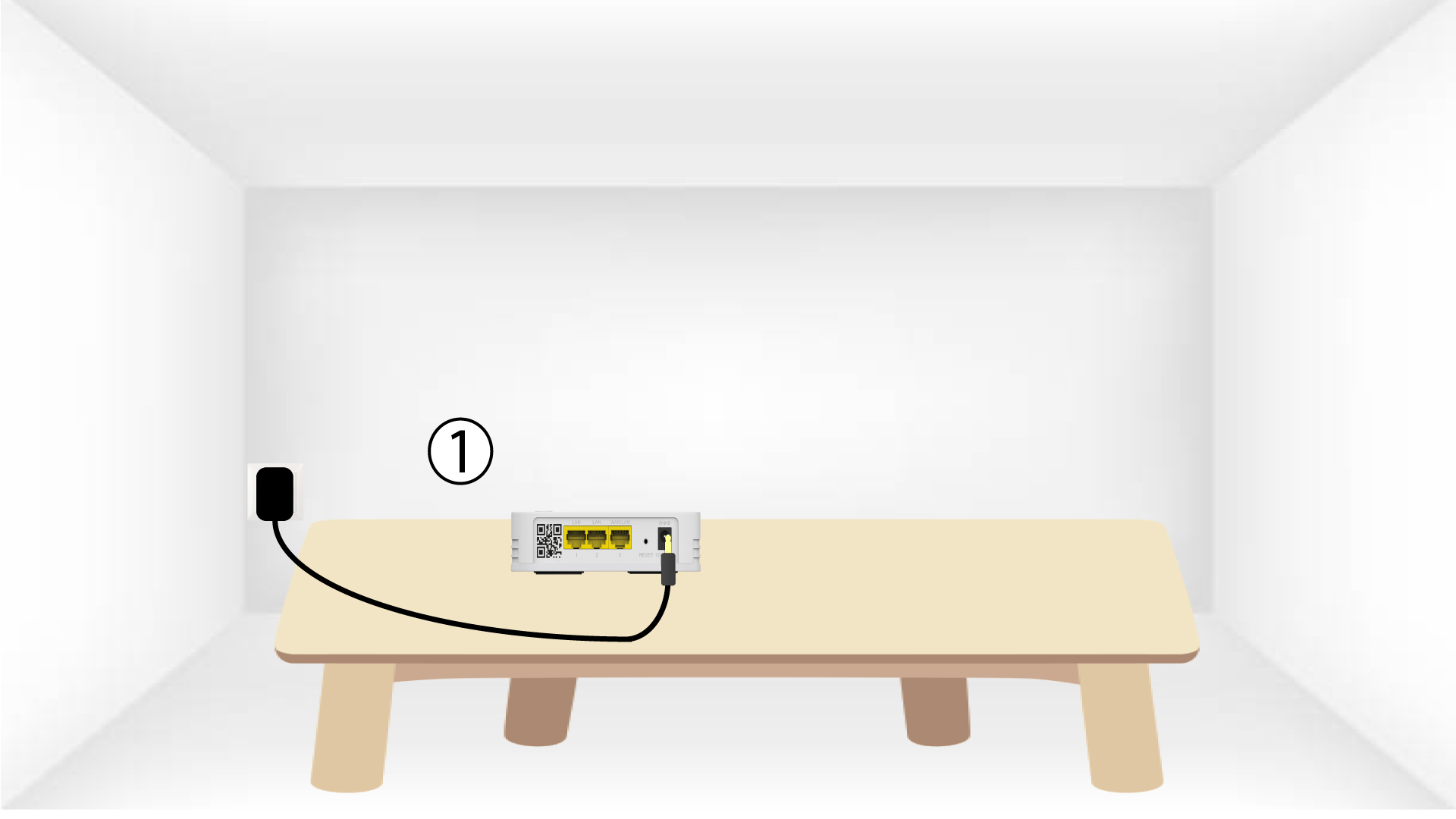
1. Sæt stikketi enheden
Du skal sætte stikket i stikkontakten mesh for at tænde enheden (der er ingen tænd/sluk-knap på enheden) og tilslutte den til
dit modem ved hjælp af et RJ45-kabel.

2Ventunder konfigurationen
Derefter skal du vente et par minutter, indtil enheden har konfigureret sig selv.
3Tilslutden anden enhed
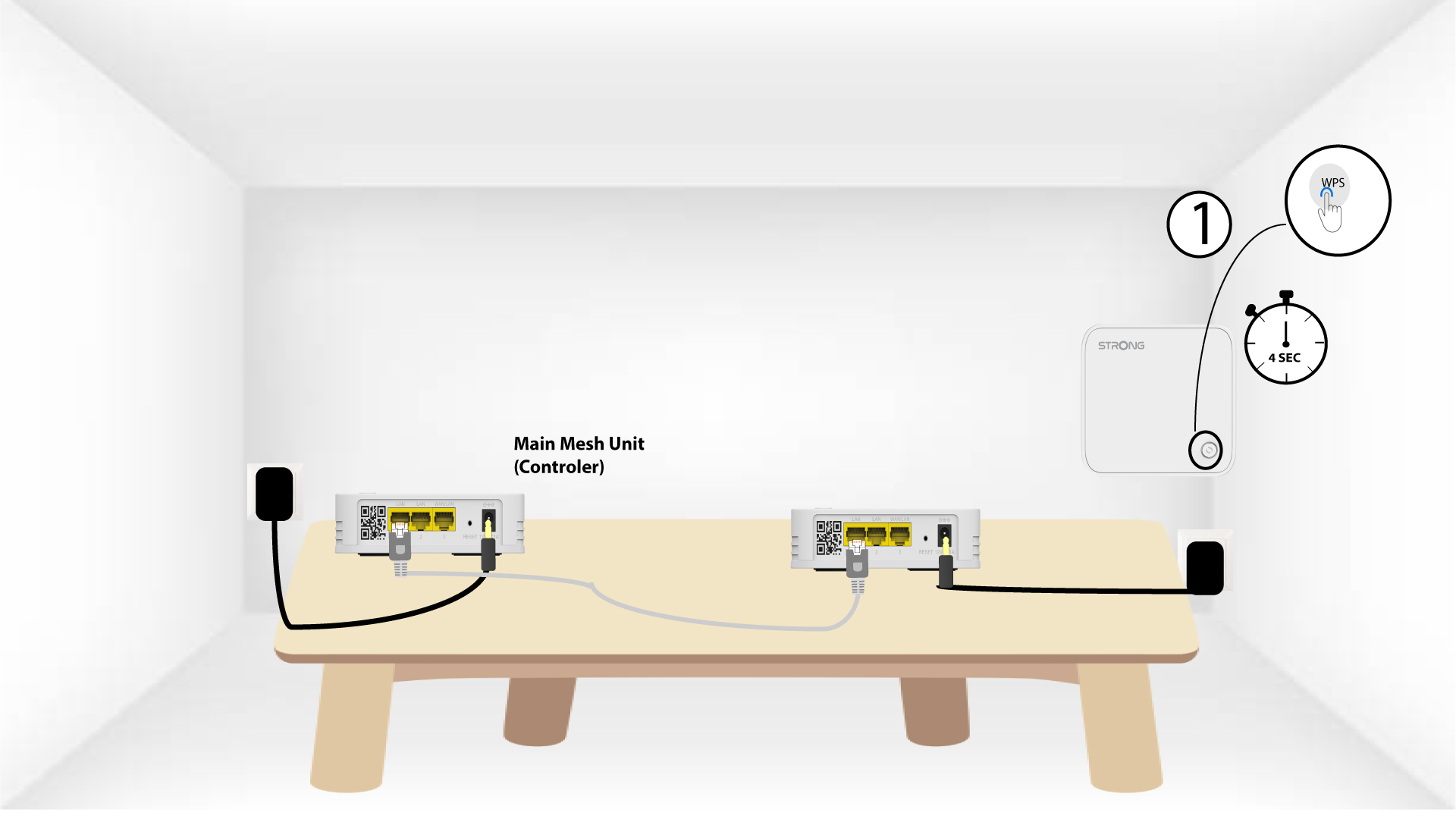
Du skal tilslutte den anden enhed fra mesh .
4AktivérWPS på hovedenheden mesh
Tryk på WPS-knappen i mindst 4 sekunder på den enhed fra Mesh , der er tilsluttet dit modem/din router.
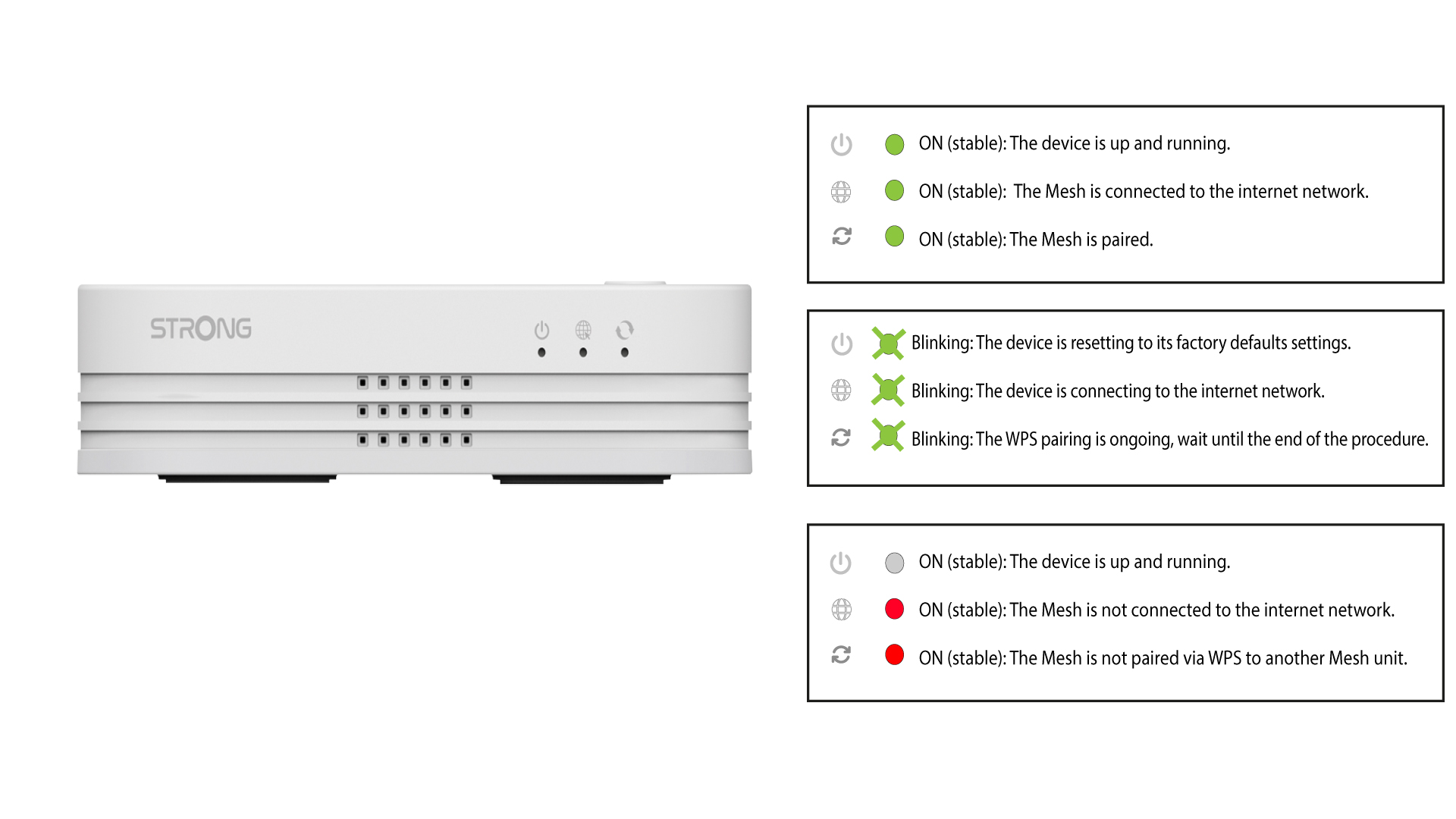
LED’en vil blinke grønt, når WPS er aktiveret.
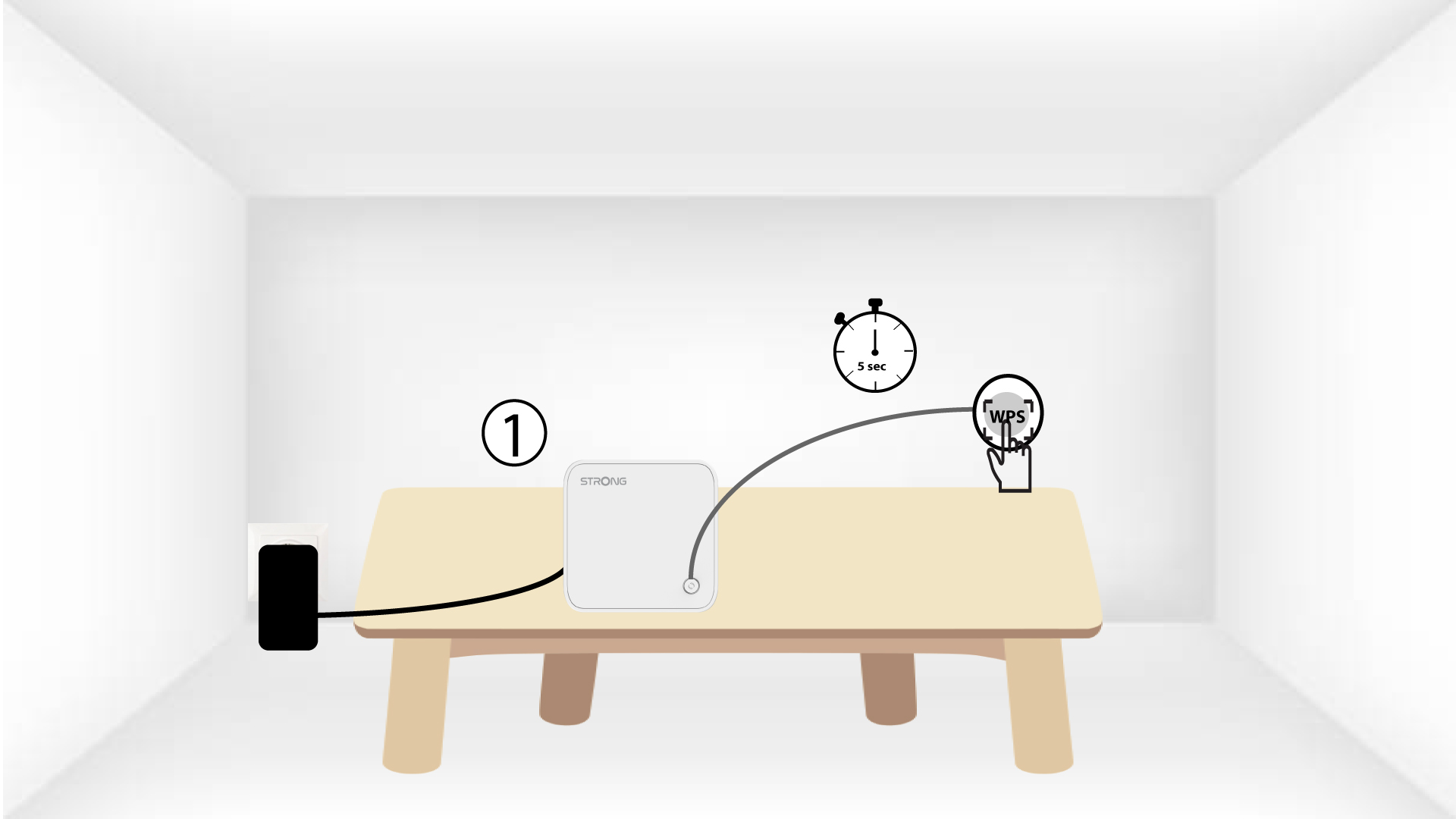
5AktivérWPS på den anden mesh
Tryk på WPS-knappen i mindst 4 sekunder på den anden enhed fra Mesh .
6Enhederer ved at blive parret
Lorem ipsum dolor sit amet, consectetur adipisicing elit. Culpa enim esse excepturi nemo nesciunt officia officiis optio.